logo
Brands
  1. Home
  2. •
  3. Brands
  4. •
  5. Toshiba
  6. •
  7. Air Conditioner
  8. •
  9. Toshiba BMS-IFMB0TLR-E User manual

Toshiba BMS-IFMB0TLR-E User manual

Other Toshiba Air Conditioner manuals

Toshiba RAS-M07U2DVG-E User manual

Toshiba

Toshiba RAS-M07U2DVG-E User manual

Toshiba MMD-UP0961HFP-E1 User manual

Toshiba

Toshiba MMD-UP0961HFP-E1 User manual

Toshiba RAV-SM562MUT-E User manual

Toshiba

Toshiba RAV-SM562MUT-E User manual

Toshiba 18E2KVG-A User manual

Toshiba

Toshiba 18E2KVG-A User manual

Toshiba RAV-SM567CTP-T User manual

Toshiba

Toshiba RAV-SM567CTP-T User manual

Toshiba RAV-SM1101AT-E Repair manual

Toshiba

Toshiba RAV-SM1101AT-E Repair manual

Toshiba RAV-GM301ATP-E User manual

Toshiba

Toshiba RAV-GM301ATP-E User manual

Toshiba RAV-RM301KRTP-E User manual

Toshiba

Toshiba RAV-RM301KRTP-E User manual

Toshiba RAS-24SKP-ES2 User manual

Toshiba

Toshiba RAS-24SKP-ES2 User manual

Toshiba DIGITAL Series User manual

Toshiba

Toshiba DIGITAL Series User manual

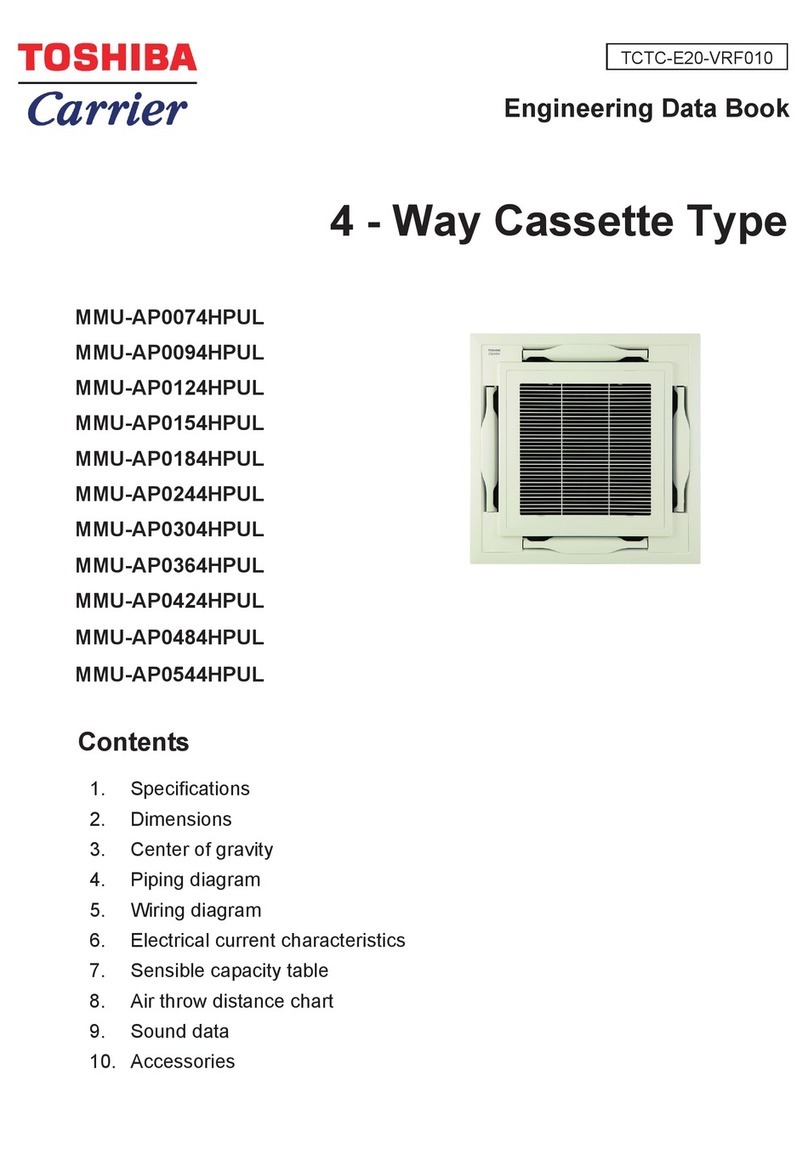
Toshiba Carrier MMU-AP0074HPUL Product guide

Toshiba

Toshiba Carrier MMU-AP0074HPUL Product guide

Toshiba R410A User manual

Toshiba

Toshiba R410A User manual

Toshiba RAS-13UKHP-E3 User manual

Toshiba

Toshiba RAS-13UKHP-E3 User manual

Toshiba Carrier TCB-IFDMR01UP-UL User manual

Toshiba

Toshiba Carrier TCB-IFDMR01UP-UL User manual

Toshiba RAS-10G2KVP Series User manual

Toshiba

Toshiba RAS-10G2KVP Series User manual

Toshiba MMU-AP0091H User manual

Toshiba

Toshiba MMU-AP0091H User manual

Toshiba RAS-B10N3KV2 User manual

Toshiba

Toshiba RAS-B10N3KV2 User manual

Toshiba MMY-MAP1006FT8P-UK User manual

Toshiba

Toshiba MMY-MAP1006FT8P-UK User manual

Toshiba MMY-MUP0801HT8JP User manual

Toshiba

Toshiba MMY-MUP0801HT8JP User manual

Toshiba RAS-107SKV Series User manual

Toshiba

Toshiba RAS-107SKV Series User manual

Toshiba MMD-AP0186HP-E User manual

Toshiba

Toshiba MMD-AP0186HP-E User manual

Toshiba CARRIER TCB-BC1602UUL User manual

Toshiba

Toshiba CARRIER TCB-BC1602UUL User manual

Toshiba RAS-B10N3KVP Series User manual

Toshiba

Toshiba RAS-B10N3KVP Series User manual

Toshiba RAS 17EKCV Series User manual

Toshiba

Toshiba RAS 17EKCV Series User manual

Popular Air Conditioner manuals by other brands

Panasonic CS-E12HKEW operating instructions

Panasonic

Panasonic CS-E12HKEW operating instructions

Mitsubishi Electric MSZ-GE60VA null

Mitsubishi Electric

Mitsubishi Electric MSZ-GE60VA null

Samsung AVMFC052EA0(4) null

Samsung

Samsung AVMFC052EA0(4) null

Haier HSU-09H03/R null

Haier

Haier HSU-09H03/R null

Haier HSU-24C03 null

Haier

Haier HSU-24C03 null

Mitsubishi Electric MSZ-GE22VA null

Mitsubishi Electric

Mitsubishi Electric MSZ-GE22VA null

Samsung AVMCH052CA1 null

Samsung

Samsung AVMCH052CA1 null

nedis ACMB1WT7 quick start guide

nedis

nedis ACMB1WT7 quick start guide

Daikin FCFV50A Operation manual

Daikin

Daikin FCFV50A Operation manual

Fujitsu Inverter ASBA30JFC operating manual

Fujitsu

Fujitsu Inverter ASBA30JFC operating manual

Daikin FXLQ20MAVE Operation manual

Daikin

Daikin FXLQ20MAVE Operation manual

CIAT Magister 2 Series Installation, Operation, Commissioning, Maintenance

CIAT

CIAT Magister 2 Series Installation, Operation, Commissioning, Maintenance

Bestron AAC6000 instruction manual

Bestron

Bestron AAC6000 instruction manual

Frigidaire FFRE0533S1E0 Use & care guide

Frigidaire

Frigidaire FFRE0533S1E0 Use & care guide

Samsung AS09HM3N user manual

Samsung

Samsung AS09HM3N user manual

Frigidaire CRA073PU11 use & care

Frigidaire

Frigidaire CRA073PU11 use & care

Soleus Air GB-PAC-08E4 operating instructions

Soleus Air

Soleus Air GB-PAC-08E4 operating instructions

McQuay MCK020A Technical manual

McQuay

McQuay MCK020A Technical manual

https://manuals.online logo
https://manuals.online logoBrands
  • About & Mission
  • Contact us
  • Privacy Policy
  • Terms and Conditions

Copyright 2026 Manuals.Online. All Rights Reserved.

English
Installation Manual
MB Interface
Model name:
BMS-IFMB0TLR-E
MB Interface Installation Manual
2
-EN
Safety instructions
WARNING
Follow carefully these safety and installation instructions. Improper work may lead to serious harmful for your health and also may damage seriously the interface
and/or the Air-conditioning unit.
• This interface must be installed by accredited technical personnel (electrician, installer, or technical personnel) and following all the safety instructions.
• Before manipulating the Air-conditioning unit, be sure it is completely disconnected from Mains power.
• Do not modify the unit. (A fire or an electric shock may occur)
• This interface must only be installed in a restricted access location by user.
• Do not install the unit in any of the following places.
• Humid or wet place
• Dusty place
• Place exposed to direct sunlight
• Place where there is a TV set or radio within one meter
• Place exposed to rain (outdoors, under eaves, etc.)
• Use predefined cable and connect them certainly. Keep the connecting terminal free from external force.
It may cause an exothermic or a fire.
• Strip the insulation from the cable that connects to the connector (RS-485 and A B bus) following the dimensions shown in the diagram below.
• When connecting the cable to the connector (RS-485 and A B bus), ensure the core wires do not protrude from the connector.
• Use two-core cabtyre cable.
Installation instructions
• Disconnect the Air-conditioning from Mains Power.
• Fix the interface beside the Air-conditioning (wall mounting) following the instructions in the diagram below or install it inside the Air-conditioning (respect the
safety instructions given above).
• Connect the interface to A B bus in any point of the bus. The A B bus is the bus that connects the Air-conditioning unit, and the wired remote controller, is a two-
wire bus connecting terminals A B of both, this A B connection has no specific polarity.
• Connect the RS-485 bus to the connector RS-485 of the interface.
• Close the Air-conditioning unit and reconnect it to Mains Power.
• Follow the instructions on the user manual for configuring and commissioning the interface.
• Follow the instructions of the next page to configure the interface through on-board DIP-switches.
IMPORTANT:
•Use only one remote controller. A sub-remote controller cannot be connected when connecting this interface.
NOTE
The cable used for connection of BMS-IFMB0TLR-E to A B bus can be any two-core cabtyre cable, the maximum distance for bus A B is 300 meters, consult the
manual of the Air-conditioning for more details.
Respect the maximum distance of 500 meters for the bus, no loop or star topologies are allowed for RS-485 bus, a terminator resistor of 120 Ωmust be present at
each end of the bus to avoid signal reflections and also a fail-safe biasing mechanism.
NOTE
In its place there is a pair of cables to connect the Remote Controller. Use these cables to connect the AB bus. Check your Air-Conditioning user or service manual
for more information.
AB
TOSHIBA
BMS-IFMB0TLR-E
RS-485
A+
A
AB
B
B-
53 mm
90 mm
(20 mm) (5 mm)
Indoor unit
Internal Block in
the indoor unit.
Connection to A B bus.
Two-core cabtyre cable.
Max. 300 m
MODBUS RTU
RS-485
Bus
Interface installation
• Install the
interface on the
DIN rail.
• For wall mount
extract the upper
and down
staples until you
hear the “click”.
Length of stripped RS-485 and A B bus communication
cable
DIN rail
Remote Control

3
-EN
MB Interface Installation Manual

Configuration through micro switches
S1 - MB Interface Setting
S3 - Modbus slave address and baudrate
* Default value
S4 - Degrees/Decidegrees (x10), temperature magnitude (ºC) and RS-485 termination resistor
* Only in the interfaces conected at both ends of the bus must be activated the termination resistor, not in the rest. The RS-485 bus can be biased through internal
jumpers JP2 and JP3. Consult the user manual for details.
WEEE Document and e-waste document for India
http://www.toshiba-carrier.co.jp/global/products/network/index.htm
Switches
1 2 3 4 Description
x x x Connet Wired Remote Controller and/or Wireless Remote Controller (default setting)
x x x Not Connet Wired Remote Controller and Wireless Remote Controller.
x x x Reserve.
x x x Reserve.
x x x Reserve.
Add
Switches
1 2 3 4 5 6
Add
Switches
1 2 3 4 5 6
Add
Switches
1 2 3 4 5 6
Add
Switches
1 2 3 4 5 6
Add
Switches
1 2 3 4 5 6
Add
Switches
1 2 3 4 5 6
Add
Switches
1 2 3 4 5 6
Add
Switches
1 2 3 4 5 6
0




8




16 




24 




32 




40 




48 




56 





1* 




9




17 




25 




33 




41 




49 




57 





2




10 




18 




26 




34 




42 




50 




58 





3




11 




19 




27 




35 




43 




51 




59 





4




12 




20 




28 




36 




44 




52 




60 





5




13 




21 




29 




37 




45 




53 




61 





6




14 




22 




30 




38 




46 




54 




62 





7




15 




23 




31 




39 




47 




55 




63 





Switches
7 8 Description
2400bps
4800bps
9600bps (default value)
19200bps
Switches
1 2 3 4 Description
x x x Temperature values in Modbus register are represented in degrees (x1) (default value)
x x x Temperature values in Modbus register are represented in decidegrees (x10)
x x x RS-485 bus without termination resistor (default value)
x x x Internal termination resistor of 120Ωconnected to RS-485 bus *
TOSHIBA
BMS-IFMB0TLR-E
RS-485
A+
AB
B-
L1 L2 S1
S4S3 ON 1 2 3 4
S4
ON 1 2 3 4 5 6 7 8
S3
ON 1 2 3 4
S1
L1 (green)
L2 (red)
MB Interface Setting. This setting depend on Remote Controller connection.
Please check Remote Controller connect or not.
Normal operation: At device start-up, both LEDs are on during 5 seconds.
Afterwards only the green LED remains flashing (1900ms Off/100ms On). For
any other indication, consult the User Manual.
Modbus slave address and Baudrate
configuration.
Configuration degrees/decidegrees (x10),
temperature magnitude (ºC) and RS-485
termination resistor.
DEB2029101
TOSHIBA CARRIER EUROPE S.A.S
Route de Thil 01120 Montluel France
NOTE
When use RBC-AMS5* Remote Controller, You cannot connect the following air-conditioner.
Type Model
1-way Air Discharge Cassette Type MMU-AP***4YH1
Concealed Duct High Static Pressure Type MMD-AP***4H,-E
Floor Standing Concealed Type MML-AP***4BH1,-E
Floor Standing Cabinet Type MML-AP***4H1,-E
Floor Standing Type MMF-AP***4H,-E
Fresh Air Intake Indoor unit Type MMD-AP***1HFE
Air to Air Heat exchanger with DX-coil Type MMD-VN***2HEX1E
Hot Water Module MMW-AP****LQ-*
电器电子产品有害物质声明
1. 环保使用期限标识的说明
环保使用期限标识是根据《电器电子产品有害物质限制使用管理办法》以及《电子电气产品有害物质限制使用标识要求》
(SJ/T11364)制定的,适用于中国境内销售的电器电子产品的标识。
只要按照安全及使用说明内容在正常使用电器电子产品情况下,从生产日期算起,在此期限内产品中含有的有害物质不致发
生外泄或突变,不致对环境造成严重污染或对其人身、财产造成严重损害。
产品正常使用后,要废弃在环保使用年限内或者刚到年限的产品,请根据国家标准采取适当的方法进行处置。
另外,此期限不同于质量/功能的保证期限。
The Mark and Information are applicable for People's Republic of China only.
2. 有害物质表示表
注:请将本申明与产品其他说明文件一同妥善保管。
<产品中有害物质的名称及含量>
部件名称
有害物质
铅
(Pb)
汞
(Hg)
镉
(Cd)
六价铬
(Cr(VI))
多溴联苯
(PBB)
多溴二苯醚
(PBDE)
塑料件 ○○○○○○
印刷电路板组件 ○ ○ ○ ○ ○
螺钉、垫片等紧固件 ○ ○ ○ ○ ○ ○
本表格依据SJ/T 11364的规定编制。
○ :表示该有害物质在该部品所有均质材料中的含量在GB/T 26572的限量要求之下。
:表示该有害物质至少在该部品的某一均质材料中的含量超出了GB/T 26572规定的限量要求。
This information is applicable for People's Republic of China only.
×
×
产品出厂合格