12 Tech Support: 1-800-260-1312 International: 00-1-952-941-7600 (24 hours)
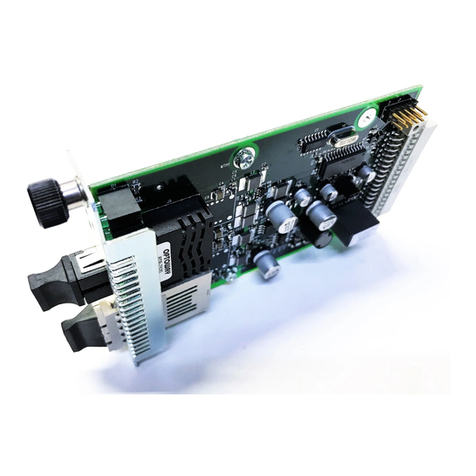
CRS4Fxxxx-10x
Technical Specifications
For use with Transition Networks Model CRS4Fxxxx-10x or equivalent
Data Rate 0 to 1.25 Mb/s
Dimensions 3.4" x 5.0" x 0.86" (86 mm x 127 mm x 22 mm)
Shipping Weight 3 oz. (91 g) approximately
Power Consumption 5 Watts
MTBF 250,000 hours (MIL-HDBK-217F)
687,500 hours (Bellcore7 V5.0)
Environment
Operating Temp: 0 to 50°C (32° to 122° F )
Storage Temp: -40° to 85°C (-40° to 185°F)
Humidity: 5 to 95%, non condensing
Warranty Lifetime
*Manufacturer’s rated ambient temperature. Tmra range for this slide-in-module
depends on the physical characteristics and the installation configuration of the
Transition Networks PointSystem chassis in which this slide-in-module will be
installed.
The information in this user’s guide is subject to change. For the most up-to-date
information on the CRS4Fxxxx-10x media converter, view the user’s guide on-line at:
www.transition.com
Note: The stand-alone version of the media converter is SRS4Fxxxx-10x. For more
information, see the SRS4Fxxxx-10x user guide on-line at:
www.transition.com.
WARNING: Visible and invisible laser radiation when open. Do not stare into the
beam or view the beam directly with optical instruments. Failure to observe this
warning could result in an eye injury or blindness.
WARNING: Use of controls, adjustments or the performance of procedures other than
those specified herein may result in hazardous radiation exposure.
CAUTION: Copper based media ports, e.g., Twisted Pair (TP) Ethernet, USB, RS232,
RS422, RS485, DS1, DS3, Video Coax, etc., are intended to be connected to intra-
building (inside plant) link segments that are not subject to lightening transients or
power faults. Copper based media ports, e.g., Twisted Pair (TP) Ethernet, USB,
RS232, RS422, RS485, DS1, DS3, Video Coax, etc., are NOT to be connected to inter-
building (outside plant) link segments that are subject to lightening transients or power
faults. Failure to observe this caution could result in damage to equipment.
Troubleshooting
If the media converter fails, isolate and correct the failure by determining the answers
to the following questions and then taking the indicated action:
1. Is the PWR (Power) LED on the media converter illuminated?
NO
• Is the media converter inserted properly into the chassis?
• Is the power cord properly installed in the chassis and in the grounded AC
outlet?
• Does the grounded AC outlet provide power?
• Contact Technical Support: US/Canada: 1-800-260-1312, International:
00-1-952-941-7600.
YES
• Proceed to step 2.
2. Is the RXC LED illuminated when data is sent across the
RS485/422 copper link?
NO
• Check the RS485/422 copper cable for proper connection.
• Contact Technical Support: US/Canada: 1-800-260-1312, International:
00-1-952-941-7600.
YES
• Proceed to step 3.
3. Is the RXF (fiber link) LED illuminated?
NO
• Disconnect and reconnect the fiber cables to restart the initialization
process.
• Verify that the TX and RX cables on the media converter are connected to
the RX and TX ports, respectively, on the other media converter.
• Contact Technical Support: US/Canada: 1-800-260-1312, International:
00-1-952-941-7600.
YES
• Proceed to step 4.
4. Does the data fail to move across the link, even though both RXC and
RXF LEDs are illuminated?
YES
• Check switches 5 and 6 for proper configuration and check the RS485/422
cables for proper connection.
• Contact Technical Support: US/Canada: 1-800-260-1312, International:
00-1-952-941-7600.
NO
• Contact Technical Support: US/Canada: 1-800-260-1312, International:
00-1-952-941-7600.