1. Before You Start
1
Minimum Requirements
ŸTEW-734APO
ŸCD-ROM (User's Guide)
ŸQuick Installation Guide
ŸMounting hardware
ŸPower adapter (24V DC, 1A)
ŸPoE injector
ŸGrounding wire
ŸComputer with an Ethernet port and Web Browser
ŸNetwork switch or router with an available network port
Ÿ2 x network cables
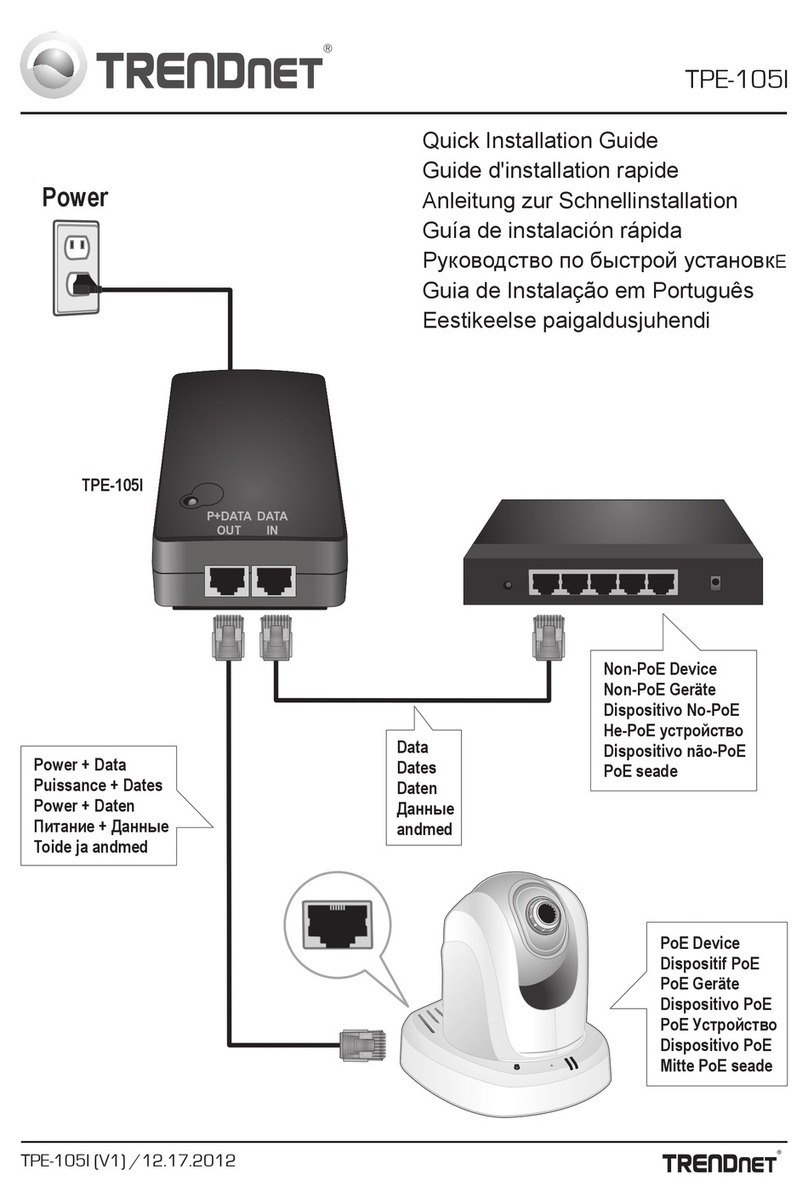
Note: The TEW-734APO does not support IEEE 802.3af. You must use the included
proprietary Power over Ethernet (PoE) injector.
Package Contents
2. Configuring a WDS connection
ŸThe default IP address of the TEW-734APO is 192.168.10.100. To configure the
unit, your network adapter must have an IP address within the 192.168.10.XX
range.
(192.168.10.1 – 192.168.10.254)
Please refer to the Appendix in the User's Guide for more information.
ŸAll antivirus and firewall software must be disabled before configuring the
TEW-734APO.
ŸThe initial configuration should be done in a testing environment, with two
TEW-734APO units approximately 15 ft. (5 meters) apart.
ŸConfigure and connect the devices before they are mounted.
1. Write the MAC address of the two TEW-734APOs. The MAC address can be
found on the label on the back of the unit.
Note:
TEW-734APO
Product Description: 13 dBi Outdoor PoE Access Point (5 Ghz)
IP Address: 192.168.10.100
Passwork: admin
FCC ID
Domain FCC H/W: 0.5
MAC: XXX XXXXXXXXX
SN: 1523H21ANU000985 MADE IN CHINA