2
Features
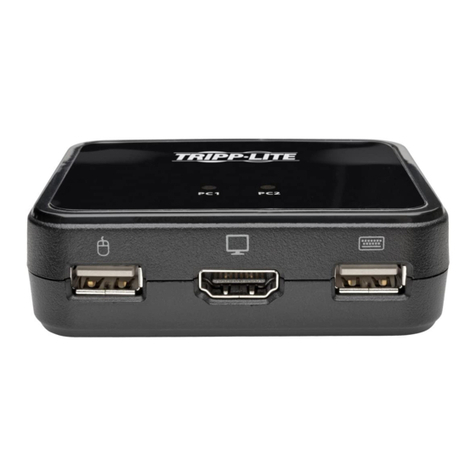
• Control two DisplayPort computers from a single DisplayPort video console
• DisplayPort 1.2 compliant
• Supports MST (Multi-Stream Transport)1, enabling multiple monitors to be used via a single
DisplayPort connector
• Supports Ultra High Definition (UHD) video resolutions up to 3840 × 2160 @ 60Hz
• Computer selection via remote port selector, hotkeys, and USB mouse2
• Mouse port switching functionality allows users accessing the KVM switch with a scroll mouse to
switch between ports by double-clicking the mouse’s scroll wheel2
• Supports DisplayPort Dual Mode (DP++)3for directly outputting single-link DVI or HDMI signals
via a DisplayPort to HDMI or DVI adapter
• Transmits the monitor’s EDID (Extended Display Identification Data) to the connected computers
to optimize display resolution
• HDCP-compliant
• Power on detection automatically switches to the next powered-on computer when the currently
selected computer is powered off
• Supports 2.1 channel surround sound systems
• Supports HD Audio4through DisplayPort playback
• Allows for the focus of the KVM and Audio to be switched independently of each other—for
example, you can access one computer while at the same time listening to audio from another
computer4
• Supports multimedia keyboards, as well as wireless keyboards and mice
• Supports most mouse drivers and multifunction mice
• Mac and Sun keyboard support and emulation5
• Add USB 2.0 hub port functionality by connecting a USB hub to the mouse port on the KVM
switch6
• Bus powered no external power supply required
• Firmware upgradable
• Auto Scan mode allows you to scan the connected computers without having to manually switch
between them
• LEDs provide easy monitoring of the connected computers
• Complete keyboard emulation for error-free booting
• Quick installation without the need for software
• Compatible with Windows®, Mac®and Linux operating systems
1MST (Multi-Stream Transport) requires that the source computers have a DisplayPort 1.2 compatible graphics
card. In addition, the connected monitors must feature DisplayPort output ports for daisychaining or a Tripp Lite
DisplayPort MST Hub must be used.
2Mouse port switching is only supported when both the KVM’s mouse port switching and mouse emulation mode
features are enabled, and only 3-key wheel mice are supported.
3The connected computers must have DisplayPort Dual Mode (DP++) compatible graphics card to use passive
DisplayPort to HDMI or DVI adapters in order to connect a non-DisplayPort monitor. If the connected computer’s
graphics card is not DP++ compatible, an active DisplayPort to HDMI or DVI adapter is required.
4HD audio through DisplayPort cannot be switched independently.
5PC keyboard hotkey combinations emulate the special keys on Mac and Sun keyboards. Mac and Sun
keyboards work only with Mac and Sun computers.
6The use of an external power supply with the connected USB hub is recommended to ensure proper
functionality. The KVM’s Mouse Emulation Mode must be disabled when connecting a USB hub.
16-01-385-93353A.indb 2 2/17/2016 10:22:39 AM