EN 4
Operating manual – brake fluid tester BW05
Setting the measuring mode
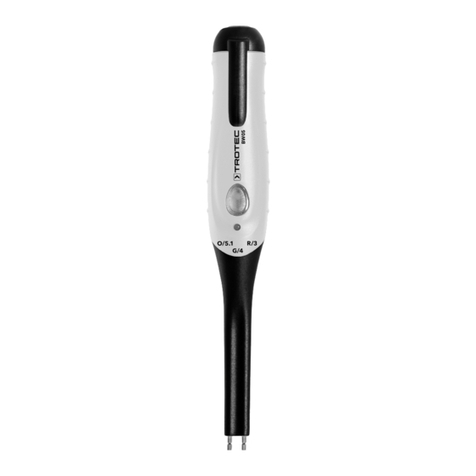
The measuring device can be used to measure the water
content of 3 different types of brake fluids.
Type Measuring mode LED
DOT3 red
DOT4 green
DOT5.1 orange
1. Press the TEST button(1) to switch the device on.
ðThe measuring mode LED(5) indicates the currently
selected measuring mode.
2. Press the TEST button(1) for approx. 5s.
ðThe indicator LED(6) briefly lights up in all 3colours.
ðThe measuring mode LED(5) flashes in the colour of the
currently selected measuring mode.
3. Press the TEST button(1) to switch between the
measuring modes.
4. Wait a moment until the measuring mode LED(5) stops
flashing.
ðThe measuring mode LED(5) indicates the selected
measuring mode.
Measuring
The indicator LED(6) is able to show 3 different brake fluid
conditions:
Indicator
LED
Water content Brake fluid condition
green < 1.5 % Brake fluid is in good condition.
yellow 1.5 % to 3 % Brake fluid is still OK but should
be checked regularly.
red > 3 % Brake fluid must be exchanged
immediately; risk of a braking
system failure.
Proceed as follows to check the water content of the brake fluid:
1. Press the TEST button(1) to switch the device on.
2. Check whether the measuring mode set corresponds to
the type of brake fluid to be tested.
3. Immerse the measuring probe in the brake fluid. Make
sure that the measuring electrodes are completely
surrounded by brake fluid and that the measuring probe
does not touch the walls of the fluid reservoir.
4. Wait for approx. 3 s.
ðThe indicator LED(6) shows the condition of the brake
fluid.
Switching the device off
The device switches off automatically if no button was pressed
for approx. 20 s.
1. Briefly press the TEST button(1) twice to switch the device
off.
ðThe measuring mode LED(5) goes out.
2. Clean the measuring probe and electrodes with a cloth and
wipe them dry.
3. Put the protective cap(4) on the measuring electrodes.
Maintenance and repair
Battery change
A battery change is required when the indicator LED(6) lights up
red three times and the device turns off, or when the device can
no longer be switched on (see chapter Inserting the batteries).
Cleaning
Clean the device with a soft, damp and lint-free cloth. Ensure
that no moisture enters the housing. Do not use any sprays,
solvents, alcohol-based cleaning agents or abrasive cleaners,
but only clean water to moisten the cloth.
Repair
Do not modify the device or install any spare parts. For repairs
or device testing, contact the manufacturer.
Disposal
The icon with the crossed-out waste bin on waste
electrical or electronic equipment stipulates that this equipment
must not be disposed of with the household waste at the end of
its life. You will find collection points for free return of waste
electrical and electronic equipment in your vicinity. The
addresses can be obtained from your municipality or local
administration. For further return options provided by us please
refer to our website www.trotec24.com.
The separate collection of waste electrical and electronic
equipment aims to enable the re-use, recycling and other forms
of recovery of waste equipment as well as to prevent negative
effects for the environment and human health caused by the
disposal of hazardous substances potentially contained in the
equipment.
In the European Union, batteries and accumulators must not be
treated as domestic waste, but must be disposed of
professionally in accordance with Directive 2006/66/EC of the
European Parliament and of the Council of 6September 2006
on batteries and accumulators. Please dispose of batteries and
accumulators according to the relevant legal requirements.