3
If you do not intend to use the device for an extended period of time,
remove the batteries.
3. USING AN AC ADAPTER
(The AC adapter is not included.)
Do not connect the adapter while the device is turned on.
When connected to an adapter, the device does not draw any battery
power. If you disconnect the adapter from the device whilst taking a re-
ading, you must plug the adapter back in again and repeat the reading.
a) Connecting
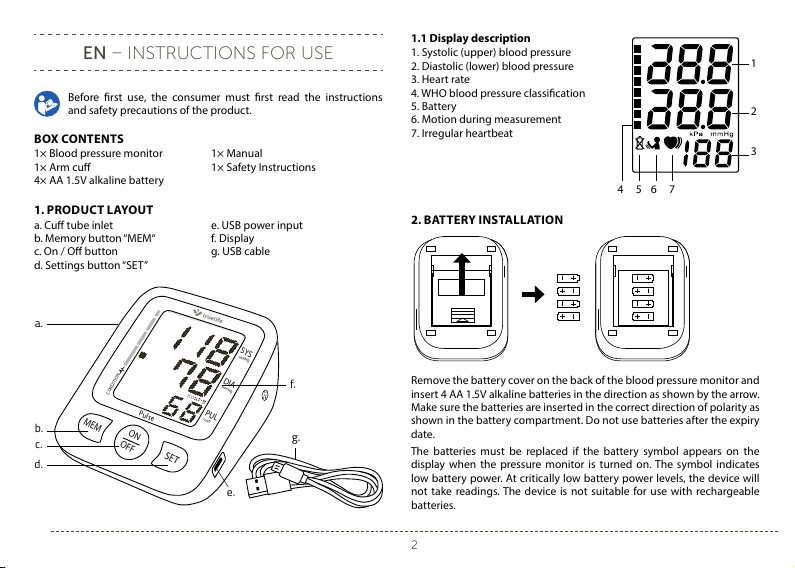
1. Insert the adapter connector into the USB jack on the right side of the
monitor unit.
2. Plug the adapter into a 100-240 V socket.
3. The monitor will turn on when the ON/OFF button is pressed.
b) Disconnecting
1. Unplug the adapter.
2. Pull the adapter connector out of the USB jack on the side of the mo-
nitor.
Note: Only use the original adapter.
Note: When using the adapter, you can leave the batteries inside the device.
4. SETTINGS
To enter settings in o mode, hold down the SET button for 3 seconds. To
switch between blood pressure indicators and stored readings, press the
SET button. The set content ashes on the screen.
Press the MEM button to set the blood pressure units to mmHg or kPa.
Press the ON / OFF button to save the setting.
If you want to clear the readings, press the MEM button and switch to 0.
Pressing the ON / OFF button deletes all readings together.
Note: All readings on the monitor are deleted at once. If you choose to delete
the measured values, we recommend that you take note of them somewhere
else in case you need them in the future.
Note: Removing the battery will not delete the entries.
5. MEASURING BLOOD PRESSURE
Several factors play a role in measuring blood pressure. For the most ac-
curate values, you must follow the following principles.
- Before taking a reading, rest for 5–10 minutes, avoid eating, drinking,
smoking, exercising and bathing.
- If you feel a strong urge to urinate, do not take a reading but empty your
bladder rst. A full bladder can cause an increase in blood pressure of
up to 10 mmHg.
- Connect the cu hose to the body of the blood pressure monitor.
- Take o your outerwear. Keep on only thin clothing or remove all clo-
thing from your arm.
- Put the sleeve of the cu on your arm to a level above your elbow. Al-
ways measure on the same arm (ideally the left one).
- As the pressure changes during the day (usually the highest in the mor-
ning), take measurements at the same time each day.
- Repeated measurements accumulate blood in the arm and may cause
measurement errors. The interval between measurements should be at
least 1 minute. You can shorten the interval by raising your arm so that
the blood drains.
5.1 Attaching the cu
Any eort to support your arm whilst taking a reading can increase pre-
ssure and distort measurement results. Hold the arm on which you are
taking a reading so that the cu is roughly at heart level. This will take the
most accurate measurement.
1. Put the cu onto your left arm so
that the hose faces downwards
and the lower part of the cu so
that it is approximately 1-2 cm
above the elbow.
2. Make sure that the cu is not tightened too tightly. You should be able
to tuck two ngers between the cu and arm.
3. Place your hand on the table with your palms pointed upwards so that
you feel comfortable with the cu roughly at heart level. Do not bend
the hose. If it is not possible to use your left arm to take a reading, you