manuals.online logo
Brands
  1. Home
  2. •
  3. Brands
  4. •
  5. turbofan
  6. •
  7. Convection Oven
  8. •
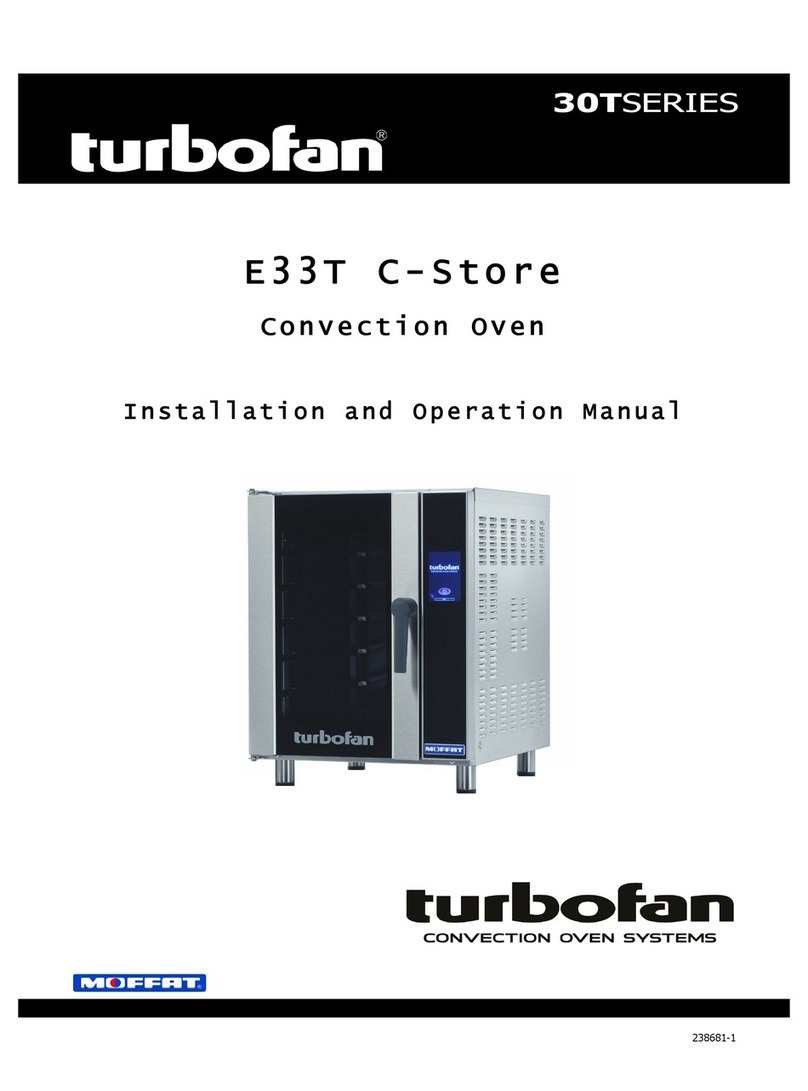
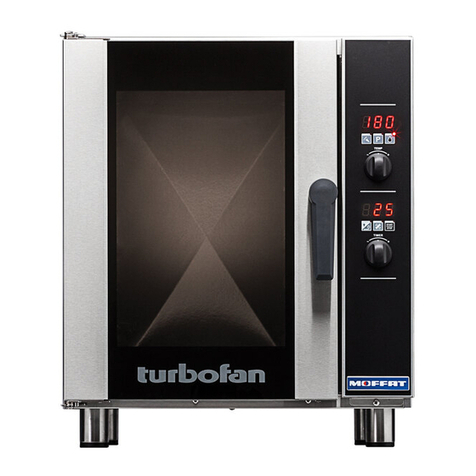
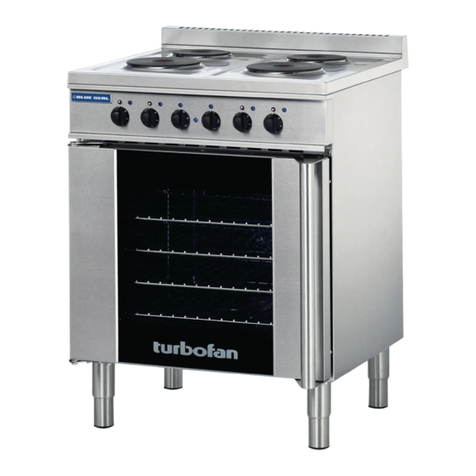
  9. turbofan E33D5/2 User manual

turbofan E33D5/2 User manual

This manual suits for next models

3

Other turbofan Convection Oven manuals

turbofan 30D Series User manual

turbofan

turbofan 30D Series User manual

turbofan E9311 User manual

turbofan

turbofan E9311 User manual

turbofan E35C User manual

turbofan

turbofan E35C User manual

turbofan E20M Series User manual

turbofan

turbofan E20M Series User manual

turbofan E33T C-Store User manual

turbofan

turbofan E33T C-Store User manual

turbofan E35 Series User manual

turbofan

turbofan E35 Series User manual

turbofan H Series User manual

turbofan

turbofan H Series User manual

turbofan E33T5 User manual

turbofan

turbofan E33T5 User manual

turbofan E31D4/2 User manual

turbofan

turbofan E31D4/2 User manual

turbofan E33D6 User manual

turbofan

turbofan E33D6 User manual

turbofan E22M3 User manual

turbofan

turbofan E22M3 User manual

turbofan G32M User manual

turbofan

turbofan G32M User manual

turbofan e31D4 User manual

turbofan

turbofan e31D4 User manual

turbofan E33D5 User manual

turbofan

turbofan E33D5 User manual

turbofan E35D6-**-T263 series User manual

turbofan

turbofan E35D6-**-T263 series User manual

turbofan 30D Series User manual

turbofan

turbofan 30D Series User manual

turbofan E931M User manual

turbofan

turbofan E931M User manual

turbofan Moffat E27 User manual

turbofan

turbofan Moffat E27 User manual

turbofan 30T Series User manual

turbofan

turbofan 30T Series User manual

Popular Convection Oven manuals by other brands

Goldair GOV300 operating instructions

Goldair

Goldair GOV300 operating instructions

Aroma ABT-266SC instruction manual

Aroma

Aroma ABT-266SC instruction manual

Dometic DOTRC11B owner's guide

Dometic

Dometic DOTRC11B owner's guide

Smeg ALFA341VE user manual

Smeg

Smeg ALFA341VE user manual

homark 01-711000 Instruction manual and guarantee

homark

homark 01-711000 Instruction manual and guarantee

Vulcan-Hart C4ED Installation and operation manual

Vulcan-Hart

Vulcan-Hart C4ED Installation and operation manual

Jenn-Air SVE47600 use and care manual

Jenn-Air

Jenn-Air SVE47600 use and care manual

Waring WCO500 instructions

Waring

Waring WCO500 instructions

Moffat turbofan E25 Service manual

Moffat

Moffat turbofan E25 Service manual

Deni Quick-n-Easy 10400 Instructions for proper use and care

Deni

Deni Quick-n-Easy 10400 Instructions for proper use and care

Sharp R-980J Operation manual

Sharp

Sharp R-980J Operation manual

Whirlpool OBI M50 Use & care guide

Whirlpool

Whirlpool OBI M50 Use & care guide

Wells WVOC-4HF Operation manual

Wells

Wells WVOC-4HF Operation manual

LG LSWS306ST Service manual

LG

LG LSWS306ST Service manual

Convotherm The MINI OES-6.08 Operator's manual

Convotherm

Convotherm The MINI OES-6.08 Operator's manual

Lang GCSF-ES Installation and operation instructions

Lang

Lang GCSF-ES Installation and operation instructions

Electrolux 6 GN1/1 Short form specification

Electrolux

Electrolux 6 GN1/1 Short form specification

Unox BAKERLUX SPEED.Pro Use and maintenance

Unox

Unox BAKERLUX SPEED.Pro Use and maintenance

manuals.online logo
manuals.online logoBrands
  • About & Mission
  • Contact us
  • Privacy Policy
  • Terms and Conditions

Copyright 2025 Manuals.Online. All Rights Reserved.

246963-1
Installation and Operation Manual
E 3 3 D 5 - 3 P h a s e M o d e l
 2 S p e e d F a n
 Moisture Mode
 M u l t i - S t a g e C o o k i n g
 Optional Core Temp Probe
The reproduction or copying of any part of this manual by any means whatsoever is strictly forbidden unless authorized previously in writing
by the manufacturer.
In line with policy to continually develop and improve its products, Moffat Ltd. reserves the right to change the specifications and design
without prior notice.
© Copyright Moffat Ltd. March 2019.
Moffat Limited
Rolleston 7675
New Zealand
AUSTRALIA
Moffat Pty Limited
Web: www.moffat.com.au
E.Mail: vsales@moffat.com.au
Main Office: (tel) +61 (03) 9518 3888
(fax) +61 (03) 9518 3838
Service: (tel): 1800 622 216
Spares: (tel): 1800 337 963
Customer Service: (tel): 1800 335 315
(fax): 1800 350 281
CANADA
Serve Canada
Web: www.servecanada.com
E.Mail: info@servecanada.com
Sales: (tel): 800 551 8795 (Toll Free)
Service: (tel): 800 263 1455 (Toll Free)
NEW ZEALAND
Moffat Limited
Web:www.moffat.co.nz
E.Mail: sales@moffat.co.nz
Main Office: (tel): 0800 663328
UNITED KINGDOM
Blue Seal
Web: www.blue-seal.co.uk
E.Mail: sales@blue-seal.co.uk
Sales: (tel): +44 121 327 5575
(fax): +44 121 327 9711
Spares: (tel): +44 121 322 6640
(fax): +44 121 327 9201
Service: (tel): +44 121 322 6644
(fax): +44 121 327 6257
UNITED STATES
Moffat
Web: www.moffat.com
Sales: (tel): 1-800 551 8795 (Toll Free)
(tel): 336 661 1556
(fax): 336 661 9546
Service: (tel): 866 673 7937 (Toll Free)
REST OF WORLD
Moffat Limited
Web:www.moffat.co.nz
E.Mail: expo[email protected]
Contents List
Safety Information
Installation Requirements
Unpacking
Location
Clearances
Stand Mounted Ovens
Electrical Connection
Water Connection
Recommended Water Specifications
Positioning and Levelling of Oven
Initial Start-Up
Commissioning
Operation Guide
Cooking in Manual Mode
Cooking in Manual Mode using Core Temp Probe
Cooking in Program Mode
Programs
Parameters
Programs Revision Numbering
Files
Changing Operator Settings
Operator Settings
Cleaning Guidelines
Oven Cleaning
Periodic Maintenance
Introduction
2
Before using your new oven, please read this instruction manual
carefully, pay particular attention to any information labelled
‘WARNING’, ‘CAUTION’, ‘IMPORTANT’ or ‘NOTE’ in this manual.
Indicates a hazardous situation
which, if not avoided, will result in
death or serious injury.
Indicates a hazardous situation
which, if not avoided, will result in
minor or moderate injury.
If you are unsure of any aspect of the installation, instructions or
performance of your oven, contact your TURBOFAN dealer promptly.
In many cases a phone call could answer your question.
Should you contact your TURBOFAN dealer on any matter concerning
this oven, please have the information provided opposite, readily
available.
This manual must be kept by the owner for future reference.
A record of
Date of Purchase,
Date of Installation
and
Serial
Number of the oven
should be recorded in the area provided
below.
The serial number of this oven can be found on the
Technical Data Plate located on the front right hand side
panel, see diagram in ‘Installation Section’.
For your safety, please pay attention to the following symbols
marked on the appliance.
- Risk of electric shock.
No user serviceable parts inside.
Qualified service person access only.
Disconnect from power before servicing.
Specifications
3
E33D5
Oven Power Ratings 380V, 50Hz, 3P+N+E, 6.0kW.
L1 : 0.7A, L2 : 13.2A, L3 : 13.2A
Oven Tray Details Tray Capacity 5 Shelf, 1/1 GN Pan.
Tray Spacing 85mm / 31/3”.
Water Connection Max Water Pressure 80psi / 550kPa.
Connection Size 3/4” BSP.
NOTE: If the Moisture Mode cooking option is not required, the oven does not need to
be connected to a water supply.
Installation
4
1. Remove all packaging and transit protection including all
protective plastic coating from the exterior stainless steel
panels.
2. Check the oven and supplied parts for damage. Report any
damage immediately to the carrier and distributor.
3. Check that the following parts have been supplied with your
oven:-
4 x Leg Adjustable.
4. Report any deficiencies to the distributor who supplied your
oven.
5. Securely fit the 4 legs supplied with the oven.
6. Check that the available electrical supply is correct to that
shown on the Technical Data Plate located on the front right
hand side panel.
 Also refer to ‘Specifications’ section, ‘Oven
Specifications Table’ on previous page.
1. Position the oven in its approximate working position.
2. The unit should be positioned so that the control panel
and oven shelves are easily reachable for loading and
unloading.
To ensure correct ventilation for the motor and controls, the
following minimum installation clearances are to be adhered to:-
Top 200mm / 8”.
Rear 50mm / 2”.
Left-hand side 50mm / 2”.
Right-hand side 75mm / 3”.
Clearance From Source of Heat.
A minimum distance of 300mm (12”) from the appliance
sides is required.
NOTE: Fixed installations require at least 500mm (20”)
clearance for service access.
For stand mounted ovens, the oven feet are used to level the oven
on the stand. Refer to the instructions supplied with separately
ordered stands for mounting details.
The vent located on the top of the oven must NOT be
obstructed.
 Installation shall comply with local electrical, health and safety requirements.
 It is most important that this oven is installed correctly and that oven operation is correct before use.
 If you have any questions regarding the proper installation and / or operation of this oven, please contact your local
Turbofan distributor.
Technical Data Plate - Location
Oven Vent Location
Installation
5
RCD (Residual Current Device) / GFCI (Ground-Fault Circuit-
Interrupter) protection of the power supply to this appliance is
recommended.
Each oven should be connected to an adequately protected power
supply with an appropriate three wire power cord.
An isolation switch must be mounted adjacent to, but not behind
the oven and must be readily accessible to the operator. This
switch must be clearly marked and readily accessible in case of fire.
Check the electricity supply is correct to as shown on the Technical
Data Plate on the front right hand corner of the oven side panel.
NOTE: All electrical connections must only be carried out by
a suitably qualified person.
1. Remove oven right hand side panel.
2. Bring the supply cable up through the grommet at the back of
oven and through the compression gland on the electrical
switchgear panel.
3. Connect the mains supply to the appropriately marked
terminals on the terminal block.
NOTE: If the Moisture Mode cooking option is not required,
the oven does not need to be connected to a water
supply.
1. Tighten the 2 screws securing the
water connection to the rear of the
oven. (These have purposely been
left loose to prevent damage to the
water connection during transit).
2. Connect a cold water supply to the
water inlet (R ¾” Connector) on the
oven.
NOTE:
For USA / Canada / Mexico, the supplied ¾” GHT Brass
Adaptor and Washer should be used to connect a water
supply to the oven water inlet.
- Max Inlet Pressure 80psi / 550kPa.
3. Turn ‘On’ the water supply and check for leaks.
In order to prevent corrosion or scaling in the oven and water
system due to supplying water that is either too soft or too hard,
the following recommendations should be used as a guideline.
Hardness: Between 60 and 90ppm.
PH: Greater than 7.5.
Chlorides: Less than 30ppm.
This oven must be earthed / grounded.
1. Correctly locate the oven into its final operating position and
using a spirit level, adjust the oven feet so that the oven is level
and at the correct height.
Before using the new oven;
1. When using the oven for the first time, operate oven for about
1 hour at 200°C / 400°F to remove any fumes or odours which
may be present.
2. Please refer to the Operation Section of this manual for details
on how to correctly operate and shutdown the oven.
Before leaving the new installation;
1. Check the oven functions in accordance with the operating
instructions specified in the ‘Operation’ section of this manual.
2. Ensure that the operator has been instructed in the areas of
correct operation and shutdown procedure for the appliance.
NOTE: If it is not possible to get appliance to operate
correctly, turn ‘Off’ power at the mains supply and
contact supplier of this appliance.
Tighten Screws.
Operation
6
 This oven is intended for use in a commercial kitchen and must only be put to the use for which it was intended, i.e. cooking food
product. To use this oven correctly please read the following sections carefully:-
Temperature Display -
Shows pre-set chamber temperature.
When used with the ‘Temp’ key,
display shows actual oven temperature for 5
seconds.
Shows cooking programs and error codes.
‘Steam’ Key and LED -
Used to set moisture level or to
provide a manual injection of moisture
when in Manual Moisture Mode.
LED is ‘On’ when automatic moisture injection is
set or when moisture is manually injected.
Temperature Adjustment Control
Time Display -
Shows cook time in full minutes only
from 180 - 10, and in minutes and seconds for
the final 10 minutes.
NOTE:
In Core Temp Mode, time display alternates
between ‘CP’ and set core probe
temperature.
‘On-Off/Light’ Key and LED -
A dual-function key:
Press ‘On-Off/Light’ key once to turn
the oven ‘On’
When oven is turned ‘On’, press ‘On-Off/Light’
key to switch oven light ‘On-Off’.
Press and hold ‘On-Off/Light’ key for 1.5 seconds
to turn the oven ‘Off’.
Time Adjustment Control
NOTE: In Core Temp Mode, ‘Timer’ knob is
used to set core probe temperature.
‘Program’ Key and LED -
Used to select cooking programs, and
to set program parameters.
‘Temp’ Key and LED -
Displays actual oven temperature for 5
seconds on Temperature Display. LED
‘On’ when heating element is on
(heating indicator).
LED flashes when Upper Display is showing
actual temperature.
NOTE:
In Core Temp Mode, this key is used to
display Actual Oven Temperature (Upper
Display) and actual Core Probe Temperature
(Lower Display).
‘Fan Lo’ Speed Key and LED -
Switches oven fan from high to low
speed. LED is ‘On’ when fan is in Low
Speed Mode. When LED is ‘Off’, fan is
in High Speed Mode.
‘Timer-Start/Stop’ Key & LED -
The ‘Timer-Start/Stop’ key is used to
control the following functions:-
 Cancelling Alarm (All Modes).
 Starting Core Temp Mode (Core Temp
Mode).
 Starting Timer (Manual Mode).
 Re-Setting Timer (Manual Mode).
 Starting Program (Program Mode).
 Cancelling and Re-Setting Program
(Program Mode).
Core Probe Connection Point.
Operation
7
There are 6 levels of pre-set moisture injection.
Each level defines the number of moisture injection pulses per
moisture cycle during oven operation.
H-0Manual Moisture Mode. Automatic Moisture Injection is ‘Off’.
Pressing ‘Steam’ key in this mode will inject 1 shot of steam
into the oven, ie, no steam injection without user input.
H-1Level 1. - Minimum automatic moisture injection setting. One
moisture pulse per moisture cycle.
H-2Level 2.
H-3Level 3.
H-4Level 4.
H-5Level 5. - Maximum automatic moisture injection setting.
Five moisture pulses per moisture cycle.
Selecting Moisture Mode
Press ‘Steam’ key to activate Moisture Mode. ‘Steam’ key
LED will illuminate when Moisture Mode is ‘On’. Moisture
Mode will operate at the preset level during the cooking
cycle.
 When Moisture Mode H-0 is selected, a shot of steam is
available whenever the oven is running, by pressing the
‘Steam’ key.
 When Moisture Mode H-1 to H-5 are selected, these
moisture modes will only operate when a program is run-
ning, Core Temp Probe Mode has been selected or when a
timer is running in Manual Mode.
 When setting Moisture level, consider the Oven Set
Temperature. If set BELOW 100°C (212°F), water may pool
in oven as temperature will be too low to create steam.
Changing Moisture Mode Level
Press and hold the ‘Steam’ Key until the ‘H-X’ level is
displayed and flashing in the upper display.
Rotate the ‘Temp’ Knob -/+ to select Moisture Mode level
required.
Press the ‘Steam’ key to confirm setting.
The ‘Moisture’ Mode level can be changed at anytime during
operation by following the setting method as described above.
An Optional Core Temp Probe Kit #236060 is available for
this oven.
This allows use of the Core Probe Cooking feature of this oven.
When the core probe is fitted to the connection point on control
panel side, the timer function and display becomes the core temp
probe temperature setting and display. Cooking completion is then
determined by the core temp probe reaching the set core probe
temperature.
To enable Core Probe Cooking Mode plug in the Core Probe.
The Timer Display will then change to 'CP' (Core Probe).
The Timer Knob function will then be for Core Temp setting.
To disable Core Probe Cooking Mode, unplug the Core Probe.
The Timer Display and Knob will return to time function.
In Manual mode the ovens settings are.
- Temperature - 50-250C / 150-550F.
- Timer setting - 0-180min or Infinite.
- Fan Speed setting - Hi / Lo.
- Moisture Mode settings - Off / On-Level.
- Oven lights - Off / On.
An Optional Core Probe can also be used in Manual Mode.
In Program Mode 20 Programs are able to be used.
In each program the following settings are possible.
- Temperature - 50-250C / 150-550F.
- Time - 0-180min or Infinite.
- Fan Speed - Hi/ Lo.
- Moisture Mode - Off / On-level.
3 cooking stages can also be set in each of the 20 programs.
- All settings can be changed between cooking stages.
- At completion of each stage an end of stage alarm can also
be set.
Optional Core Probe can also be used in Program Mode.
Changing between Manual to Program Modes
Press ‘Program’ key to select Program Mode. The LED
will illuminate showing Program Mode now set.
Press ‘Program’ Key to return to Manual mode.
This oven features a 2 speed fan.
Hi Speed - This is the default operating speed.
- Hi Fan should be used for most applications.
- Hi Fan provides the fastest cooking time and evenness
throughout oven.
Lo Speed - This is the optional setting.
- Lo Fan speed is selected using the Fan Lo key.
- Lo Fan provides slower cooking with less fan affect on
the product.
- Lo Fan should be used on delicate products such as
cake and muffin.
On start-up, the oven will always default to normal Hi speed fan.
In Manual Mode, fan speed can be changed at any time during use.
In Program Mode, fan speed can be pre-set and each cooking stage
can have a different fan speed.
Changing the Fan Speed
Press ‘FAN LO’ key to change to Lo Fan speed. LED will
illuminate showing Lo Fan speed is now set.
Press ‘FAN LO’ key to change back to Hi Speed fan.

Operation
8
On oven start-up the controller defaults to the following settings:-
Oven Temperature is set to 150°C (325°F). Refer ‘Controller - Operator Settings’ section to change this start-up temperature.
Oven Timer is not set, display shows ‘ - - -’.
Moisture Setting is setting to Manual Injection.
Fan Speed is set to Hi Speed.
1. SET OVEN TEMPERATURE.
Rotate ‘Temp’ knob to select temperature required.
+ to increase the temperature (Max. 260°C / 500°F).
- to decrease the temperature (Min. 60°C / 140°F).
The oven will commence heating to the displayed set temperature.
NOTE: The oven can be used without using the timer.
2. SET TIMER.
Rotate ‘Timer’ knob to select time required.
+ to increase the time (Max. 180 minutes).
- to decrease the time (Min. 1 minute).
NOTE: Timer can be set to ‘Infinity’ . If timer is set to ‘Infinity’, timer will
count elapsed time to a max of 999 minutes and elapsed time will be
shown on the Lower Display.
3. SET MOISTURE MODE.
Press and hold ‘Steam’ key for 3 seconds.
Rotate ‘Temp’ knob to select desired moisture level (H-0 to H-5).
Press ‘Steam’ key to confirm settings.
NOTE: Refer to ‘Moisture Mode Settings’ at start of this section for additional
explanation of moisture level adjustments.
4. SET FAN SPEED.
Press ‘Fan Lo’ key, to change fan speed. ‘Fan Lo’ LED will illuminate when
fan low speed is selected.
5. STARTING TIMER.
Press ‘Timer-Start/Stop’ key to start timer operation. LED will illuminate to indicate the
timer is running.
Press and hold ‘Timer-Start/Stop’ key for 3 seconds to cancel timer.
6. CANCELLING ‘TIME UP’ ALARM (COOKING TIME COMPLETED).
When the set Cooking Time is completed, alarm will sound and Lower Display flashes.
- Press ‘Timer-Start/Stop’ key to cancel alarm, oven will continue cooking at Oven Set Temperature. Display will revert to Set
Temperature and Time.
- Alternatively, open oven door to cancel alarm and turn ‘Off’ fan and heating. Close oven door to resume cooking at Oven
Set Temperature. Display will revert to Set Temperature and Time.
NOTE: Any of the above settings can be adjusted during the cooking operation by using the above controls and keys.
 Viewing Actual Oven Temperature. Press ‘Temp’ key during cooking, Oven Actual Temperature will display on Upper
Display for 5 seconds and then will revert to displaying Oven Set Temperature.
‘Steam’ LED will
illuminate when
automated
Moisture Mode is
set (H-1-H-5) or
during each
moisture
injection in H-0.
‘Fan Lo’ LED is
‘On’ when oven
fan is operating
at low speed.
‘Timer-Start/
Stop’ LED is
steady ‘On’ when
Timer is running.
‘Temp’ LED will
remain ‘On’ until
oven reaches Set
Temperature.