Device Layout and Connections:
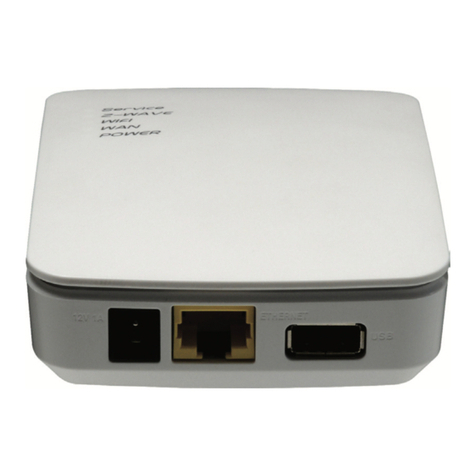
1. USB Port: Provides features and support for advanced applications.
2. Ethernet Port: Connects the gateway physically to the local network via an
ethernet cable.
3. 12V Power Receptacle: Connects to the included power adapter.
4. Sync Button: Used to start the selection mode between available radios. Begin
the selection process by pressing the Sync button. The Sync button is used as a
confirmation button when cycling between the wireless radios.
5. Select Button: Toggles through the four (4) available radios on the gateway
(Z-Wave, ZigBee, Bluetooth, and Wi-Fi). Once pressed, it displays which radio is
being used by blinking the corresponding LED light.
●Wi-Fi Radio: After pressing the Sync button, press the Select button once.
The Wi-Fi LED starts to blink, indicating that the WPS feature can be
selected. Press the Sync button again to start the two(2) minutes WPS
countdown.
●Include/Exclude Radio: When the select button is pressed a second
time, the Z-Wave LED starts to blink. This indicates that the Z-Wave
Include/Exclude option can be selected. To include (pair) devices, press the
Sync button once fast. to Exclude (remove) devices, press-n-hold the
Sync button for three (3) seconds. Include/Exclude times out after five
(5) minutes.
●ZigBee Radio: When the select button is pressed a third time, the ZigBee
light blinks indicating that the ZigBee pair option can be selected. To exit
the selection mode, press the Select button for three (3) seconds.