manuals.online logo
Brands
  1. Home
  2. •
  3. Brands
  4. •
  5. VASTEX
  6. •
  7. Printer Accessories
  8. •
  9. VASTEX E-200 series Parts list manual

VASTEX E-200 series Parts list manual

This manual suits for next models

2

Other VASTEX Printer Accessories manuals

VASTEX E2-CTS-2536 User manual

VASTEX

VASTEX E2-CTS-2536 User manual

VASTEX F-100 User manual

VASTEX

VASTEX F-100 User manual

VASTEX VRS-LITE User manual

VASTEX

VASTEX VRS-LITE User manual

Popular Printer Accessories manuals by other brands

Epson T078620 Product information sheet

Epson

Epson T078620 Product information sheet

Brother TN630 instructions

Brother

Brother TN630 instructions

Formax 6204 Series Maintenance manual

Formax

Formax 6204 Series Maintenance manual

Xerox C11 - DocuPrint Color Inkjet Printer user manual

Xerox

Xerox C11 - DocuPrint Color Inkjet Printer user manual

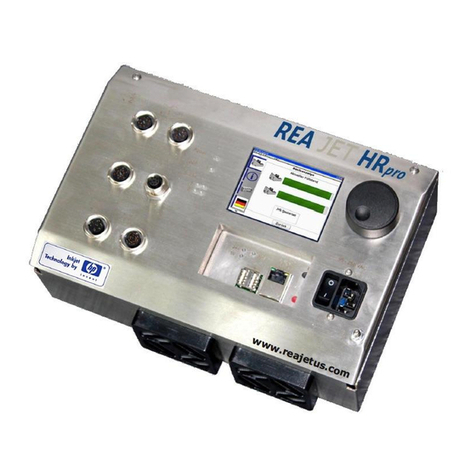
REA JET HR pro 2K user manual

REA

REA JET HR pro 2K user manual

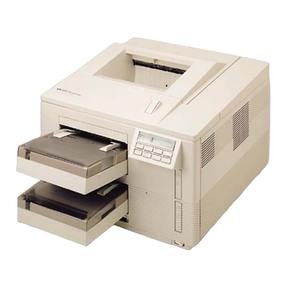
HP Laserjet,Color Laserjet 4si user guide

HP

HP Laserjet,Color Laserjet 4si user guide

oliser MS 45 instructions

oliser

oliser MS 45 instructions

Xerox EFI EXP6000 Specification sheet

Xerox

Xerox EFI EXP6000 Specification sheet

Epson T6248 Product information sheet

Epson

Epson T6248 Product information sheet

Canon TonerRobot EP-27 instruction manual

Canon

Canon TonerRobot EP-27 instruction manual

Kyocera KM-6230 Instruction handbook

Kyocera

Kyocera KM-6230 Instruction handbook

Triumph Adler DF-710 Instruction handbook

Triumph Adler

Triumph Adler DF-710 Instruction handbook

Star Micronics TSP800 Series install guide

Star Micronics

Star Micronics TSP800 Series install guide

Citizen CBM-202PC Series user manual

Citizen

Citizen CBM-202PC Series user manual

Canon Color imageCLASS MF8170c installation instructions

Canon

Canon Color imageCLASS MF8170c installation instructions

Codonics Virtua 1VCX-LR833 Technical brief

Codonics

Codonics Virtua 1VCX-LR833 Technical brief

Roland DU2-64 Supplementary manual

Roland

Roland DU2-64 Supplementary manual

TonerRefillKits ReChargX RX126 instructions

TonerRefillKits

TonerRefillKits ReChargX RX126 instructions

manuals.online logo
manuals.online logoBrands
  • About & Mission
  • Contact us
  • Privacy Policy
  • Terms and Conditions

Copyright 2025 Manuals.Online. All Rights Reserved.

Doc. # 01-04-025H
Vastex E-mail assistance
Purchasing & Product Info:
[email protected]m
Electrical Support:
stech@vastex.com
Tech Support, Mechanical Setup, and Operation:
techsupport@vastex.com
Screen Printing Issues & Support:
[email protected]
Vastex International, Inc.
7 Emery St
Bethlehem, Pa. 18015 USA
Phone# 610 625-2702 Fax# 610 625-2775
Web Site www.vastex.com
Authorized Representative in Europe:
Certification Experts BV
Nieuwstad 100 1381 CE Weesp,
The Netherlands
Tel : + 31 (0) 294 – 48 33 55
Fax : + 31 (0) 294 – 41 46 87
Year of Manufacture: 20____ Original Instructions
Serial Number: VTX
(Please log your machine's serial number and date of purchase for future reference.)
Date: / /
Electrical Drawing #: Revision:
E-200 LED Exposing Unit
Assembly and Operation Instructions
Contents Pg. #
Introduction, Machine Specifications 2
Safety Information 3
Assembly Instructions 4
Operating Instructions 5
Maintenance 6
Troubleshooting 7-8
Emulsion Tip 9-10
01-00-005/015 Warranty/Terms and Conditions 11
E200-2128 E200-2331
Doc. # 01-04-025H
Vastex Exposing Units
(LED Exposure Systems)
Thank you for purchasing your printing equipment form Vastex International Inc.
Vastex has been designing and building printing equipment since 1960. We have knowledge and
experience, and are proud to supply the printing industry with quality equipment at an affordable price. You
can be confident your purchase will give you years of trouble free service.
E200-2128 E200-2331
Overall Size (lid closed)
Depth x Width x Height 32.75” x 37.75” x 14”
(83 x 88 x 36 cm) 36.5” x 41.75” x 14”
(93 x 106 x 36 cm)
Weight 151 lbs. (68.5kg) 174 lbs. (78.9kg)
Screen Capacity 21" x 28" 23” x 31”
Power Requirements 120v: 60Hz @ 3.0 Amps
240v: 50/60Hz @ 1.5 Amps 120v: 60Hz @ 3.5 Amps
240v: 50/60Hz @ 2 Amps
Vacuum Pump 1/16 HP Diaphragm Pump
(120V P/N: 04-02-040)
(240V P/N: 04-02-041)
1/16 HP Diaphragm Pump
(120V P/N: 04-02-040)
(240V P/N: 04-02-041)
Vacuum & Exposure Timer Analog P/N 04-01-085 Analog P/N 04-01-085
Glass Reorder Numbers P/N: 04-08-060 P/N: 04-08-048
LED Light Bar LED Light Bars
P/N: 04-08-056 LED Light Bars
P/N: 04-08-054
LED Power Supply P/N: 04-08-057 P/N: 04-08-055
Vacuum Blanket P/N: EUB-2128 P/N: EUB-2331
Lid Seal P/N: 04-08-039 P/N: 04-08-039
Floor Model/Tabletop Table Top, optional stand
available Table Top, optional stand
available
Warranty 3 Years; Manufacturer Defects 3 Years; Manufacturer Defects
Machine Specifications & Part Numbers
Introduction
Pg.2
Doc. # 01-04-025H
** WARNING HANDLE GLASS WITH CARE **
Wear gloves when handling the glass
Lay glass only on a flat protected surface
Tempered glass, although strong, can shatter if the edges are subject to an impact
Safety
Intended Use:
This equipment is intended for the purpose of exposing screens and films with UV light in conjunction with
UV sensitive emulsions.
Safety:
 The operator should read and understand this manual before operating this equipment. Store manual
and safety information near equipment for easy
access to operators.
 Never leave equipment unattended while in operation.
 Children and pets must be kept clear of the work area.
 Do not store any objects on top of the exposing unit.
 Unplug power cord before removing glass or entering control box.
 Do not operate if any guard or cover has been removed.
 Do not operate if power cord is damaged.
 Safe Operating Temperature (Ambient): 55°F-100°F (13°C-38°C)
 Do not attempt to defeat safety interlocks.
 Noise and Vibration: This noise level produced by this equipment does not exceed 70 dB(A).
General Information
Tools Required
 Philips Head Screw Driver
 7/16”, 1/2”, 9/16" & 5/8” Wrenches
 OR METRIC: 11mm, 13mm, 15mm, 16mm
 Exposing Unit must be on a flat surface to
eliminate stress on the glass.
 Caution! Screens must be free of sharp edges.
All surfaces coming in contact with vacuum
blanket should be rounded and smooth.
 UV LED Lights are used in this machine. The
lights should Not Be viewed during operation
without eye protection.
 Keep the lid in the raised position when not in
use. It will increase the life of lifting cylinders
and the rubber blanket.
Pg.3
Doc. # 01-04-025H
Assembly
Getting started:
Your Exposing Unit has been fully assembled and tested in our factory. Both lid lifting
cylinders have been removed from their upper mounting stud and secured to the side of the
cabinet. Be careful not to damage the rubber vacuum blanket when removing the Exposing
Unit from it's crating.
It is best to keep the lid locked closed when lifting the exposing unit. Carefully remove the
unit from its crate and place it on a suitable surface. It is important that the surface be flat, an
uneven surface can put stress on the glass causing it to crack.
Install Lid Lifting Cylinders
Remove the acorn nut from the upper cylinder mounting studs located on both sides
of the lid. Unlock and carefully lift lid far enough to slide lifting cylinders onto studs.
Replace acorn nuts onto stud. Snug only with a 5/8” wrench. Do not over tighten!
Control Panel
Power Cord
Equipment Spec Tag
Lid Limit Switch
Vacuum Exhaust
Vacuum Pump
(behind cover)
(2) Lid Lifting Cylinders
Rubber Vacuum Blanket
Lid Locking Handle (2)
Maximum screen
indicator, front corners
DC power supply,
LED lights, (inside)
LED light strip, (3)
Rear screen stops, right
stop vacuum intake
Lid
E200-2331 shown
E200-2128 components may be located elsewhere
Pg.4
Doc. # 01-04-025H
Sequence of Operation
1) Raise the exposing unit lid and wipe the glass
surface clean with a lint free rag.
2) Position the screen with positive attached, onto
the glass and against the two back screen
stops.
Do not position any screen outside screen area
indicated by the blue tape. Damage to vacuum
blanket can result.
3) Lay the small string attached to the rear of the
exposing unit over the edge of the screen to
assist in achieving a good vacuum in the center
of the screen.
4) Lower the lid and lock closed with both
handles.
5) Turn on the power switch.
6) Set the Vacuum Time. (See Tips).
7) Set Exposure Time. (See Tips).
8) Start Exposure Cycle. The vacuum pump will
start. After the vacuum timer has reached
preset time the LED lights will start. After the
exposing time has expired, the lights and
vacuum pump will automatically shut off. The
screen is now exposed.
9) Unlock the lid to break the vacuum and remove
the screen.
Tips
Vacuum Time: (for each size screen)
Lock lid and set vacuum time to 1 minute. Start
cycle and record the time it takes to flatten the
blanket to a size larger than your positive. If unsure,
wait until blanket is flat to within 2” (5cm) of frame.
If desired, adjust the range and time scale by
turning the RANGE SELECT and unit selection
screw with a Philips head screw driver.
 Turning RIGHT increases the time scale
 Turning LEFT decreases the time scale
MODE MUST BE SET TO B
Exposure Time:
A full and complete exposure will be effected by
several variables listed by importance.
1) Type and brand of emulsion
2) Thickness of stencil (qty. of coats or capillary
film thickness)
3) Mesh color
4) Humidity
For this reason the only proper way to determine
the correct time for a full and complete exposure is
to use a “Exposure Calculator”. Several types of
calculators are available, contact your supplier to
determine which is best for you.
Approximate setting for single part or “Pure
Photopolymer” is: 10 – 30 seconds.
Approximate setting for “Dual Cure”: 1 – 5 minutes.
Overview:
Your Exposing Unit is equipped with LED Lights, vacuum timer, exposure timer, vacuum pump, and
separate switches for main power and exposure cycle start.
The vacuum pump draws the air out from between the blanket and glass. This flattens the coated screen
and positive to the glass making for a sharper exposed image.
Operation
Control Panel
Timers are factory set to a 0-1 minute scale for
vacuum and 0-5 minute scale for exposure. The
mode in the lower right corner is set to B. Typical
vacuum time is just under 1 minute. For exposure
tips, please see below.
RANGE SELECT
adjustment screwMode selection screw
Mark
(Minutes) Time
(Seconds)
2.5 150
5 300
10 600
12.5 750
17.5 1050
20 1200
22.5 1350
25 1500
27.5 1650
30 1800
Time Table (0-30 min)
7.5 450
15 900
Time
adjustment dial
Time indicator
Run Light
B
Pg.5
Doc. # 01-04-025H
Glass Removal / Installation
There are three glass retainers. One on each
side to square the glass to the rear seal and
one in the front with special cams. The cams
are used to gently push the glass back against
the rear seal.
1) Remove the cams and front retainer. Slide
the glass towards the front to remove.
Carefully set glass on a flat, protected
surface. The cams are used to gently push
the glass back against the rear seal.
2) It is important to keep the inside of the
cabinet clean. It is a good idea to vacuum
out any loose debris from inside the
cabinet. Refer to the replacing a light bar if
needed.
3) Reinstalling the glass.
Before installing the glass, switch the
vacuum pump on and off to verify it is
functioning properly. Clean both sides of
the glass with glass cleaner and a lint free
rag. Vacuum inside of cabinet. Position the
glass seal side down, blue tape towards
the front, on the front edge of the cabinet,
and between the side retainers. Slide glass
back until it contacts and it seated squarely
against the back seal. Place the front
glass retainer and the three cams against
the glass front. Install the screws but only
snug the screws. Using a 1/4” flat screw
driver in the cam slots, rotate each cam to
push the glass back. Do not over tighten
the cams but apply enough pressure to
make a seal. Now tighten the center
screws. If the vacuum leaks, go back and
tighten the cams a bit more.
4) Inspection of LED light bars done monthly.
See page 8, step1, for instructions.
Note: The glass must be tight
against the back glass seal in
order to make a good vacuum.
Special cams help to apply
pressure. Do not over tighten.
Wear gloves when handling the
glass. Glass is tempered and
although strong, can shatter if the
edges are subjected to an impact.
Do Not allow objects to
contact the LED light lens.
Maintenance
Side glass retainer
(1 each side)
Rear glass seal
Front glass retainer, with 3 cams.
Pg.6
Doc. # 01-04-025H
Loss of Vacuum
This can be caused by several problems. Check the
following items in order listed.
1) Verify that vacuum pump is running.
2) Examine the rubber blanket for holes or cuts.
3) Check that the holes in the back left screen stop
is not blocked. Turn on the pump and verify that
there is vacuum through the left stop.
4) Check that the clear tube protruding through left
side of cabinet wall is unobstructed. This is the
vacuum pump exhaust.
5) Verify that the back glass seal is not damaged.
If it is not try tightening the front cams just
slightly. If this does not work, pull the glass away
and inspect the seal, then reseat the glass
squarely against the back seal and retighten the
front cams.
6) There is a foam seal around the perimeter of the
lid between the rubber blanket and lid frame.
With the lid locked down, check that the lid seal
and blanket is contacting the glass at all four
sides. If this seal is not contacting the glass it
will be necessary to adjust the lid lower.
Proceed as follows (pictures below for
reference) .
a) Remove both Lid Lifting Cylinders from their
upper mounting stud. Carefully lower the lid.
b) Rear Seal Adjustment. Start with the lid
down and locked. Using a 7/16" wrench,
loosen the four (4) bolts along the side of one
corner, just 1/8 turn each bolt. Using a piece
of wood and a hammer, tap lightly at the top
corner to compress the rear seal. Measure
the distance before and after, do not adjust
more than 1/16 of and inch. Do this to both
sides until vacuum seal is achieved.
c) Front Lid Adjustment. Using a 9/16 wrench,
loosen (2) bolts at each front corner about 1/8
of a turn. Using a piece of wood and a
hammer, tap on the top bolt head slightly to
move the bearing down. Be careful to avoid
moving it too much. For reference, measure
from the top of the bearing to the bottom of
the lid when closed, do not adjust more than
1/16 of an inch. Retighten all fasteners.
7) Contact Vastex for technical support if these
steps fail to resolve the problem.
Troubleshooting
Rear Lid Adjustment
Lid adjustment bolts
Loosen 1/8 turn for adjustment
Front Lid Adjustment
Pg.7
Doc. # 01-04-025H
Depress Limit
Switch when
testing lights
Note: It is important to wear dark shaded
and UV rated eye protection when testing
LED Lights.
Do Not allow objects to contact the LED
light lens.
1) Inspection of LED light Bars. Lift the lid
and override the safety switch on the
left side of the cabinet by depressing
with your finger or a pencil. Turn the
vacuum timer all the way down. Put
your sunglasses on and hit the start,
with the lid up view if ALL lights are
working. If not proceed to step 2.
Contact factory for replacement light
bar.
It may be possible to expose screens with
LED lights out, but a repair is needed to
ensure optimal performance.
Light bar
connector
Troubleshooting
Light Bar Replacement / Installation
Note: E200-2331 light bar connectors
(shown) are in the front of the unit.
E200-2128 connectors are toward the rear
of the unit.
2) Remove exposing unit glass, see
Maintenance section for glass removal.
3) Unplug main power cord, unplug light
bar connector, and remove both #8
sheet metal screws holding the light bar
in place. Each light bar has a power
connector.
4) Installing the new light bar. Install the #8
sheet metal screws, plug in the light bar
connector, plug in the main power cord.
5) Test the new light bar. See above
section 1.
6) Replace exposing unit glass.
Pg.8
Emulsion information
for the screen printer
A technical information article
by Douglas Grigar
Screen printers have available six types
of photoreactive stencil materials. There
are three direct emulsion choices,
diazo, diazo/photopolymer (dual cure),
and SBQ-photopolymer. There are also
three photo reactive film choices,
indirect film, direct/indirect film, and
photoreactive capillary films.
Diazo emulsions are the least
expensive and the first of the three
emulsion types available on the market.
Diazo emulsions are mid range in
available exposure latitude and can
have good edge definition. Drawbacks
are that many require hardeners for
long runs or water resistance lower
solids content is often needed for
reasonable viscosity.
Diazo Photopolymer emulsions are
hybrids of the diazo and photopolymers
and are also called dual cure. Dual cure
emulsions are the newest available
emulsions. Due to the hybrid nature
they have the largest available feature
and quality range. Dual cure emulsions
will have the largest exposure latitude
and are available in various levels of
water and solvent resistant features.
Dual cure emulsions generally have the
best resolution, definition, and bridging
qualities. Dual cure emulsions are
midrange in price, and higher solids
content versions are available with
reasonable viscosity.
SBQ- Photopolymer emulsions are
very fast in their exposure speeds but
also have the smallest exposure
latitude. They are pre mixed and have
the longest shelf life. Pure
photopolymer emulsions are the most
expensive and are best matched with
high quality single point exposure
systems. Pure photopolymer emulsions
have good resolution, definition, and
bridging qualities. Pure photopolymer
emulsions have the highest solids
content available with reasonable and
often excellent viscosity.
The solids content in an emulsion does
example would be that pure
photopolymer emulsions are available
in very high solids content with low
viscosity. Emulsion viscosity can also
change with temperature. Lower
temperatures cause the emulsions to
thicken. Solids content less than 30%
with low viscosity are often difficult to
coat without a mess. In addition, lower
solids percentage will require multiple
coatings to achieve reasonable mesh
coverage.
Fig. 1
Emulsion Over Mesh or EOM is a
measurement of the emulsion thickness
on the face or substrate side of the
mesh. EOM is a percentage of the
mesh thickness. (Fig. 1) Too low of an
EOM ratio will prevent a good gasket
seal, prevent good detail resolution,
and increase chances of saw tooth
edges. Manufacturers recommend an
EOM ratio of 10 to 20 percent.
With an emulsion stencil, more is not
better. Too much emulsion on the face
of the screen can cause difficult ink
transfer and details can break down in
a run. Emulsion drip from the mesh
while drying is a definite indication that
the coated emulsion is too thick.
Your emulsion manufacturer can
recommend a coating procedure for
each mesh count using a rounded or
sharp coating edge.
Fig. 2
The step coating procedure (Fig. 2) is
used to coat a screen to find your best
coating technique for that mesh count.
The step coating procedure starts with
a stroke on the face of the mesh. Then
coat the squeegee side once over the
entire screen. Coat again the squeegee
side on only two thirds of the screen,
then coat again one third of the
squeegee side (all wet on wet).
Dry your screen as normal. When dry,
face coat with the sharp edge of the
squeegee two thirds of the screen from
a crossing direction (perpendicular)
then dry face up. When the screen is
dry apply the last coat of emulsion on
the face side covering only one third of
the same direction as the last face coat,
then dry. With the face coatings there
will be nine examples of coating
thicknesses. Pick an exposure time that
fits the median coating technique and
expose the screen with a test positive
that covers all of the coating changes.
Wash out and dry as normal. Now you
can view the emulsion with a loop or
microscope. Inspect the changes in
thickness, then print with this screen
and inspect the printed results. With the
printed results compared to the visual
inspection, the best coating technique
for that mesh count can be determined.
Standardized mesh thread thickness
and weave for each mesh count is
needed for consistent and reliable
results.
The step coating procedure can be
used while eliminating some of the
steps, or replace the face coatings with
all wet on wet coating strokes.
All manufacturers recommend drying
coated screens with the face down
(squeegee side up) in a horizontal
position. A slightly elevated temperature
(not over 110 deg. F.), in a filtered
drying room or cabinet, will dry screens
in record time, often less than half an
hour. A dehumidifier will drop emulsion
drying time further.
Fig 3
Once the screen is dry, direct emulsion
will dry and conform to the profile of the
mesh fabric causing small hills and dips
in the surface. The smoothness of the
dry emulsion can be measured and is
represented by the term Rz value. (Fig.
3) The lower the Rz measurement
number the smoother the surface.

Pg.9
Fig. 4
Surface smoothness can affect your
substrate to stencil gasket. The lower
Rz numbers will be produced only by
machine coating or film products.
Direct/indirect and capillary films will
produce the lowest Rz numbers
possible for screen stencils. High solids
content emulsions and face coating
(second or more coats of emulsion over
dry first coatings) can also lower your
Rz measurements. (Fig. 4) Exact EOM
and Rz numbers can only be measured
by special testing equipment.
Indirect film products are
presensitized emulsions on film. They
are produced to expose and develop
before they are attached to the screen
mesh. Indirect film has fallen out of
general use as products that are easier
to use and have superior reproduction
properties are now available.
Fig. 5
Capillary films are a photosensitive
emulsion layered onto a film backing.
(Fig. 5) The name is indicative of the
action that causes the adhesion,
capillary action. With wet screen fabric
the film will draw into the mesh when
placed in contact with the face of the
screen.
Capillary films suffer from past bad
reputation for delamination (Fig. 6) the
current products available are capable
of long runs and excellent detail.
Capillary films produce the lowest Rz
numbers possible and can save large
amounts of screen room production
time.
Fig. 6
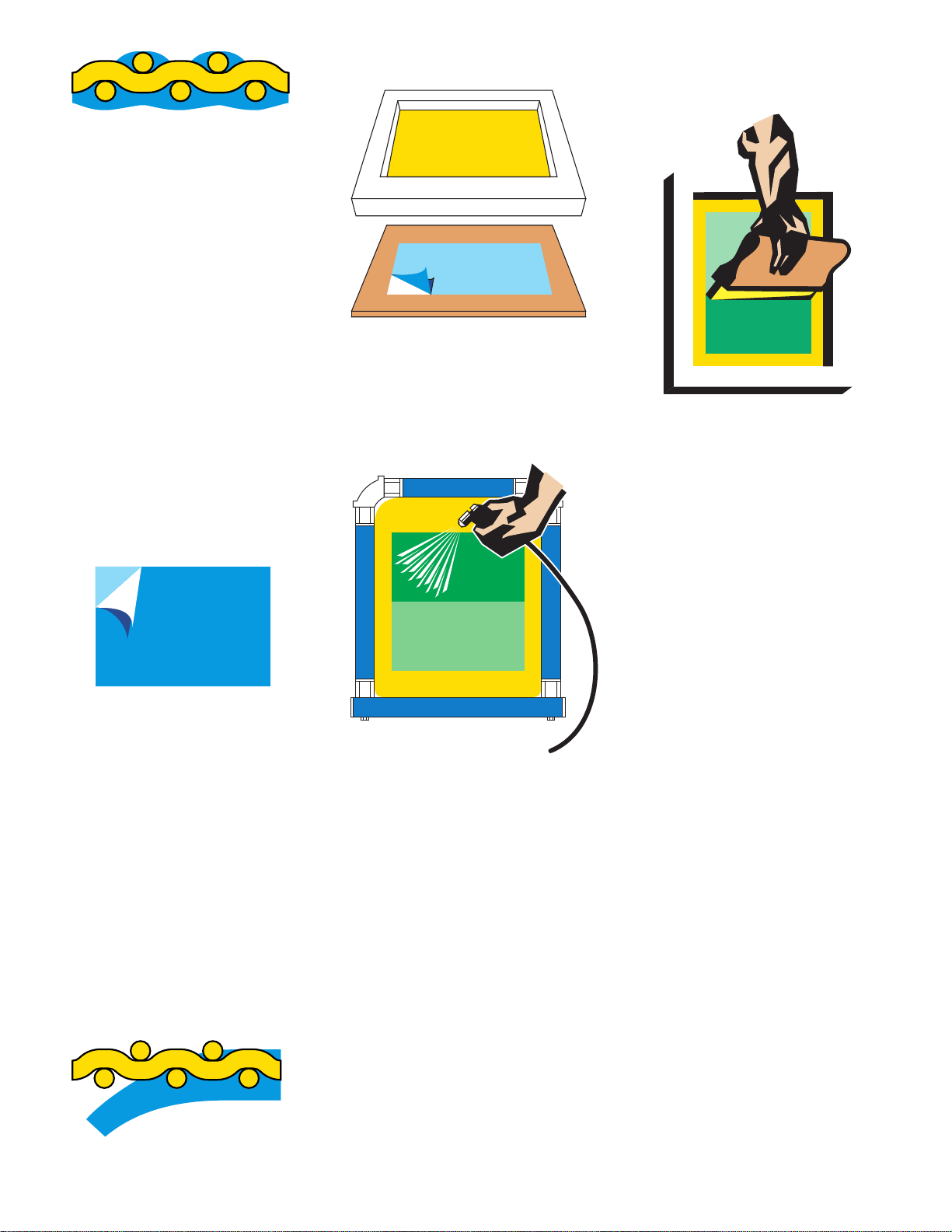
Capillary films are best applied with the
(emulsion up) on a hard flat surface.

(Fig. 7)
Fig. 7
Place a screen (squeegee side up)
onto the film, lightly mist the mesh with
a spray gun until the screen starts to
draw up the capillary film into the fabric.
(Fig. 8)

Fig. 8
Direct/indirect film products
(combination stencils) are two-part film
and emulsion combinations. Films
assure low Rz numbers and high detail
print quality. Direct emulsions produce
high stencil durability. Direct/indirect film
systems combine the best features of
direct emulsion and film products,
creating a strong, high definition stencil
that will make longer runs possible with
direct emulsion.
Direct/indirect film products require a
coating of direct emulsion. Then the film
can be adhered to the face (substrate
side) of the screen. One method is to
coat the screen (one stroke on each
side of the screen) then place the
screen (squeegee side up) on the film
(emulsion side up) and stroke the
squeegee side of the screen with a low
pressure stroke with a soft squeegee.
(Fig. 9) The use of newsprint on your
work surface will help with clean up.
Fig. 9
Stay consistent and you will be able to
predict your results with greater
accuracy. Your goal should be
consistency, predictability, and
repeatability.
Graphics and text copyright 2002
Douglas Grigar [email protected]
Pg.10