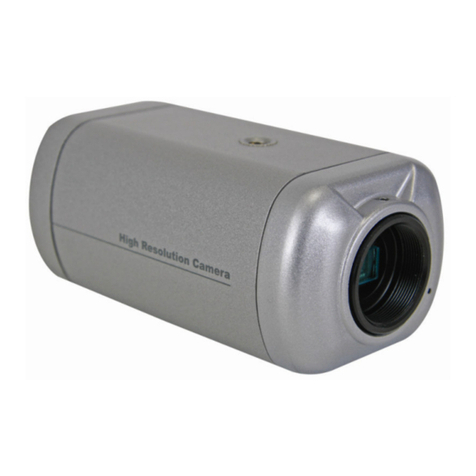
CAMSCC15
19/02/2009 4 ©Velleman®Components nv
5. Overview
Refer to the drawings on page 2 of this manual.
•[A] Flange adjustment ring, suitable for CS-mount
lenses. Use the included spacer for C-mount lenses.
•[B] Back focal lock screw. The camera is set at the
standard back focal position. Depending on the type of
used lens, slight adjustment may be necessary. Adjust
the lens back-focus by turning the focusing knob. Use
the included socket head wrench for this.
•[C] Auto iris lens connector. Supply power and control
signals to the auto iris lens.
•[D] Direct Drive Level Adjustment. When using a Direct
Drive Lens, the Direct Drive Level for video output
brightness can be adjusted.
•[E] Power LED indicator, is on during normal operation.
•[F] DC12V input. Connect a regulated 12VDC power
supply (not incl.) to provide power to the camera.
•[G] Video output connector to connect the camera to a
monitor (not incl.)
•[H] selection dipswitch
•AES/AI selector. Switch to Auto Electronic Shutter
(AES) when a fixed or manual iris lens is used with this
camera. Switch to Auto Iris (AI) when using an auto
iris lens.
•BLC/OFF selector. Switch BLC (Back Light
Compensation) on or off. Set to on when under
strong light conditions, set to off under normal
conditions.
•SOFT/SHARP selector. Set the image contours
sharpness. The "soft" setting blurs the image slightly
while the "sharp" option provides a strong edge-
contrast enhancement.
•HOLD/ATW selector. Switch to HOLD to have a
constant white balance, switch to ATW (Auto Tracking
White balance) to automatically adjust the white
balance depending on the environmental conditions.
•[I] Iris VD/DD selector. Set to Video Drive (VD) when
using a video drive auto iris lens, or to Direct Drive (DD)
in case a direct drive auto iris lens is used.
•[J] Audio output connector. Connect the audio in of the
monitor to this connector.
6. Connection
•Mount a lens (not incl.) on the camera.
•Set the {removed} selection dipswitch [H].
•Connect the video output [G] to the video input of a
monitor (not incl.). Use a 75coaxial cable (not incl.).
•Connect the audio output [J] with the audio input of a
monitor (cable not incl.).
•Connect a 12VDC power supply (not incl.) to the power
input [F].
•When using a video driven lens, connect the video drive
cable (not incl.) to the auto iris lens connector [C]. If
necessary, replace the cable connector by the included
cable connector. Refer to the drawing on page 2 of this