manuals.online logo
Brands
  1. Home
  2. •
  3. Brands
  4. •
  5. Veris
  6. •
  7. Accessories
  8. •
  9. Veris HWL Series Operating and maintenance instructions

Veris HWL Series Operating and maintenance instructions

Other Veris Accessories manuals

Veris TW2 Protocol Series User manual

Veris

Veris TW2 Protocol Series User manual

Veris HW2 Series User manual

Veris

Veris HW2 Series User manual

Veris HAWKEYE 708 User manual

Veris

Veris HAWKEYE 708 User manual

Veris CW2 Series User manual

Veris

Veris CW2 Series User manual

Veris CW2LA2A User manual

Veris

Veris CW2LA2A User manual

Veris CW2T User manual

Veris

Veris CW2T User manual

Veris HW2T Series User manual

Veris

Veris HW2T Series User manual

Veris CW2 Series User manual

Veris

Veris CW2 Series User manual

Veris HD series User manual

Veris

Veris HD series User manual

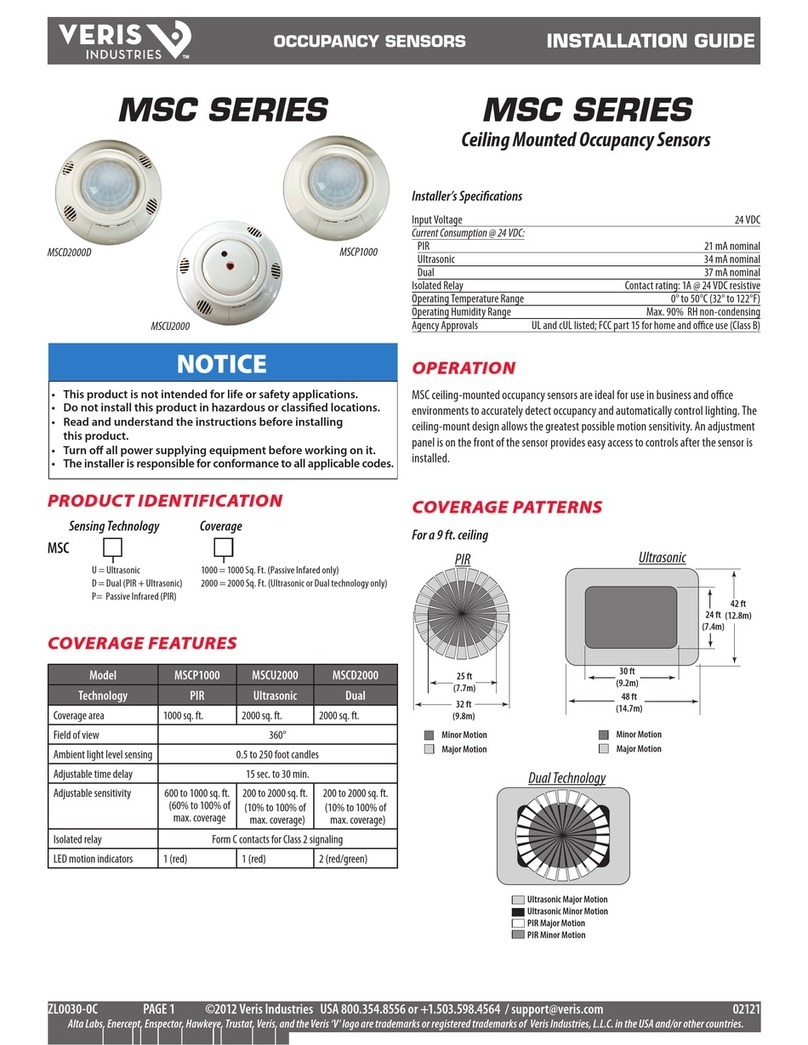
Veris MSCD2000D User manual

Veris

Veris MSCD2000D User manual

Veris TW Series User manual

Veris

Veris TW Series User manual

Veris CWV2 User manual

Veris

Veris CWV2 User manual

Veris CWE2 Series User manual

Veris

Veris CWE2 Series User manual

Popular Accessories manuals by other brands

Quincy lab 140AE-1 operating manual

Quincy lab

Quincy lab 140AE-1 operating manual

HomePro ZIR000 user manual

HomePro

HomePro ZIR000 user manual

DOL 20SCR Technical user guide

DOL

DOL 20SCR Technical user guide

RAB Smart Task installation manual

RAB

RAB Smart Task installation manual

Kemppi KMS 300 quick guide

Kemppi

Kemppi KMS 300 quick guide

Stearns 57,500 Series Installation and service instructions

Stearns

Stearns 57,500 Series Installation and service instructions

iGuzzini TWILIGHT COPENAGHEN manual

iGuzzini

iGuzzini TWILIGHT COPENAGHEN manual

Adelaide Annexe & Canvas Avan Deluxe installation guide

Adelaide Annexe & Canvas

Adelaide Annexe & Canvas Avan Deluxe installation guide

OHAUS 5000 instruction manual

OHAUS

OHAUS 5000 instruction manual

HOME8 WLS1300 quick start guide

HOME8

HOME8 WLS1300 quick start guide

MAXBOTIX MaxSonar quick start guide

MAXBOTIX

MAXBOTIX MaxSonar quick start guide

ioSmart iSmart56 Installation and user guide

ioSmart

ioSmart iSmart56 Installation and user guide

Focusrite Scarlett 18i8 user guide

Focusrite

Focusrite Scarlett 18i8 user guide

Velleman ED38105 user manual

Velleman

Velleman ED38105 user manual

JumpSport SkyBounce user manual

JumpSport

JumpSport SkyBounce user manual

Prima-Temp PRIYA Instructions for use

Prima-Temp

Prima-Temp PRIYA Instructions for use

Tefcold BC85I-BC85I W user manual

Tefcold

Tefcold BC85I-BC85I W user manual

Vaisala WMS302 user guide

Vaisala

Vaisala WMS302 user guide

manuals.online logo
manuals.online logoBrands
  • About & Mission
  • Contact us
  • Privacy Policy
  • Terms and Conditions

Copyright 2025 Manuals.Online. All Rights Reserved.

VERIS INDUSTRIES ™
environmental SenSorS inStallation GUiDe
Z202637-0Y PAGE 1 ©2010 Veris Industries USA 800.354.8556 or +1.503.598.4564 / suppor[email protected] 09101
Alta Labs, Enercept, Enspector, Hawkeye, Trustat, Veris, and the Veris ‘V’ logo are trademarks or registered trademarks of Veris Industries, L.L.C. in the USA and/or other countries.
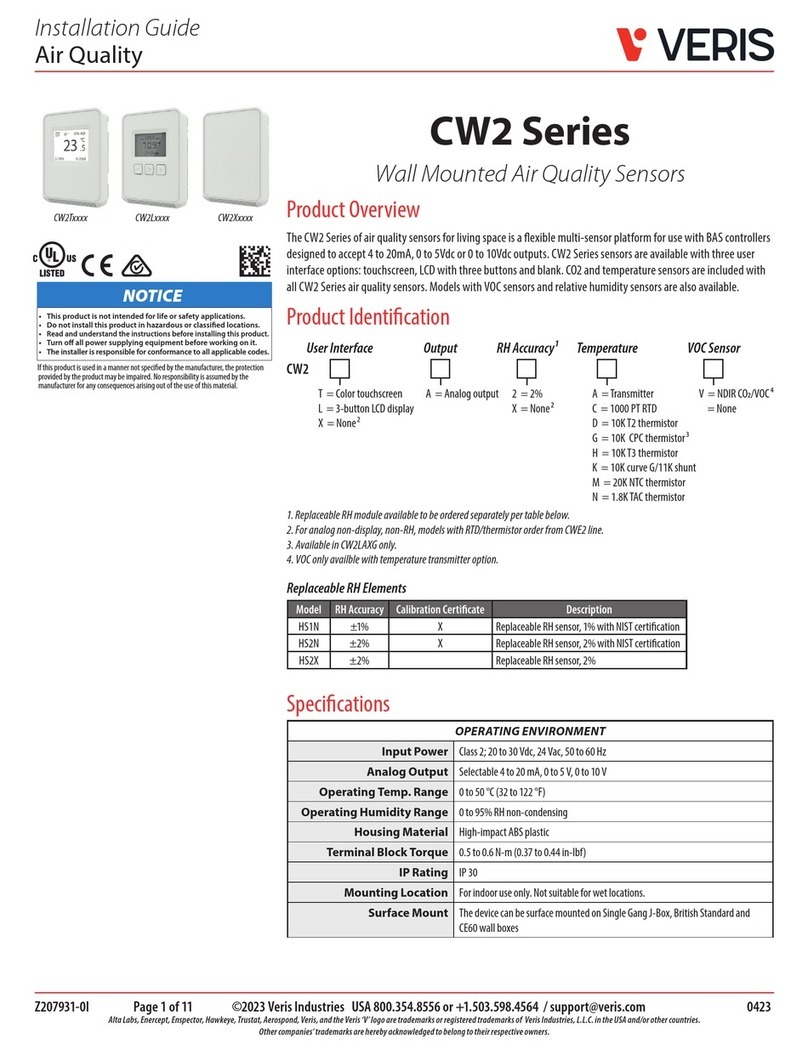
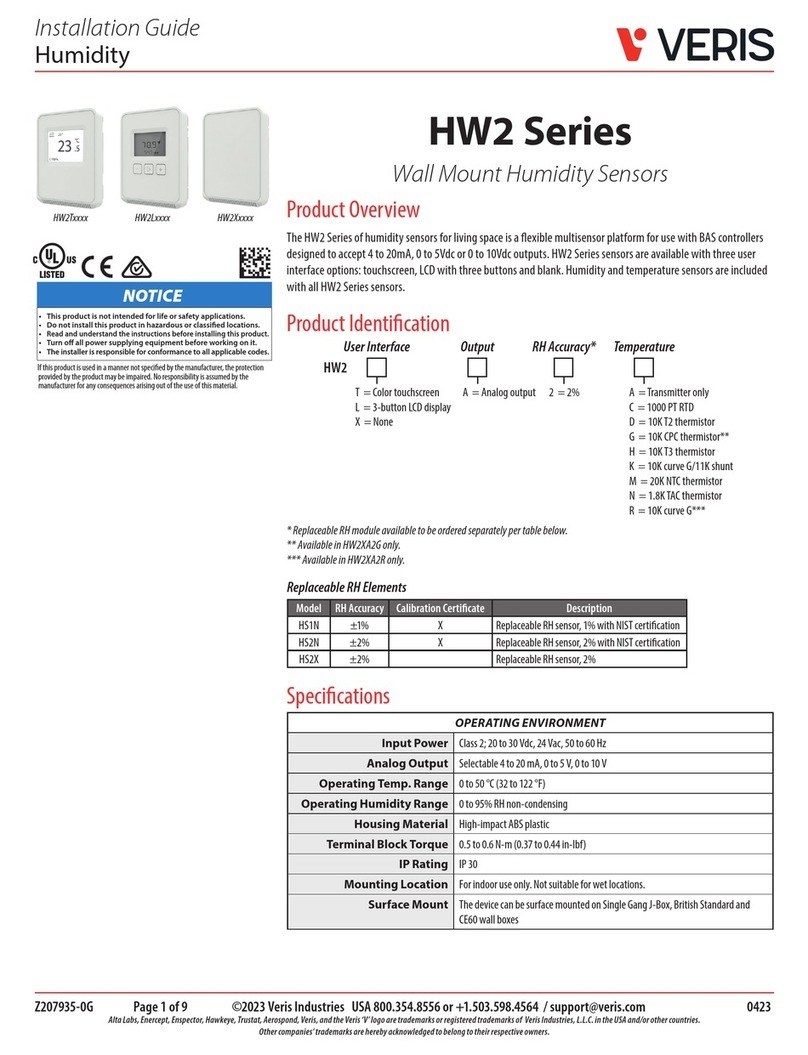
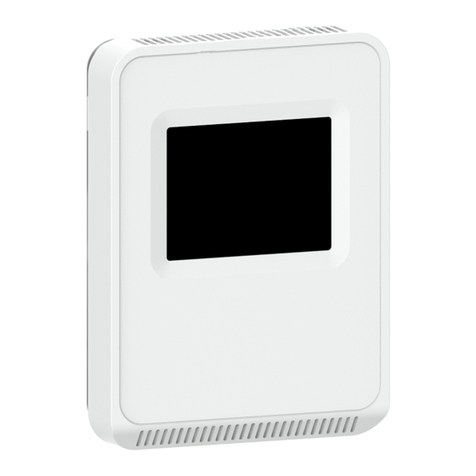
Wall Mount Humidity Sensor
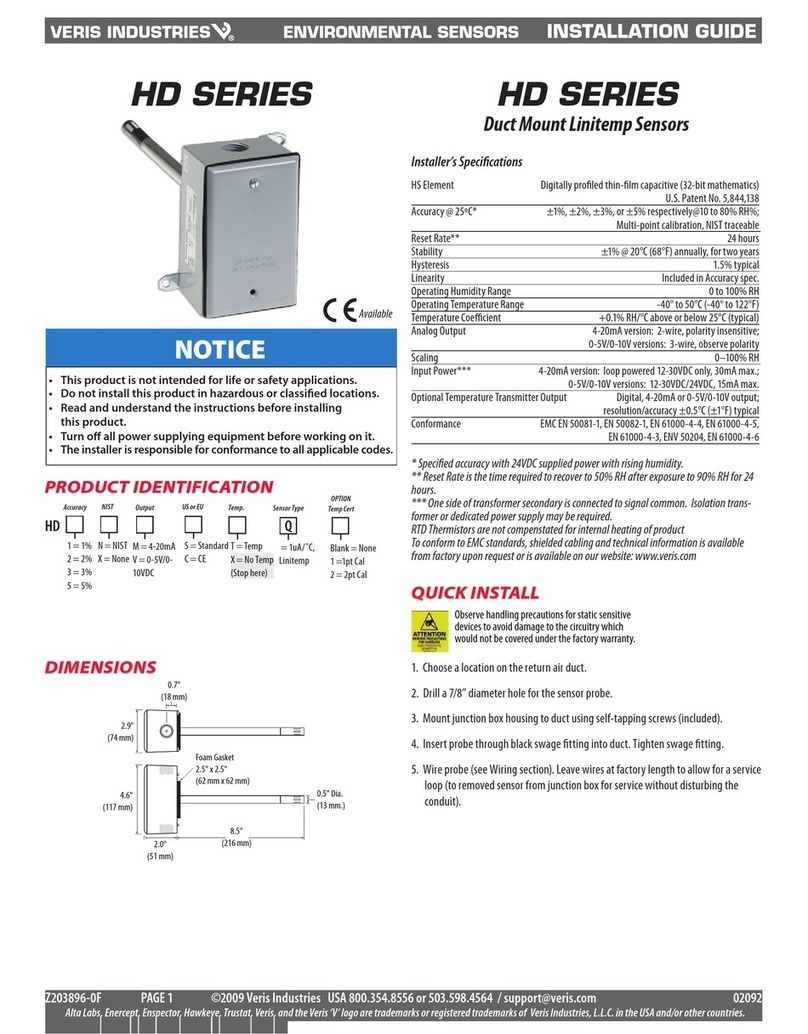
Installer’s Specifications
HS Element Digitally profiled thin-film capacitive (32 bit mathematics)
U.S. Patent 5,844,138
Accuracy at 25°C from 10-80% RH* 2%, 3%, or 5% models;
±1% at 12-60% RH in voltage output mode;
±1% at 12-60% RH in mA output mode with temp. transmitter;
±1% at 20-40% RH in mA output mode
(Multi-point calibration, NIST traceable)
Reset Rate** 24 hours
Stability ±1% @ 20°C (68°F) annually, for two years
Operating Humidity Range 0 to 100% RH (non-condensing)
Hysteresis 1.5% typical
Linearity Included in Accuracy spec.
Temperature Coefficient ±0.1% RH/°C above or below 25°C (typical)
Analog Output 4-20mA version: 2-wire, polarity insensitive, (clipped and capped)
0-5V/0-10V versions: 3-wire, observe polarity
Scaling 0-100% RH
Operating Temperature Range 10° to 35°C (50° to 95°F)
Input Power*** 4-20mA version: loop powered 12-30VDC only, 30mA max.
0-5V/0-10V versions: 12-30VDC/24VAC, 15mA max.
Optional Temperature Transmitter Output Digital, 4-20mA, (clipped and capped) or
0-5V/0-10V output; accuracy ±0.5°C (±1°F) typical
EMC Conformance – CE Option EN 50081-1, EN 50082-1, EN 61000-4-4, EN 61000-4-5, EN
61000-4-3, ENV 50204, EN 61000-4-6
*Specified accuracy with 24VDC supplied power with rising humidity. RTD/Thermistors are not
compensated for internal heating of product.
**Reset Rate is the time required to recover to 50% RH after exposure to 90% RH for 24 hours.
***One side of transformer secondary is connected to signal common, so an Isolation transformer
or dedicated power supply may be required.
Shielded cabling is required for conformance to EMC standards. Technical information is available
from factory upon request or is available on our website: www.veris.com
HWL SerieS HWL SerieS
NOTICE
• This product is not intended for life or safety applications.
• Do not install this product in hazardous or classified locations.
• Read and understand the instructions before installing
this product.
• Turn off all power supplying equipment before working on it.
• The installer is responsible for conformance to all applicable codes.
Available
Dimensions
quick install
Select a mounting location away from ventilation sources. The sensor should be1.
mounted on a vertical wall, about 4 ½ feet above the floor.
Affix the backplate to the wall.2.
Wire the device. Refer to wiring diagram.3.
Install Cover.4.
3.5"
(89 mm)
4.8"
(122 mm)
1.2"
(30 mm)

VERIS INDUSTRIES ™
inStallation GUiDe
HWl SerieS
Z202637-0Y PAGE 2 ©2010 Veris Industries USA 800.354.8556 or +1.503.598.4564 / suppor[email protected] 09101
Alta Labs, Enercept, Enspector, Hawkeye, Trustat, Veris, and the Veris ‘V’ logo are trademarks or registered trademarks of Veris Industries, L.L.C. in the USA and/or other countries.
1. Remove the cover by pressing the tab at the top of the sensor while pulling
outward from the top of the cover.
3. Punch out openings in the backplate.
installation
2. Remove the backplate by unfastening the sensor from the bottom of the backplate
and pivoting the sensor outward.
correct incorrect
4. Position the sensor vertically on the wall, 4 ½ feet above the floor.
ProDuct iDentification
* In order for unit to display both temp and RH, use the
TA or D temp selection.
Temp displayed on LCD is read from temperature
transmitter, not resistive element.
NIST US or EU Temp. Sensor TypeDisplay Accuracy
S = Standard
C = CE
A = Transmitter: 10° - 35°C (50°
- 95°F and 0° - 50°C (32° - 122°F)
(switchable)
B = 100R Platinum, RTD
C = 1k Platinum, RTD
D = 10k T2, Thermistor
E = 2.2k, Thermistor
F = 3k, Thermistor
G = 10k CPC, Thermistor
H = 10k T3, Thermistor
J = 10k Dale, Thermistor
K = 10k with 11k shunt, Thermistor
M = 20k NTC, Thermistor
N = 1800 ohm TAC, Thermistor
Q = 1uA/C, Linitemp
R = 10k US, Thermistor
S = 10k 3A 221
T = 100k, Thermistor
U = 20k “D”, Thermistor
1 = 1%
2 = 2%
3 = 3%
5 = 5%
= No
HW Temp Cal Cert Option Value
A = 1k
F = 10k
G = 20k
K = 50k
M =100k
Options Available
X = No Cert
1 = 1pt Cal
2 = 2pt Cal
1 = Push Button Override
2 = Set Point Slider
3 = Push Button Override
and Set Point Slider
T = Temp*
X = No Temp
(Stop here)
N = NIST
(1% and 2% only)
X = No
(2%, 3%, and 5% only)
X
NIST US or EU Temp. Sensor TypeDisplay Accuracy
S = Standard
C = CE
None = Select for TA temp option only
B = 100R Platinum, RTD
C = 1k Platinum, RTD
D = 10k T2, Thermistor
E = 2.2k, Thermistor
F = 3k, Thermistor
G = 10k CPC, Thermistor
H = 10k T3, Thermistor
J = 10k Dale, Thermistor
K = 10k with 11k shunt, Thermistor
M = 20k NTC, Thermistor
N = 1800 ohm TAC, Thermistor
Q = 1uA/C, Linitemp
R = 10k US, Thermistor
S = 10k 3A 221
T = 100k, Thermistor
U = 20k “D”, Thermistor
1 = 1%
2 = 2%
3 = 3%
5 = 5%
= LCD
HW
N = NIST
(1% and 2% only)
X = No
(2%, 3%, and 5% only)
T = Temp*
TA = Transmitter
only
D = Transmitter
and resistive
element
X = No Temp
(Stop here)
LTemp Cal Cert Option Value
A = 1k
F = 10k
G = 20k
K = 50k
M =100k
Options Available
X = No Cert
1 = 1pt Cal
2 = 2pt Cal
1 = Push Button Override
2 = Set Point Slider
3 = Push Button Override
and Set Point Slider
VERIS INDUSTRIES ™
inStallation GUiDe
HWl SerieS
Z202637-0Y PAGE 3 ©2010 Veris Industries USA 800.354.8556 or +1.503.598.4564 / suppor[email protected] 09101
Alta Labs, Enercept, Enspector, Hawkeye, Trustat, Veris, and the Veris ‘V’ logo are trademarks or registered trademarks of Veris Industries, L.L.C. in the USA and/or other countries.
7. Install and configure the sensor.
8. Install the cover and snap into place.
VOLTS
OUTPUT SELECT
mA
RH OUT
10V 5V 10V 5V
50/95 32/122 CF
T OUT
T RANGE T SCALE
WARNING: Output select must be
correct before applying power.
RH
SENSOR
TEMP
SENSOR
VOLT S
OUTPUT SELECT
mA
RH OUT
10v 5v 10v 5v
50/95 32/122 ºCºF
T OUT
T RANGE T SCALE
6. Wire the backplate.
POWER SOURCE
15 to 30VDC or 24 VAC
DIGITAL CONTROL
RH Return
Temp Return
Thermistor/RTD Override
Setpoint Slider
-
-
-
+
RTD/Thermistor
RTD/Thermistor
Temp Transmitter OUT (4-20mA RTN)
Slider Right
Slider Wiper
Slider Left
RH OUT (4-20mA RTN)
POWER SOURCE
15 to 30VDC or 24 VAC
DIGITAL CONTROL
RH IN (0-10V)
Temp IN (0-10V)
Thermistor/RTD Override
Setpoint Slider
-
-
-
+
GND
RTD/Thermistor
RTD/Thermistor
Temp OUT
Slider Right
Slider Wiper
Slider Left
RH OUT
Current Output (2 wire, 4-20mA)
Voltage Output (3 wire, 0-10V)
5. Mount the backplate onto the wall using the screws provided.
Five screwholes available; use a mini-
mum of two for secure mounting.