Contents
Foryoursafety .................3
Welcome to digital satellite TV! . . . . 4
Updatestoyourbox..................4
Inserting the batteries in your remote
control..............................4
Your remote control . . . . . . . . . . . . . 5
Your Viasat box . . . . . . . . . . . . . . . . . 6
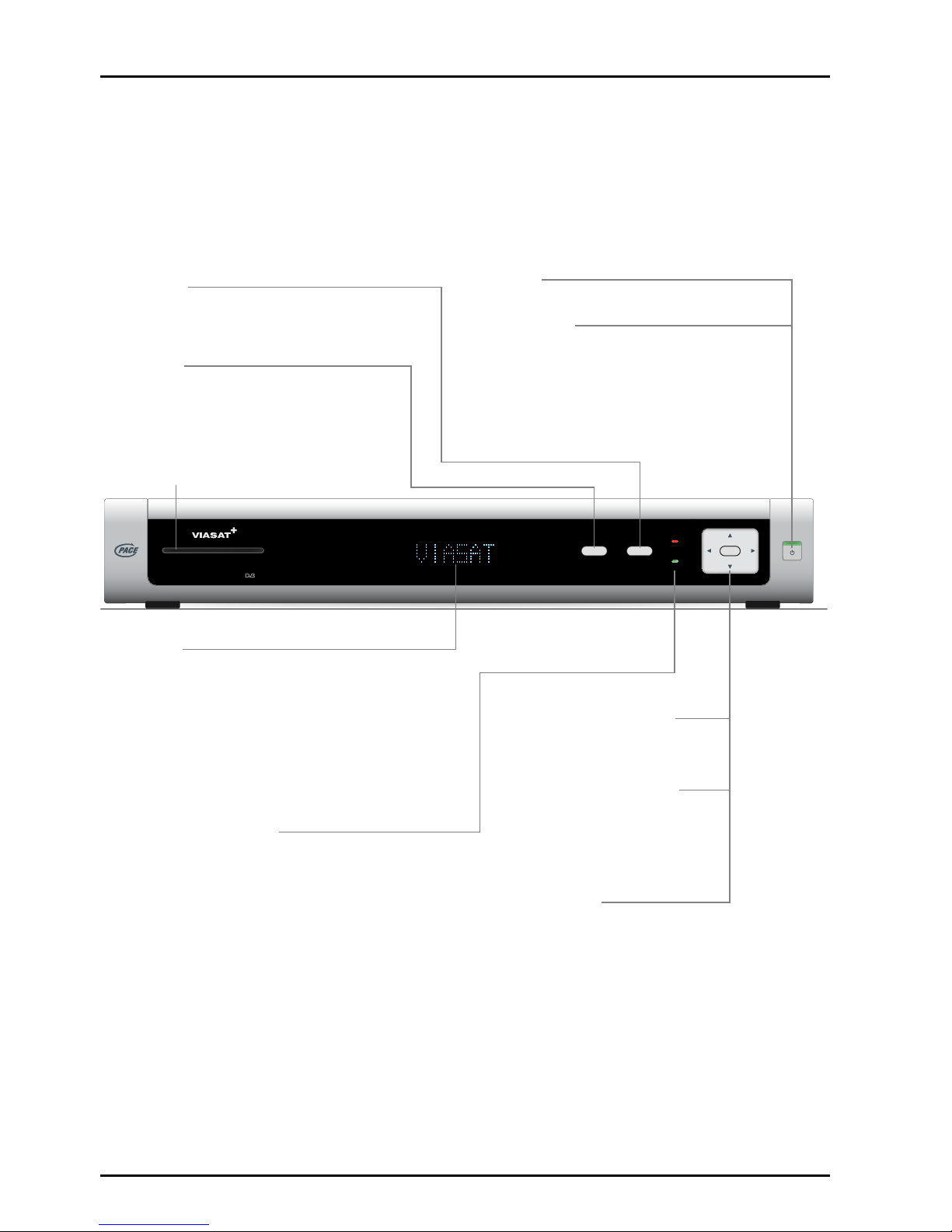
Frontpanel..........................6
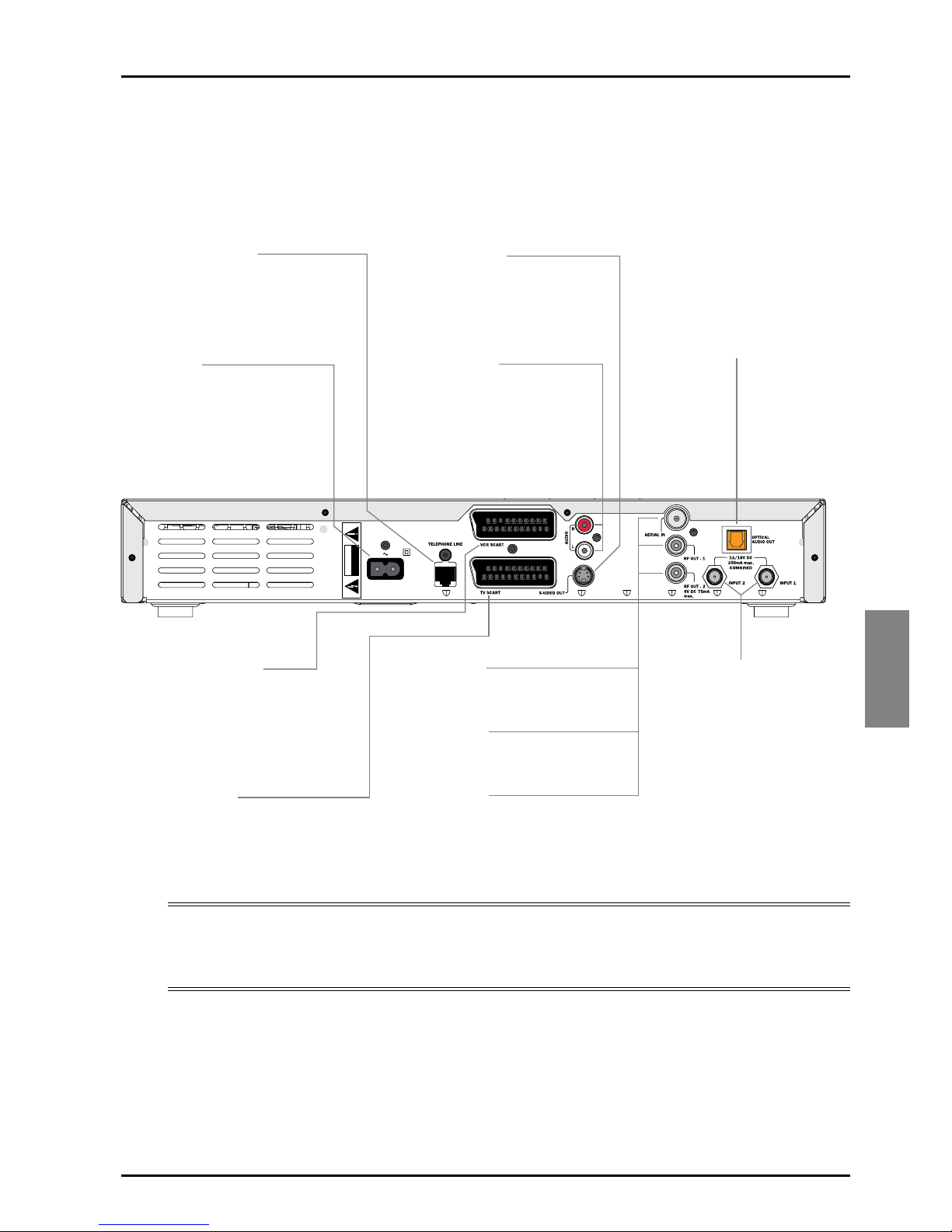
Rear panel connectors overview . . . . . . . .7
Installation ....................8
The supplied equipment . . . . . . . . . . . . . . .8
Where to place your set-top box . . . . . . .8
WhatelsedoIneed?..................8
Smartcard ........................8
Inserting your smart card . . . . . . . . . . . .9
Activating your subscription . . . . . . . . . .9
Satellitedish.......................9
Connection method 1:
To TV and VCR (without SCART) . . . .11
Connection method 2:
ToTVandVCR....................12
Connection method 3:To TV only . . . .13
Optional audio connections . . . . . . . . . . .14
Connecting to the telephone line . . . . . .14
Connecting a ‘magic eye’ . . . . . . . . . . . . . .15
Connecting to the mains supply. . . . . . . .15
Switching on for the first time . . . . . . . . .16
RFTuning...........................17
Switching on and off . . . . . . . . . . . . . . . . .17
Getting Started . . . . . . . . . . . . . . . . 18
Using the Viasat Guide. . . . . . . . . . . . . . . .18
Changingchannel....................18
Unlocking a locked channel. . . . . . . . . . . .18
Changing the volume on your TV set . . .19
Using the channel banner . . . . . . . . . . . . .19
Displaying the channel banner . . . . . . .19
Watching a programme . . . . . . . . . . . .20
Instantly recording a programme . . . . .20
Setting a reminder . . . . . . . . . . . . . . . . .20
Displaying extra programme
information.......................20
Symbols in the channel banner and extra
information screens . . . . . . . . . . . . . . . . . .21
UsingLivePause.....................22
Using other VIASAT on-screen features
while you are using Live Pause . . . . . . .22
Using Instant Rewind . . . . . . . . . . . . . . . . .23
On-screen symbols . . . . . . . . . . . . . . . . . .24
EPG...............................26
Finding a programme. . . . . . . . . . . . . . .26
ViasatEPG....................26
Ticket..............................29
Purchasing a Ticket programme . . . . . .29
Viasat Ticket . . . . . . . . . . . . . . . . . . 29
Planner.............................31
Planner......................31
Your box’s disk space. . . . . . . . . . . . . . .33
Schedule changes . . . . . . . . . . . . . . . . . .33
Using Series Link . . . . . . . . . . . . . . . . . .33
Deleting a programme from your
Planner...........................34
Watching a programme when you see
thereminder......................34
Recording programmes . . . . . . . . . . . . . . .35
Recording Programmes . . . . . . . . . . 35
Using your box while you are recording
aprogramme.....................36
Recording clashes. . . . . . . . . . . . . . . . . .36
Disk space warning . . . . . . . . . . . . . . . .37
Manualrecording....................38
Watching recordings . . . . . . . . . . . . . . . . .39
Playbacksymbol...................39
Watching Recordings. . . . . . . . . . . . 39
Duringplayback...................40
Watching recordings of restricted
programmes or locked channels . . . . .41
Using Bookmarks . . . . . . . . . . . . . . . . . .41
InteractiveTV.......................41
Playinggames.....................41
Active........................41
Using the Setup menus . . . . . . . . . . . . . . .42
Using the Parental Control menu. . . . . . .42