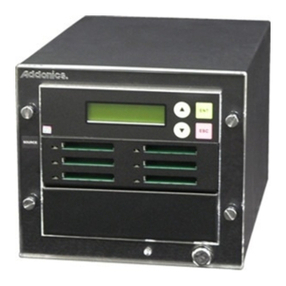
Key Features
Complete Standalone Operation: No PC required to
operate the duplicator
Simultaneous Load and Copy: Copies data to the
duplicator’s hard drive and writer drives simultane-
ously on the first run from the reader drive so that all
additional runs will be made from the hard drive
Continuous Hard Drive Partitioning: The HDD
partitions are created without limitations using the
same amount of space as the actual content size on
the disc
Expanded CD Capabilities: Supports all common CD
formats including CD-TEXT, ISRC, Over-Burned CD
Drive Firmware Upgradeability: Capable of upgrading
the drive's internal firmware directly through the
Duplicator
Expanded Buffer Memory up to 256MB**: Keeps all
drives burning without pausing (known as buffer
underrun) for the most stable and reliable high speed
duplication
* Higher capacity hard drive is available
** The buffer memory and power supply will differ based
on the number of targets.
*** The UL marking only applies to specific units
BLU-RAY DUPLICATOR DVD DUPLICATOR
Model
Operation Type
Writer(s)
Reader
Hard Drive*
Blu-Ray Formats Supported
DVD Formats Supported
CD Formats Supported
Display
Color
Buffer Memory
Internal Interface
Language Support
Partition Naming
Account Management
Auto Counter
LightScribe Model Available
Load & Copy Support
Power Supply
Operating Humidity
Temperature Extremes
Regulations
Stand-Alone
From 1 up to max 15 DVD-ROM
320GB HDD (1 target model HDD is optional)
N/A
N/A
500GB HDD
20 x 2 Blue LCD
Black
20 x 2 Green LCD
Silver or Black
Up to 256MB **
SATA
English, Spanish, French, Japanese, and more. (Chinese and Arabic available upon request)
Up to 14 characters per partition
32 users (Standard License) / 64 users (Premium License)
Up to 9,999 per title
Yes
Yes
20% ~ 80%
40°C (104°F) / 5°C (41°F)
FCC, CE, RoHS, & UL***
Input : 90 ~ 240 V, Up to 500 WATT max**
CD-ROM (Mode1 & Mode2), CD-ROM/XA (Mode2 form1 & form2), CD-DA, Mixed-Mode, Video CD, CD-I,
Karaoke CD(VCD), Photo CD (Single & Multi-session), CD-Extra, CD-Bridge, ISO9660, CD-R, CD-RW,
Business Card CD-R, 3" Mini CD-R
BD-ROM, BD-R/RE, Double Layer
350 MB CD
*at 52x duplication speed
Target
2.5 GB DVD
*at 20x duplication speed
12.5 GB Blu-Ray
*at 6x duplication speed
1
24
12
3
72
36
4
96
48
5
120
60
6
144
72
7
168
84
8
192
96
9
216
108
10
240
11
264
120 132
12
288
144
13
312
156
14
336
15
360
168 180
5
2
48
24
10 15 20 25 30 35 40 45 50 55 60 65 70 75
Throughput Capacity Per Hour
DVD-ROM, DVD-Video, DVD-Audio, DVD+R DL, DVD-R DL, DVD-R,
Key Features
Additional Features
AutoCopy feature: Fast duplication without pressing
any buttons
Account Management (Password Protection): This
function will authorize only specific user(s) to operate
the duplicator with their preferred settings
Able to assign numerous passwords for multiple users
Auto-Counter Technology: Displays the total number
of discs successfully copied compared to desired
output for each project
Hard Drive Partition/Image Name Editing: Simply
stated you can name the images stored on the hard
drive partitions
User Friendly Interface with 'easy-to-read' LCD Display:
Offers easy to recognize and use terms and opera-
tions on the LCD display for simple usage
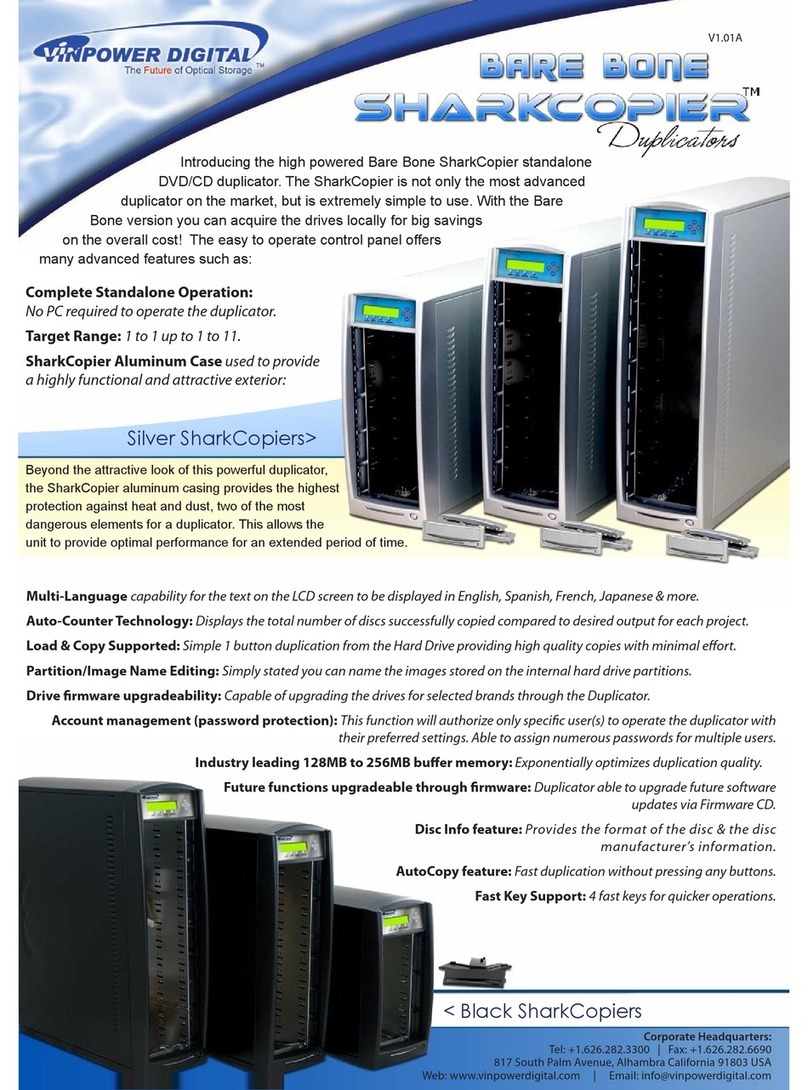
Aluminum Case used to provide a highly functional
and attractive exterior
Provides the format of the disc & the disc
manufacturer's information
Selectable Disc Burning Speeds: Ability to increase or
decrease duplication speed for supported formats
Creates Mix Compilation Audio CD: Able to compile
multiple tracks onto a single disc from multiple
sources
www.vinpowerdigital.com
Tel:
+1.626.282.3300
Ext:103
Fax:
+1.626.282.6690
Address:
817
South
Palm
Avenue
Alhambra,
CA
91803
Email:
[email protected]