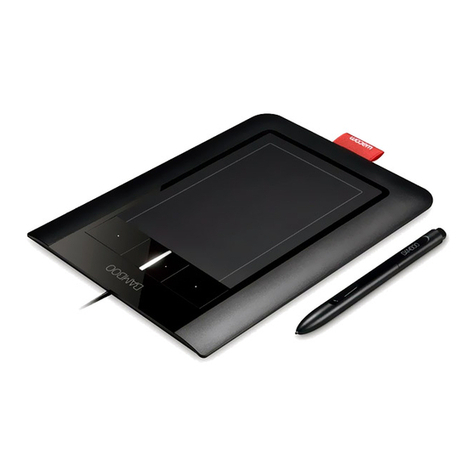
VisTablet Muse User manual

VisTablet MUSE Manual
VisTablet Systems, LLC.
3456 W. Olympic Blvd.
Los Angeles, CA, 90019
T : (323) 732-3010
TF : (888) 392-9230
CustomerService@VisTablet.net
To view this manual online, please visit our website: http://www.vistablet.net/downloads/manuals.php .

V#200908
[MANUAL FOR VISTABLET MUSE
Copyright VisTablet Systems, LLC. 2009
2
I n d e x
1. Before using your VisTablet ------------------------------------------------------------------------------- Page#3
2. How to install Pen Pad with MacroKey Manager (for PC) ----------------------------------------- Page# 3
3. How to uninstall Pen Pad with MacroKey Manager (for PC) ------------------------------------- Page#4
4. How to install Pen Pad with MacroKey Manager (for MAC) ------------------------------------- Page#5
5. How to uninstall Pen Pad with MacroKey Manager (for MAC) --------------------------------- Page#6
6. How to install Free Notes (for PC) ---------------------------------------------------------------------- Page#7
6.1.Installing Free Notes Manually --------------------------------------------------------------------- Page#7
7. How to uninstall Free Notes (for PC) ------------------------------------------------------------------- Page#10
8. How to change setting for MacroKey Manager (for PC) ------------------------------------------ Page#10
9. How to change setting for Pen Pad (for MAC) ------------------------------------------------------ Page#12
10. How to use MacroKey Manager (for PC) ------------------------------------------------------------- Page#14
11. How to delete a profile (for PC and MAC) ----------------------------------------------------------- Page#16
12. How to delete MacroKey Programed Shortcuts (for PC and MAC) --------------------------- Page#17
13. How to set up shortcuts of Function Keys (for MAC) --------------------------------------------- Page#17
14. How to use the touch pad w/the Mode buttons -------------------------------------------------- Page#19

V#200908
[MANUAL FOR VISTABLET MUSE
Copyright VisTablet Systems, LLC. 2009
3
1.Before using your VisTablet
You should completely uninstall any other tablets’driver.
Always install the driver first before plugging your VisTablet into the USB.
On MAC / Window 2000 / ME / XP / Vista/ Window7, you should install the driver first before using your
VisTablet.)
2.How to install Pen Pad with MacroKey Manager (for PC)
1. Insert Driver CD or double click “setup.exe”on your CD drive
2. Click “Macro Key Manager”
3. After clicking on the Macro Key Manager, InstallShield Wizard should pop-up. Follow the instructions and
continue.
4. After finishing the installation, the driver will prompt you whether to restart your computer or not.
Click “Yes” to restart your computer.
5. After restarting your computer, plug your VisTablet into your computer USB port.
Most problems reported by our customers with VisTablet are originated from incorrect installation.
Most of these problems can be solved by uninstalling the VisTablet driver completely, and then, reinstalling it properly.
If you cannot fix the problem by uninstall and reinstall the driver, please contact us @ our website
www.vistablet.net or by email customersupport@vistablet.net or by call Toll Free Phone (888) 392-9230
or (408) 392-9230.

V#200908
[MANUAL FOR VISTABLET MUSE
Copyright VisTablet Systems, LLC. 2009
4
3.How to uninstall Pen Pad with MacroKey Manager (for PC)
Start Menu Control Panel Add/ Remove Programs (XP/2000/ME)
Programs and Features (Vista)
Double click “Pen Pad Driver with MacroKey Manager”Uninstall the Driver as followed by
Instruction on your pop up window Restart your computer
If you reinstall the driver without restarting your computer, some errors may occur again.)

V#200908
[MANUAL FOR VISTABLET MUSE
Copyright VisTablet Systems, LLC. 2009
5
4.How to install Pen Pad with MacroKey Manager (for MAC)
Always install the driver first before you plug VisTablet into your MAC.)
Check your driver to confirm that you have most current version. If not, go to www.vistablet.net and
download the latest driver.) You can also call our Toll Free # (888) 392-9230 to receive the new driver.
1. Insert Driver CD and Click the Pen Pad Tablet Driver Icon.
2. Click “Continue”on pop up window of Pen Pad Tablet Driver.
3. Make sure that you choose “Easy Install”located on top of the pop up window of Pen Pad Tablet Driver.
4. Click “Install”.

V#200908
[MANUAL FOR VISTABLET MUSE
Copyright VisTablet Systems, LLC. 2009
6
4. Follow the instruction of Pen Pad Tablet Driver.
5. Restart your MAC.
5. How to uninstall Pen Pad with MacroKey Manager (for MAC)
1. Insert Driver CD and Click the Pen Pad Tablet Driver Icon.
2. Click “continue”.
3. Change the option from “Easy Install”to “Uninstall”on top of the pop up window of Pen Pad Tablet Driver, and
then, click “Uninstall”Icon.

V#200908
[MANUAL FOR VISTABLET MUSE
Copyright VisTablet Systems, LLC. 2009
7
4. Click “Continue”to process.
5. Click “Quit”and always restart your MAC.
When you already to reinstall the driver, you always restart your MAC before reinstalling the driver.)
6.How to install Free Notes (for PC)
Free notes works with Windows XP, 2000 and Vista only.
On Window XP and 2000, when you insert Driver CD in your computer at start up, you can find each installation “Icon”
on pop up window of Pen Pad Tablet Driver like picture below.
6.1.Installing Free Notes Manually
1. Insert the driver CD.
2. Close the pop up window of Pen Pad Tablet Driver.

V#200908
[MANUAL FOR VISTABLET MUSE
Copyright VisTablet Systems, LLC. 2009
8
3. Double click “Computer”icon on your desktop screen.
4. Right click on your CD drive Icon and click “Open”
5. Double click “Free Notes”folder.

V#200908
[MANUAL FOR VISTABLET MUSE
Copyright VisTablet Systems, LLC. 2009
9
6. Double click “Setup.exe”file.
7. Follow the instruction on the pop up window of Pen Pad Tablet Driver.
7.How to uninstall Free Notes (for PC)
Start Menu Control Panel Programs and Features (Vista) or Add/Remove Programs (XP)
Double Click Free Notes & Office Ink
8.How to change setting for MacroKey Manager (for PC)
After the VisTablet driver is installed, you can change numbers of setting for MacroKey Manager by using the Icon on the
Tray placed on bottom of Window Bar.
If you press the button located in the bottom of pen up, the Menu like the picture below is appeared.
About
Showing MacroKey Manager version, Driver version and Firmware
version

V#200908
[MANUAL FOR VISTABLET MUSE
Copyright VisTablet Systems, LLC. 2009
10
Show
It shows Macrokey setup pop up window.
Disable
You can turn all Macrokey Manager options off without qutting Macrokey Manager program.
Setting
MacroKey Response Time
You can set timer for how long MacroKey function will work. There are 5 different choices; 0, 0.5, 1, 2 and 3 seconds.
The timing you choose will determine how long you must hold pen on MacroKey before it activates.
You can choose to get the pointing sound or not while the pen tip is pointing on the VisTablet.
Pen Pad
1. Buttons for Pen Setting
Table of contents
Other VisTablet Graphic Tablet manuals