manuals.online logo
Brands
  1. Home
  2. •
  3. Brands
  4. •
  5. Weslo
  6. •
  7. Exercise Bike
  8. •
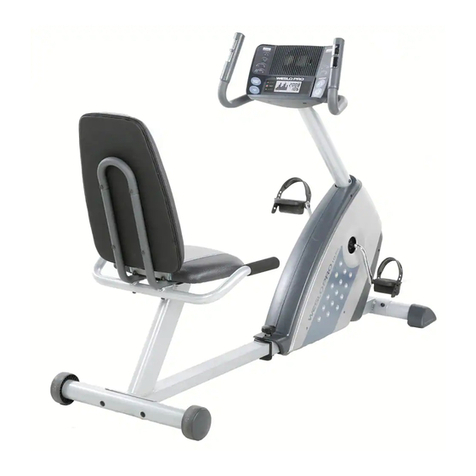
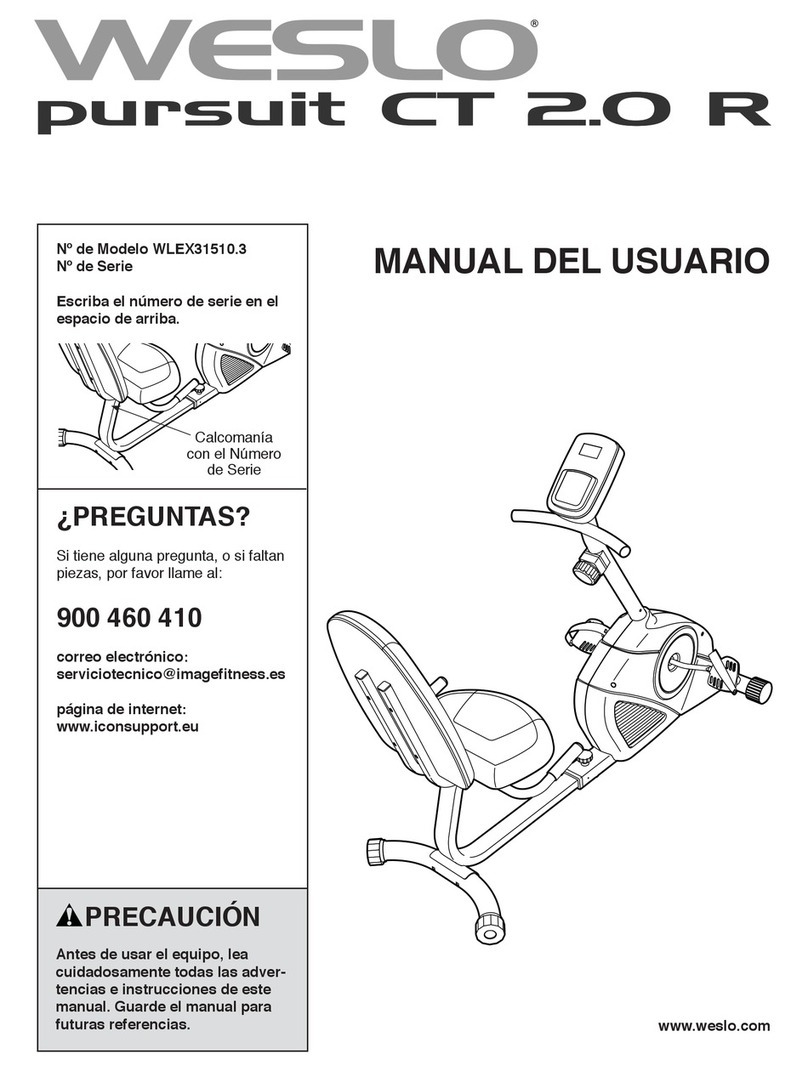
  9. Weslo PURSUIT 360R User manual

Weslo PURSUIT 360R User manual

Other manuals for PURSUIT 360R

1

This manual suits for next models

2

Other Weslo Exercise Bike manuals

Weslo Pursuit 622 User manual

Weslo

Weslo Pursuit 622 User manual

Weslo PURSUIT CT 3.8R User manual

Weslo

Weslo PURSUIT CT 3.8R User manual

Weslo WLEX0996.0 User manual

Weslo

Weslo WLEX0996.0 User manual

Weslo Pursuit 3.8 Bike User manual

Weslo

Weslo Pursuit 3.8 Bike User manual

Weslo Pursuit 695i User manual

Weslo

Weslo Pursuit 695i User manual

Weslo PURSUIT R62 User manual

Weslo

Weslo PURSUIT R62 User manual

Weslo Pursuit S 35 Bike Operating and maintenance manual

Weslo

Weslo Pursuit S 35 Bike Operating and maintenance manual

Weslo Vector 303 Bike Quick start guide

Weslo

Weslo Vector 303 Bike Quick start guide

Weslo PRO 10.8x User manual

Weslo

Weslo PRO 10.8x User manual

Weslo W&S WLIVEX85610.1 User manual

Weslo

Weslo W&S WLIVEX85610.1 User manual

Weslo Boomerang 203 User manual

Weslo

Weslo Boomerang 203 User manual

Weslo WLEX14910 User manual

Weslo

Weslo WLEX14910 User manual

Weslo Pursuit 620s Operating and maintenance manual

Weslo

Weslo Pursuit 620s Operating and maintenance manual

Weslo Pursuit R 3.8WLEX91208.0 User manual

Weslo

Weslo Pursuit R 3.8WLEX91208.0 User manual

Weslo Boomerang 403 Bike User manual

Weslo

Weslo Boomerang 403 Bike User manual

Weslo Pursuit S 85 Bike System manual

Weslo

Weslo Pursuit S 85 Bike System manual

Weslo Vector 402 User manual

Weslo

Weslo Vector 402 User manual

Weslo Pursuit Sr 9.8 Bike User manual

Weslo

Weslo Pursuit Sr 9.8 Bike User manual

Weslo Pursuit 203 Bike Operating and maintenance manual

Weslo

Weslo Pursuit 203 Bike Operating and maintenance manual

Weslo Pursuit 2.9 Bike User guide

Weslo

Weslo Pursuit 2.9 Bike User guide

Weslo Pursuit T 89 Bike Quick start guide

Weslo

Weslo Pursuit T 89 Bike Quick start guide

Weslo Vector 503 Bike Operating and maintenance manual

Weslo

Weslo Vector 503 Bike Operating and maintenance manual

Weslo W&S WLIVEX87210.0 User manual

Weslo

Weslo W&S WLIVEX87210.0 User manual

Weslo Pursuit T 149 Bike Operating and maintenance manual

Weslo

Weslo Pursuit T 149 Bike Operating and maintenance manual

Popular Exercise Bike manuals by other brands

BH BLADEZ 200U owner's manual

BH

BH BLADEZ 200U owner's manual

Eco-De ECO-800 Instruction guide

Eco-De

Eco-De ECO-800 Instruction guide

Nautilus Be Strong Commercial Series U916 owner's manual

Nautilus

Nautilus Be Strong Commercial Series U916 owner's manual

NordicTrack Gx 3.1 Bike Manual Del Usuario

NordicTrack

NordicTrack Gx 3.1 Bike Manual Del Usuario

NordicTrack Gx 3.1 Bike Instrukcja obsŁugi

NordicTrack

NordicTrack Gx 3.1 Bike Instrukcja obsŁugi

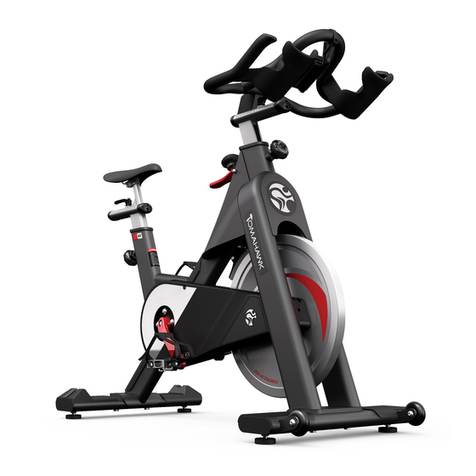
Tomahawk IC3 manual

Tomahawk

Tomahawk IC3 manual

GPI Sports & Fitness BODYWORX ABX250M manual

GPI Sports & Fitness

GPI Sports & Fitness BODYWORX ABX250M manual

Trixter X-Bike user manual

Trixter

Trixter X-Bike user manual

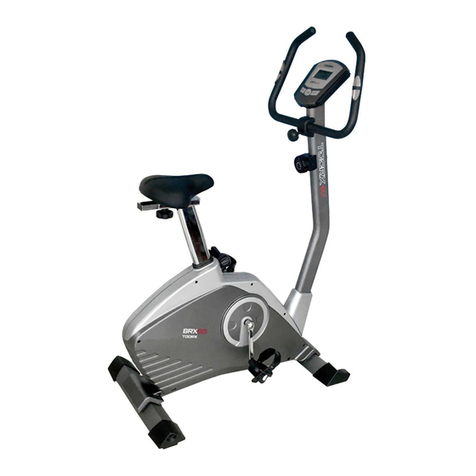
TOORX BRX85 Instruction

TOORX

TOORX BRX85 Instruction

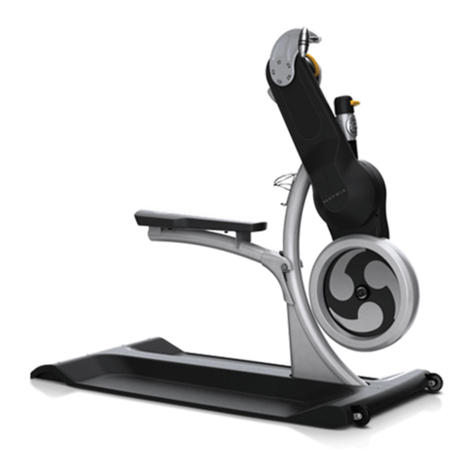
Matrix KranKcycle user manual

Matrix

Matrix KranKcycle user manual

Matrix IC3 manual

Matrix

Matrix IC3 manual

Sunny Health & Fitness SF-B121021 user manual

Sunny Health & Fitness

Sunny Health & Fitness SF-B121021 user manual

Monark 827E instruction manual

Monark

Monark 827E instruction manual

Stamina 1310 owner's manual

Stamina

Stamina 1310 owner's manual

American Fitness SPR-BK1072A owner's manual

American Fitness

American Fitness SPR-BK1072A owner's manual

Cateye CS-1000 (CYCLO SIMULATOR) Service manual

Cateye

Cateye CS-1000 (CYCLO SIMULATOR) Service manual

BH FITNESS H9158H Instructions for assembly and use

BH FITNESS

BH FITNESS H9158H Instructions for assembly and use

Body Sculpture BC-7220G manual

Body Sculpture

Body Sculpture BC-7220G manual

manuals.online logo
manuals.online logoBrands
  • About & Mission
  • Contact us
  • Privacy Policy
  • Terms and Conditions

Copyright 2025 Manuals.Online. All Rights Reserved.

®
Sears Model No, 831,21611,0
Kmart Model No. WLEX1476.0
Serial No,
Write the serial number in the
space above for future reference.
Serial Number
Decal
QUESTIONS?
As a manufacturer, we are com-
mitted to providing complete
customer satisfaction. If you have
questions, PLEASE CONTACT
OUR CUSTOMER SERVICE
DEPARTMENT DIRECTLY.
SEARS CUSTOMERS:
1-800-4-MY-HOME ®
(1-800-469-4663)
KMART CUSTOMERS:
1-866-699-3756
Mon.-Fri., 6 a.m.-6 p.m. MST
_CAUTION
Read all precautions and instruc-
tions in this manual before using
this equipment. Keep this manual
for future reference.
USER'S MANUAL
www.wesIo.com
new products, prizes,
fitness tips, and much more!
TABLE OF CONTENTS
IMPORTANT PRECAUTIONS ................................................................ 2
BEFORE YOU BEGIN ...................................................................... 3
ASSEMBLY ............................................................................... 4
HOW TO OPERATE THE EXERCISE CYCLE .................................................... 8
MAINTENANCE AND TROUBLESHOOTING ................................................... 12
CONDITIONING GUIDELINES ............................................................... 13
PART LIST .............................................................................. 14
EXPLODED DRAWING .................................................................... 15
ORDERING REPLACEMENT PARTS .................................................. Back Cover
LIMITED WARRANTY .............................................................. Back Cover
IMPORTANT PRECAUTIONS
AWARNING: To reduce the risk of serious injury, read the following important precau-
tions before using the exercise cycle.
1. Read all instructions in this manual and all caught on the exercise cycle. Always wear
warning decals on the exercise cycle before athletic shoes for foot protection.
using the exercise cycle. Use the exercise
cycle only as described in this manual. 8. The exercise cycle should not be used by
persons weighing more than 250 pounds.
2. It is the responsibility of the owner to ensure
that all users of the exercise cycle are ade- 9. Always keep your back straight while using
quately informed of all precautions, the exercise cycle; do not arch your back.
3. The exercise cycle is intended for home use 10. If you feel pain or dizziness while exercising,
4.
only. Do not use the exercise cycle in
a commercial, rental, or institutional setting.
Use the exercise cycle indoors on a level sur-
face. Keep the exercise cycle away from
moisture and dust. Place a mat under the
exercise cycle to protect the floor. Make sure
that there is enough clearance around the
exercise cycle to mount, dismount, and use
the exercise cycle.
5. Inspect and properly tighten all parts regularly.
6.
7.
stop immediately and cool down.
11. The exercise cycle does not have a free
wheel; the pedals will continue to move until
the flywheel stops.
12. The pulse sensor is not a medical device.
Various factors, including the user's move-
ment, may affect the accuracy of heart rate
readings. The pulse sensor is intended only
as an exercise aid in determining heart rate
trends in general.
Replace any worn parts immediately. 13. The warning decal shown on page 3 has been
Keep children under the age of 12 and pets
away from the exercise cycle at all times.
Wear appropriate clothes when exercising; do
not wear loose clothes that could become
placed on the exercise cycle. If the decal is
missing or illegible, call the toll-free tele-
phone number on the front cover of this man-
ual and order a free replacement decal. Apply
the decal in the location shown.
WARN ING: Before beginning this or any exercise program, consult your physician. This
is especially important for persons over the age of 35 or persons with pre-existing health problems.
Read all instructions before using. ICON assumes no responsibility for personal injury or property
damage sustained by or through the use of this product.
BEFORE YOU BEGIN
Congratulations for selecting the new WESLO ®
PURSUIT 360R exercise cycle. Cycling is one of the
most effective exercises for increasing cardiovascular
fitness, building endurance, and toning the body. The
PURSUIT 360R exercise cycle offers a selection of
features designed to let you enjoy this healthful exer-
cise in the convenience and privacy of your home.
For your benefit, read this manual carefully before
you use the exercise cycle. If you have questions
after reading this manual, please see the front cover
of this manual. To help us assist you, note the product
model number and serial number before calling. The
model number is found on the front cover of this man-
ual. The serial number is found on a decal attached to
the exercise cycle (see the front cover of this manual
for the location of the decal).
Before reading further, please review the drawing
below and familiarize yourself with the labeled parts.
• Misuse of this machine
may result in serious
injury.
,Read user's manual
prior to use and foiiow
all wai'nings and
instructions.
,Do not aiNow children
on or around machine.
• Pedals continue to
spin when you stop
pedaling.
,Spinning pedals can
cause injury,
• Reduce pedal speed
in a controIHed manner.
• User weight must not
exceed 250 pounds.
, Replace label if
damaged, iIHegible, or
removed,
Console
Thumb Pulse Sensor
Handlebar
Resistance Knob
Pedal/Strap
Adjustment Knob
Seat Frame
Seat Handle
Seat
REAR RIGHT SIDE
ASSEMBLY
Assembly requires two persons. Place all parts of the exercise cycle in a cleared area and remove the packing
materials. Do not dispose of the packing materials until assembly is completed.
In addition to the included tools, assembly requires a Phillips screwdriver _--_, two adjustable
wrenches _, and pliers _.
Use the drawings below to identify the small parts used in assembly. The number in parentheses below
each drawing is the key number of the part, from the PART LIST on page 14. The second number is the quantity
needed for assembly. Note: Some small parts may have been pre-attached. If a part is not in the parts
bag, check to see if it has been pre-assembled.
M4 x 5mm
Self-tapping M4 x 8mm M4 Washer M6 Washer M8 Split M8 Washer
Screw (66)-2 Screw (29)-2 (70)-2 (68)-8 Washer (42)-3 (54)-4
M6 Curved M6 Nylon M8 Nylon M10 Nylon
Washer (69)-4 Locknut (63)-4 Locknut (10)-2 Locknut (65)-2
M6 x 30mm Button
Bolt (64)-4 M6 x 35mm Button
Screw (61)-8 M6 x 15mm Button
Screw (46)-4 M8 x 20mm Button
Screw (34)-3
MIO x 75mm Carriage Bolt (30)-2 MIO x 60mm Button Screw (33)-2
M8 x 125mm Bolt (62)-2
To make assembly easier, read the information
on page 4 before you begin assembling the
Turn the Front Stabilizer (2) so that the large holes are
facing the Frame (1). Attach the Front Stabilizer to the
Frame with two M10 x 60mm Button Screws (33).
2. Attach the Rear Stabilizer (6) to the Seat Frame (5)
with two M10 x 75mm Carriage Bolts (30) and two
M10 Nylon Locknuts (65).
3. Insert the end of the Seat Frame (5) into the Frame (1).
Next, firmly press the Frame Bushing (56) into the
Frame. Attach the Frame Bushing to the Frame with
two M4 x 5mm Self-tapping Screws (66). Then, tighten
the Adjustment Knob (9) into the Frame.
Carefully tip the exercise cycle onto its side. Attach the
two Bumpers (57) to the Frame (1) with two M4 x 8mm
Screws (29) and two M4 Washers (70). Then, tip the
exercise cycle upright.
Attach the Left and Right Seat Brackets (14, 15) to the
Seat Frame (5) with two M8 x 125mm Bolts (62), four
M8 Washers (54), and two M8 Nylon Locknuts (10) as
shown. Do not tighten the Nylon Locknuts yet.
12
33
Large
Holes 1
\
65
54 10
30
54 10
5. AttachaSeatHandle(59)totheroundtubeonthe
LeftSeatBracket(14)withtwoM6x30mmButton
Bolts(64),twoM6CurvedWashers(69),andtwoM6
NylonLocknuts(63).
Attach the other Seat Handle (59) to the Right Seat
Frame (15) in the same way.
6. Attach the Backrest (60) to the Seat Brackets (14, 15)
with four M6 x 35mm Button Screws (61) and four M6
Washers (68).
See step 4. Tighten the two M8 Nylon Locknuts (10).
7. Attach the Seat (12) to the Seat Brackets (14, 15)
with four M6 x 35mm Button Screws (61) and four M6
Washers (68).
59
59
60
14 15
68
68
15
51
61
WhileanotherpersonholdstheUpright(13)inthe
positionshown,connecttheExtensionWire(52)to
theReedSwitchWire(43).Next,connectthe
ResistanceCable(19)totheLowerCable(45)inthe
followingway:
•SeedrawingA.Pullupwardonthemetalbracketon
theLowerCable(45),andinsertthetipofthe
ResistanceCable(19)intothewireclipinsidethe
metalbracketasshown.
•SeedrawingB.FirmlypulltheResistance
Cable(19)upwardandslideitintothetopofthe
metalbracketasshown.
•SeedrawingC.Usingpliers,squeezetheprongson
theupperendofthemetalbrackettogether.
Pushtheexcesswireandcabledownwardintothe
Frame(1),andinserttheUpright(13)intotheFrame.
Becarefulto avoidpinchingthewiresandcables,
AttachtheUprighttotheFramewiththreeM8x20mm
ButtonScrews(34)andthreeM8SplitWashers(42).
9. TheConsole(16)requiresfourAAbatteries(not
included);alkalinebatteriesarerecommended.
Removethebatterycoverandinsertfourbatteriesinto
theConsoleasshown.Makesurethatthebatteries
areorientedasshownbythediagraminsidethe
Console.Then,reattachthebatterycover.
10.WhileanotherpersonholdstheConsole(16)nearthe
Upright(13),connecttheconsolewiretothe
ExtensionWire(52).Then,insertthewiresdownward
intotheUpright.AttachtheConsoletotheUprightwith
fourM6x 15mmButtonScrews(46).Becarefulto
avoidpinchingthewires.
19
45
t \_S, /_--34
34 _2 7\:'-_
1_9 _ Metal
Bracket
B _ cf
Metal_
Bracket _,_
10
46 _
7
11. Identify the Left Pedal (24), which is marked with an
'%" sticker. Using an adjustable wrench, firmly tighten
the Left Pedal counterclockwise into the left arm of the
Crank (21). Tighten the Right Pedal (not shown) clock-
wise into the right arm of the Crank. Important:
Tighten both Pedals as firmly as possible. After
using the exercise cycle for one week, retighten
the Pedals. For best performance, keep the Pedals
tightened.
Adjust the left Pedal Strap (53) to the desired position,
and press the end of the Pedal Strap onto the tab on
the Left Pedal (24). Adjust the right Pedal Strap (not
shown) in the same way.
11
24
12. Make sure that all parts are properly tightened before you use the exercise cycle. After assembly is com-
pleted, some extra parts may be left over. Place a mat under the exercise cycle to protect the floor.
HOW TO OPERATE THE EXERCISE CYCLE
HOW TO ADJUST THE SEAT FRAME
For effective exer-
cise, the seat
should be in the
proper position. As
you pedal, there
should be a slight
bend in your knees
when the pedals
are in the most for-
ward position.
To adjust the seat
frame, first loosen
the adjustment
knob on the frame.
Slide the seat
frame forward or
backward to the
desired position.
Then, retighten the
adjustment knob.
Seat
Frame
Knob
HOW TO ADJUST THE PEDALING RESISTANCE
To increase the
resistance of the
pedals, turn the
resistance knob
clockwise; to
decrease the resis-
tance, turn the knob
counterclockwise.
Important: Stop
turning the knob
when turning
becomes difficult,
or damage may
result.
CONSOLE DIAGRAM HOW TO USE THE MANUAL MODE
Thumb Pulse Sensor
FEATURES OF THE CONSOLE
The console offers a selection of features designed to
make your workouts more effective. As you pedal, the
console will provide continuous exercise feedback.
You can even measure your heart rate using the built-
in thumb pulse sensor.
The console also offers two pace programs that prompt
you to vary your pedaling pace while guiding you
through an effective workout.
To use the manual mode of the console, see the
instructions at the right. To use a pace program, see
page 11.
Before using the console, make sure that batteries are
installed (see assembly step 9 on page 7). If there is a
sheet of clear plastic on the display, remove the plastic.
BTurn on the console,
To turn on the console, press the On/Reset button
or begin pedaling. The entire display and the pace
guide will light for a moment; the console will then
be ready for use.
BSelect the manual mode.
When you turn
on the console,
the manual
mode will be
selected. If you
have selected a RPM SPEED TiME DISTANCE
program, rese-
lect the manual
mode by pressing the Pace Programs button
repeatedly until the scan and time indicators
appear in the display.
SCAN FAT CALS. CALORIES
B egin pedaling and change the resistance of
the pedals as desired,
As you pedal, adjust the resistance of the pedals
by turning the resistance knob.
BFollow your progress with the display,
The console has seven displays that show the fol-
lowing workout information:
Speed--This display shows your pedaling speed,
in miles or kilometers per hour.
Time--This display shows the elapsed time.
Note: When a pace program is selected, the dis-
play shows the time remaining in the program
instead of the elapsed time.
Distance--This display shows the distance you
have pedaled, in miles or kilometers.
Calories--This display shows the approximate
number of calories you have burned.
Fat Calories--This display shows the approximate
number of fat calories you have burned (see
Burning Fat on page 13).
9
Pulse--This display shows your heart rate when
you use the thumb pulse sensor.
Scan--This display shows the speed, time, dis-
tance, calories, fat calories, and pulse displays,
for a few seconds each, in a repeating cycle.
Note: The pulse display will appear only when
you use the pulse sensor.
When you turn
the power on, Indicators
the scan display CALORIES
will be selected
automatically.
One indicator
will appear
below the word RPMSPEED TIME DISTANCE
Scan to show
that the scan display is selected, and a second
indicator will show which information is currently
displayed.
To select speed,
time, distance, SCANFATCALS.CALORIES
calories, or fat
calories informa-
tion for continu-
ous display,
press the RPMSPEED TiME DISTANCE
Display button
repeatedly. The indicators will show which display
is selected. Make sure there is not an indicator
below the word Scan.
As you pedal, the RPM meter on the left side of
the display will indicate your approximate pedal-
ing pace in revolutions per minute (rpm). The
lowest bar on the RPM meter indicates a pedal-
ing pace of 30 rpm. Additional bars will appear or
disappear in increments of 10 rpm as you change
your pedaling pace.
Note: The console can show speed and dis-
tance in either miles or kilometers. The letters
"mph" or "km/h" will appear in the display to show
which unit of measurement is selected. To change
the unit of measurement, hold down the On/Reset
button for several seconds until the desired unit of
measurement appears in the display.
To reset the display, press the On/Reset button.
To pause the console, stop pedaling. When the
console is paused, the time will flash in the dis-
play. To continue your workout, simply resume
pedaling.
BMeasure your heart rate if desired.
To measure your
heart rate, stop SCANFATCALS.CALORIES
pedaling and
place your
thumb on the
pulse sensor. Do
not press too RPMSPEED TiME DISTANCE
hard, or the cir-
culation in your thumb will be restricted and
your pulse will not be detected. After a few sec-
onds, the heart-shaped indicator in the display will
flash steadily, two dashes will appear, and then
your heart rate will be shown. Hold your thumb on
the pulse sensor for about 15 seconds for the
most accurate reading.
If the displayed heart rate appears to be too high
or too low, or if your heart rate is not displayed, lift
your thumb off the pulse sensor for a few sec-
onds. Then, place your thumb on the pulse sensor
as described above.
Make sure you are applying the proper amount of
pressure to the pulse sensor. Try the pulse sensor
several times until you become familiar with it.
Remember to sit still while measuring your heart
rate.
B hen you are finished exercising, the con-
sole will turn off automatically.
If the pedals do not move for a few seconds, the
time will flash in the display and the console will
pause, tf the pedals do not move for a few min-
utes, the console will turn off and the display will
be reset.
10