TECHNICAL DESCRIPTION
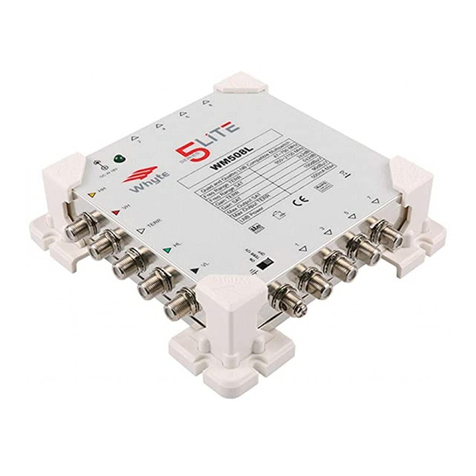
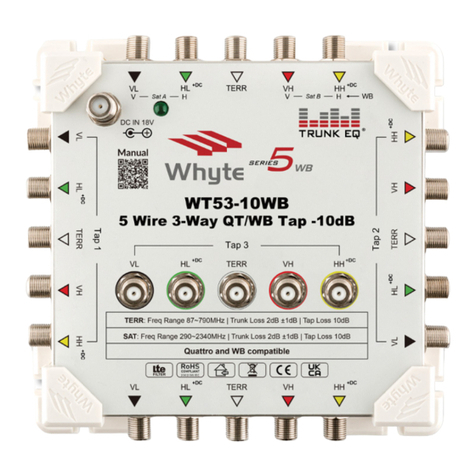
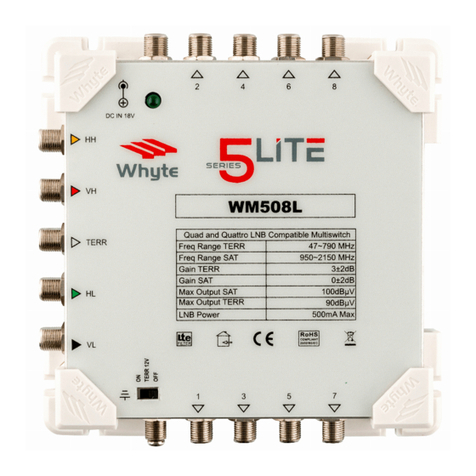
Whyte Series 5 Lite Mulswitches are compable with Quad and Quaro
LNB’s. The inputs are colour coded for ease of installaon which is especially
useful when using a Quaro LNB. For convenience, exisng satellite dishes
which are already ed with a Quad LNB may be used, whereby the drop
cables can be connected to the SAT inputs in no parcular order.
The 5 Lite range provides a nominal gain of 0dB(±2dB) for Satellite and
3dB(±2dB) Terrestrial Recepon. To facilitate the recepon of FM and DAB
radio at the outlets, the FM and DAB aerials must be combined with the
Terrestrial TV Aerial using a Triplexer. The combined signals are then connected
the TERR input of the Mulswitch.
A high rejecon LTE lter is ed to avoid interference from 4G LTE signals.
If required, a Terrestrial mast amplier can be powered via the mulswitch by
seng the 12V switch to the “ON” posion. If a mast amplier is not being
used, this switch must be le in the “OFF” posion.
The Power Supply Unit provided must be connected to the 18V DC Input.
This will power the Mulswitch as well as provide power to the Satellite LNB
inputs. A maximum of 500mA LNB power is available which enables the use
of a line powered launch amplier if required.
If a local mains supply is not available such as in los and outdoor cabinets,
the Power Supply Unit may be conveniently ed elsewhere whereby the
18V DC F-Type lead can be extended using coaxial cable.
INSTALLATION INSTRUCTIONS
MOUNTING THE MULTISWITCH
Select a suitable locaon to install the Mulswitch. Do not install the
Mulswitch in damp, humid, hot or dusty areas. Using the screw slots on the
Corner Brackets, secure the Mulswitch using the appropriate xing screws
and wall plugs to suit the relevant wall surface or cabinet.
CONNECTING THE SAT & TERR INPUT CABLES
Use a suitably sized Satellite Dish to provide adequate signal levels from the
satellite being received. Ensure that the Satellite Drop Cables are connected
correctly in the corresponding order with respect to the LNB and the
Mulswitch SAT inputs (Quaro LNB only). Ensure that the F Connectors are
properly sealed against water ingress.
If a Composite Cable (mul core coaxial cable) has been used, ensure that the
outer jacket is not facing upwards and cannot collect rain water. Check the
Terrestrial Drop Cable and ensure that this has also been sealed against water
ingress. If a Triplexer has been used to combine FM and DAB aerials with the
UHF Terrestrial Aerial, ensure that this is also water ght. Ensure that all drop
cables have drip loops prior to their entering the building.
Connect the SAT and TERR drop cables to the corresponding Satellite & TERR
Inputs of the Mulswitch.
CONNECTING THE SUBSCRIBER CABLES
Terminate the Subscriber Cables with good quality F Connectors and connect
to the Subscriber Outputs. The F Connectors should be ed to the coaxial
cable correctly, ensuring that the centre core protrudes 3mm above the F
Connector body. See gure 3 (on page 8). Ensure that you do not exceed the
bending radius of the Coaxial Cable being used.
The Subscriber Cables may be arranged either side of the Mulswitch before
being terminated and connected. If required, the Subscriber Cables may be
arranged to one side of the Mulswitch, with the cables passing under the
Mulswitch before being terminated and connected to the Subscriber Outputs
on the opposite side. See gure 4 (on page 8). Always use CAI approved high
quality coaxial cable.
EARTH BONDING
Earth bond the Mulswitch to the Earth Bonding Lug using minimum 4mm²
Earth Bonding Cable. Make sure that the Earth Bonding Cable is connected
directly to the building’s PME (Protecve Mulple Earthing) point. Matching
Whyte Technologies Earth Bonding bars for your Mulswitch are available
from Whyte Technologies distributors.
6 7