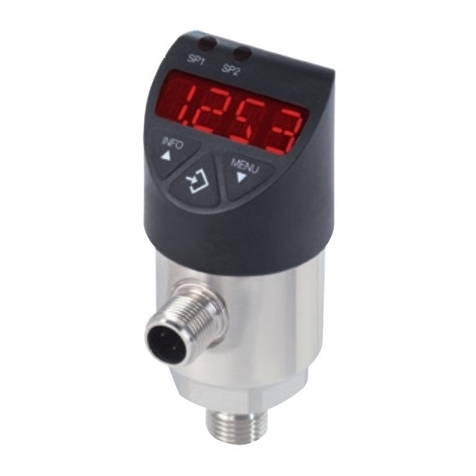
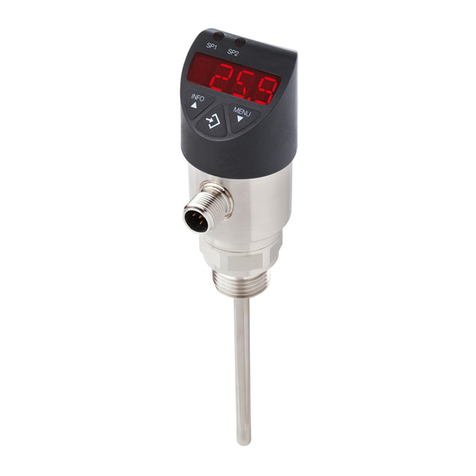
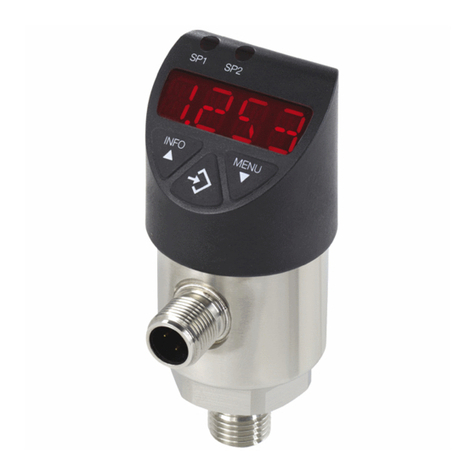
WIKA PSD-4 Operator's manual

Documentation IO-Link PSD-4
Page 1 of 7 / 25.08.17
WIKA Alexander Wiegand SE & Co. KG
Alexander-Wiegand-Straße 30
63911 Klingenberg
Germany
Kommanditgesellschaft: Sitz Klingenberg
Amtsgericht Aschaffenburg HRA 1819
Komplementärin: WIKA Verwaltungs SE & Co. KG
Sitz Klingenberg –Amtsgericht Aschaffenburg
HRA 4685
Komplementärin:
WIKA International SE - Sitz Klingenberg
Amtsgericht Aschaffenburg HRB 10505
Vorstand: Alexander Wiegand
Vorsitzender des Aufsichtsrats: Dr. Max Egli
Documentation IO-Link
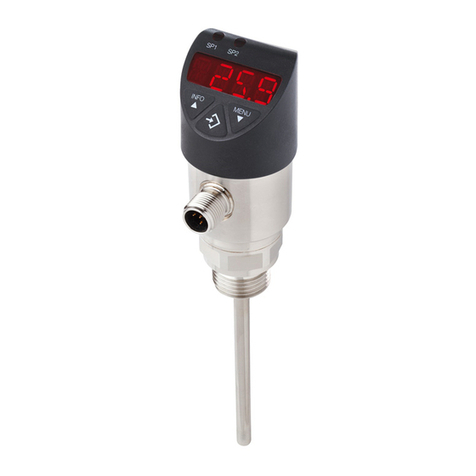
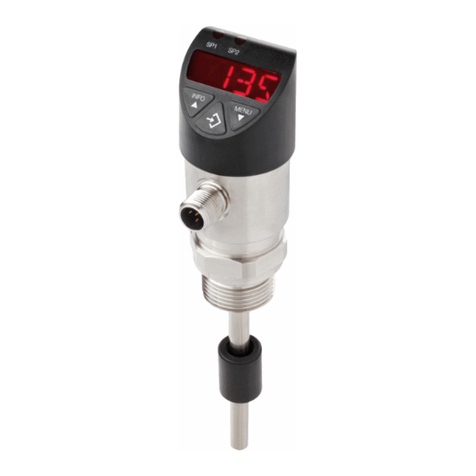
Product: Electronic pressure switch with display, model PSD-4
1. Description of the IO-Link functionality
IO-Link is a point-to-point connection for the communication of the PSD-4 with an IO-Link master.
2. Physical layer
The PSD-4 supports the following features:
IO-Link specification: Version 1.1
SIO mode: Yes
Minimum cycle time: 2,3 ms
Rate: COM2 (38.4 kBaud)
Process data length: 16 bit (Frametype 2.2)
Support of data storage: Yes
Smart Sensor Profile: Yes
3. Process Data
The PSD-4 has 1 or 2 digital outputs and is optionally available with an 4 …20 mA or 0 …10 V
analogue output signal. Both physical switching outputs are also transmitted as process data via
IO-Link.
In the 'SIO Mode' (Standard I/O Mode, without IO-Link operation) the switching output 1 will switch
on pin 4 of the M12 connector. In the IO-Link communication mode, this pin 4 is reserved
exclusively for communication.
With a Frametype 2.2, the 16-bit process data from the pressure switch is transmitted cyclically.
Bit 0 is the state of switching output 1 and Bit 1 is the state of switching output 2, where 1
respectively DC 24 V correspond to the "closed" logic state of the respective output.
The remaining 14 Bit contain the analogue value measured by the pressure switch. According to
the measuring range of the sensor and the unit configured, the 14 Bit process data of the
measured value, is dynamically adjusted. Multiplying the process data with the gradient (Index #
67) allows for a pressure reading in the selected unit.
Example:
Measuring range of the sensor = 0 ... 10 psi
ProcessData range = 0...1,000 with Gradient = 0.01
In this example: ProcessData = 500 = 5.0 psi
Changing the unit, will result in new ProcessData range and Gradient.

Bit
Process value
Value range
0
OU1
0 = inactive; 1 = active
1
OU2
0 = inactive; 1 = active
2 …15
ProcessData
-8192 ... 8191

Documentation IO-Link PSD-4
Page 2 of 7 / 25.08.17
4. Service data (ISDU –Indexed Service Data Unit)
Service data is always acyclic and exchanged on the request of the IO-Link Master.
With the help of the service data, the following parameter values or instrument status can be read:
IO-Link specific parameters
Index
dez (hex)
Name
Format
Length
Access
Default value
Value / Range
Remarks
16 (0x10)
Vendor Name
StringT
max. 64
octets
R
WIKA Alexander Wiegand
SE & Co. KG
17 (0x11)
Vendor Text
StringT
max. 64
octets
R
www.wika.com
18 (0x12)
Product Name
StringT
max. 64
octets
R
PSD-4
19 (0x13)
Product ID
StringT
max. 64
octets
R
-
Similar to DeviceID
20 (0x14)
Product Text
StringT
max. 64
octets
R
-
Additional product information.
21 (0x15)
Serial Number
StringT
max. 16
octets
R
S#
Corresponds to serial number on the product label (S#...).
22 (0x16)
Hardware Revision
StringT
max. 64
octets
R
-
23 (0x17)
Firmware Revision
StringT
max. 64
octets
R
-
24 (0x18)
Application Specific
Tag
StringT
max. 32
octets
R/W
-
Customer-specific measuring point name,
Allowed Characters: "A…Z"; "0…9"; "-"; <space>
32 (0x20)
Error Count
UIntegerT
2 octets
R
-
Counts errors since power-on or reset.
36 (0x24)
Device status
UIntegerT
1 octet
R
-
0 = Device is OK
1 = Maintenance required
2 = Out of specification
3 = Functional check
4 = Failure
37 (0x25)
Detailed Device
Status
ArrayT of
OctetStringT3
24 octets
R
00 00 00 h
Error storage

Documentation IO-Link PSD-4
Page 3 of 7 / 25.08.17
Output signal settings
Index
dez (hex)
Name
Format
Length
Access
Default value
Value / Range
Remarks
64 (0x40)
Order Number
StringT
max. 16
octets
R
-
Corresponds to article number on the product label (P#...).
66 (0x42)
Unit Process Data
UIntegerT
1 octet
R/W
Order-related
0 = bar
1 = mbar
2 = MPa
3 = kPa
4 = PSI
5 = kg/cm²
6 = %
Selection of unit for ProcessData and all related parameters (switch point settings,
analogue output scaling, etc.)
67 (0x43)
Gradient
Float32T
4 octets
R
Order-related
-
Factor for the calculation of the pressure reading. The factor could be any decimal
power.
ProcessData multiplied by the gradient = actual pressure in set unit
For example: 0...10 psi => ProcessData = 0…1000 with gradient: 0,01
68 (0x44)
Start of Measuring
Range
IntegerT
2 octets
R
Order-related
-
Start of measuring range in set ProcessData unit
69 (0x45)
End of Measuring
Range
IntegerT
2 octets
R
Order-related
-
End of measuring range in set ProcessData unit
70 (0x46)
OU1
UIntegerT
1 octet
R/W
HNO
0 = HNO = hysteresis function normally open
1 = HNC = hysteresis function normally closed
2 = FNO = window function normally open
3 = FNC = window function normally closed
Switching function –switching output 1
71 (0x47)
DS1
UIntegerT
2 octets
R/W
0
0…65000
Switch delay time switching output 1 [ms]
72 (0x48)
DR1
UIntegerT
2 octets
R/W
0
0…65000
Reset delay time switching output 1 [ms]
73 (0x49)
Damping OU1
UIntegerT
2 octets
R/W
0
0…65000
Damping for the switching signal 1 (τ= 99%) [ms].
0 = no damping active
74 (0x4A)
Polarity OU1
UIntegerT
2 octets
R/W
PNP
0 = PNP
1 = NPN
Output Logic for switching output 1
80 (0x50)
OU2
UIntegerT
1 octet
R/W
HNO
0 = HNO = hysteresis function normally open
1 = HNC = hysteresis function normally closed
2 = FNO = window function normally open
3 = FNC = window function normally closed
Switching function –switching output 2
Only available for devices with 2 switching outputs PNP/NPN.
81 (0x51)
DS2
UIntegerT
2 octets
R/W
0
0…65000
Switch delay time switching output 2 [ms]
82 (0x52)
DR2
UIntegerT
2 octets
R/W
0
0…65000
Reset delay time switching output 2 [ms]
83 (0x53)
Damping OU2
UIntegerT
2 octets
R/W
0
0…65000
Damping for the switching signal 2 (τ= 99%) [ms].
0 = no damping active
84 (0x54)
Polarity OU2
UIntegerT
2 octets
R/W
PNP
0 = PNP
1 = NPN
Output Logic for switching output 2
90 (0x5A)
OU3
Analogue Output
Mode
UIntegerT
1 octet
R/W
4 …20 mA
0 = I / 4..20mA
1 = U / 0...10V
Signal setting of the analogue output.
Only available for devices with analogue output 4 …20 mA / 0 …10 V.
91 (0x5B)
Analogue Output
Damping
UIntegerT
2 octets
R/W
0
0…65000
Damping for the analogue output signal 2 (τ= 99%) [ms].
0 = no damping active

Documentation IO-Link PSD-4
Page 4 of 7 / 25.08.17
Output signal settings based on selected unit
Index 66 (0x42) “Unit ProcessData” defines which configurable parameters are shown in the IO-Link tool and which parameter is prioritized.
(e.g. Index 66 is set to “bar” -> Index 140-145 is shown and can be configured, any configuration in e.g. Index 155-160 in “psi” will be ignored.)
Index
dez (hex)
Name
Format
Length
Access
Default value
Value / Range
Remarks
140 (0x8C)
Analog Output
Start Value_bar
IntegerT
2 octets
R/W
Start of measuring range
Start … end of measuring range
Defines the pressure value for start of analogue output signal (e.g. 10 bar = 4 mA).
Only available for devices with analogue output.
141 (0x8D)
Analog Output
End Value_bar
IntegerT
2 octets
R/W
End of measuring range
Start … end of measuring range
Defines the pressure value for end of analogue output signal (e.g. 78 bar = 20 mA).
Only available for devices with analogue output.
142 (0x8E)
SP1 / FH1_bar
IntegerT
2 octets
R/W
End of measuring range
(Start of meas. range + 0.25 %) …
end of meas. range
Switching point (or window high) value
The value must always be higher than the reset point (or window low). The
minimum gap between these two points has a value of 0,25% of pressure range.
If the Gap is lower than the minimum hysteresis, the associate reset point will
automatically be changed to observe the limits.
143 (0x8F)
RP1 / FL1_bar
IntegerT
2 octets
R/W
End of measuring range -
10% of range
Start of meas. range …
(end of meas. range - 0.25 %)
Reset point (or window low) value
The value must always be lower than the switch point (or window high). The
minimum gap between these two points has a value of 0,25% of pressure range.
If the Gap is lower than the minimum hysteresis, the associate switching point will
automatically be changed to observe the limits.
144 (0x90)
SP2 / FH2_bar
IntegerT
2 octets
R/W
End of measuring range
(Start of meas. range + 0.25 %) …
end of meas. range
See SP1 / FH1, only available for devices with 2 switching outputs.
145 (0x91)
RP2 / FL2_bar
IntegerT
2 octets
R/W
End of measuring range -
10% of range
Start of meas. range …
(end of meas. range - 0.25 %)
See RP1 / FL1, only available for devices with 2 switching outputs.
155 to 160
(0x9B to 0xA0)
Index 140 … 145
in Unit “mbar”
IntegerT
2 octets
R/W
See 140 … 145
See 140 … 145
Index 140 … 145 in Unit “mbar”
170 to 175
(0xAA to
0xAF)
Index 140 … 145
in Unit “MPa”
IntegerT
2 octets
R/W
See 140 … 145
See 140 … 145
Index 140 … 145 in Unit “MPa”
185 to 190
(0xB9 to
0xBE)
Index 140 … 145
in Unit “kPa”
IntegerT
2 octets
R/W
See 140 … 145
See 140 … 145
Index 140 … 145 in Unit “kPa”

Documentation IO-Link PSD-4
Page 5 of 7 / 25.08.17
Index
dez (hex)
Name
Format
Length
Access
Default value
Value / Range
Remarks
200 to 205
(0xC8 to
0xCD)
Index 140 … 145
in Unit “PSI”
IntegerT
2 octets
R/W
See 140 … 145
See 140 … 145
Index 140 … 145 in Unit “PSI”
215 to 220
(0xD7 to
0xDC)
Index 140 … 145
in Unit “kg_cm²”
IntegerT
2 octets
R/W
See 140 … 145
See 140 … 145
Index 140 … 145 in Unit “kg_cm²”
230 to 235
(0xE6 to
0xEB)
Index 140 … 145
in Unit “%”
IntegerT
2 octets
R/W
See 140 … 145
See 140 … 145
Index 140 … 145 in Unit “%”
Local display settings
Index
dez (hex)
Name
Format
Length
Access
Default value
Value / Range
Remarks
100 (0x64)
Display Unit
UIntegerT
1 octet
R/W
Order-related
0 = bar
1 = mbar
2 = MPa
3 = kPa
4 = PSI
5 = kg/cm²
6 = %
Unit of the pressure reading on the display.
Depending on the Measuring Range, it may be that some units are not available.
101 (0x65)
Display Rotation
BooleanT
1 octet
R/W
Standard
0 = Standard
1 = 180° rotated
Turns display indicator by 180°
102 (0x66)
Display Mode
UIntegerT
1 octet
R/W
Actual Pressure
0 = Actual Pressure
1 = Highest Pressure
2 = Lowest Pressure
3 = Off
4 = SP1 / FH1
5 = RP1 / FL1
6 = SP2 / FH2
7 = RP2 / FL2
Value shown in local display mode.
“5” and “6” only available for devices with 2 switching outputs.
103 (0x67)
Display Password
StringT
4 octets
R/W
0000
0000…9999
Sets the password for local parametrization via display and buttons.
"0000" = No Password
104 (0x68)
Display Damping
UIntegerT
2 octets
R/W
200
0…65000
Damping for the Display (τ = 99%) [ms].
0 = no damping active
105 (0x69)
Display Update
UIntegerT
1 octet
R/W
5 Hz
0 = 1Hz
1 = 2Hz
2 = 5Hz
3 = 10Hz
Display update rate
106 (0x6A)
Locate me
BooleanT
1 octet
R/W
Off
0 = Off
1 = On
Helps to locate the device on a machine, flashes the switching output LEDs and
displays "****" on the display.
- "Locate Me" has the highest priority, e.g. an error OL would have less priority
- The flashing can only be disabled by setting the parameter to "off"
- The buttons on the device will be disabled

Documentation IO-Link PSD-4
Page 6 of 7 / 25.08.17
107 (0x6B)
Display Resolution
UIntegerT
1 octet
R/W
OPT
0 = OPT (Optimized)
1 = FULL (Full Resolution)
OPT = optimised (stable measurement value on display with rounding factors for the
last digit, optimised to the measuring range)
FULL = maximum (finest resolution, if required for a stable measurement value on
display, a damping must be set for the digital indicator)
Diagnosis
Index
dez (hex)
Name
Format
Length
Access
Default value
Value / Range
Remarks
110 (0x6E)
Temperature Unit
UIntegerT
1 octet
R/W
°C
0 = °C
1 = °F
Unit of the internal temperature measurement.

111 (0x6F)
Actual
Temperature
Float32T
4 octets
R
-
Internal temperature measurement of the electronic components.
112 (0x70)
Temperature Low
Float32T
4 octets
R
-
Displays the minimum temperature value in unit of temperature since first
installation / since “reset low temperature”.
113 (0x71)
Temperature High
Float32T
4 octets
R
-
Displays the maximum temperature value in unit of temperature since first
installation / since “reset high temperature”.
114 (0x72)
Temperature Low
since Power Up
Float32T
4 octets
R
-
Displays the minimum temperature value in unit of temperature since last power-up.
115 (0x73)
Temperature High
since Power Up
Float32T
4 octets
R
-
Displays the maximum temperature value in unit of temperature since last power-
up.
120 (0x78)
Pressure Overload
Counter
UIntegerT
4 octets
R
-
Duration in Pressure Overload Range (Display = "OL") [s]
121 (0x79)
Operating Hours
Total
UIntegerT
4 octets
R
-
Displays the total amount of operating hours since first installation. [h]
122 (0x7A)
Operating Hours
since Power Up
UIntegerT
4 octets
R
-
Displays the total amount of operating hours since power-up. [h]
123 (0x7B)
Sensor Status
UIntegerT
1 octet
R
-
Bit0 = Sensor is defect
Bit1 = Overpressure
Bit2 = Underpressure
Bit3 = Overtemperature
Bit4 = Undertemperature
„0“ = no error / warning
„1“ = error / warning
Status of sensor self-diagnosis
124 (0x7C)
Low Pressure
IntegerT
2 octets
R
Displays the minimum pressure value in set unit of ProcessData since first
installation / since reset with "Reset Low Pressure"
125 (0x7D)
High Pressure
IntegerT
2 octets
R
Displays the maximum pressure value in set unit of ProcessData since first
installation / since reset with "Reset High Pressure"
126 (0x7E)
Low Pressure
since
Power Up
IntegerT
2 octets
R
Displays the minimum pressure value in set unit of ProcessData since last power-
up.
127 (0x7F)
High Pressure
Since Power Up
IntegerT
2 octets
R
Displays the maximum pressure value in set unit of ProcessData since last power-
up.

Documentation IO-Link PSD-4
Page 7 of 7 / 25.08.17
System commands
Index
dez (hex)
Name
Format
Length
Access
Default value
Value / Range
Remarks
2 (0x02)
Device Reset
UIntegerT
1 octet
W
-
128 (0x80)
This feature restarts the device without change of parameters.
2 (0x02)
Restore Factory
Settings
UIntegerT
1 octet
W
-
130 (0x82)
Restores the device to factory settings.
2 (0x02)
Reset High
Pressure
UIntegerT
1 octet
W
-
160 (0xA0)
Resets the high pressure counter.
2 (0x02)
Reset Low
Pressure
UIntegerT
1 octet
W
-
161 (0xA1)
Resets the low pressure counter.
2 (0x02)
Reset Pressure
Overload Counter
UIntegerT
1 octet
W
-
162 (0xA2)
Clears the overload counter to zero.
2 (0x02)
Reset High
Temperature
UIntegerT
1 octet
W
-
163 (0xA3)
Resets the high temperature counter.
2 (0x02)
Reset Low
Temperature
UIntegerT
1 octet
W
-
164 (0xA4)
Resets the low temperature counter.
2 (0x02)
Adjust Zero Point
UIntegerT
1 octet
W
-
165 (0xA5)
Performs an "Autozero"
Device Access Locks
Index
dez (hex)
Name
Format
Length
Access
Default value
Value / Range
Remarks
12 (0x0C)
Device Access
Locks
RecordT
2 octets
R/W
00 00 h (unlocked)
Bit 0: Parameter (write) access
Bit 1: Data Storage
Bit 2: Local Parametrization
Bit 3: Local User Interface
0 = Unlocked, 1 = Locked
Bit 0: Disables change of parameters via IO-Link
Bit 1: Disables data storage mechanism
Bit 2: Disable change of parameters via buttons on the device
Bit 3: Disable access on the menu via buttons on the device
Other manuals for PSD-4
3
Table of contents
Other WIKA Switch manuals