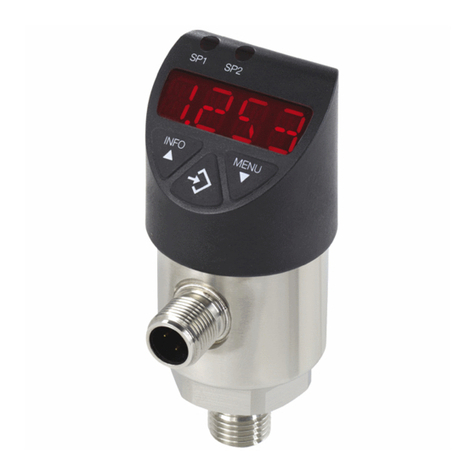
10 WIKA operating instructions pressure switch, model PSD-4
EN
14208834.02 01/2023 EN/DE/FR/ES
5. Commissioning
Mode Description
Programming mode
(setting the parameters)
Activating the programming mode
Keep the “MENU” button pressed for approx. 2 sec. If the password is set to ≠ 0000, a password will be
requested. If authentication is successful, then it enters the programming mode, otherwise it reverts to
display mode.
Timeout
If, during the setting of a parameter, no button is pressed for 60 s, the instrument returns to the display
mode with the value unchanged.
Display mode
(normal operation, display
of pressure value)
Returning to the display mode
Simultaneous pressing of “INFO” and “MENU”
5.3 Overview of parameters
Menu item Description Parameter Factory setting
SP1/SP2 Hysteresis function:
Switch point (switching output 1/2)
0.25 ... 100 % of measuring range Nominal pressure
FH1/FH2 Window function:
Window high (switching output 1/2)
0.25 ... 100 % of measuring range Nominal pressure
RP1/RP2 Hysteresis function: Reset point,
switching output (1 or 2)
0 ... (switch point - 0.25 % of measuring
range)
Nominal pressure -
10 %
FL1/FL2 Window function:Window low switch
output (1 or 2)
0 ... (window high - 0.25 % of measuring
range)
Nominal pressure -
10 %
EF Extended programming functions
RES Return the set parameters to the factory
settings
Yes/No
DS1/DS2 Switching delay time, which must occur
without interruption before any electrical
signal change occurs (SP1, if applicable
SP2)
0.00 ... 65.00 s 0.00 s
DR1/DR2 Reset delay time, which must occur
without interruption before any electrical
signal change occurs (RP1, if applicable
RP2)
0.00 ... 65.00 s 0.00 s