12
2. BATTERY INFORMATION
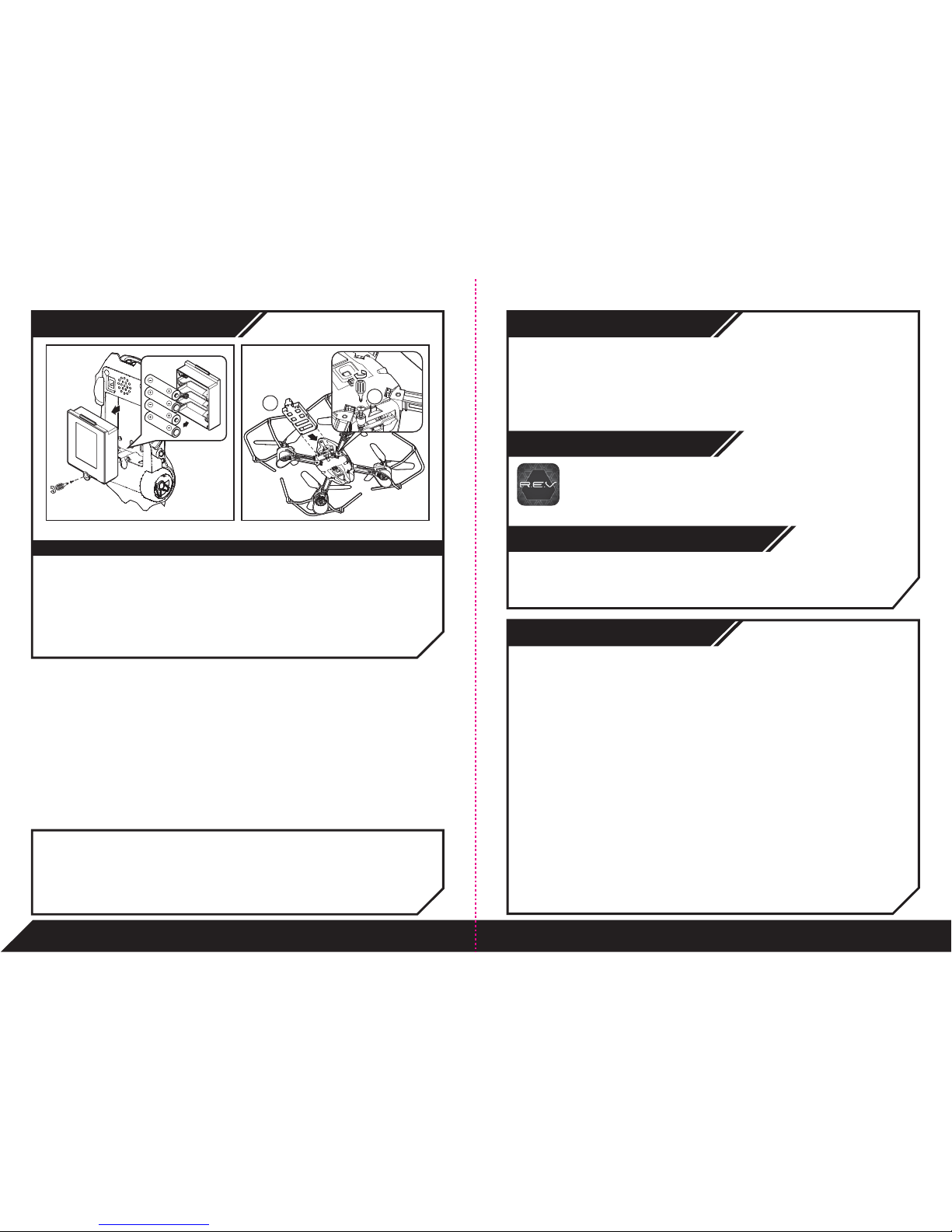
Installing or changing batteries in R.E.V.™ AIR Car:
1. Lay the R.E.V.™ AIR Car down so that the battery compartment faces upwards. The R.E.V.™ AIR Car
requires 4 x “AA” size alkaline batteries (not included).
2. Using a Phillips screwdriver (not included) remove the screw on the battery compartment cover.
3. Remove any existing batteries and insert new batteries according to the diagram. Ensure that the positive
and negative polarities match the illustrations inside the battery compartment.
4. Replace the battery compartment cover and tighten screw using the screwdriver. Do not over-tighten.
R.E.V.™ AIR Car and R.E.V.™ Air Drone Battery Diagram/Installation
IMPORTANT BATTERY INFORMATION: (R.E.V.™ AIR Car)
• Use only fresh batteries of the required size and recommended type.
• Do not mix old and new batteries, different types of batteries [standard (Carbon-Zinc), Alkaline or rechargeable] or rechargeable
batteries of different capacities.
• Remove rechargeable batteries from the toy before recharging them.
• Rechargeable batteries are only to be charged under adult supervision.
• Please respect the correct polarity, (+) and (-).
• Do not try to recharge non-rechargeable batteries.
• Do not dispose of batteries into fire.
• Replace all batteries of the same type/brand at the same time.
• The supply terminals are not to be short-circuited.
• Remove exhausted batteries from the toy.
• Batteries should be replaced by adults.
• Batteries should be recycled or disposed of as per state and local guidelines.
LOW BATTERY INDICATORS:
R.E.V.™ AIR Drone - When the battery grows weak, the R.E.V.™ AIR Drone will start flashing red, land automatically, and then will no
longer fly. You can also see current battery levels via the R.E.V.™ AIR App. When this happens, recharge the
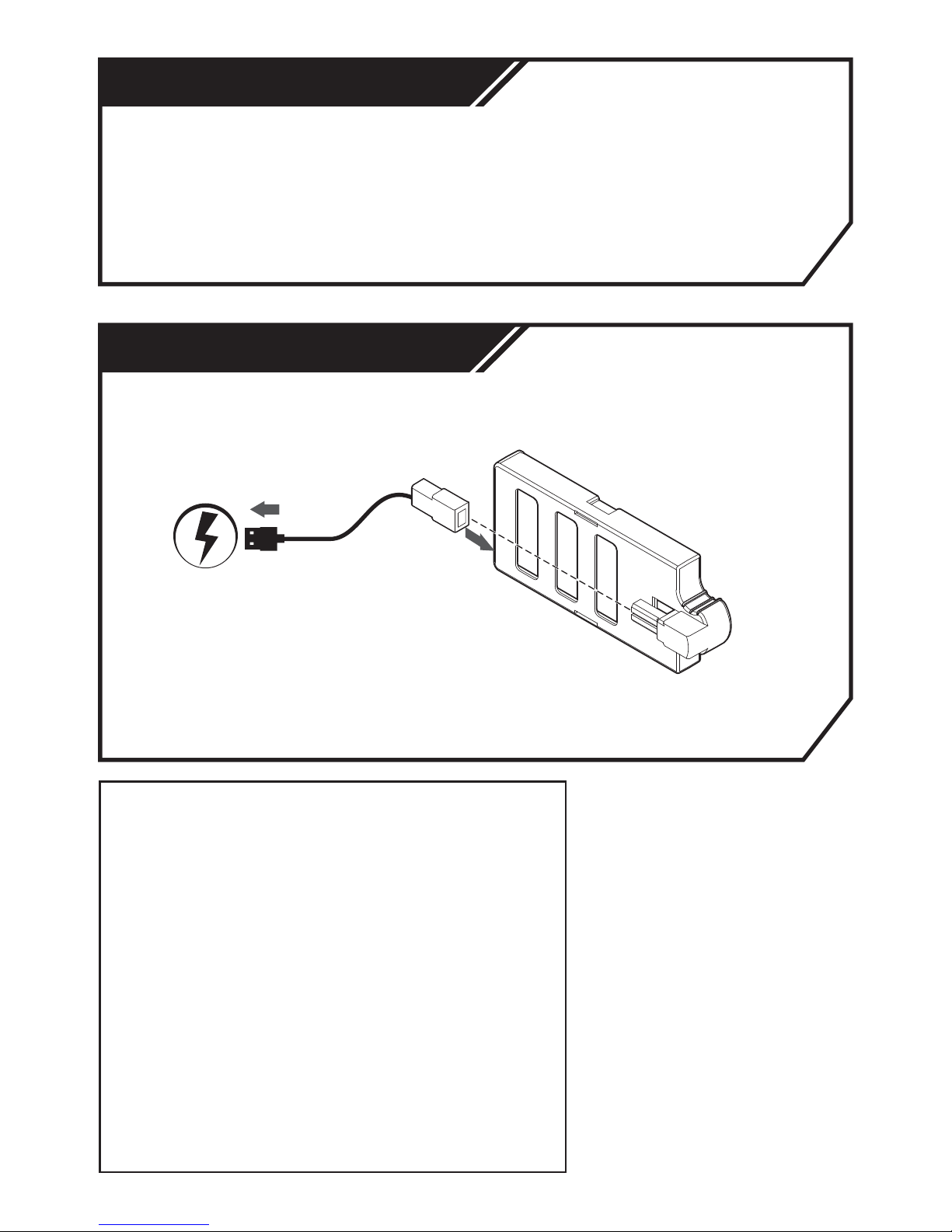
R.E.V.™ AIR Drone as indicated in the R.E.V.™ AIR Drone Rechargeable Battery Instruction Sheet.
R.E.V.™ AIR Car - When the batteries grow weak, the R.E.V.™ AIR Car will begin to move slower than normal. When the batteries
are nearly depleted, it will make a low battery indication sound and then power off. When this occurs, power OFF
and replace all batteries. You can also see current battery levels via the R.E.V.™ App.
Apple®iOS devices:
Works with iPhone®, iPad®& iPod touch®devices running iOS 9 or later*.
*Devices must also support Bluetooth®Smart (also known as Bluetooth®Low Energy).
Android™ devices:
Works with most Bluetooth®Smart Ready (also known as Bluetooth®Low Energy) devices running
Android™ 4.4.4 (KitKat) or later*.
*The easiest way to test compatibility before purchasing the product is to attempt to download and run the R.E.V.™ App. If your device is
not compatible, Google Play™ will not allow you to see, download, or install the app.
3. APP COMPATIBILITY
4. DOWNLOADING THE APP
5. CONNECTING TO R.E.V.™ AIR DRONE AND
R.E.V.™ AIR CAR WITH YOUR DEVICE
For Apple®Devices:
Go to the App StoreSM and search for the WowWee "R.E.V." App. Then, click download.
For Android™ Devices:
Go to the Google Play™ Store or Amazon Appstore™ and search for R.E.V.™ App.
Then, click download.
To connect R.E.V.™ AIR Drone and R.E.V.™ AIR Car with your device:
1. Turn the R.E.V.™ AIR Drone and R.E.V.™ AIR Car as instructed in the Quick Start Guide.
2. Open the R.E.V.™ App on your device.
3. Follow the on-screen instructions.
Q: Is my tablet or phone compatible with R.E.V.™?
A: R.E.V.™ devices can be controlled using our free apps available for
compatible smart devices featuring Bluetooth®Smart technology.
These apps are available on iTunes®or the Google Play™ store.
iOS devices: All iPhone®, iPod®and iPad®devices (excluding
iPad®2) which run iOS 9 or later are compatible.
Android™ devices: The app is compatible with most
Bluetooth®Smart Ready (BLE) phones and tablets running
Android™ 4.4.4 or later. The easiest way to test compatibility
before purchasing the product is to attempt to download the
R.E.V™ App. If your device is not compatible, Google Play™
will not allow you to see, download or install the app. If the app
can download, install, and run correctly on your device, we
expect full compatibility.
Q: I cannot access Google Play™ on my Android™ device, how
can I download the application?
A: Try downloading the application on the Amazon AppStore™.
All WowWee®applications are officially provided on the
Amazon™ store for users who cannot use Google Play™.
Q: When I try to download the R.E.V.™ app on my Android™
phone, it says it's incompatible with my device.
A: R.E.V.™ only works with devices which are Bluetooth®Smart Ready
and running compatible operating systems.
Generally our toys are expected to be compatible with any
Android™ phone or tablet that is Bluetooth®Smart Ready (also
known as Bluetooth®Low Energy) and running Android™ 4.4.4
or later.
The easiest way to test R.E.V.™ app compatibility on your
Android device is to attempt to download the R.E.V™ App. If
your device is not compatible, Google Play™ will not allow
you to see, download, or install the app. If the app can
download, install, and run correctly on your device, we expect
full compatibility.
Q: My R.E.V.™ device won’t show up in the app when I try to connect.
A: Make sure your R.E.V.™ device has fresh/fully charged
batteries and is turned on, then close the app and switch
Bluetooth®on/off in your device settings. If you're still having
problems, try restarting your device completely.
Q: My R.E.V.™ device disconnects often or R.E.V.™ AIR Drone
automatically lands after taking off.
A: This is most likely caused by Bluetooth®interference. Ensure that
there are no other Bluetooth®devices connected or switched on
(especially audio devices), as these can cause interference which
can cause issues. If you’re still having problems try turning your
device's WiFi off to reduce interference.
Q: The R.E.V.™ AIR Drone takes off, but then the motors stop
running and it falls down.
A: Most likely the battery is flat; try recharging or swapping the
Rechargeable Battery.
Q: Can I use R.E.V.™ without a compatible smart device?
A: No. R.E.V.™ can only be used together with a compatible
smart device.
Q: The R.E.V.™ AIR Drone has trouble tracking or seems to get
confused about where to fly.
A: Ensure that the Pod is in an open clear space indoors with line of
sight to the toy. The R.E.V.™ AIR Drone will not function correctly
in crowded spaces or outdoors.
For more indepth FAQ, please refer to www.wowwee.com/rev
Q & A
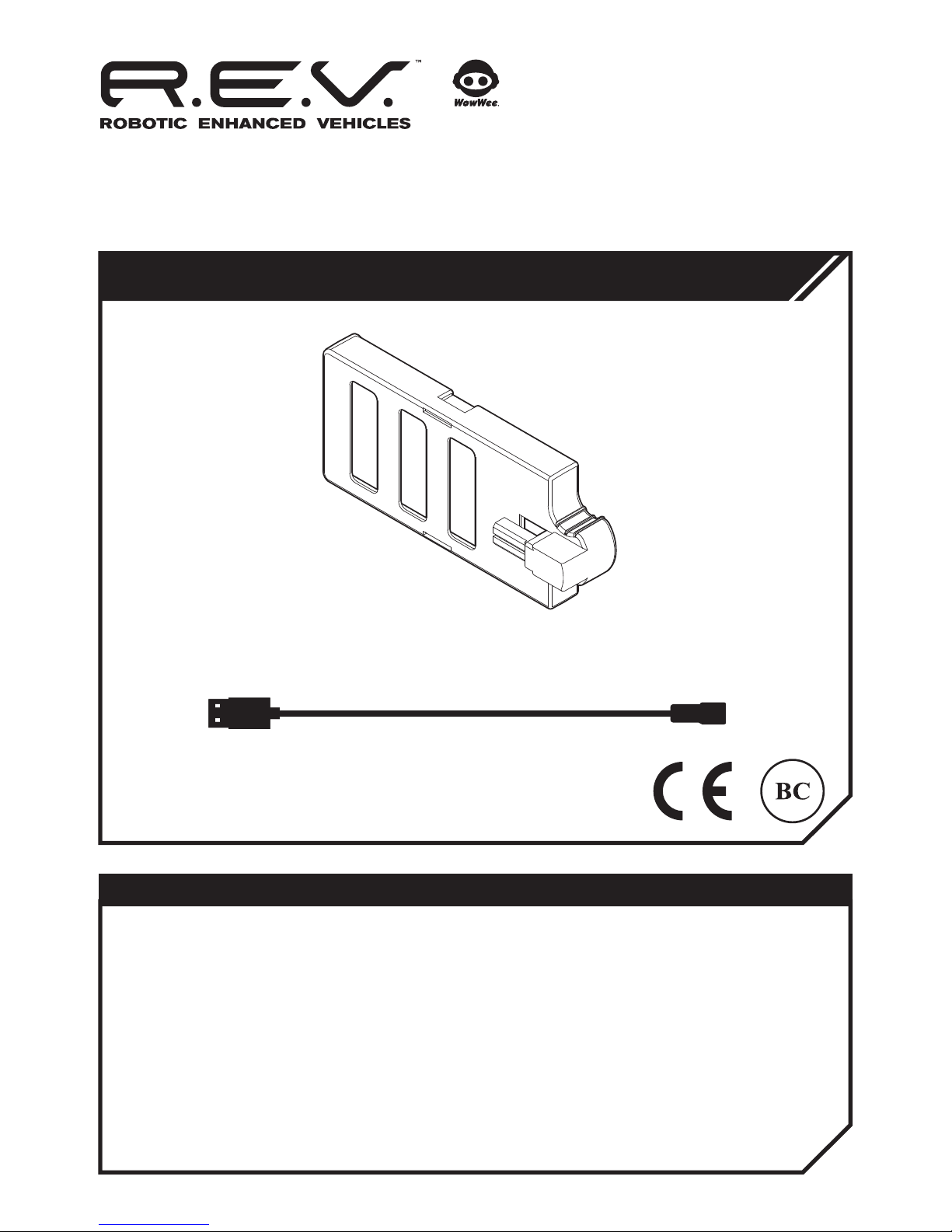
4 x “AA” Alkaline Batteries (not included) Rechargeable Battery (included)