manuals.online logo
Brands
  1. Home
  2. •
  3. Brands
  4. •
  5. WowWee
  6. •
  7. Toy
  8. •
  9. WowWee Robosapien X Manual

WowWee Robosapien X Manual

Other manuals for Robosapien X

3

This manual suits for next models

1

Other WowWee Toy manuals

WowWee Roborover User manual

WowWee

WowWee Roborover User manual

WowWee RobotZombie User manual

WowWee

WowWee RobotZombie User manual

WowWee Untamed Fingerlings User manual

WowWee

WowWee Untamed Fingerlings User manual

WowWee ROBOROVER 8405 User manual

WowWee

WowWee ROBOROVER 8405 User manual

WowWee Roboreptile User manual

WowWee

WowWee Roboreptile User manual

WowWee FlyTech Skyhopper 4501 User manual

WowWee

WowWee FlyTech Skyhopper 4501 User manual

WowWee Tipster 0370 User manual

WowWee

WowWee Tipster 0370 User manual

WowWee BUTT HEADS LOUD & PROUD FART LAUNCHER 3000 User manual

WowWee

WowWee BUTT HEADS LOUD & PROUD FART LAUNCHER 3000 User manual

WowWee Untamed Legends Dragon User manual

WowWee

WowWee Untamed Legends Dragon User manual

WowWee ROBORAPTOR 8095 User manual

WowWee

WowWee ROBORAPTOR 8095 User manual

WowWee Roboboa User manual

WowWee

WowWee Roboboa User manual

WowWee Alive Mini White Tiger cub User manual

WowWee

WowWee Alive Mini White Tiger cub User manual

WowWee FlyTech HOVERPOD REMOTE CONTROL HOVERCRAFT User manual

WowWee

WowWee FlyTech HOVERPOD REMOTE CONTROL HOVERCRAFT User manual

WowWee MiP User manual

WowWee

WowWee MiP User manual

WowWee Fingerlings HUGS User manual

WowWee

WowWee Fingerlings HUGS User manual

WowWee Alive Lion Cub User manual

WowWee

WowWee Alive Lion Cub User manual

WowWee 1045 User manual

WowWee

WowWee 1045 User manual

WowWee Alive Elvis User manual

WowWee

WowWee Alive Elvis User manual
WowWee Buttheads User manual

WowWee

WowWee Buttheads User manual

WowWee Mini Robosapien User manual

WowWee

WowWee Mini Robosapien User manual

WowWee Lite Sprites User manual

WowWee

WowWee Lite Sprites User manual

WowWee Lite Sprites Water Fall User manual

WowWee

WowWee Lite Sprites Water Fall User manual

WowWee Chimpanzee User manual

WowWee

WowWee Chimpanzee User manual

WowWee Tipster User manual

WowWee

WowWee Tipster User manual
Popular Toy manuals by other brands
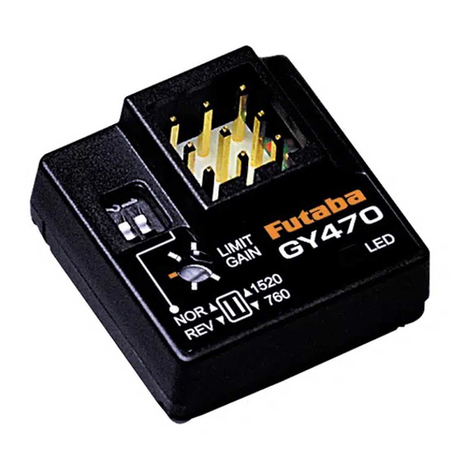
FUTABA GY470 instruction manual

FUTABA

FUTABA GY470 instruction manual

LEGO 41116 manual

LEGO

LEGO 41116 manual

Fisher-Price ColorMe Flowerz Bouquet Maker P9692 instruction sheet
Fisher-Price

Fisher-Price ColorMe Flowerz Bouquet Maker P9692 instruction sheet

Little Tikes LITTLE HANDIWORKER 0920 Assembly instructions

Little Tikes

Little Tikes LITTLE HANDIWORKER 0920 Assembly instructions

Eduard EF-2000 Two-seater exterior Assembly instructions
Eduard

Eduard EF-2000 Two-seater exterior Assembly instructions

USA Trains EXTENDED VISION CABOOSE instructions

USA Trains

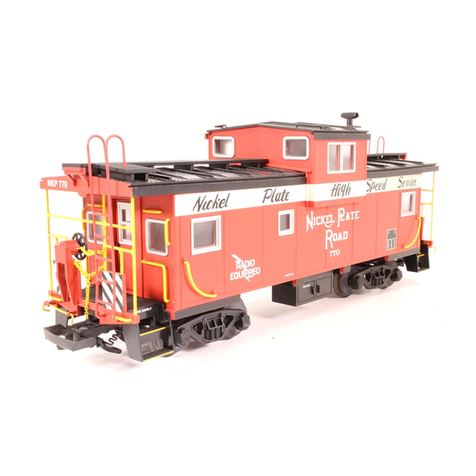
USA Trains EXTENDED VISION CABOOSE instructions
Modellbau Laffont Z1601 Assembly instructions

Modellbau Laffont

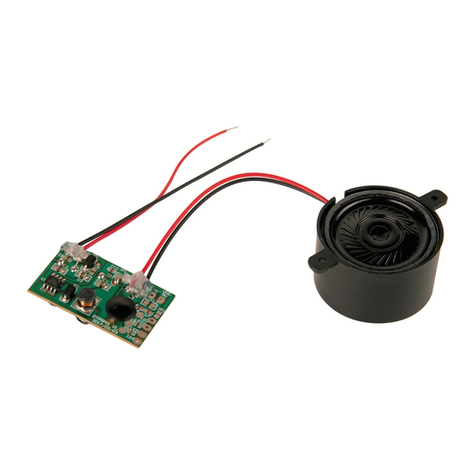
Modellbau Laffont Z1601 Assembly instructions

NOCH 12905 instruction manual

NOCH

NOCH 12905 instruction manual

Eduard Ki-61-Id quick start guide

Eduard

Eduard Ki-61-Id quick start guide

Viessmann Vollmer 45616 Mounting instruction

Viessmann

Viessmann Vollmer 45616 Mounting instruction

Vollmer 42004 Mounting instruction

Vollmer

Vollmer 42004 Mounting instruction

Phoenix Model CLASSIC-EP instruction manual

Phoenix Model

Phoenix Model CLASSIC-EP instruction manual

H-KING Sopwith Camel British WW1 Fighter instruction manual

H-KING

H-KING Sopwith Camel British WW1 Fighter instruction manual

MODSTER Predator 4x4 Crawler user manual

MODSTER

MODSTER Predator 4x4 Crawler user manual

DHK Hobby 8136 User instruction manual

DHK Hobby

DHK Hobby 8136 User instruction manual

THUNDER TIGER Raptor 50 V2 kit manual

THUNDER TIGER

THUNDER TIGER Raptor 50 V2 kit manual

Timberkits Skateboarder instructions

Timberkits

Timberkits Skateboarder instructions

Hangar 9 Funtana 125 Assembly manual

Hangar 9

Hangar 9 Funtana 125 Assembly manual

manuals.online logo
manuals.online logoBrands
  • About & Mission
  • Contact us
  • Privacy Policy
  • Terms and Conditions

Copyright 2025 Manuals.Online. All Rights Reserved.

A
Using the Robosapien™ remote controller with Femisapien™
You cam use the WowWee™ Robosapien™ remote controller (included) to control
Femisapien.
Battery details
The remote controller requires 3 x “AAA” size batteries. To install the batteries, do
the following:
Open the battery compartment located on 1.
the underside of the remote controller using a
Phillips screwdriver (not included) to remove
the screws on the battery compartment cover.
Insert the batteries according to the diagram. 2.
Ensure that the positive and negative polarities
match the illustrations inside the battery
compartment.
Replace the battery compartment covers and 3.
replace the screws using the screwdriver. Do
not over-tighten.
Shift levels
The remote controller has 3 shift levels. You can change levels by pressing the
Select button SELECTSELECT. The LED on the remote controller indicates the shift level as
explained in Table 1, below.
Table 1
LED Color Shift level
Level 1
Green Level 2
Red Level 3
IMPORTANT: After you send a command the remote controller will reset to Shift
level 1. That is, if you require Shift level 2 or 3, you need to select the shift level each
time you send a command.
1.5V "AAA"
LR03 UM4
1.5V "AAA"
LR03 UM4
1.5V "AAA"
LR03 UM4
Battery
compartment
door
B
Remote controller overview
1
LED shift indicator
3
5
7
9
11
12
13
15
16
17
19
20
LED transmitter
2
4
6
8
10
14
Shift select
18
SWEEP
THUMP
SWEEP
THUMP
HIGH 5
SELECT
PICK UP
STRIKE 2
SLEEP
STRIKE 2
LISTEN
STRIKE
3
STRIKE 3
LEFT
DANCE
SONIC
RIGHT
STRIKE1
LEAN
STRIKE 1
LEAN
BURP
THROW
WHISTLE
THROW
TALKBACK
PICKUP
S
T
E
P
B
U
L
L
D
O
Z
E
R
O
O
P
S
B
A
C
K
S
T
E
P
T
U
R
N
S
T
E
P
T
U
R
N
S
T
E
P
R
E
S
E
T
D
E
M
O
1
D
E
M
O
2
ALL DEMO
EXECUTE
POWER OFF
WAKE
UP
SELECT
C
Remote controller functions
The control functions for each level are explained in the following table (Table 2).
NOTE: Right refers to Femisapien’s right and left refers to her left.
Table 2
Button Icon Shift level 1 Shift level 2 Shift level 3
1Right arm moves up
one stop.
Right arm moves
up.
2Left arm moves up
one stop.
Left arm moves
up.
3Right arm moves
down one stop.
Right arm moves
down.
4Left arm moves
down one stop.
Left arm moves
down.
5Right arm moves up,
left arm moves back.
Right arm moves
out, left arm
moves up.
6Left arm moves up,
right arm moves
back.
Left arm moves
out, right arm
moves up.
7Leans to the right,
one stop.
8Leans to the left, one
stop.
9Both arms move up. Leans forward.
10 Both arms move
down.
Leans backward.
11 Forward walk
(without avoidance).
Slow forward
walk with
avoidance.
Forward strut with
avoidance.
D
Button Icon Shift level 1 Shift level 2 Shift level 3
12 Clockwise pivot turn. Clockwise step
turn.
Forward, clockwise,
circular walk.
13 Stop. Stop. Stop
14 Counter-clockwise
pivot turn.
Counter-
clockwise step
turn.
Forward, counter-
clockwise, circular
walk.
15 Backward walk Backward walk Backward strut
with avoidance.
16 Turns the volume
down.
“Beep” routine.
17 “Are you talking
to me?” routine.
18 Turns the volume up. “Hey, look at
me!” routine.
19 Enters Learning
Mode.
NOTE: You do not
need to change
Femispien’s head
position.
20 Plays back the last
saved program.
To learn more about the functions, refer to the Femisapien user manual.
© 2009 WowWee Group Limited