manuals.online logo
Brands
  1. Home
  2. •
  3. Brands
  4. •
  5. Wyse
  6. •
  7. Server
  8. •
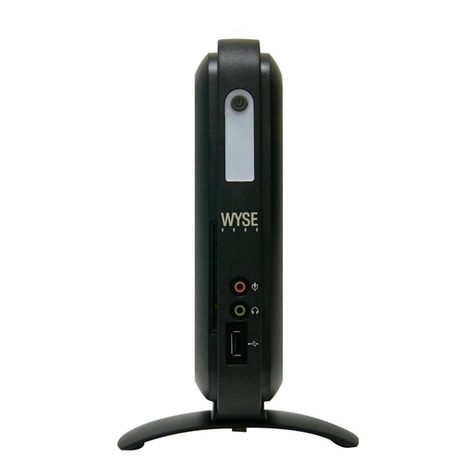
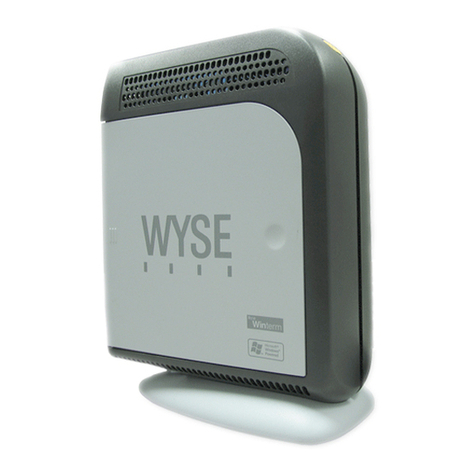
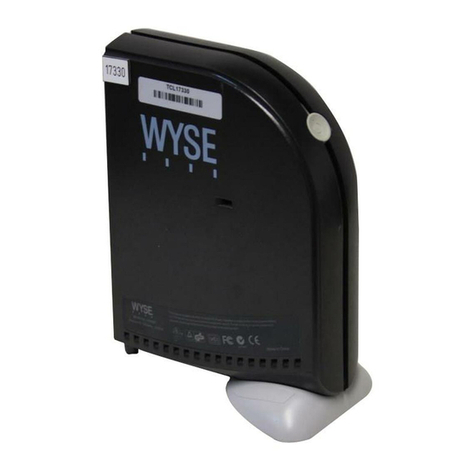
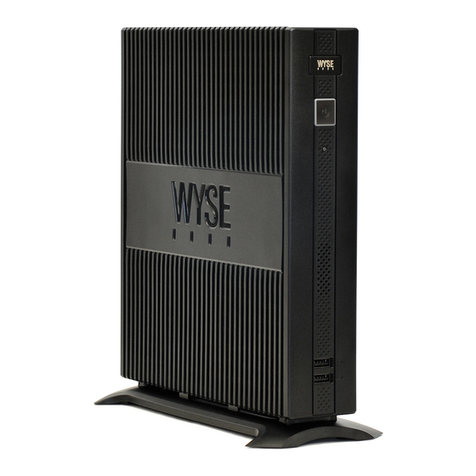
  9. Wyse V10L User manual

Wyse V10L User manual

This manual suits for next models

9

Other Wyse Server manuals

Wyse R50L User manual

Wyse

Wyse R50L User manual

Wyse Z90DW User manual

Wyse

Wyse Z90DW User manual

Wyse C10LE User manual

Wyse

Wyse C10LE User manual

Wyse V00LE User manual

Wyse

Wyse V00LE User manual

Wyse D00D User manual

Wyse

Wyse D00D User manual

Wyse C00LE User manual

Wyse

Wyse C00LE User manual

Wyse Winterm 2610SE User manual

Wyse

Wyse Winterm 2610SE User manual

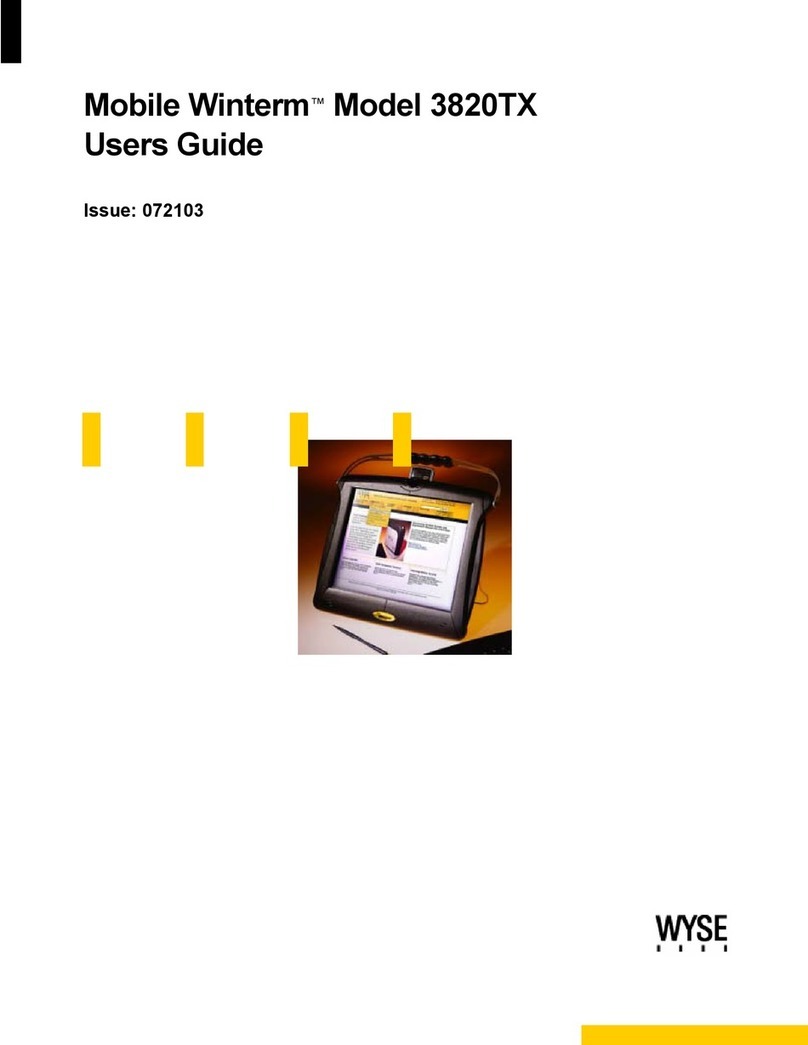
Wyse Mobile Winterm 3820TX User manual

Wyse

Wyse Mobile Winterm 3820TX User manual

Wyse P25 User manual

Wyse

Wyse P25 User manual

Wyse V90 User manual

Wyse

Wyse V90 User manual

Wyse WINTERM 2510SE User manual

Wyse

Wyse WINTERM 2510SE User manual

Wyse X00m User manual

Wyse

Wyse X00m User manual

Wyse TM 9000 Series User manual

Wyse

Wyse TM 9000 Series User manual

Wyse VX0L User manual

Wyse

Wyse VX0L User manual

Wyse Winterm 9450XE User manual

Wyse

Wyse Winterm 9450XE User manual

Wyse X90LE User manual

Wyse

Wyse X90LE User manual

Wyse Z00Q User manual

Wyse

Wyse Z00Q User manual

Wyse Winterm S10 User manual

Wyse

Wyse Winterm S10 User manual

Wyse D90D7 User manual

Wyse

Wyse D90D7 User manual

Wyse X90CW User manual

Wyse

Wyse X90CW User manual

Wyse Winterm 3150SE User manual

Wyse

Wyse Winterm 3150SE User manual

Wyse Winterm S10 User manual

Wyse

Wyse Winterm S10 User manual

Wyse Rx0L User manual

Wyse

Wyse Rx0L User manual

Wyse R90L User manual

Wyse

Wyse R90L User manual

Popular Server manuals by other brands

HP Tc2120 - Server - 256 MB RAM installation guide

HP

HP Tc2120 - Server - 256 MB RAM installation guide

Lenovo ThinkServer RD230 manual

Lenovo

Lenovo ThinkServer RD230 manual

Avocent CPS810 Installer/user guide

Avocent

Avocent CPS810 Installer/user guide

Dell PowerEdge R6615 Installation and service manual

Dell

Dell PowerEdge R6615 Installation and service manual

FreeWave HT2+ installation guide

FreeWave

FreeWave HT2+ installation guide

GIGA-BYTE TECHNOLOGY G492-Z50 user manual

GIGA-BYTE TECHNOLOGY

GIGA-BYTE TECHNOLOGY G492-Z50 user manual

Lanner HTCA-E400 user manual

Lanner

Lanner HTCA-E400 user manual

Bull NovaScale T840 E2 user guide

Bull

Bull NovaScale T840 E2 user guide

Asus RS740-E70RS24-EG Configuration guide

Asus

Asus RS740-E70RS24-EG Configuration guide

Meinberg LANTIME M300/TCR manual 

Meinberg

Meinberg LANTIME M300/TCR manual 

HP ProLiant SL335s G7 Maintenance and service guide

HP

HP ProLiant SL335s G7 Maintenance and service guide

ZyXEL Communications VANTAGE RADIUS 50 user guide

ZyXEL Communications

ZyXEL Communications VANTAGE RADIUS 50 user guide

Lantronix xDirect-IAP quick start guide

Lantronix

Lantronix xDirect-IAP quick start guide

Fujitsu PRIMEQUEST 2400E3 General description

Fujitsu

Fujitsu PRIMEQUEST 2400E3 General description

IBM 9040-MR9 manual

IBM

IBM 9040-MR9 manual

IBM 306m - eServer xSeries - 8849 user guide

IBM

IBM 306m - eServer xSeries - 8849 user guide

green hippo Hippotizer Nevis+ quick start guide

green hippo

green hippo Hippotizer Nevis+ quick start guide

IBM 8203-E4A Brochure & specs

IBM

IBM 8203-E4A Brochure & specs

manuals.online logo
manuals.online logoBrands
  • About & Mission
  • Contact us
  • Privacy Policy
  • Terms and Conditions

Copyright 2025 Manuals.Online. All Rights Reserved.

Wyse V Class thin computers. All you need to know. Here
Wyse V Class
thin computers
Versatility on your desktop
Introducing the Wyse V Class thin computers
The Wyse V class family of thin computers present a compelling offer of versatility and performance.
Powerful energy saving CPUs are at the heart of Wyse V class’ expandable but compact size that features
a host of connections including DV for crisp displays and a unique monorail mounting system allowing
the device to be mounted under desks, to walls and even to the rear of desktop monitors.
Wyse V30L
Embedded
Microsoft Windows
CE functionality.
Wyse V50L
Featuring the
secure and robust
Wyse Linux v6
Wyse V00L
Zero client for use with
Wyse WSM and other
provisioning solutions
Start Features TechnicalModels Print
Wyse V10L
Featuring Wyse Thin
OS for a fast booting
ultra-thin desktop
for demanding task
workers.
Wyse V90L
Full PC experience
on a thin computer
with Microsoft
Windows XPe
Wyse V50LE
As V50L with a
faster 1.2Ghz
processor
Wyse V90LE
As V90L with a
faster 1.2Ghz
processor
Wyse V30LE
As V30L with a
faster 1.2Ghz
processor
Wyse V00LE
As V00L with a
faster 1.2Ghz
processor
Wyse V10L Dual DVI
Featuring fast boot-up
times and dual DVI
monitor support
The Wyse V class family of versatile
thin computers has been created to
combine expandability, power and
performance in a compact
space-saving desktop device.
The family is complemented by the
Wyse thin computing software range
that features a fast operating system,
provisioning, management and
virtualization applications designed to
deliver the best PC experience in a
thin computing environment.
The Wyse V class is available with
Wyse Thin OS, Microsoft Windows CE
and XPe and Wyse Linux v6
operating systems.
Features
Wyse V Class thin computers
Take a tour of the Wyse V class range features here
Learn more.
Simply click these Wyse V class
feature icons:
Start Features TechnicalModels Print
Visit: wyse.com
Performance L & LE Family
Connectivity
L Dual DVI
Connectivity
Mounting
Options
Provisioning
Software
Management
Software
CE
Microsoft
Windows CE
Wyse
Linux V6
Virtualization
Software
Green
Microsoft
Windows XPe
Wyse
Thin OS
Wyse
Thin OS
Start Features TechnicalModels Print
Continue tour
Performance
Expandability. Power. Performance
Via C7 Eden 800MHz and 1.2 GHz
The Via C7 Eden processors inside every
Wyse V class (800Mhz inside the L Family and
1.2 GHz inside the LE Family) deliver excellent
performance with low energy use.
Reflecting the needs of ever changing desktop environments the Wyse V class range
has the expandability, power and performance to match.
Driven by powerful energy saving Via C7 Eden processors the Wyse V class range of thin
computers present an all-round high performance and versatile desktop computing
platform. Adding an extra monitor is simple with built-in dual video. Expanding
functionality is straightforward with an optional PC-Card expansion slot. Four operating
systems are available - as well as zero client versions that enable you to ‘provision’ your
users with their individual choice of operating system and applications.
Choose the WiFi wireless options to deploy the Wyse V class across range of desktop
environments without compromising data security. And, just like all Wyse thin
computers, they don’t have hard drives, so all your users’ data remains safely on the
server, eliminating the risks from data loss or malicious viruses.
Adding a second
monitor is simple
with an optional
splitter cable
V C ass L and LE-Fami y Connectivity
Wyse V10L, V30L, V50L, V90L and V00L thin omputers
Start Features TechnicaMode s Print
Continue tour
We connected
Two PS/2 ports
Audio In: 1/8-in h mini ja k,
8 bit stereo mi rophone
Audio Out: 1/8-in h mini ja k,
16 bit stereo
Three external USB 2.0 ports
(1 front; 2 ba k)
One parallel port
Kensington Lo k Slot
Options:
Internal smart ard reader
Antenna onne tion for internal wireless
10/100 Base-T Ethernet port
One serial port
One DVI-I port
V C ass L-Fami y Connectivity
Wyse V10L Dual DVI thin omputers
Start Features TechnicaMode s Print
Continue tour
We connected
Two PS/2 ports
Audio In: 1/8-in h mini ja k,
8 bit stereo mi rophone
Audio Out: 1/8-in h mini ja k,
16 bit stereo
Three external USB 2.0 ports
(1 front; 2 ba k)
Kensington Lo k Slot
Options:
Internal smart ard reader
Antenna onne tion for internal wireless
10/100 Base-T Ethernet port
One serial port
Two DVI-I ports
Back of monitor or wall mounting
• An optional VESA mount bracket enables the
Wyse V L and LE Family of thin computers to be
mounted on the back of a monitor (this requires
the four industry standard mounting points to be
free). The same bracket can be used for wall
mounting, or in a secure or ruggedized cabinet if
required.
Vertical
• Wyse V class thin computers are supplied as
standard with feet for vertical use.
Horizontal
• Optional feet enable Wyse V class thin computers
to be used horizontally.
Mounting options
Continue tour
Start Features TechnicalModels Print
That’s Wyse
EarthSmart Computing
Desktop computing
Without compromise
Continue tour
Start Features TechnicalModels Print
Going Green
with Wyse Thin Computing
Through our EarthSmart Computing initiative we are
committed to helping organizations implement a greener
computing strategy - one that delivers a more efficient and
productive computing experience for your users with a positive
effect on energy wastage, heat and carbon emissions.
Green Power
Wyse V class thin computers draw as little as 13 to 15 watts
of power*, create very little heat and - as a result - contribute
to cooler user working environments, greatly reduced carbon
footprints and huge savings in energy costs, when compared
to equivalent PC desktops.
*Average power usage with 1 device connected
to 1 keyboard, 1 PS/2 mouse, and 1 monitor.
Continue tour
Provisioning Software
Wyse WSM
Start Features TechnicalModels Print
Wyse WSM Delivers full PC functionality with
all the benefits of centralized management
and maintenance-free ‘Zero Clients’.
Wyse WSM provisions the operating system and applications on-demand to desktop
devices across your network. Even traditional management tasks such as firmware
upgrades, patching or installing new software applications are carried out one-time
only centrally on the server, avoiding the need to visit individual desktops. Dramatically
speeding-up and simplifying deployment in one stroke.
The power of a PC, without the complexity.
Wyse Zero Clients and Wyse WSM provide compact, energy efficient and productive
desktops with all the dynamic user experience of a PC without the day-to-day
complexities and risks associated with one.
Plus, as all Wyse Zero Clients have no moving parts to fail, their service lives (typically
5-10 years) are extended beyond those of comparable PCs, and the noise from fans
and hard drives is eliminated. Better still, their low power consumption means low
heat output enabling comfortable working environments with a reduced dependance
on costly carbon-heavy air conditioning - often leaving workplace cooling achievable
through natural ventilation.

Management Software
Wyse Device Manager
Thin computing remote management. Made easy
Wyse Device Manager (WDM) provides comprehensive, enterprise-wide management for Wyse V class thin computers.
A licence for WDM Workgroup Edition is included with every Wyse V class thin computer. This may be upgraded to WDM
Enterprise Edition for an additional charge. Key features include:
Start Features TechnicalModels Print
Security • HTTPS Based Imaging / Updates
• Fully Encrypted Network Traffic
• Multi-user Admin Access (MS AD) Support
No-Hassle Deployment • Complete Device Imaging / Patching / Updates
• Bandwidth Throttling for Efficiency / Reliability
• Software Updates and Add-ons
Device Administration
and Monitoring
• Device Health Status / Reporting
• Remote Shadowing / Control
• Default Device Configuration
Scalability • Distributed Architecture
• S L / MSDE Support
• Multiple Remote Repository Support
Complete Asset Visibility • Automated Discovery
• Detailed Hardware Asset information
• Installed Software Asset information.

Continue tour