manuals.online logo
Brands
  1. Home
  2. •
  3. Brands
  4. •
  5. Wyse
  6. •
  7. Server
  8. •
  9. Wyse X90CW User manual

Wyse X90CW User manual

This manual suits for next models

5

Other Wyse Server manuals

Wyse R90L User manual

Wyse

Wyse R90L User manual

Wyse Xenith User manual

Wyse

Wyse Xenith User manual

Wyse X50L User manual

Wyse

Wyse X50L User manual

Wyse C90LE7 User manual

Wyse

Wyse C90LE7 User manual

Wyse Z90DW User manual

Wyse

Wyse Z90DW User manual

Wyse Winterm S10 User manual

Wyse

Wyse Winterm S10 User manual

Wyse 160 User manual

Wyse

Wyse 160 User manual

Wyse Winterm 9450XE User manual

Wyse

Wyse Winterm 9450XE User manual

Wyse V00LE User manual

Wyse

Wyse V00LE User manual

Wyse D90D7 User manual

Wyse

Wyse D90D7 User manual

Wyse C10LE User manual

Wyse

Wyse C10LE User manual

Wyse P25 User manual

Wyse

Wyse P25 User manual

Wyse X00m User manual

Wyse

Wyse X00m User manual

Wyse Winterm S10 User manual

Wyse

Wyse Winterm S10 User manual

Wyse Rx0L User manual

Wyse

Wyse Rx0L User manual

Wyse TM 9000 Series User manual

Wyse

Wyse TM 9000 Series User manual

Wyse R00L User manual

Wyse

Wyse R00L User manual

Wyse WINTERM 2510SE User manual

Wyse

Wyse WINTERM 2510SE User manual

Wyse D00D User manual

Wyse

Wyse D00D User manual

Wyse Mobile Winterm 3820TX User manual

Wyse

Wyse Mobile Winterm 3820TX User manual

Wyse X90LE User manual

Wyse

Wyse X90LE User manual

Wyse R10L User manual

Wyse

Wyse R10L User manual

Wyse Winterm 9450XE User manual

Wyse

Wyse Winterm 9450XE User manual

Wyse R50L User manual

Wyse

Wyse R50L User manual

Popular Server manuals by other brands

HP Tc2120 - Server - 256 MB RAM installation guide

HP

HP Tc2120 - Server - 256 MB RAM installation guide

Lenovo ThinkServer RD230 manual

Lenovo

Lenovo ThinkServer RD230 manual

Avocent CPS810 Installer/user guide

Avocent

Avocent CPS810 Installer/user guide

Dell PowerEdge R6615 Installation and service manual

Dell

Dell PowerEdge R6615 Installation and service manual

FreeWave HT2+ installation guide

FreeWave

FreeWave HT2+ installation guide

GIGA-BYTE TECHNOLOGY G492-Z50 user manual

GIGA-BYTE TECHNOLOGY

GIGA-BYTE TECHNOLOGY G492-Z50 user manual

Lanner HTCA-E400 user manual

Lanner

Lanner HTCA-E400 user manual

Bull NovaScale T840 E2 user guide

Bull

Bull NovaScale T840 E2 user guide

Asus RS740-E70RS24-EG Configuration guide

Asus

Asus RS740-E70RS24-EG Configuration guide

Meinberg LANTIME M300/TCR manual 

Meinberg

Meinberg LANTIME M300/TCR manual 

HP ProLiant SL335s G7 Maintenance and service guide

HP

HP ProLiant SL335s G7 Maintenance and service guide

ZyXEL Communications VANTAGE RADIUS 50 user guide

ZyXEL Communications

ZyXEL Communications VANTAGE RADIUS 50 user guide

Lantronix xDirect-IAP quick start guide

Lantronix

Lantronix xDirect-IAP quick start guide

Fujitsu PRIMEQUEST 2400E3 General description

Fujitsu

Fujitsu PRIMEQUEST 2400E3 General description

IBM 9040-MR9 manual

IBM

IBM 9040-MR9 manual

IBM 306m - eServer xSeries - 8849 user guide

IBM

IBM 306m - eServer xSeries - 8849 user guide

green hippo Hippotizer Nevis+ quick start guide

green hippo

green hippo Hippotizer Nevis+ quick start guide

IBM 8203-E4A Brochure & specs

IBM

IBM 8203-E4A Brochure & specs

manuals.online logo
manuals.online logoBrands
  • About & Mission
  • Contact us
  • Privacy Policy
  • Terms and Conditions

Copyright 2025 Manuals.Online. All Rights Reserved.

Wyse X class thin clients.
All you need to know. Here.
...has arrived
Wyse X class mobile thin clients
Secure, accessible mobile thin computing...
tart Features TechnicalModels Print
Introducing the Wyse X class mobile thin clients
Now you can get all of the security you crave – with all the access you
need. Wherever you choose to work.
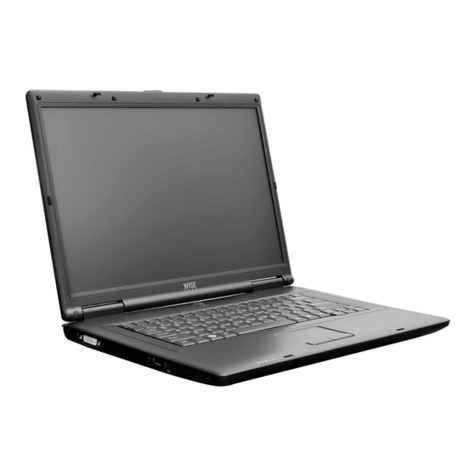
Choose from two equally slim-line versions; the new Wyse X90CW mobile thin client
with its compact 11.6” LED backlit display, and the Wyse X50L, X90LW and
X90LeW mobile thin clients with stunning 15.4” widescreen displays - ideal for
presenting rich multimedia.
Featuring the power of Microsoft Windows XP Embedded & Windows Embedded
Standard, and the security and flexibility of Wyse Enhanced SUSE Linux
(Wyse X Class L Family only).
Here’s the full range pictured below:
Wyse X50L
15.4" screen mobile
thin client with Wyse
Enhanced U E Linux.
Wyse X90LeW
15.4" screen mobile
thin client with
Windows Embedded
tandard. Built-in
martcard reader and
BlueTooth networking.
Wyse X90CW
mall form factor,
high performance
mobile thin client
with Windows
Embedded tandard.
Wyse X90LW
15.4" screen mobile
thin client with
Windows Embedded
tandard.
Wyse X90L
15.4" screen mobile
thin client with
Windows XP
Embedded.
Wyse X90Le
15.4" screen mobile thin
client with Windows XP
Embedded. Built-in
smartcard reader and
BlueTooth networking.
º
Features Wyse X class thin clients
Wyse X class mobile thin clients feature all the benefits of other Wyse thin clients
in the range including the absence of hard drives. Which is of particular benefit
to mobile workers who regularily work with sensitive data in insecure
environments because with Wyse, they can work on the move with all their data
safely stored and accessed from secure virtual servers - eliminating the risk of
data-loss from stolen or mislaid laptops.
tart Features TechnicalModels Print
Performance X class C Family
Connectivity
X class L Family
Connectivity Green
Management
oftware
Microsoft Windows
XP Embedded
Microsoft
Windows Embedded
Wyse Enhanced
U E Linux
Take a tour of the
Wyse X class range features here
Visit: wyse.com
Learn more:
imply click the Wyse X class
feature icons below.
Virtualization
oftware
Virtualization
oftware
Continue tour
tart Features TechnicalModels Print
Performance ecure. Accessible. Fast mobile thin clients
The Wyse X class mobile thin clients feature high-performance energy conserving
processors: Intel Atom Z520 in the Wyse X class C Family and Via C7-M ULV in the
X class L Family, giving your mobile users all the processing power and flexibility
they need including rich multimedia playback.
Choose between the Wyse X class C family with a crisp 11.6" widescreen display, and the
Wyse X class L Family with their larger 15.4" widescreen displays. Both delivering
excellent on-screen performance for graphics applications and multimedia presentations.
No hard drives. No worries.
Their hard drive-free design contributes to a far longer lifespan than other
comparative laptops. And of course no hard drive means no data whatsoever is
lost or compromised if a Wyse X class is stolen or mislaid.
Finally, Wyse X class mobile thin clients pack all these features and
functionality into slim, robust designs, ideal for today’s hard working and
pressurized mobile workers.
Intel Atom Z520
1.33GHz processor
Intel's smallest and lowest
power processor to date, the
Intel®Atom™processor has
been specifically designed for
the new wave of compact,
lightweight, high performance
internet devices like the
Wyse X class C Family.
VIA C7-M ULV
1.2GHz processor
With its extreme power
efficiency for full computing
on the go, the VIA C7-M
ULV processor has been
specifically designed for
next generation mobile thin
clients such as the
Wyse X class LFamily.
Continue tour
tart Features TechnicalModels Print
X class C Family Connectivity Wyse X90CW thin client
Well connected
Integrated wireless 802.11 b/g/n
One VGA-type video output
Two U B 2.0 ports
Kensington Lock lot
Audio In: 1/8-inch mini jack,
8 bit stereo microphone
Media slot 4-in-1 (M /M -Pro/ D/MMC) for
additional storage
Audio Out: 1/8-inch mini jack, full 16 bit stereo
One U B 2.0 port
10/100 Base-T Ethernet port
Built-in 1.3 Mega Pixel Camera and Microphone
Continue tour
tart Features TechnicalModels Print
X class L Family Connectivity
Wyse X50L, X90L, X90Le, X90LW and X90LeW mobile thin clients
Well connected
Built-in WiFi 802.11 b/g/n
Audio Out: 1/8-inch mini jack, 16 bit stereo
Internal mono speaker
Audio In: 1/8-inch mini jack,
8 bit stereo microphone
Three External USB 2.0 ports (right)
10/100/1000 Base-T Gigabit Ethernet port
One VGA-type video output
D Card lot
ExpressCard slot
Kensington Lock Slot
One DVI-D Port
One external
USB 2.0 port (left)
Continue tour
tart Features TechnicalModels Print
Mobile computing Without compromise
Going Green
with Wyse Thin Computing
Through our EarthSmart Computing initiative we are committed
to helping organizations implement a greener computing
strategy - one that delivers a more efficient and productive
computing experience for your users with a positive effect on
energy wastage, heat and carbon emissions.
Green Power
All Wyse X class mobile thin clients pack a considerable punch
with their green credentials. From reduced manufacturing
impact and end-of-life recycling waste, to as little as 18 watts
energy consumption, deploying Wyse X class mobile thin clients
to your mobile and remotely based workers will enable your
organization to achieve a lighter carbon footprint.
Learn more
Download carbon calculators, fact sheets and white papers
from here: www.wyse.com/green
That’s Wyse
Earth mart
Computing
Management oftware Wyse Device Manager
Thin computing remote management. Made easy.
Wyse Device Manager (WDM) provides comprehensive, enterprise-wide management for Wyse X class mobile thin clients. A licence for
WDM Workgroup Edition is included with every Wyse X class model. This may be upgraded to WDM Enterprise Edition for an additional
charge. Key features include:
tart Features TechnicalModels Print
Continue tour
• TTPS Based Imaging / Updates
• Fully Encrypted Network Traffic
• Multi-user Admin Access (MS AD) Support
• Complete Device Imaging / Patching / Updates
• Bandwidth Throttling for Efficiency / Reliability
• Software Updates and Add-ons
• Device ealth Status / Reporting
• Remote Shadowing / Control
• Default Device Configuration
• Distributed Architecture
• SQL / MSDE Support
• Multiple Remote Repository Support
• Automated Discovery
• Detailed ardware Asset information
• Installed Software Asset information
ecurity
No-Hassle Deployment
Device Administration
and Monitoring
calability
Complete Asset Visibility
Virtualization oftware Wyse TCXTM uite with Collaborative Processing ArchitectureTM
Wyse TCX delivers an amazing user experience in one software suite.
Wyse TCX is our new software suite which enriches the user experience by removing the limitations previously associated with thin clients. It enhances, not replaces,
key protocols like ICA/ DX and RDP adding key features to make each more valuable. With Wyse TCX users receive the best PC experience available on a thin
computing platform.1, 2
Wyse TCX
Multi-display
Ensures application
windows and dialog
boxes are multi-monitor
aware when using more
than one monitor.
Wyse TCX
Rich ound
Enables bi-directional
audio in virtual desktop
environments, enabling
solutions such as VOIP,
digital dictation or voice
recognition to be
deployed.
tart Features TechnicalModels Print
Wyse TCX
U B Virtualizer
Enables plug and play peripheral
support for virtual desktop
environments.
• Redirect and use local USB
devices in virtual desktops.
• Deploy virtual desktops to
knowledge workers with special
device access needs.
• Enable a broad set of USB
peripherals including webcams
and headsets.
Wyse TCX Multimedia
Streamlines the delivery of the
multimedia stream to the local client
for a rich user experience within a
thin computing architecture.
• Accelerates Mpeg1, Mpeg2, WMV,
Mpeg4 Part 2, AC3, AAC, MP3,
WAV, WMA media types.
• Collaborative Processing
Architecture enhances server
scalability, and network utilization
by off-loading multimedia
rendering to the client. Continue tour
Wyse TCX
Flash Acceleration
Wyse TCX Flash Acceleration helps
thin client users to experience
improved Flash video performance.
While the Flash player continues to run
server-side, the resulting images are
transcoded and redirected to the client
for fast rendering. The technology
allows for greater control of frame rate
and compression and supports
enhanced playback of youtube style
flash videos in Internet Explorer.
1 Subject to licence fee.
2 Support is dependant
on host Operating System.
WTCXS / C R X / 100110

Removing the barriers of network latency
Wyse Virtual Desktop Accelerator (VDA) enables virtualized desktop and thin
computing environments to be deployed to areas where network latency has, to date,
presented operational barriers. Now, with Wyse VDA, more users can receive the full
benefits of Wyse thin computing – with the best PC experience over virtualized
desktops.
Wyse VDA is a software-only solution for Wyse thin clients
and supported PCs that delivers the best user
experience for the allocated network bandwidth by
neutralizing the effects of network latency and
packet loss. Making ‘thin’ suitable for more
remote-site, branch, or field-based users.
Wyse VDA works with instead of replacing
existing RDP and ICA protocols, accelerating
them by up to 20 times on networks faced with

latencies up to and beyond 300ms, and at
least 768kbps bandwidth.
At a glance features:
• Software-only acceleration of virtual desktops and applications
• Accelerates existing Citrix ICA and Microsoft RDP protocols
• Works on WANs and ‘fat, long pipes’
• Accelerates connections to Citrix XenApp, Citrix XenDesktop, VMware View
and Microsoft Terminal Server and Microsoft yper-V VDI
• Enhances Wyse TCX software suite functionality across wide-area networks
• Enables Wyse Collaborative Processing Architecture across
wide-area networks
• Administrator console provides control of maximum bandwidth per
connection
• Leverages built-in security of underlying protocols (128-bit encryption for
RDP and ICA).
Continue tour
tart Features TechnicalModels Print
Virtualization oftware Wyse Virtual Desktop Accelerator
WVDA / C R X / 181209