ZOpid ZDE658 User manual
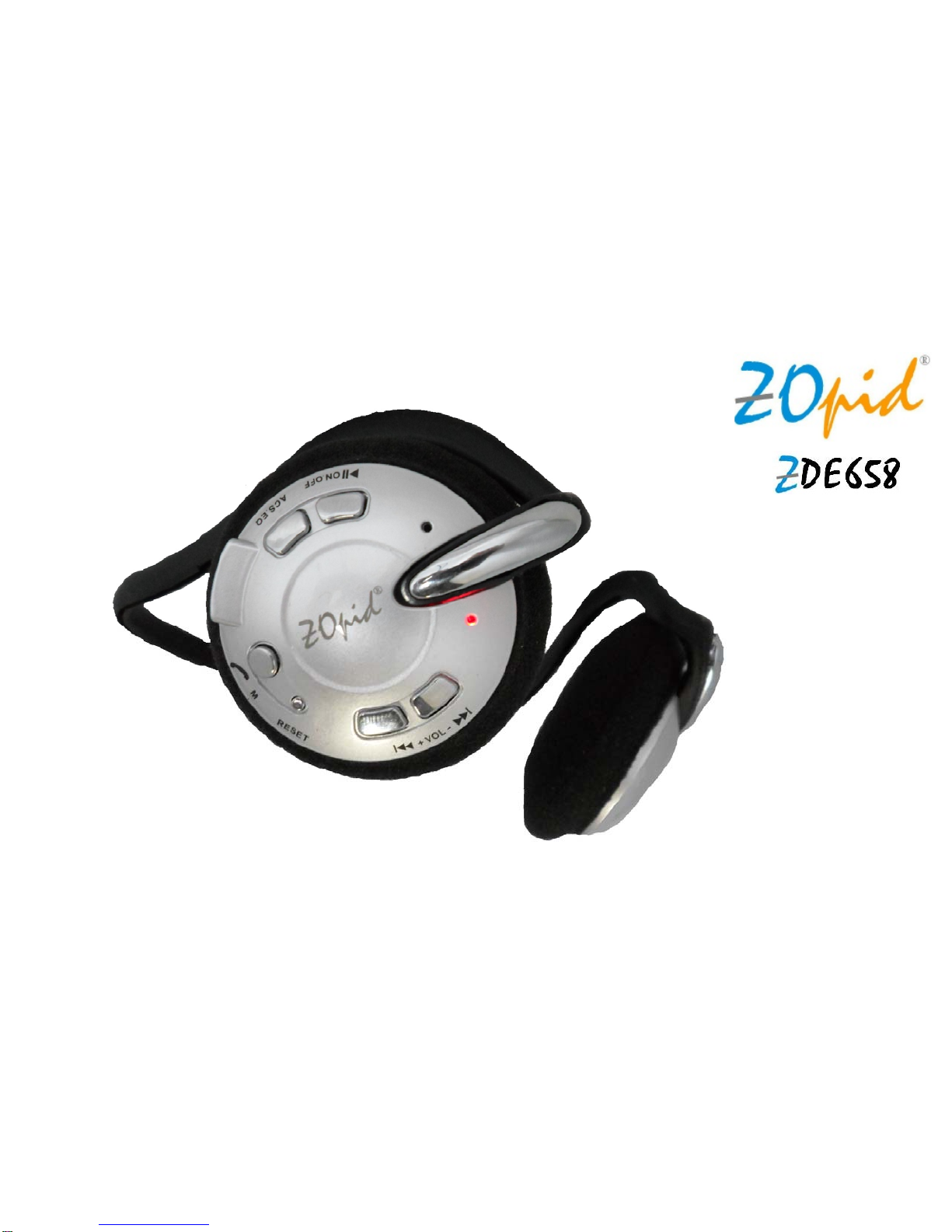
BLUETOOTH HEADSET with MP3 PLAYER & FM RADIO
USER MANUAL

1
1. PREFACE
Thanks for purchasing ZOpid Multi-function Headset!
This Headset features Bluetooth, MP3 Player and FM Radio functions with
built-in rechargeable battery and 4GB memory to store & play songs or use as a
USB drive for data storage.
Before operating the headset, make sure to read this user manual carefully. After
reading it, please keep it in a safe place for future reference.
We reserve the right to make changes to this Headset, Software and/or this User
Manual without notice. Please visit our company’s website www.hittusa.com for
additional product information and/or updates.
NOTE: The pictures, diagrams and certain functions described in this manual
may differ from the actual product due to different models. Please see product
packaging for included and optional features and accessories.

2
2. SAFETY AND GENERAL INFORMATION
READ THIS INFORMATION BEFORE USING THIS HEADSET
Loud music may harm your hearing if you listen to it for a long time.
New battery can reach its best performance after it has completely charged
and discharged for two or three times.
Please charge the new battery for no less than 6 hours for the first three
times you charge the Headset, and from then on, charge it until the Red
LED becomes solid Red indicating battery is fully charged.
Do not operate this Headset in extremely cold, hot, dusty or damp
environment.
Avoid leaving the Headset under direct sunlight for an extended period.
Do not scrub this Headset with a hard object; it may result in scratches on
the surface and/or damage to the hardware. Use a damp cotton cloth to
gently wipe the shell of the Headset. Using other chemical cleaning
solutions is strictly prohibited.
Keep this Headset and all accessories out of children’s reach under 3
years old.
Charge the Headset when:
oThe Headset powers off automatically, immediately after it is turned

3
on, or the Red LED flashes fast (about 2 times per second),
indicating low battery charge level.
Avoid operating this Headset under very dry environment to prevent
damage from static-shock.
Do not disconnect the USB cable while formatting, uploading or
downloading files; disconnecting USB cable will result in file corruption and
may require reformatting – resulting in data loss.
When used as a removable disk, users should backup important data.
Our company is not responsible for loss of data.
This Headset does not have any user-serviceable parts or accessories.
DO NOT TRY TO DISASSEMBLE THIS HEADSET. Use an AC charger
with 5V & between 300mA to 500mA output.
Use battery charger and accessories permitted by the manufacturer. Using
other accessories or charger may be a safety hazard or affect product
performance and/or void product warranty.
Please properly dispose of the obsolete player and its accessories
following your local environmental laws.
If you have any problem using this player, please visit www.hittusa.com or
email [email protected] for help

4
3. NOTES REGARDING FCC COMPLIANCE
Users are not permitted to make changes or modify the device in any way.
Changes or modifications that are not authorized by the party responsible for
compliance could void the user’s authority to operate the equipment.
This device complies with part 15 of the FCC Rules. Operation is subject to the
following two conditions:
This device many not cause harmful interference, and
This device must accept any interference received, including interference
that may cause undesired operation.

5
4. PRODUCT FEATURES
Sporty behind-the-neck design for comfort and convenience
Suitable for use during sports activities or use as a hands-free device while
driving
Announces the selected Mode when Mode/Call Answer ( ) button is
pressed, and also announces the “Battery is Running Out”
Stereo Bluetooth Function: Answer phone, listen to the music from phone
or other Bluetooth devices
FM Radio: Listen to the radio; Auto Channel Scan (ACS) function
Music Play: Built-in large capacity flash memory to store and play music or
other audio files in MP3 and WMA formats
Directory/Folder change support: In addition to skipping audio files the
player supports skipping directories/folders
7 built-in preset Equalizer modes: Nature, Rock, Pop, Classical, Soft, Jazz
& Heavy-Bass
U Disk Function: Use as a USB drive to save all kinds of data files
IMPORTANT NOTE: Please use computer’s USB port or an AC charger with
DC Output of 5V and between 300mA to 500mA

6
5. BUTTONS & INTERFACE

7
6. OPERATING INSTRUCTIONS:
A. ON.OFF BUTTON
Press and hold ON.OFF button for three seconds to turn Headset power ON -
the headset will power on and enter Bluetooth standby mode.
When the Headset is switched on, both the red light (MP3/FM indicator LED) will
be solid RED and, green light (Bluetooth indicator LED) will flash 3-times per
second indicating the headset is in Bluetooth searchable mode (visible to other
Bluetooth devices for pairing) – if the headset has already been paired to a
Bluetooth device and that device is powered on with Bluetooth enabled then the
headset will automatically reconnect to that device – once successfully
connected the Green Bluetooth LED on the headset will flash once every 5
seconds.
When powered on Press and hold the ON.OFF button for three seconds to
turn Headset power OFF.
B. ACS.EQ Button (Controls: Automatic Channel Search and Preset
Equalizer):
Preset Equalizer: To change preset equalizer effects, press & release EQ

8
button while the player is playing songs from built-in memory.
Automatic FM Channel Search and Store (FM Mode): In Radio Mode Press
and Release ACS.EQ Button for the headset to scan all FM radio frequencies
and store up to 40 channels with good signal in that area. Once the channels
are stored pressing Previous and Next buttons will switch and play stored
channels
C. Mode (M), Call Answer Button
Use this button to select Bluetooth, Music Play or Radio mode. The
Headset defaults to Bluetooth Mode when power is turned on - to change
mode Press and Release button until you hear the desired mode
announcement from the Headset
NOTE: The mode announcement is heard a couple of seconds after the
Mode button is pressed and released – wait until you hear the
announcement before pressing the button again.
When phone is paired to the headset (Green LED flashes once every 5
seconds), Press and Release button to answer a call when the
9
phone rings.
Long press button to reject the call.
Press and Release the button to end the call when done talking.
D. Reset Button
Press this button only when the Headset is in hung state and other buttons do
not work
E. +VOL- Buttons (Controls: Volume Adjustment and Channel,
Song & Folder Selection):
Volume Adjustment: Press and hold the +VOL or VOL- button to adjust
the volume level up or down respectively
Song/Channel Selection: During Play Mode Press and release (tap) (Next)
or (Previous) button once to play next or previous song, and during FM
Mode next or previous Channel
Folder/Directory Selection: During Song Pause press and release (tap)
(Next) or (Previous) button once to select next or previous folder on headset
memory – Red LED will flash indicating folder change. Press ON.OFF button
to play first song in the new folder.
Table of contents
Other ZOpid Headset manuals