manuals.online logo
Brands
  1. Home
  2. •
  3. Brands

  4. •
  5. ADTRAN
  6. •
  7. Network Hardware
  8. •
  9. ADTRAN 1442980G1C User manual

ADTRAN 1442980G1C User manual

This manual suits for next models

1

Other ADTRAN Network Hardware manuals

ADTRAN 1442390G1 User manual

ADTRAN

ADTRAN 1442390G1 User manual

ADTRAN 3192 User manual

ADTRAN

ADTRAN 3192 User manual

ADTRAN NIU3 Instruction Manual

ADTRAN

ADTRAN NIU3 Instruction Manual

ADTRAN NETVANTA 6355 User manual

ADTRAN

ADTRAN NETVANTA 6355 User manual

ADTRAN 1490 TX User manual

ADTRAN

ADTRAN 1490 TX User manual

ADTRAN TSU ACE User manual

ADTRAN

ADTRAN TSU ACE User manual

ADTRAN E1 User manual

ADTRAN

ADTRAN E1 User manual

ADTRAN Express 6530 6530 Manual

ADTRAN

ADTRAN Express 6530 6530 Manual

ADTRAN NetVanta 6355 PoE User manual

ADTRAN

ADTRAN NetVanta 6355 PoE User manual

ADTRAN IQ Probe 1200214L1 User manual

ADTRAN

ADTRAN IQ Probe 1200214L1 User manual

ADTRAN NetVanta 4305 Quick start guide

ADTRAN

ADTRAN NetVanta 4305 Quick start guide

ADTRAN TRACER 4205 User manual

ADTRAN

ADTRAN TRACER 4205 User manual

ADTRAN Total Access DSLAM 16-Port ADSL2+ Access Module... User manual

ADTRAN

ADTRAN Total Access DSLAM 16-Port ADSL2+ Access Module... User manual

ADTRAN jobAid NetVanta 838T User manual

ADTRAN

ADTRAN jobAid NetVanta 838T User manual

ADTRAN T1 CSU ACE User manual

ADTRAN

ADTRAN T1 CSU ACE User manual

ADTRAN 500 Series User manual

ADTRAN

ADTRAN 500 Series User manual

ADTRAN Total Access 1500 Dual FXS/DPO User manual

ADTRAN

ADTRAN Total Access 1500 Dual FXS/DPO User manual

ADTRAN NetVanta 838 User manual

ADTRAN

ADTRAN NetVanta 838 User manual

ADTRAN 1442300G1 User manual

ADTRAN

ADTRAN 1442300G1 User manual

ADTRAN IQ 310 User manual

ADTRAN

ADTRAN IQ 310 User manual

ADTRAN NetVanta 1531 Series Manual

ADTRAN

ADTRAN NetVanta 1531 Series Manual

ADTRAN GPON 452 User manual

ADTRAN

ADTRAN GPON 452 User manual

ADTRAN SLC-5 U-BR1TE III Instruction Manual

ADTRAN

ADTRAN SLC-5 U-BR1TE III Instruction Manual

ADTRAN Total Access 480 User manual

ADTRAN

ADTRAN Total Access 480 User manual

Popular Network Hardware manuals by other brands

socomec SNMP Card II quick start guide

socomec

socomec SNMP Card II quick start guide

NVR SYSTEMS 4-CH user manual

NVR SYSTEMS

NVR SYSTEMS 4-CH user manual

Draytek VigorSwitch G1240 quick start guide

Draytek

Draytek VigorSwitch G1240 quick start guide

Westermo TD-34 LV installation manual

Westermo

Westermo TD-34 LV installation manual

LaCie Network Space MAX Quick install guide

LaCie

LaCie Network Space MAX Quick install guide

ZoneVu ZSI-450-IP Installation guide & user manual

ZoneVu

ZoneVu ZSI-450-IP Installation guide & user manual

QNAP Turbo NAS Application notes

QNAP

QNAP Turbo NAS Application notes

OpenEye MV Series quick start guide

OpenEye

OpenEye MV Series quick start guide

Huawei SmartAX MT880a quick start guide

Huawei

Huawei SmartAX MT880a quick start guide

Proxim Tsunami QuickBridge 2454-R installation guide

Proxim

Proxim Tsunami QuickBridge 2454-R installation guide

Bay Networks CLAM quick start guide

Bay Networks

Bay Networks CLAM quick start guide

Innodisk SATADOM-SH 3SE Series manual

Innodisk

Innodisk SATADOM-SH 3SE Series manual

Cisco CGR 1000 Series Getting connected guide

Cisco

Cisco CGR 1000 Series Getting connected guide

Matrix Switch Corporation MSC-HD161DEL product manual

Matrix Switch Corporation

Matrix Switch Corporation MSC-HD161DEL product manual

National Instruments NI 653x user manual

National Instruments

National Instruments NI 653x user manual

B&B Electronics ZXT9-IO-222R2 product manual

B&B Electronics

B&B Electronics ZXT9-IO-222R2 product manual

Yudor YDS-16 user manual

Yudor

Yudor YDS-16 user manual

D-Link ShareCenter DNS-320L datasheet

D-Link

D-Link ShareCenter DNS-320L datasheet

manuals.online logo
manuals.online logoBrands
  • About & Mission
  • Contact us
  • Privacy Policy
  • Terms and Conditions

Copyright 2025 Manuals.Online. All Rights Reserved.

jobAid
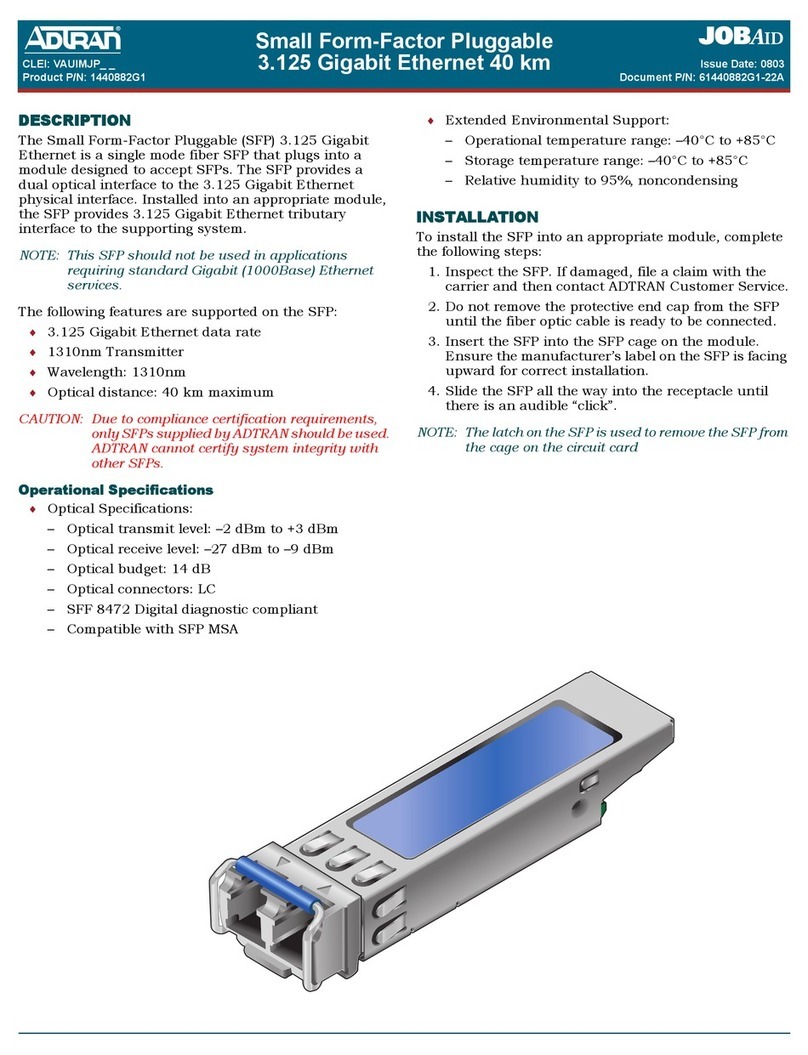
DESCRIPTION
TheSmallForm‐FactorPluggable10GigabitEthernetXFP,1550
nm,CommercialTemperature(XFP)opticaltransceiverisafully
duplexserialelectric,serialopticdevicewithbothtransmitand
receivefunctionscontainedinasinglemodulethatprovidesa
highspeedseriallinkat10Gb/s.Installedintoanappropriate
hostmodule,theXFPprovidesa10Gigabitinterfacetothe
supportingsystem.
ThetransmitsideoftheXFPconvertsserialNRZelectricaldateat
the10Gb/slineratetoastandardcompliantopticalsignal.The
receivesideoftheXFPconvertstheincomingDCbalancedserial
NRZopticaldataatthe10Gb/slinerateintoserialelectricaldata.
NOTE
Toensurecompatibility,refertothedocumentationprovided
withthehostmodule.
ThefollowingfeaturesaresupportedontheXFP:
♦1550nmopticalsignalsforupto80kmreach
♦Lowpowerconsumption(<3.5Wmax)
♦ExcellentEMIperformance
♦Biterrorrate10^‐12
CAUTION
!
Duetocompliancecertificationrequirements,onlyXFPssupplied
byADTRANaretobeusedwiththehostmodule.ADTRAN
cannotcertifysystemintegritywithotherXFPs.
Operational Specifications
♦OpticalSpecifications:
◊TransmitWavelength:1550nm
◊ReceiveWavelength:1530to1565nm
◊Datarate:9.95Gb/sto11.1Gb/s
◊Opticaltransmitlevel:0to+4.0dBm
Small Form-Factor Pluggable
10 Gigabit Ethernet XFP, 1550 nm
Commercial Temperature
◊Opticalreceivelevel:greaterthan–24dBm
◊Opticaldistance:80kmmaximum
◊Opticalconnectors:LC
♦ExtendedEnvironmentalSupport:
◊Operationaltemperaturerange:0°Cto+70°C
◊Storagetemperaturerange:–40°Cto+85°C
◊Relativehumidityto85%,noncondensing
INSTALLATION
InspecttheXFP.Ifdamaged,fileaclaimwiththecarrierandthen
contactADTRANCustomerService.
ToinstalltheXFPintoanappropriatemodule,completethe
followingsteps:
1. InserttheXFPintotheXFPcageonthecircuitboardofthe
hostmodulewiththelatchhandlefacingoutward.Slidethe
XFPallthewayintothereceptacle.
NOTE
ThelatchontheXFPisforremovalonly.WhenremovingtheXFP,
rotatethelatchawayfromtheXFPcageuntilaphysicalclick
occurs.TheXFPshouldslideeasilyoutofthecage.
2. Usingthumbandforefinger,exertadequatepressureto
ensuretheXFPiscompletelyseatedintheXFPcage.
3. Donotremovetheconnectorpluguntiltheopticalfiber
connectionismade.
NOTICE
Itisrecommendedthattheconnectorplugremainonwhenever
thetransceiveropticalfiberconnectorisnotinserted.
4. Continuetheinstallationandturn‐upofthehostmodule
usingtheinstructionsintheJobAidprovidedwiththat
module,orusingtheInstallationandMaintenancePractice
(I&M),availableonlineatwww.adtran.com.
PROVISIONING
TheXFPisnotdirectlyprovisionable.ToprovisiontheXFP,
accessthemenusystemofthehostmodule.Refertothe“Provi‐
sioning”sectionoftheJobAidorInstallationandMaintenance
Practiceprovidedwiththehostmoduleforprovisioningdetails.
CLEI: BVL3AGKD_ _
Product P/N: 1442980G1C
Issue Date: 0909
Document P/N: 61442980G1C-22A
C A U T I O N
C A U T I O N
!
SUBJECT TO ELECTROSTATIC DAMAGE
OR DECREASE IN RELIABILITY.
HANDLING PRECAUTIONS REQUIRED.
For more information, refer to the Installation and Maintenance Practice (P/N 61442980G1C-5)
available online at www.adtran.com.
Warranty: ADTRAN will replace or repair this product within the warranty period if it does not
meet its published specifications or fails while in service. Warranty information can
be found online at www.adtran.com/warranty.
©2009 ADTRAN, Inc. All Rights Reserved.
PRICING AND AVAILABILITY 800.827.0807
TECHNICAL SUPPORT 800.726.8663
RETURN FOR REPAIR 256.963.8722
*61442980G1C-22A*
COMPLIANCE
CAUTION
!
♦ ElectrostaticDischarge(ESD)candamageelectronicmodules.
Whenhandlingmodules,wearanantistaticdischargewrist
straptopreventdamagetoelectroniccomponents.Place
modulesinantistaticpackingmaterialwhentransportingor
storing.Whenworkingonmodules,alwaysplacethemonan
approvedantistaticmatthatiselectricallygrounded.
♦ TheXFPmeetsorexceedsalltheapplicablerequirementsof
NEBS,TelcordiaGR‐63‐CORE,andGR‐1089‐CORE.TheXFP
isintendedfordeploymentinCentralOfficetypefacilities,
EEEs,EECs,andlocationswheretheNECapplies(for
example,CustomerPremises).TheXFPistobeinstalledin
ADTRANproductsinRestrictedAccessLocationsonly,and
installedbytrainedservicepersonnel.
ThisdevicecomplieswithFCC47CFRPart15,ClassB.Operation
issubjecttothefollowingtwoconditions:
1. Thisdevicemaynotcauseharmfulinterference.
2. Thisdevicemustacceptanyinterferencereceived,including
interferencethatmaycauseundesiredoperation.
ChangesormodificationsnotexpresslyapprovedbyADTRAN
couldvoidtheuserʹsauthoritytooperatethisequipment.
♦ PerGR‐1089‐CORE,theADTRANsysteminwhichtheSFPis
beingdeployedisdesignedandintendedforinstallationas
partofaCommonBondingNetwork(CBN).TheADTRAN
systeminwhichtheSFPisbeingdeployedisnotdesignednor
intendedforinstallationaspartofanIsolatedBonding
Network(IBN).
♦ PerGR‐1089‐CORESection9,theXFPdoesnothavean
internalDCconnectionbetweenbatteryreturnandframe
ground.TheXFPcanbeinstalledinaDC‐I(isolated)orDC‐C
(common)installation.Forinstallationswhereothercardsor
thehostsystemhaveinternalconnectionsbetweenbattery
returnandframeground,thesystemwouldbeintendedfor
deploymentonlyinaDC‐Cinstallation.
♦ TheADTRANsystemchassisframegroundterminalmustbe
connectedtoareliableearthgroundtoensurethatthemetal
enclosureoftheXFPisproperlygroundedviathebackplane
connector.
CAUTION
C
TheXFPisaClass1LaserProductandcomplieswiththeLaser
SafetyrequirementsofFDA21CFR1040.10and1040.11,and
EN60825‐1and‐2.TheXFPisNRTLlistedandCBCertifiedtoall
applicableAmericanandEuropeansafetystandards.
Forcontinuedcompliancewiththeabovelasersafetystandards,
onlyapprovedClass1modulesfromourapprovedvendorlist,
locatedontheADTRANwebsite,shouldbeinstalledinADTRAN
products.
NOTE
TheGigabitEthernetport(s)areopticalandthereforearenot
classifiedasanytypeofportasdefinedinAppendixBofGR‐
1089‐COREIssue4.
TheXFPisdesignedtomeetthefollowingenvironmentalclasses:
♦ETSIEN300019‐1‐1“Classificationofenvironmental
conditions;Storage,”Class1.2
♦ETSIEN300019‐1‐2“Classificationofenvironmental
conditions,Transportation,”Class2.3
♦ETSIEN300019‐1‐3“Classificationofenvironmental
conditions,Stationaryuseatweather‐protectedlocations,”
Class3.3
Theequipmentisdesignedtofunctionwithoutdegradation
duringexposuretoalltestseveritiesperClass3.3.