manuals.online logo
Brands
  1. Home
  2. •
  3. Brands
  4. •
  5. AKG
  6. •
  7. Mixer
  8. •
  9. AKG AS 8 User manual

AKG AS 8 User manual

Other manuals for AS 8

4

This manual suits for next models

1

Other AKG Mixer manuals

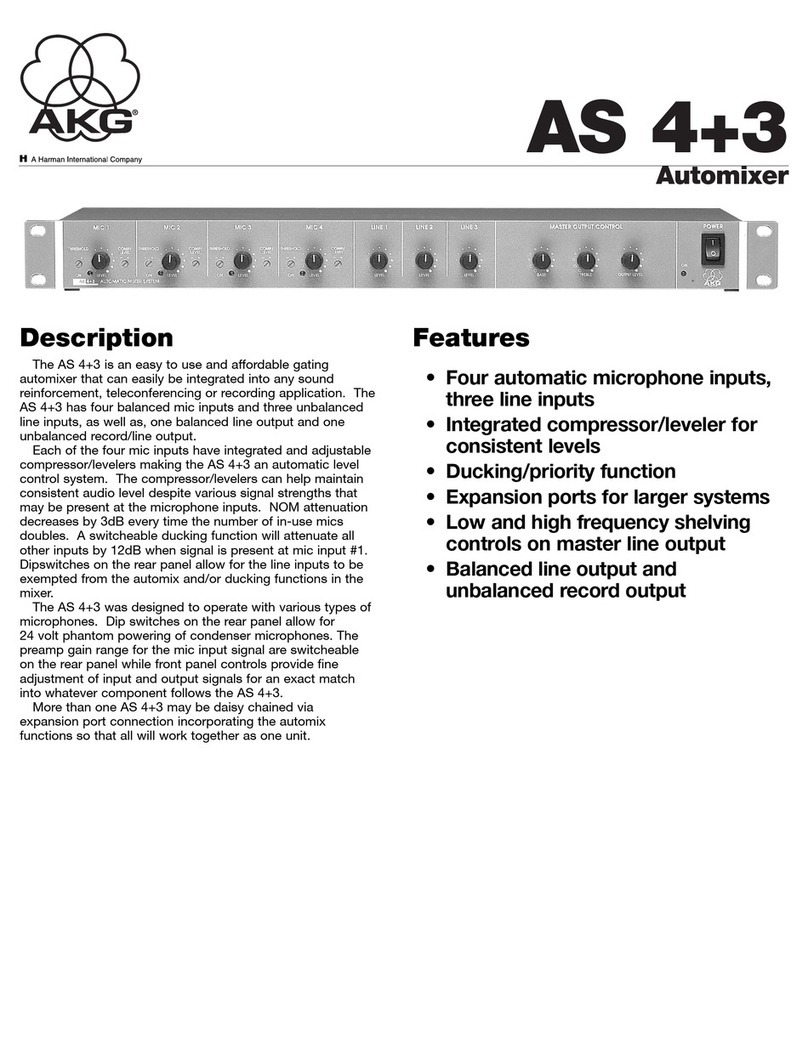
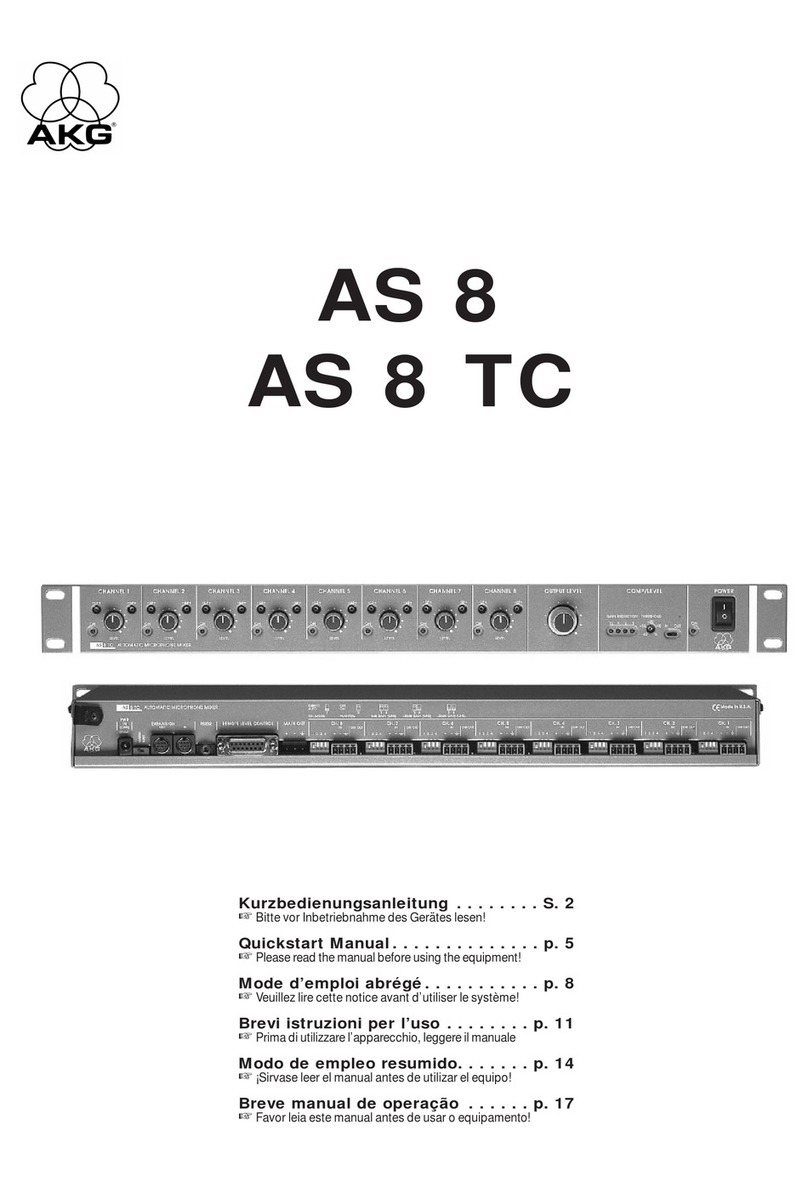
AKG AS 8 Instruction manual

AKG

AKG AS 8 Instruction manual

AKG AS 8 User manual

AKG

AKG AS 8 User manual

AKG AS 8 User manual

AKG

AKG AS 8 User manual

AKG A16X12 User manual

AKG

AKG A16X12 User manual

AKG AS 4+3 User manual

AKG

AKG AS 4+3 User manual

AKG AS 4+3 User manual

AKG

AKG AS 4+3 User manual

AKG AS16x12 Instruction manual

AKG

AKG AS16x12 Instruction manual

Popular Mixer manuals by other brands

Oster FPSTSM2710 instruction manual

Oster

Oster FPSTSM2710 instruction manual

Aviom A-16II user guide

Aviom

Aviom A-16II user guide

Varimixer V30K Spare part and operation manual

Varimixer

Varimixer V30K Spare part and operation manual

Kohler Stillness K-T954 installation guide

Kohler

Kohler Stillness K-T954 installation guide

Wolf Gourmet WGSM300 Use & care guide

Wolf Gourmet

Wolf Gourmet WGSM300 Use & care guide

Team International TEAM MS 17 operating instructions

Team International

Team International TEAM MS 17 operating instructions

MULTIQUIP Whiteman WM45E Operation and parts manual

MULTIQUIP

MULTIQUIP Whiteman WM45E Operation and parts manual

KitchenAid KSM7581BZ0 Instructions and recipes

KitchenAid

KitchenAid KSM7581BZ0 Instructions and recipes

Jay-Lor 5050 owner's manual

Jay-Lor

Jay-Lor 5050 owner's manual

privileg MJ-BL1051W user manual

privileg

privileg MJ-BL1051W user manual

Fakir CULINA CHEF user manual

Fakir

Fakir CULINA CHEF user manual

Termozeta Bellacucina Instruction booklet

Termozeta

Termozeta Bellacucina Instruction booklet

Thinky ARE-250 instruction manual

Thinky

Thinky ARE-250 instruction manual

Midas XL4 manual

Midas

Midas XL4 manual

bianco PURO 4 manual

bianco

bianco PURO 4 manual

better chef IM-815WC Use and care book

better chef

better chef IM-815WC Use and care book

ALLEN & HEATH GR1 user guide

ALLEN & HEATH

ALLEN & HEATH GR1 user guide

Buffalo CP921 instruction manual

Buffalo

Buffalo CP921 instruction manual

manuals.online logo
manuals.online logoBrands
  • About & Mission
  • Contact us
  • Privacy Policy
  • Terms and Conditions

Copyright 2025 Manuals.Online. All Rights Reserved.

AS8/AS8TC
8 Channel Automatic Matrix Mixer
OPERATING INSTRUCTIONS
and trouble- hooting guide
INTRODUCTION
The AKG AS8 Automatic Microphone Mixer is an 8 channel, single rack space audio mixer. Using the unique Adaptive
evel Proportional mixing algorithm, the automatic action is inaudible and simple to set up. The AS8 offers remote control
of all channel levels and the master level. In addition, a sophisticated compressor/ leveller is included for dynamic range
control of the audio program material. The AS8 has an RS-232 port for remote setup or control by a computer or other RS-
232 compatible controller. More than one AS8 may be coupled together when applications call for more than 8 channels.
TABLE OF CONTENTS
INTRODUCTION . . . . . . . . . . . . . . . . . . . . . . . . . . . . . . . . . . . . . . . . . . . . . . . . . . . . . . . . . . . . . . . . . . . . . . . . 2
GENERA TECHNICA DESCRIPTION . . . . . . . . . . . . . . . . . . . . . . . . . . . . . . . . . . . . . . . . . . . . . . . . . . . . . . . . 3
INSTA ATION . . . . . . . . . . . . . . . . . . . . . . . . . . . . . . . . . . . . . . . . . . . . . . . . . . . . . . . . . . . . . . . . . . . . . . . . . . 4
FRONT PANE DESCRIPTION . . . . . . . . . . . . . . . . . . . . . . . . . . . . . . . . . . . . . . . . . . . . . . . . . . . . . . . . . . . . . . . 5
REAR PANE DESCRIPTION . . . . . . . . . . . . . . . . . . . . . . . . . . . . . . . . . . . . . . . . . . . . . . . . . . . . . . . . . . . . . . . . 6
FCC PART 15 NOTICE . . . . . . . . . . . . . . . . . . . . . . . . . . . . . . . . . . . . . . . . . . . . . . . . . . . . . . . . . . . . . . . . . . . . 7
OPERATING INSTRUCTIONS . . . . . . . . . . . . . . . . . . . . . . . . . . . . . . . . . . . . . . . . . . . . . . . . . . . . . . . . . . . . . . . 8
REMOTE EVE CONNECTIONS . . . . . . . . . . . . . . . . . . . . . . . . . . . . . . . . . . . . . . . . . . . . . . . . . . . . . . . . . . . . 9
TROUB ESHOOTING . . . . . . . . . . . . . . . . . . . . . . . . . . . . . . . . . . . . . . . . . . . . . . . . . . . . . . . . . . . . . . . . . . . . . 9
SERVICE AND REPAIR . . . . . . . . . . . . . . . . . . . . . . . . . . . . . . . . . . . . . . . . . . . . . . . . . . . . . . . . . . . . . . . . . . . 10
RETURNING UNITS FOR REPAIR . . . . . . . . . . . . . . . . . . . . . . . . . . . . . . . . . . . . . . . . . . . . . . . . . . . . . . . . . . . 10
SPECIFICATIONS . . . . . . . . . . . . . . . . . . . . . . . . . . . . . . . . . . . . . . . . . . . . . . . . . . . . . . . . . . . . . . . . . . . . . . . 11
SERIA CAB E WIRING DIAGRAM . . . . . . . . . . . . . . . . . . . . . . . . . . . . . . . . . . . . . . . . . . . . . . . . . . . . . . . . . . 12
AMX CAB E WIRING DIAGRAM . . . . . . . . . . . . . . . . . . . . . . . . . . . . . . . . . . . . . . . . . . . . . . . . . . . . . . . . . . . 12
AMX Programming Notes . . . . . . . . . . . . . . . . . . . . . . . . . . . . . . . . . . . . . . . . . . . . . . . . . . . . . . . . . . . . . . . 12
SERIA PORT COMMANDS AVAI AB E . . . . . . . . . . . . . . . . . . . . . . . . . . . . . . . . . . . . . . . . . . . . . . . . . . . . . . 13
WARRANTY . . . . . . . . . . . . . . . . . . . . . . . . . . . . . . . . . . . . . . . . . . . . . . . . . . . . . . . . . . . . . . . . . . . . . Back cover
2
3
GENERAL TECHNICAL DESCRIPTION
The AS8 uses a straightforward analog signal path to provide excellent audio performance. This is coupled with a
sophisticated microcontroller to implement both the automatic mixing and the compressor/leveller algorithms. The
Adaptive evel Proportional automatic mixing algorithm is used by the AS8. This algorithm uses the signal level pattern at
the microphones to derive a pattern of channel gains. For instance, if only one microphone channel is being spoken into,
its level is dominant and that channel gets most of the system gain, while all other channels are turned down. If more than
one microphone is active, they share system gain according to their relative levels. A “skewing” function gives some
advantage to microphones which are active over time, to minimize interruptions from transient noise at other microphones.
Since each channels’ gain is apportioned continuously based on its relative level, no abrupt gain changes are made. This
makes the automatic action virtually inaudible.
The Compressor/ eveller function uses a combination of the short-term and long-term signal dynamics to determine the
optimum amount of gain reduction in any situation. The effect of the function is to control both the average program level
(for consistent long-term sound system level) and to minimize any large short-term deviations. The gain reduction function
is gated, which means that there are no noise ups associated with program signal pauses.
Figure 1 shows the simplified block diagram of the AS8. The microphone preamp is a low-noise discrete design, which is
extensively RF protected. The preamp has three gain settings. The 0dB setting allows an input to accept line level signals,
while the +30dB and +50dB gain settings accommodate both low and high sensitivity microphones. 15V Phantom power
is provided for each channel, and is switchable. In addition, each channel may be switched into either the Direct (always
on) or Auto mode.
Following the Channel evel control, the audio signal passes through a high quality Voltage Controlled Amplifier (VCA).
This VCA, controlled by a signal from the system D/A converter, is used to implement gain control for the automatic mixing
function, as well as the remote level function. A Channel On ED indicates which channels are currently active.
Signals from the Expansion In and Expansion Out connectors allow multiple AS8 mixers to be combined if more than 8
channels are necessary for the application. In addition, a Mix Minus signal is available which allows easy interfacing to
teleconferencing hybrids.
An RS-232 port is available to allow many of the functions of the AS8 to be controlled either by a computer or a dedicated
control system (such as the AMX or Crestron systems).
DIRECT/AUTO
PHANTOM POWER
+5V
+15V
TO uP
Remote Level CH1
Remote Level CH2
Remote Level CH3
Remote Level CH4
Remote Level CH5
Remote Level CH
Remote Level CH7
Remote Level CH8
Remote Level Master
Auto Mix Log In
Compressor/
Leveller
Threshold
From CH1 –
From CH2 –
From CH3 –
From CH4 –
From CH5 –
From CH –
From CH7 –
From CH8 –
To CH1 –
To CH2 –
To CH3 –
To CH4 –
To CH5 –
To CH –
To CH7 –
To CH8 –
Dir/Auto CH1 –
Dir/Auto CH2 –
Dir/Auto CH3 –
Dir/Auto CH4 –
Dir/Auto CH5 –
Dir/Auto CH –
Dir/Auto CH7 –
Dir/Auto CH8 –
Compressor/Leveller
Gain Reduction Display
12 dB
9 dB
dB
3 dB
SERIAL
EEPROM
8HC705
uC
D/A
CONV
A/D
CONV
A/D
CONV
SPEECH
FILTER
LOG
CONVERTER
Tone Control
AS8-TC Only
MIC
PREAMP
PREAMP
GAIN
0 dB (LINE)
+30 dB (MIC)
+50 dB (MIC)
CHANNEL LEVEL AUDIO
VCA
TO A/D
CONVERTER
FROM
OTHER
CHANNELS
MAIN IN 1
MIX MINUS OUT 2
AUTO MIX 3
LOG IN
MAIN OUT 1
MIX MINUS IN 2
AUTO MIX 3
LOG OUT
Σ
ΣΣ
EXPANSION
IN
EXPANSION
OUT
MAIN
OUTPUT
RS-232 OUT
RS-232 IN
SERIAL DATA LINK
DIR OUT
MIC IN +
MIC IN -
MIC GND
HI LO
MAIN
LEVEL
CHAN
ON
1 OF 8 INPUT CHANNELS
AS8 BLOCK DIAGRAM
4
INSTALLATION
Installing the AS8 properly is simple, and only requires attention to a few issues. The AS8 should be used in a grounded
metal rack. If only one AS8 is being used, it should be placed in the Master mode, using the rear panel switch. Erratic
performance will result if the unit is in the Slave mode, but no damage will be done to the unit. Proper operation will be
restored when the unit is switched to the Master mode. If multiple AS8s are used together, the first AS8 (i.e. the one with
Expansion In port used but not the Expansion Out port) should be switched to the Master mode, while all other AS8s should
be in the Slave mode. Figure 2 shows the correct interconnection for multiple AS8s.
Microphone connections should be made with good quality braid or foil shielded twisted pair. The shield should be used for
the ground (Pin 1) connection. If an unbalanced signal is used, the unbalanced signal lead should be connected to the “+”
input terminal, while the unbalanced ground lead should be connected to both the “-” and ground terminals of the input
connector.
Output connections to the Main Out connector can be made balanced or unbalanced. If an unbalanced connection is
desired, simply connect the unbalanced signal lead to the “+” output terminal, and the unbalanced ground lead to the
output ground terminal. eave the “-” output terminal unconnected.
Access to the Remote evel Control port is accomplished using the DB-15 connector (supplied).
INTERCONNECTING MULTIPLE AS8s
Master
Slave
Slave
Switch in
MASTER Position
Switch in
SLAVE Position
Switch in
SLAVE Position
FRONT PANEL DESCRIPTION
CHANNEL SECTION
CHANNEL LEVEL - Controls the relative signal level of each channel. Normal operation of the Channel evel control is
from about the 10 o’clock position to the 2 o’clock position.
CHANNEL ON LED - Gives an indication as to which channels are active.
LF - (TC version only) Adjusts the low frequency response of the channel.
HF - (TC version only) Adjusts the high frequency response of the channel.
MAIN SECTION
MAIN LEVEL - Controls the overall output level of the AS8. If multiple AS8s are used together, only the Main evel control
of the last (i.e. Master) AS8 will be operational.
COMPRESSOR/LEVELLER IN/OUT - Enables or disables the compressor/leveller function.
COMPRESSOR/LEVELLER THRESHOLD - Sets the signal level above which the Compressor/leveller is active. Note
that the Threshold level is measured before the Main evel control. This means that adjustments of the Main evel control
will not affect the amount of gain reduction.
COMPRESSOR/LEVELLER GAIN REDUCTION METER - Shows the instantaneous amount of gain reduction applied
by the compressor/leveller system.
AS8 FRONT PANEL
AS8TC FRONT PANEL
5
6
REAR PANEL DESCRIPTION
MIC/LINE INPUTS 1-8 - Accepts balanced or unbalanced signal. Fully balanced differential input, RF filtered.
DIR OUT - Provides a line level signal from each individual channel. The direct output is a post-VCA signal. Any attenuation
from the auto mixing process, compressor/leveler system or remote attenuation will be reflected in the direct out signal.
This provides versatility for different mixing applications such as distributed overhead speaker systems. This 100 Ohm
output provides a +20dBu max signal into a high impedance load.
Note: The DIR OUT shares a ground with the MAIN OUT.
--Don’t use the CHANNEL IN grounds for the DIR OUT!--
When connecting to other equipment, the ground connection of the MAIN OUT will
also be adequate for all the direct outputs. A separate ground connection is not
needed for each direct out.
FUNCTION SELECTION SWITCHES 1-8 - Allow various functions of the input channels to be set.
Dip switch 1 chooses the channel mode. Auto mode (down position) sets operation to automatic, with channel gain
determined by its signal level relative to other microphones. When a channel is set to Direct, its signal will affect the levels
of other channels set to Auto, but it will not be affected by other channels (no NOM attenuation will occur on a channel
set to Direct). Note, however, that the Remote evel control feature functions regardless of the setting of the Auto/Direct
mode switch.
Dip switch 2 turns +15V phantom power on (down position) or off (up position).
Dip switches 3 and 4 set the gain of the input preamplifier. 0dB gain, for line level sources, is set when switches 3 and 4
are in the up position. 30dB gain, typically for high output (electret) microphones, is set when switch 3 is in the up position
and switch 4 is in the down position. 50dB gain, used for low output (dynamic) microphones, is set when both switches
are in the down position.
MAIN OUT - Provides a balanced system output. The Main Out may also be used in an unbalanced mode by connecting
the “+” terminal of the Main Out to the signal lead of the unbalanced device, and the ground terminal of the Main Out to
the ground of the unbalanced device. Do not connect the “-” terminal of the Main Out.
REMOTE LEVEL CONTROL - Allows remote control of both channel levels and the master level. Either 10K ohm linear
pots or an adjustable DC control voltage may be used. The volume control action is internally audio scaled in software. This
gives an “audio-taper” characteristic to a linear pot. Approximately 15dB of attenuation happens for the first half of pot
rotation, with the rest of the attenuation (to full off) happening in the second half of pot rotation. When using a DC control
voltage, the control constant is .167V/dB (or 6dB/V) from 0V to 5V. At 5V, the channel is turned completely off. The control
voltage should not exceed 5V. Below is a listing of the 15 pins on the Remote evel control port and their functions.
AS8 REAR PANEL
7
REMOTE LEVEL CONTROL PINOUT
Pin Number Function
1 Channel 1 Wiper
2 Channel 2 Wiper
3 Channel 3 Wiper
4 Channel 4 Wiper
5 Channel 5 Wiper
6 Channel 6 Wiper
7 Channel 7 Wiper
8 Channel 8 Wiper
9 Channel 1-8 CCW Connection (common to all channels, +5V)
10 Channel 1-8 CW Connection (common to all channels, ground)
11 Main CW Connection (ground)
12 Main Wiper Connection
13 Main CCW Connection (+5V)
14 Not Used
15 Reset to ocal Mode (see Operating Instructions)
RS-232 SERIAL PORT - Provides access to and control of some of the operational features of the AS8. The port is
compatible with the serial port of a PC, or other controllers with RS-232 type serial ports. For hardware interconnection
and software details, see Appendix 1, “Serial Port Hardware and Software”.
EXPANSION IN/OUT - Allow multiple AS8s to be used together. If
more than one AS8 are used together, the first AS8 (i.e. the one with
Expansion In port used but not the Expansion Out port) should be
switched to the Master mode, while all other AS8s should be in the
Slave mode. The Expansion Out of the second AS8 is connected to the
Expansion In of the first AS8, using the supplied cable.
MASTER/SLAVE SWITCH - Sets the AS8 for use as a Master device
or a Slave device. AS8s used singly should be set for Master mode
operation.
PWR IN - Connects to the CH40 power supply to provide power for
the AS8.
FCC PART 15 NOTICE
This equipment has been tested and found to comply with the limits for a class B digital device, pursuant to Part 15 of the
FCC Rules. These limits are designed to provide reasonable protection against harmful interference in a residential
installation. This equipment generates, uses and can radiate radio frequency energy and, if not installed and used in
accordance with the instructions, may cause harmful interference to radio communications. If this equipment does cause
harmful interference to radio or television reception, which can be determined by turning the equipment off and on, the
user is encouraged to try to correct the interference by one or more of the following measures:
• Reorient or relocate the receiving antenna.
• Increase the separation between the equipment and receiver.
• Connect the equipment into an outlet on a circuit different from that to which the receiver is connected.
• Consult the dealer or an experienced radio/TV technician for help.
LECNET EXPANSION
IN/OUT PORTS
8
OPERATING INSTRUCTIONS
Setup of the AS8 consists of choosing rear panel dip switch options, setting front panel levels, and adjusting the
compressor/leveller (if used). Using the Remote evel Control capability of the AS8 is addressed in the next section. When
the power is turned on to the AS8, it will display its ecNet address on the Channel On EDs for 1.5 seconds before entering
normal operation. Channel 8 On ED represents the most significant bit of the binary address, while Channel 1 On ED
represents the least significant bit.
1 Select Auto or Direct mode using dip switch 1 on channels 1-8. Normally, all speech microphones would be in the Auto
mode. Microphones used for music (e.g. choir mics in a church sound system), or inputs attached to line level devices
like tape players or VCRs are best used in the Direct mode. The Remote evel Control terminals may be used to
manually turn off Direct mode microphones when they are not in use.
2 Turn Phantom power on or off as needed, using dip switch 2 on channels 1-8. Dynamic microphones need no phantom
power, but electret types will need phantom power to operate properly.
3 Set up the preamplifier gain using dip switches 3 and 4 on channels 1-8. The 0dB position is used for line level sources
like tape players or VCRs. The 30dB position works well for higher output microphones like electrets. The 50dB position
is best for dynamic microphones, or electret types where the distance from the talker to the microphone is more than
3 feet or so.
4 Set the Main evel control between 5 and 6. While speaking into each microphone in turn, adjust the Channel evel
to give adequate volume level. The normal operating position of the Channel evel control should be between 10
o’clock and 2 o’clock. Try to adjust all microphones to about the same volume level, as this will result in the most
optimum automatic action.
5 If the compressor/leveller system is to be used, switch the In/Out front panel switch to the In position. With a normal
talker, adjust the Threshold pot until the 3dB Gain Reduction ED flickers on. The system volume level may need to
be readjusted at this point using the Main evel control. Next, check that a loud talker turns on most or all of the
remaining Gain Reduction EDs. Finally, with a soft talker such that no Gain Reduction EDs are lit, be sure there is
no feedback or ringing in the system.
The system is now ready for use.
Note: Be sure to set the AS8 back to “ ocal” mode after using the software-based control panel on a PC. If the unit was
left in “Remote” mode and there is no PC available, it will be necessary to perform a “Reset to ocal” procedure.
1. Turn off the power to the AS8.
2. Short Pin 10 to pin 15 on the rear panel DB15 connector while turning on the power switch.
3. Remove the short from pins 10 and 15.
All subsystems are now in “ ocal” mode and controllable from the AS8 front/rear panel.
There are three subsystems that can be effectively disabled if they are left in “Remote” mode:
1. The Compressor/ eveller subsystem. If this function is in “Remote”, the symptoms will be no response from the
Threshold control and the In/Out switch.
2. The Auto/Direct function. If this function is in “Remote,” the AS8 will ignore the state of the rear panel dipswitches.
3. The Remote evel Control subsystem. If this function is in “Remote”, there will be no response from the remote level
control.

9
REMOTE LEVEL CONNECTIONS
The figure below shows several options which may be used for remote level control of the AS8. Pots, switches, and external
control voltages may all be used as the application dictates.
TROUBLESHOOTING
SYMPTOM POSSIBLE CAUSE
No sound from system 1) Main level control not turned up
2) Channel level not turned up
3) Input gain setting too low
4) Phantom power not on for electret microphone
5) Remote level control turned down
Difficulty activating certain mics 1) Mic level is too low relative to other mics - Turn up the mic level
All front panel channel LEDs are 1) If you are using just one AS8/AS8-TC, be sure the rear
on all the time, with or without panel Master/Slave switch is in the Master mode.
signal applied. 2) Be sure that the Direct/Auto dip switch associated with each channel is in
the Auto position. If changing these switches does not fix the problem, the
AS8/AS8-TC might be in the Remote mode. It can be reset to the ocal
mode by turning the power off, shorting pins 10 and 15 together (located on
the rear panel Remote evel Control connector), and turning the power back
on while the pins are shorted.
3) If you are using more than one AS8/AS8-TC in your system, set the
AS8/AS8-TC whose Expansion In (but not Expansion Out) port is used to
Master mode, and all other AS8/AS8-TCs to Slave mode.
You can't control the channel and 1) The AS8/AS8-TC might be in the Remote mode, in which case it will
main gains from the rear panel not respond to control voltages applied to the Remote evel Control
Remote Level Control connector. pins. The AS8/AS8-TC can be reset to the ocal mode by turning the
power off, shorting pins 10 and 15 together (located on the rear panel
Remote evel Control connector), and turning the power back on while
the pins are shorted.
Maximum Distance vs Wire
Gage for Remote Control
Connections
Single All 9
Control Controls
20 AWG 5000 ft 550 ft
22 AWG 3000 ft 350 ft
24 AWG 2000 ft 200 ft
2 AWG 1200 ft 125 ft
28 AWG 750 ft 75 ft
Control
Voltage
Gnd
Ch 1 Wiper Pin 1 <<
Ch 2 Wiper Pin 2 <
Ch 3 Wiper Pin 3 <
Ch 4 Wiper Pin 4 <
Ch 5 Wiper Pin 5 <<
Ch Wiper Pin <
Ch 7 Wiper Pin 7 <<
Ch 8 Wiper Pin 8 <
Ch 1-8 CCW Pin 9 <<
Ch 1-8 CW Pin 10 <<
Main CW Pin 11 <
Main Wiper Pin 12 <
Main CCW Pin 13 <
N/C Pin 14 <
Reset to Local Pin 15 <
Continuous On/Off Continuous
Level Control, Ch 1 Channel Mute, Ch 5 Level Control, Ch 7
10k Linear Plot SPSTSwitch External DC Control Voltage
On - Open
Off - Closed
•
•
WIRING DIAGRAMS, REMOTE LEVEL CONTROL PORT
(REMOTE LEVEL CONTROL PORT, 15 PIN D-SUB
10
SERVICE AND REPAIR
If your system malfunctions, you should attempt to correct or isolate the trouble before concluding that the equipment needs
repair. Make sure you have followed the setup procedure and operating instructions. Check out the interconnecting cords
and then go through the TROUB E SHOOTING section in the manual.
We strongly recommend that you do not try to repair the equipment yourself and do not have the local repair shop attempt
anything other than the simplest repair. If the repair is more complicated than a broken wire or loose connection, send the
unit to the factory for repair and service. Don’t attempt to adjust any controls inside the units. Once set at the factory, the
various controls and trimmers do not drift with age or vibration and never require readjustment.
There are no adjustments inside that will make a malfunctioning unit start working.
A K G Acoustics service department is equipped and staffed to quickly repair your equipment. In-warranty repairs are made at
no charge in accordance with the terms of the warr a n t y. Out of warranty repairs are charged at a modest flat rate plus part s
and shipping. Since it takes almost as much time and eff o rt to determine what is wrong as it does to make the re p a i r, there
is a charge for an exact quotation. We will be happy to quote approximate charges by phone for out of warranty re p a i r s .
RETURNING UNITS FOR REPAIR
Please contact your local AKG distributor for instructions on how to send your unit in for service.
You will save yourself time and trouble if you will follow the steps below:
A. Pack the equipment carefully and ship to us, shipping costs prepaid. If necessary, we can provide you with the proper
packing materials. UPS is usually the best way to ship the units. Heavy units should be “double-boxed” for safe
transport.
B. We also strongly recommend that you insure the equipment, since we cannot be responsible for loss of or damage to
equipment that you ship. Of course, we insure the equipment when we ship it back to you.
International: US:
AKG Acoustics GmbH AKG Acoustics, US
emböckgasse 21–25, A-1230 914 Airpark Center Drive
P.O.B. 158 Nashville, TN 37217 USA
Vienna/AUSTRIA Main: (615) 620-3800
Tel: (43 1) 86 654-0* FAX: (615) 620-3875
Fax: (43 1) 86 654-516 Email: [email protected]
Email: [email protected]
Internet: http://www.akg-acoustics.com