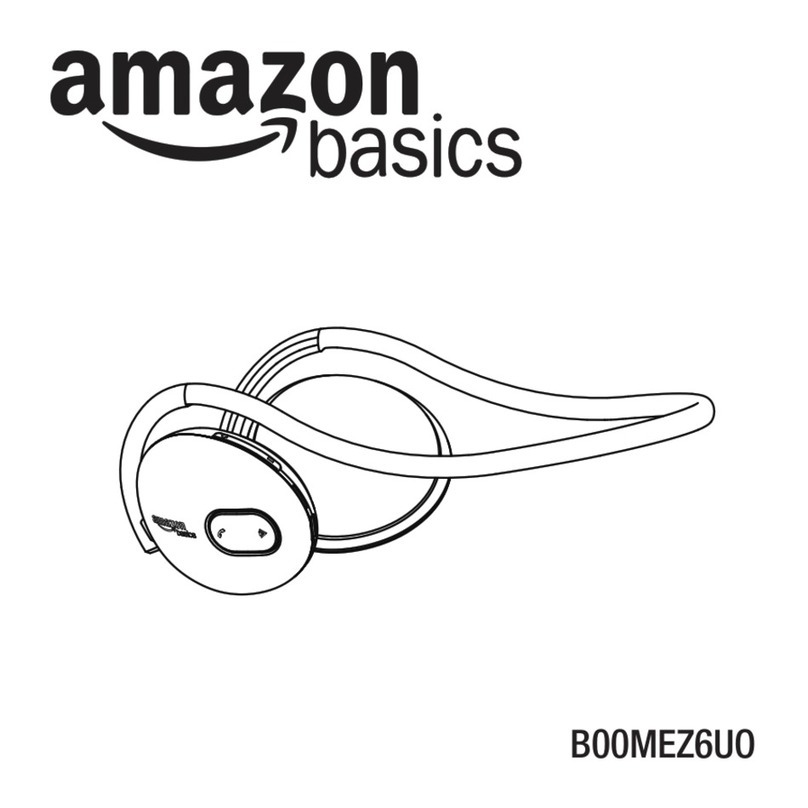
AmazonBasics B078N2VBTK Operating and safety instructions

B078N2VBTK, B078N4DS8F,
B078N6QBPM, B078N8BNC2, B078N4Y2BW
Mono Chat Headset for PlayStation
®
4
Casque Mono Chat Pour PlayStation®4
Mono-Chat-Headset für PlayStation®4
Cuffia Mono con Microfono per PlayStation®4
Auriculares Mono Con Micrófono Para PlayStation®4
モノチャットヘッドセット PlayStation®4用
PlayStation®4 单声道聊天耳机

English ..................................... 3
Français ................................... 9
Deutsch.................................. 14
Italiano................................... 19
Español.................................. 24
日本語 ..................................... 29
中文 ........................................ 34

3
Welcome Guide •English
IMPORTANT SAFEGUARDS
Attention!
Do not listen to music at a high volume for an extended period of time. This may
damage your hearing.
• Use the product only as instructed. Read all instructions before operating the product.
• The device is not a toy. Keep it out of the reach of children and pets.
• Do not disassemble any of the components. Refer all services to qualified personnel only.
• Protect the product from extreme temperatures, direct sunlight, strong jolts,high
humidity,moisture,flammable gases, vapors and solvents.
• Make sure not to squeeze, bend or in any way damage the cable.
SAVE THESE INSTRUCTIONS

4
FCC Information
This equipment has been tested and found to comply with the limits for a Class B digital device,
pursuant to Part 15 of the FCC Rules. These limits are designed to provide reasonable protection
against harmful interference in a residential installation. This equipment generates, uses and can
radiate radio frequency energy and, if not installed and used in accordance with the instructions,
may cause harmful interference to radio communications. However, there is no guarantee that
interference will not occur in a particular installation.
If this equipment does cause harmful interference to radio or television reception, which can be
deter-mined by turning the equipment off and on, the user is encouraged to try to correct the
interference by one or more of the following measures:
• Reorient or relocate the receiving antenna.
• Increase the separation between the equipment and receiver.
• Connect the equipment into an outlet on a circuit different from that to which the receiver is
connected.
• Consult the dealer or an experienced radio/TV technician for help.
Changes or modifications not expressly approved by the party responsible for compliance may
cause interference and void the user’s authority to operate the equipment. This device complies
with Part 15 of the FCC Rules. Operation is subject to the following two conditions: (1) This device
may not cause harmful interference, and (2) this device must accept any interference received,
including interference that may cause undesired operation.
IC Regulatory Statement
This Class B digital apparatus complies with Canadian ICES-3(B)/NMB-3(B).
Simplified EU Declaration of Conformity
• Hereby, Amazon EU S.à.r.l., 5 Rue Plaetis, L-2338 Luxembourg declares that the radio
equipment type (AmazonBasics Mono Chat Headset for PlayStation®4, B078N2VBTK,
B078N4DS8F, B078N6QBPM, B078N8BNC2, B078N4Y2BW) is in compliance with Directive
2014/53/EU.
• The full text of the EU declaration of conformity is available at the following internet address:
https://www.amazon.co.uk/dp/B078N2VBTK / https://www.amazon.co.uk/dp/B078N4DS8F /
https://www.amazon.co.uk/dp/B078N6QBPM / https://www.amazon.co.uk/dp/B078N8BNC2
/ https://www.amazon.co.uk/dp/B078N4Y2BW.

5
Operation
1. Adjust the headband for comfort and position ear-cup onto left or right ear.
2. Insert the 3.5mm audio cable from the headset into the DUALSHOCK®4 audio output jack.
ON OFF ON OFF
Volume DOWN Volume UP
3. Use the ON/OFF switch on the headset control unit to un-mute or mute the microphone.

6
Troubleshooting
Problem Solution
There is static or no sound Check that the 3.5 mm plug is securely attached to the
DUALSHOCK®4 audio output jack.
Check that the volume wheel is not turned to minimum.
Check the settings of your console to ensure the sound output
device selected is the headset.
Microphone not working Check the settings of your console to ensure the input source
selected is the headset.
Ensure that the switch on the headset control unit is set to ON.
Specifications
Rated power: 10 mW
Connection: 3.5 mm plug
Frequency range: 20 Hz - 20 kHz
Sensitivity: 104 ± 3 dB @ 1 kHz
Impedance: 16 Ω
Mic sensitivity: -42 ± 3 dB @ 1kHz
Mic impedance: 2.2 KΩ
Cable length: Approx 1.2 m
Dimensions: 135 x 180 x 65 mm
Weight: 87.8 g

7
Disposal
Regulatory information: Disposal of Waste Electrical and Electronic Equipment
(WEEE) The Waste Electrical and Electronic Equipment (WEEE) Directive aims to
minimize the impact of electrical and electronic goods on the environment, by
increasing re-use and recycling and by reducing the amount of WEEE going to
landfill. The symbol on this product or its packaging signifies that this product
must be disposed separately from ordinary household wastes at its end of life.
Be aware that this is your responsibility to dispose of electronic equipment at
recycling centers in order to conserve natural resources. Each country should
have its collection centers for electrical and electronic equipment recycling.
For information about your recycling drop off area, please contact your related
electrical and electronic equipment waste management authority, your local city
office, or your house hold waste disposal service.
Warranty Information
To obtain a copy of the warranty for this product:
For US - Visit amazon.com/AmazonBasics/Warranty
For UK - Visit amazon.co.uk/basics-warranty
— or —
Contact Customer Service at 1-866-216-1072
Manufactured and distributed under license by Sony Interactive Entertainment America LLC.
“ ”, “PlayStation” and “DUALSHOCK” are registered trademarks of Sony Interactive
Entertainment, Inc.
“ ” is a trademark of the same company.

8
Feedback
Love it? Hate it?
Let us know with a customer review.
AmazonBasics is committed to delivering customer-driven products that live up to your high
standards. We encourage you to write a review sharing your experiences with the product.
Please visit: amazon.com/review/review-your-purchases#
For further services:
Visit amazon.com/gp/help/customer/contact-us
— or —
Contact Customer Service at 1-866-216-1072

9
Guide de Bienvenue •Français
MESURES DE SÉCURITÉ
IMPORTANTES
Attention!
Ne pas écouter de la musique à un volume élevé pendant une période
prolongée. Votre ouïe est susceptible d’être endommagée.
• Utilisez le produit uniquement comme indiqué. Lisez l’ensemble des instructions avant d’utiliser
le produit.
• Cet appareil n'est pas un jouet. Maintenez le produit hors de la portée des enfants et des
animaux domestiques.
• Ne démontez aucun des composants. Confiez tout type de réparations ou d’entretien
exclusivement à du personnel qualifié.
• Maintenez le produit à l’abri des températures extrêmes, de la lumière directe du soleil, des
chocs violents, d’une humidité élevée, de l’humidité, ainsi que des gaz, des vapeurs et des
solvants inflammables.
• Veillez à ne pas serrer, plier ou endommager le câble d’aucune manière.
CONSERVEZ CES
INSTRUCTIONS
Déclaration Réglementaire de l’IC
Cet appareil numérique de Classe B est conforme à la norme canadienne ICES-3(B)/NMB-3(B).
Déclaration de conformité simplifiée de l’UE
• Par la présente, Amazon EU S.à.r.l., 5 Rue Plaetis, L-2338 Luxembourg déclare que le type
d’équipement radio (AmazonBasics Casque Mono Chat Pour PlayStation®4, B078N2VBTK,
B078N4DS8F, B078N6QBPM, B078N8BNC2, B078N4Y2BW) est conforme à la directive
2014/53/UE.
• Le texte complet de la déclaration de conformité de l’UE est disponible à l’adresse suivante:
https://www.amazon.co.uk/dp/B078N2VBTK / https://www.amazon.co.uk/dp/B078N4DS8F /
https://www.amazon.co.uk/dp/B078N6QBPM / https://www.amazon.co.uk/dp/B078N8BNC2/
https://www.amazon.co.uk/dp/B078N4Y2BW.

10
Fonctionnement
1. Pour votre confort, réglez le serre-tête et positionnez l’oreillette sur l’oreille gauche ou droite.
2. Insérez le câble audio de 3,5 mm du casque dans la prise jack de sortie audio DUALSHOCK®4.
ON OFF ON OFF
Baisser le volume Augmenter le volume
3. Activez ou désactivez le microphone à l’aide de l’interrupteur ON/OFF situé sur le dispositif de
commande du casque.
This manual suits for next models
4
Table of contents
Languages:
Other AmazonBasics Headset manuals