©2022 Atlas Sound LP. The Atlas “Circle A”, Soundolier, and Atlas Sound are trademarks of Atlas Sound L.P. IED is a Registered Trademark of Innovative Electronic Designs LLC. All rights reserved.
All other Trademarks are property of their respective owners. No endorsement is implied. Due to continual product development, specifications are subject to change without notice. ATS006960 RevC 6/22
AtlasIED.com
TELEPHONE: (800) 876-3333
SUPPORT@ATLASIED.COM
1601 JACK MCKAY BLVD.
ENNIS, TEXAS 75119 U.S.A.
Prior to Starting Installation
Before installing, note the unit’s MAC address found under the top cover (example 00:02:C1:81:00:00). Once connected to a network and powered,
the Dante IP endpoint speaker will boot up and automatically obtain an IP address from a DHCP server on the network. All AtlasIED Dante PoE
speakers come preconfigured in DHCP mode. Once the speaker is powered on, it can be discovered in the Audinate’s Dante Controller software or the
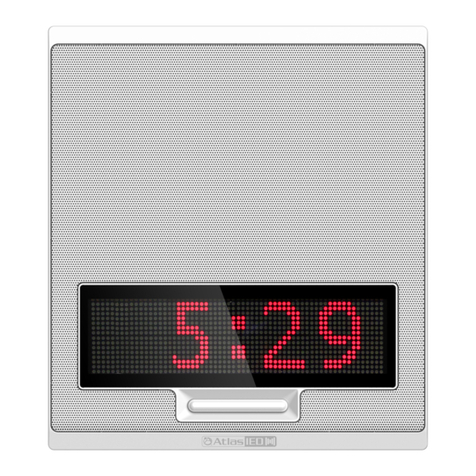
AtlasIED IP Discovery and Control Software. The AtlasIED Dante speaker will appear in Dante Controller software as an AtlasIED speaker. Example:
Dante Model name is DA-PM8GD with the Dante Device Name of DA-PM8-82001B, with the last 6 digits being from the MAC address. Using Dante
controller software, audio signals can be routed to the DA-PM8GD speaker. Making amplifier configuration changes or audio adjustments to the
DA-PM8GD speaker requires using the AtlasIED IP Discovery & Control software. This software can be downloaded using the following link:
http://autoupdate.atlasied.com/atlasieddiscover/setup.exe.
Factory assign Username and Passwords are:
• Username “admin”
• Password “admin”
After logging in for the first time, you will be asked to change the factory Username and Password. Note: If the login reset is selected, all setting will
be cleared and set back to the original factory settings.
Installation via Mounting Cables (Included)
General considerations and hardware recommendations:
CAUTION: A fall from almost any height could result in serious injury or death. Assure that the speaker is firmly mounted to an object that can handle
the weight of the DA-PM8GD. The mounting surface the DA-PM8GD is being attached to should be able to handle five or more times the weight of the
DA-PM8GD.
The hardware employed must be safely and securely attached both to the speaker and the structure in question, using only the mounting holes. A
general rule for soft surface installations (wood beams) is to multiply the corresponding working load limit by 75%. The result will be approximate
working load strength. Use thread locking compound for all installations.
AVERTISSEMENT: Une chute de n’importe quelle hauteur pourrait entrainer des blessures graves ou même la mort. S’assurer que le haut-parleur est
fermement attaché à un point qui peut supporter le poids du DA-PM8GD. Ce point d’attache devrait être en mesure de supporter une charge supérieur
ou égale à cinq fois le poids d’un DA-PM8GD.
La quincaillerie utilisée devrait être sécuritairement fixée à la surface de montage et au haut-parleur en utilisant que les points d’ancrages prévus à
cet effet. Pour les installation sur des poutres ou madriers en bois, il est recommandé de multiplier la capacité charge maximale par 75%. Ce calcul
donnera approximativement la capacité de charge utile. Toujours utiliser un frein filet.
CAUTION: Mounting the DA-PM8GD may require two people.
AVERTISSEMENT: L’installation d’un DA-PM8GD peut nécessiter l’intervention de deux personnes.
When in doubt, contact a qualified structural / mechanical engineer for approval of the mounting materials and methods.
1. Rotate the top cover counterclockwise and pull up to remove. (Figures 1 and 2)
2. Locate suitable support structure in the area the speaker is to be installed.
3. Route the bare end of the main support cable though the included clamp, then around the mounting structure, and back through the clamp.
(Figures 3 and 4)
4. Adjust the cable length in the clamp so that the eyelet end of the cable is at the final height above the floor. (Figure 5)
5. Route the eyelet end of the main support cable through the top cover of the DA-PM8GD. Attach the included carabiner clip to the eyelet and the
large mounting hole on the back of the DA-PM8GD. (Figure 6)
6. Repeat steps 1 - 4 for the safety cable and attach it to one of the outer mounting holes on the support plate of the DA-PM8GD using the included
mounting screw. (Figure 6)
7. Route the Ethernet cable through the top cover and connect to the RJ-45 Connector. Add extra cable length for a service loop during assembly. Do
not pull or stress the Ethernet cable or damage may occur to the RJ45 connector.