USER MANUAL _ 10
LEVANTE CONTROL PANEL MENU – OPTION DETAILS
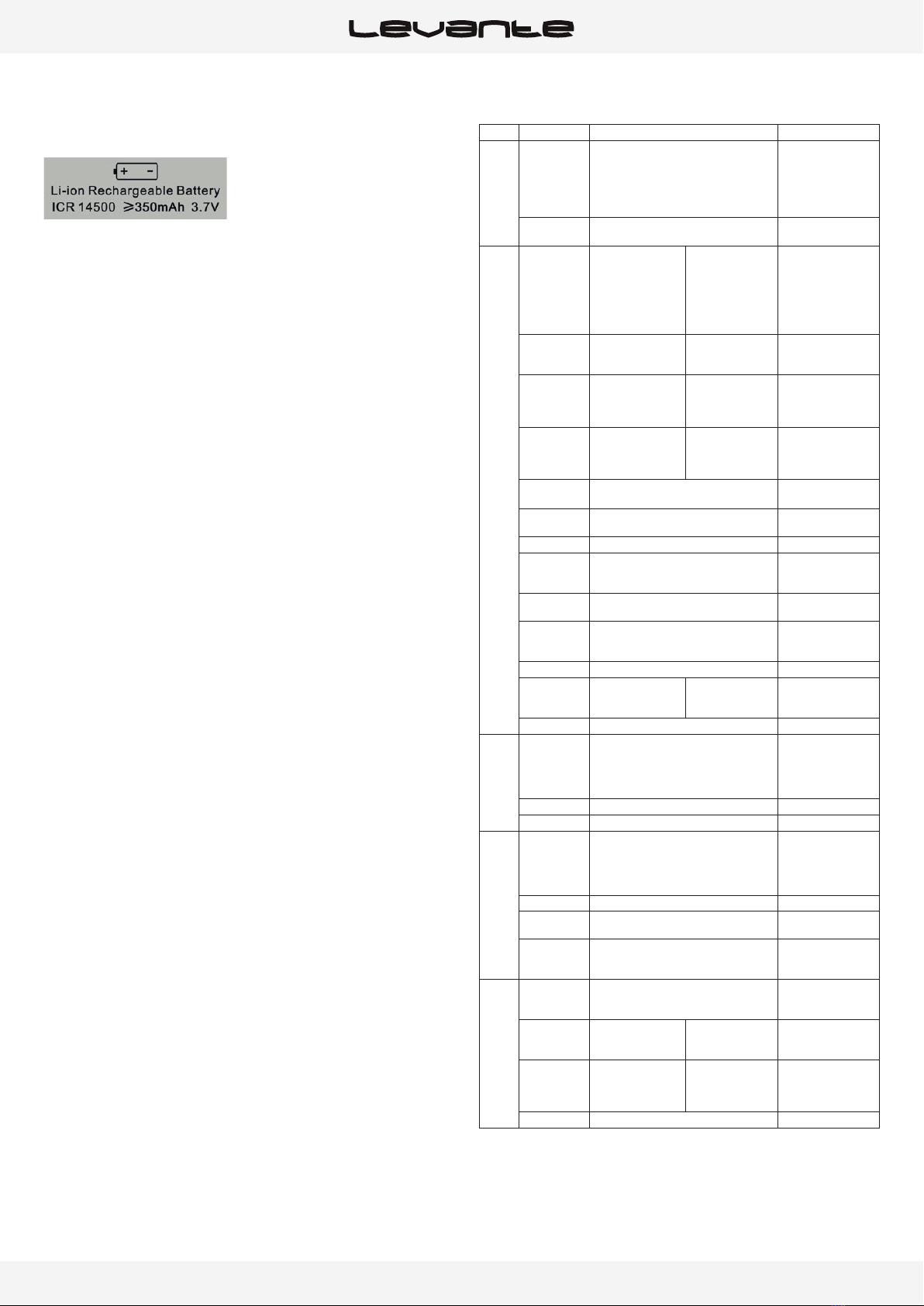
The following section provides details on the options that can be selected
through the control panel menu. Refer to the table above.
Note:You can exit this menu at any time by pressing “Mode Esc” repeatedly
until you return to the home screen.
ADDRESS
SET DMX ADDR
Allows you to change a DMX address from the fixture’s control panel.
wDouble click jog wheel to access main menu.
wThe display will show “ADDRESS”.
wDouble click to access the menu “Set DMX Address”.
wTurn the jog wheel clockwise and set the DMX address “A001~AXXX”.
wDouble click to confirm
wLong click the jog wheel to exit the menu – “Set DMX Address” then
back to main menu by long click again.
MODE
USERS MODE
With this function, you can choose between different DMX modes.
wDouble click jog wheel to access main menu
wTurn the jog wheel clockwise to display“USERS MODE”.
wDouble click to edit.
wTurn the jog wheel clockwise to display “User mode” Double click to
edit.
wChoose “Stand Mode” “Basic mode” “Extended mode” , “User Mode A”
“User Mode B” and “User Mode C”.
wDouble click to confirm
wLong click to exit –“User Mode” then back to main menu by long
click again.
EDIT USER A, B, OR C
With this function you can adjust the channel order.
wDouble click jog wheel to access “USERS MODE” menu
wTurn the jog wheel until display“Edit User”.
wDouble click to access “Edit User” menu.
wSet up “Max Channel=xxx” and select channel value.
wSet up “Mode B” and “Mode C” by the same way.
wLong click to exit – “Edit User” then back to main menu by long click
again.
OPTIONS
STATUS
No DMX Mode
Defines the fixture’s state when there is no command signal from the DMX
controller. The fixture can either launch a program automatically, close the
shutter, or even remain in the state when the last DMX values (Hold) were
received. The default setting is “Hold.”
wDouble click jog wheel to access main menu.
wTurn the jog wheel clockwise then display “Options”.
wDouble click to access “Options” turn the jog wheel to select “Status”.
wDouble click to access “Status” menu The display will show “No DMX
Status”.
wDouble click to access “No DMX Status” The display will show “Hold”
Turn the jog wheel to select “Close”.
wDouble click to confirm
wLong click to exit the menu –“Status” then back to main menu by long
click again.
Pan Reverse
Reverses the PAN movement.
wDouble click jog wheel to access main menu.
wTurn the jog wheel clockwise to display “Options”.
wDouble click to access “Options” turn the jog wheel to select “Status”.
wDouble click to access “Status” menu display will show “Pan Reverse”.
wDouble click to access “Pan Reverse”, display will show “OFF” turn the
jog wheel to select “ON”.
wDouble click to confirm
wLong click the jog wheel to exit menu –“Status” then back to main
menu by long click again.
Tilt Reverse
Reverses the direction of the TILT movement.
wDouble click jog wheel to access main menu.
wTurn the jog wheel clockwise to display “Options”.
wDouble click to access “Options” turn the jog wheel to select “Status”.
wDouble click to access to access “Status” menudisplay will show “Tilt
Reverse”.
wDouble click to access “Tilt Reverse” The display will show “OFF” Turn
the jog wheel to select “ON”.
wDouble click to confirm
wLong click the jog wheel to exit menu –“Status” then back to main
menu by long click again
Pan Degree
Adjusts the amplitude of the PAN movement at 630° or 540°.
wDouble click jog wheel to access main menu.
wTurn the jog wheel clockwise then display“Options”.
wDouble click to access“Options” turn the jog wheel to select “Status”.
wDouble click to access “Status”menu The display will show “Pan
Degree”.
wDouble click to access to access“Pan Degree” The display will show
“540” Turn the jog wheel to select “630”.
wDouble click to confirm
wLong click the jog wheel to exit menu –“Status” then back to main
menu by long click again.
Feedback
Readjusts the PAN and TILT positions automatically in the event of
accidental shifting due to a physical shock.
wDouble click jog wheel to access main menu.
wTurn the jog wheel clockwise then display “Options”.
wDouble click to access “Options” turn the jog wheel to select “Status”.
wDouble click to access “Status” menu The display will show “Feedback”.
wDouble click to access “Feedback” The display will show “ON” Turn the
jog wheel to select “OFF” to deactivate feedback.
wDouble click to confirm
wLong click the jog wheel to exit menu –“Status” then back to main
menu by long click again.
Pan/Tilt Spd
You can choose between four movement speeds, from “Speed 1” to
“Speed 4.” The “Speed 1” setting is the fastest.
wDouble click jog wheel to access main menu.
wTurn the jog wheel clockwise then display “Options”.
wDouble click to access “Options” turn the jog wheel to select “Status”.
wDouble click to access “Status” menu The display will show “Pan/Tilt
Spd”.