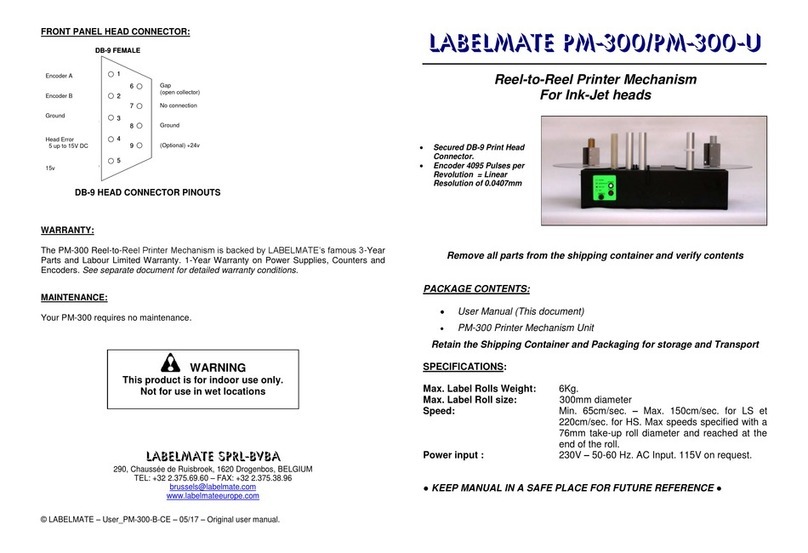
Azon ROTAX User manual

Technical Documentation
AZON Razor/Conti
ROTAX adapter
azonprinter.com
USER MANUAL

The new Azon innovation enables 360 degree printing on a
wide range of materials. The possibilities of digital printing
have now been doubled with specially designed rotary adapt-
er. Rotax allows printing on a vast range of cylindrical objects
with diameter ranging from 41 mm to 127 mm and height up
to 279 mm.
With new rotary adapter, it is possible to print more varied
print applications. Print on cylindrical and cone objects such
as beer and wine glasses, cups, candles, tube, cans, tanks,
vases, awards and much more. Rotax makes cylindrical print-
ing efcient and precise by delivering both white and full col-
our prints.
Rotax attachment is easy to install, quick to mount and smooth
to operate. It takes only two minutes to plug and play. Simply
mount the adapter on the printer and insert a connector. User
friendly settings and functions, simple installation steps, intui-
tive and user-friendly operation are only some of the features
which will satisfy our customers’ needs. This Manual will cover basic usage of Rotary Attach-
ment on Azon Razor UV Flatbed printer. Please read
important notications on next page before continuing.
When setting up the rotary for the rst time, please
read entire manual rst.

AZON ROTAX USER MANUAL
3Page
Make sure printing
objects put on ro-
tary do not exceed
prescribed dimen-
sions:
When using laser for height
adjustment or Auto height
check, make sure this op-
tions are not disabled in
Settings menu.
Your settings menu should
look like on picture 1:
Picture 1: Settings menu
Make sure that Discharge mode is OFF when you are printing on
Rotary, otherwise you will get an error.
Important!
Please read the First step guide to familiarize yourself with
printer parts and functions before setting up Rotary attachment.
Table 1: Cylinder Dimensions
Minimum Diameter: 1.6” 41 mm
Maximum Diameter: 5” 127 mm
Minimum Height: 0.9” 23 mm
Maximum Height: 11” 220 mm*
Print Mode
Auto UV
Lamp
Pause
Move Printer
Back
Move Printer
Forward
Rotate Rotary
Backwards
Rotate Rotary
Forward
Move
printer
UP
Move
printer
DOWN
Menu Select
Main Rotary Display
Make sure Top Cover is lifted when using Auto Height Check.
* 220 mm is maximum span of ratary wheels, but 279
mm bottles with small diameter throats can be used
safely

AZON ROTAX USER MANUAL
4Page
Main Parts
Set of sta-
tionary drive
wheels
Cup holder wheel
(removable)
Set of adjustable
passive wheels
Width adjust-
ment lock
Height adjustment
knob
Moving platform
Stop
point
Thumb
Screw
holes
Rotary Cable
Connector

AZON ROTAX USER MANUAL
5Page
Adjust the Spit Box orientation
For common usage (when printing on table) Spit Box needs to be set
up like on picture a.
For printing on rotary, it needs to be set up like on picture b.
Picture a: Table printing setup
To rotate Spit Box rst lift it up (green arrow). It has two hooks on both
sides which are used to attach to printer construction.
When you remove the Spit Box, just rotate it for 180 in right direction
and attach with hook to the construction. It needs to be positioned like
shown on picture b.
Picture b: Rotary printing setup
After your are nished with printing on rotary you need to put spit box in
table printing position, and clean the accumulated cured ink from box.
If you didn’t remove the transport screw (red arrow on picture b) you
need to remove it with 2 mm Allen type key.
Perform Nozzle Check
Before printing on Rotary, you need to perform Nozzle Check. If nozzle
check pattern is not good the print also will not be good.
Refer to Service Manual if you get an bad nozzle check pattern.
Perform Slant Check
Head slant is also very important for quality of print.
Print the “alignment test” le and if test is not good refer to Service
Manual for head slant adjustment.

AZON ROTAX USER MANUAL
6Page
Make sure printer is at the back
position so it is not in the way
and it doesn’t hit the Rotary.
Move printer back.
L shaped proles from Rotary edge needs to
t with Front Cover L shaped edges (picture 5).
Picture 4
Picture 3
Picture 5
Lift the Top cover.
Rotary needs to be positioned exactly at front printer position (picture 3,
picture 4).
Attach the Rotary
Picture 2
Picture 3
You can move printer back
by pressing the back arrow
on display.
Hold it for couple of sec-
onds and realise and the
printer will automatically
stop at back end position.
Top
Cover

AZON ROTAX USER MANUAL
7Page
When Rotary is connected you will get this screen on LCD Display
Touch the Display
to continue.
Now you will get the main rotary
display (picture 10).
Move printer higher than rotary with the bottle, or
lift it up to the end position (20 cm).
TIP: alternative is to put printer
in Online mode, and it will au-
tomatically adjust its height,
but make sure that in Settings
menu head sensor and auto
height check are not disabled
(picture 11) and lift the top cov-
er.
Picture 11
Plug in rotary cable.
Protective
Nut
Without
Nut
Picture 6
Picture 7
Picture 8 Picture 9
Make sure that hole from
Connector corresponds
to connector on machine
(markings on pictures 8 and
9).
Once connected, rotate
Connector nut in clockwise
direction to fix its position.
Rotary Connector is lo-
cated on the right side of
Front Printer Cover.
First unscrew protecting
nut (pictures 6 and 7)
Move the printer up
Picture 10

AZON ROTAX USER MANUAL
8Page
Now the printer should look something like on picture 12).
Picture 12
* Arrow describes direction of bottle rotation in print.
SPLITTING NOZZLES ON AZON RIP
Azon RIP Software provides option CONFIGURE ROTARY , this option
is used to adjust number of nozzles [ decrease or increase ] used while
printing on rotax adapter.
PURPOSE OF SPLITTING:
By splitting nozzles on print
head printing area is de-
creased.
WHERE TO USE :
This option is used while
printing on rotary adapter
It will reduce the distance
(height ) between print
head printing area and
rounded object.
*Number of nozzles are
round numbers for easiest
explanation
*Number of nozzles are
round numbers for easiest
explanation
Before printing on bottles, rst read the information about
splitting nozzles on AZON RIP for better understanding of
ROTAX printing.
Printable media
180 nozzles
full width of the print head
90 nozzles 90 nozzles
½ print head width ½ print head width
printing area
print head printing area
feed direction
180 nozzles
full width of the print head
print head printing area
90 nozzles
½ print headwidth
print head printing area
rounded media
rounded media
Reduced print head printing area =reduced angle = reduced distance
from printhead to object

AZON ROTAX USER MANUAL
9Page
IMPORTANT TO KNOW:
There are recommended settings for printing on Azonprinter Rotary
adapter . Those settings are not the only one to use on rotary , Azon-
printer cannot guarantee quality results and stability of machine if print
settings are changed by user.
HINTS:
Highest point of the printable object need to be set exactly between
white and color layer.
Process of the calibration [procedure to determine best possible posi-
tion for rotary] can be found on next pages.
If number of nozzles is changed , line between white and color layer
will be shifted. EXAMPLE on right.
* Both options 64 nozzles and 32 nozzles will not utilize full width of the head !
[Maximum number per layer is 180 nozzles and minimum is 16 nozzles]
RAZOR is calibrated for 32 nozzles
setting for printing on ROTAX.
You need to re calibrate RAZOR when using
64 or 96 nozzles (180 nozzles are not recom-
mended for ROTAX printing).
Calibration Skip this chapter if you use default 32 nozzles setting.
1) Install the plexiglass on ROTAX.
Put 2 Allen type screws and secure the plexiglass (3 mm Allen
type screwdriver required).
ROTAX with properly installed calibration plexiglass.
2) Lover the printer to plexiglass level.
Move sensors in between Plexiglas and lover it. (make sure
head sensor is not disabled).
3) Put the printer in ONLINE mode.
4) RIP the “ROTAX calibration” le.
Use desired number of nozzles (Refer to page 14 for help).
32 nozzles
color layer
32 nozzles
white layer
64 nozzles
option
16 nozzles colorlayer
16 nozzles whitelayer
32 nozzles
option
64 nozzles option line between white and color
32 nozzles option line between white and color
Line is shied for 2 mm, rotary need to
be recalibrated in order to set the line
on highest point of the printable object.
Refer to rotary manuals.

AZON ROTAX USER MANUAL
10Page
Set-up printing material
Follow the next instructions depending on type of material you are
printing on. We have arranged the instructions for:
a) Cylindrical bottle
b) Conical or Cup
a) Printing on Cylindrical bottle
Put the bottle on ro-
tary and adjust the
width by pressing
the lock (red arrow)
and moving the plat-
form (green arrow).
Make sure you ad-
just the width of the
rotary in a way that
bottle can not fall or
oscillate while mov-
ing. The mass of
the bottle needs to
be spread equally
across wheels on
both sides.
Make sure bottle doesn’t
touch the platform
Flat side of bottle
needs to be on nearest
to the stop point
TIP: it is better to pour water in a bottle when
printing, because it will be more stabile.
Picture 13
Picture 14
5) Print the le and calibrate ROTAX. Repeat this process until
you get best result.
Depending on location of printed le on calibration plexiglass,
move the ROTAX back or forward (examples bellow).
Table of contents