manuals.online logo
Brands
  1. Home
  2. •
  3. Brands
  4. •
  5. Bakers Pride
  6. •
  7. Convection Oven
  8. •
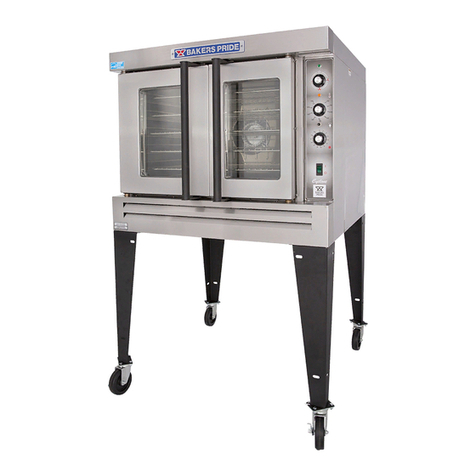
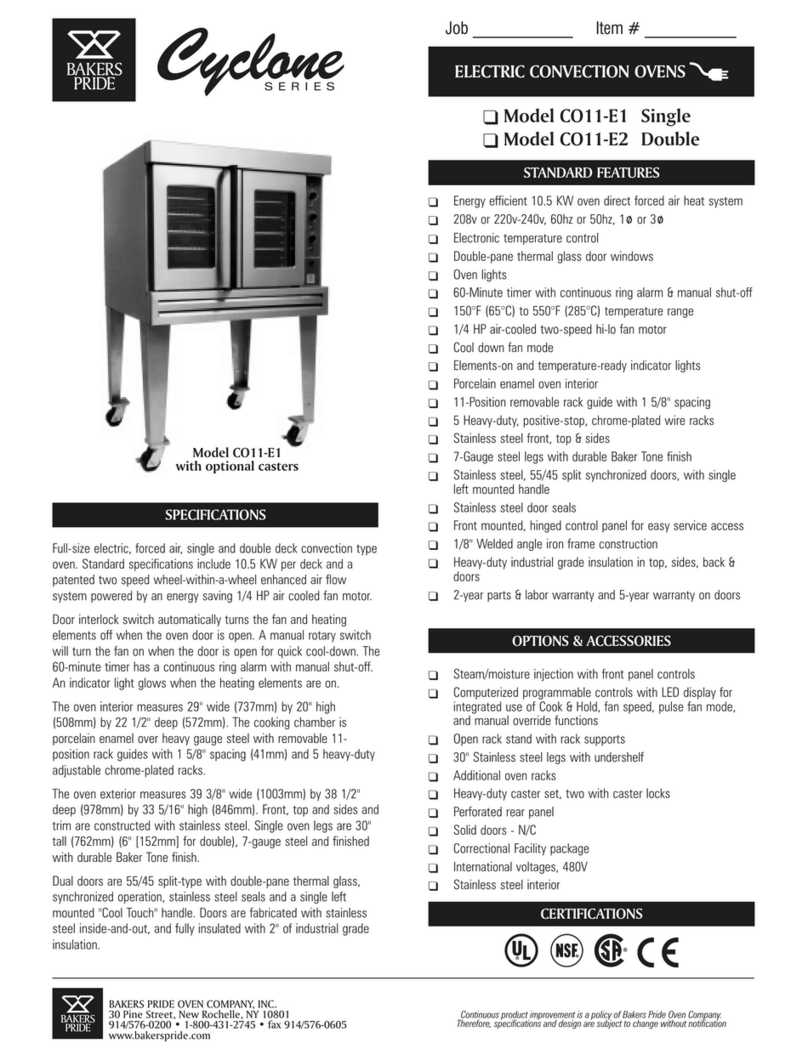
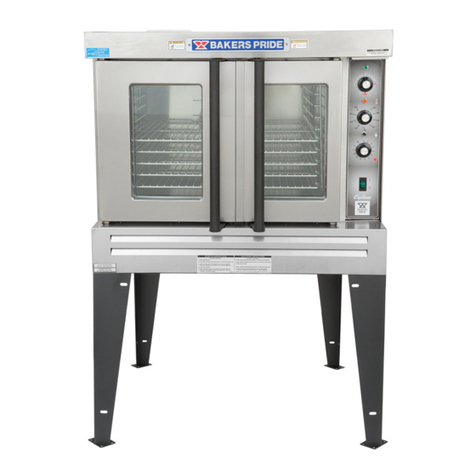
  9. Bakers Pride Cyclone CO11-E1 User manual

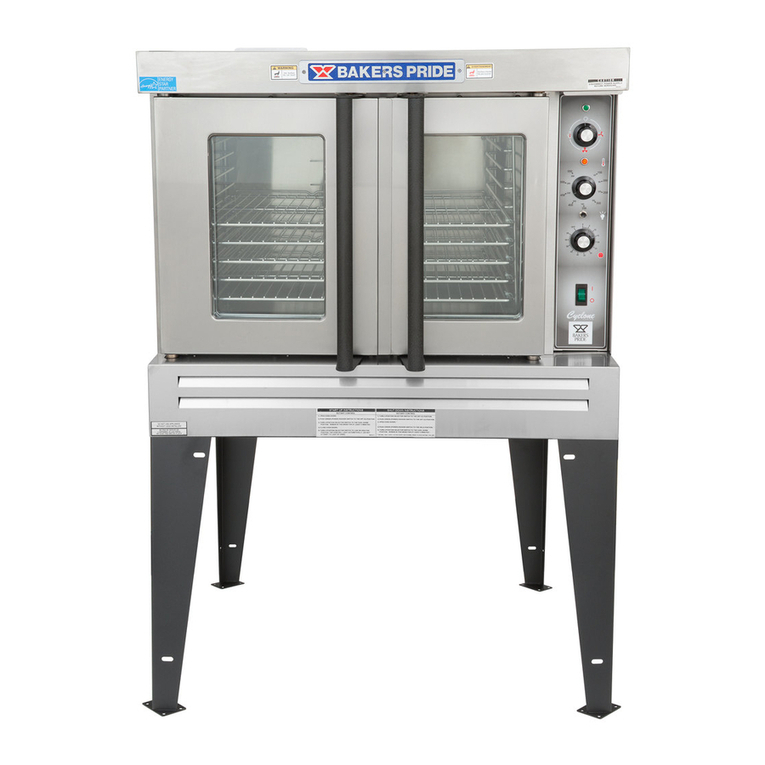
Bakers Pride Cyclone CO11-E1 User manual

Other manuals for Cyclone CO11-E1

2

This manual suits for next models

3

Other Bakers Pride Convection Oven manuals

Bakers Pride Cyclone BCO-E1 Use and care manual

Bakers Pride

Bakers Pride Cyclone BCO-E1 Use and care manual

Bakers Pride COC-E User manual

Bakers Pride

Bakers Pride COC-E User manual

Bakers Pride Cyclone CO11-G User manual

Bakers Pride

Bakers Pride Cyclone CO11-G User manual

Bakers Pride Cyclone BP-200 User manual

Bakers Pride

Bakers Pride Cyclone BP-200 User manual

Bakers Pride Cyclone BP-200 User manual

Bakers Pride

Bakers Pride Cyclone BP-200 User manual

Bakers Pride Cyclone CO11-G User manual

Bakers Pride

Bakers Pride Cyclone CO11-G User manual

Bakers Pride Cyclone CO11-E1 User manual

Bakers Pride

Bakers Pride Cyclone CO11-E1 User manual

Bakers Pride Cyclone CO11-G User manual

Bakers Pride

Bakers Pride Cyclone CO11-G User manual

Bakers Pride C011-G1 User manual

Bakers Pride

Bakers Pride C011-G1 User manual

Bakers Pride Cyclone BCO-E1 User manual

Bakers Pride

Bakers Pride Cyclone BCO-E1 User manual

Bakers Pride BCO-E User manual

Bakers Pride

Bakers Pride BCO-E User manual

Bakers Pride Cyclone BCO-E1 User manual

Bakers Pride

Bakers Pride Cyclone BCO-E1 User manual

Bakers Pride BCO-E User manual

Bakers Pride

Bakers Pride BCO-E User manual

Bakers Pride BCO-G User manual

Bakers Pride

Bakers Pride BCO-G User manual

Bakers Pride BCO-E User manual

Bakers Pride

Bakers Pride BCO-E User manual

Bakers Pride Cyclone GDCO-G1 User manual

Bakers Pride

Bakers Pride Cyclone GDCO-G1 User manual

Bakers Pride GDCO-G User manual

Bakers Pride

Bakers Pride GDCO-G User manual

Bakers Pride Cyclone CO11-G1 User manual

Bakers Pride

Bakers Pride Cyclone CO11-G1 User manual

Bakers Pride Convection-Flo 101 User manual

Bakers Pride

Bakers Pride Convection-Flo 101 User manual

Bakers Pride Cyclone BCO-G1 Quick start guide

Bakers Pride

Bakers Pride Cyclone BCO-G1 Quick start guide

Bakers Pride Cyclone BP-200 User manual

Bakers Pride

Bakers Pride Cyclone BP-200 User manual

Bakers Pride Cyclone BCO-E1 User manual

Bakers Pride

Bakers Pride Cyclone BCO-E1 User manual

Bakers Pride Cyclone BCO-G1 User manual

Bakers Pride

Bakers Pride Cyclone BCO-G1 User manual

Bakers Pride Cyclone CO11-G User manual

Bakers Pride

Bakers Pride Cyclone CO11-G User manual

Popular Convection Oven manuals by other brands

Goldair GOV300 operating instructions

Goldair

Goldair GOV300 operating instructions

Aroma ABT-266SC instruction manual

Aroma

Aroma ABT-266SC instruction manual

Dometic DOTRC11B owner's guide

Dometic

Dometic DOTRC11B owner's guide

Smeg ALFA341VE user manual

Smeg

Smeg ALFA341VE user manual

homark 01-711000 Instruction manual and guarantee

homark

homark 01-711000 Instruction manual and guarantee

Vulcan-Hart C4ED Installation and operation manual

Vulcan-Hart

Vulcan-Hart C4ED Installation and operation manual

Jenn-Air SVE47600 use and care manual

Jenn-Air

Jenn-Air SVE47600 use and care manual

Waring WCO500 instructions

Waring

Waring WCO500 instructions

Moffat turbofan E25 Service manual

Moffat

Moffat turbofan E25 Service manual

Deni Quick-n-Easy 10400 Instructions for proper use and care

Deni

Deni Quick-n-Easy 10400 Instructions for proper use and care

Sharp R-980J Operation manual

Sharp

Sharp R-980J Operation manual

Whirlpool OBI M50 Use & care guide

Whirlpool

Whirlpool OBI M50 Use & care guide

Wells WVOC-4HF Operation manual

Wells

Wells WVOC-4HF Operation manual

LG LSWS306ST Service manual

LG

LG LSWS306ST Service manual

Convotherm The MINI OES-6.08 Operator's manual

Convotherm

Convotherm The MINI OES-6.08 Operator's manual

Lang GCSF-ES Installation and operation instructions

Lang

Lang GCSF-ES Installation and operation instructions

Electrolux 6 GN1/1 Short form specification

Electrolux

Electrolux 6 GN1/1 Short form specification

Unox BAKERLUX SPEED.Pro Use and maintenance

Unox

Unox BAKERLUX SPEED.Pro Use and maintenance

manuals.online logo
manuals.online logoBrands
  • About & Mission
  • Contact us
  • Privacy Policy
  • Terms and Conditions

Copyright 2025 Manuals.Online. All Rights Reserved.

INSTALLATION AND OPERATING INSTRUCTIONS
Cyclone SERIES
ELECTRIC CONVECTION OVENS
Models: CO11-E and COC-E
INTENDED FOR OTHER THAN HOUSEHOLD USE
RETAIN THIS MANUAL FOR FUTURE REFERENCE
OVEN MUST BE KEPT CLEAR OF COMBUSTIBLES AT ALL TIMES
This equipment has been engineered to provide you with year round dependable service when used
according to the instructions in this manual and standard commercial kitchen practices.
BAKERSBAKERS
PRIDEPRIDE
WARNING
Improper installation, adjustment, alteration, service or maintenance can cause
property damage, injury or death. Read the Installation, Operating and
Maintenance Instructions thoroughly before installing or servicing this equipment.
! !
FOR YOUR SAFETY
Do not store or use gasoline or other flammable vapors and liquids in the vicinity
of this or any other appliance.
! !
Initial heating of oven may generate smoke or fumes and must be done in a well-
ventilated area. Overexposure to smoke or fumes may cause nausea or dizziness.
! !
Form #U4158A 9/07
BAKERS PRIDE OVEN CO., INC.
30 Pine Street
New Rochelle, NY 10801
+1 (800) 431-2745 US & Canada
+1 (914) 576-0200 Phone [email protected] E-Mail
+1 (914) 576-0605 Fax www.bakerspride.com Web Address
1
INDEX
INSTALLATION INSTRUCTIONS
SECTION ITEM PAGE
1 Receiving 2
2 Location & Minimum Clearances 2
3A Set-Up & Mounting for COC-E1 3
3B Set-up & Mounting for CO11-E 3
4 Electrical Connections 4
5 Initial Start Up 5
6 System Check & Rotary Controls 5
7 Steam Injection (Optional) 6
OPERATING INSTRUCTIONS
SECTION ITEM PAGE
1 General Instructions 6
2 System Operation Sequence 6
1. Cook Only (Rotary Control) 6
2. Timed Cooking (Rotary Control) 6
3. Cook & Hold (Rotary Control) 6
4. Steam Injection [Optional] (Rotary Control) 7
5. Oven Cool Down (Rotary Control) 7
3 Cleaning 8
4 Servicing 9
5 Wiring Diagrams 10
a. COC-E & CO11-E, 208 or 220-240V w/Invensys Temperature Controller 10
b. COC-E & CO11-E, 230-400V CE w/Invensys Temperature Controller 11
c. COC-E & CO11-E, 208 or 220-240V w/FAST Temperature Controller (G-6) 12
d. COC-E & CO11-E, 230-400V CE w/FAST Temperature Controller (E-6) 13
6 Parts Lists w/Exploded Views 14
a. CO11-E 14
b. COC-E 17
7 Warranty 20
2
INSTALLATION INSTRUCTIONS
1. RECEIVING
Read the notice on the outside carton regarding damage in transit. “CONCEALED DAMAGE”,
damage discovered after opening the crate(s), must be reported immediately to the carrier. The carrier
will perform an inspection of the damage and furnish forms for the consignee's claim against the carrier.
Retain all packing material - including outer carton until the inspection has been completed. When the
oven arrives, it should consist of: A crate (or carton) containing your new oven, and a carton containing
four 30” legs with mounting hardware (for CO11-E1 oven only). A set of four 6” legs (for CO11-E2
stacked installations) and legs for COC-E are packed inside the oven.
2. LOCATION & MINIMUM CLEARANCES
a. Provision of adequate air supply to the oven for ventilation is essential. Minimum clearances must
be maintained at all times.
MINIMUM CLEARANCES
COC-E1 CO11-E1
Inches mm Inches mm
Right 1 25 1 25
Left 1 25 2 50
Rear 1 25 1 25
Suitable for installation on combustible floors when installed on factory supplied legs or casters.
3A.SET-UP / MOUNTING FOR COC-E1
Counter-top installation must conform to one of the following methods:
1. COC-E1: Direct Placement On Counter
a. Make sure the counter is level.
b. Clean the area where unit is to be installed.
c. Place the unit in position on the counter and mark the outline of the unit.
d. Remove the unit and apply 1 ¼” bead of sealer (Dow Corning RTV 732 Multipurpose
Sealant or its equivalent) directly onto the counter following the traced outline (see Sketch “A”).
e. Place the unit in position, over the sealer, on the counter.
f. With the unit in place, apply an additional heavy bead of sealer along all edges (see
Sketch“B”).
G. Wipe clean any excess sealer.
3
Traced Outline
1 1/4” Bead of
sealer applied
onto counter
SKETCH “A” - TOP VIEW
BAKERS PRIDE
Bead of sealer
along oven edges
SKETCH “B” - FRONT VIEW
2. COC-E1: Installation / Mounting 6” Legs (optional)
a. The adjustable legs are not shipped mounted to unit. The legs are packed inside the unit
with the wire shelves.
b. After unpacking the unit, remove legs and any other material from inside the oven.
c. Place the unit on a counter or other flat, stable surface.
d. With sufficient help, tilt the unit back far enough to mount the two front legs.
e. Tighten the upper part of the leg with an adjustable wrench.
f. After installing the front legs, lift the rear of the unit more than 6” off the surface and block in
position using wood or some other solid material.
g. Mount the two rear legs and tighten them in the same fashion.
h. Using proper equipment, move the unit to its final location.
i. To ensure proper operation, the unit must be level. Each leg can be adjusted separately to
achieve proper leveling.
j. Install the shelf supports and the wire shelves.
3B SET-UP / MOUNTING FOR CO11-E
Note: Units must be leveled after leg installation. Each leg is individually adjustable.
1. CO11-E1: Installation / Mounting 30” Legs
a. After unpacking the unit, remove legs and any other material from inside the oven.
b. Tilt the oven onto its left side and attach the two right legs using three ½” bolts and washers for
each leg. Tighten firmly.
c. Use proper lifting equipment to raise the unit, and while suspended attach the two left legs in the
same manner.
4
2. CO11-2E: Installation / Mounting 6” Legs
a. After unpacking the unit, remove legs and any other material from inside the oven.
b. Tilt the bottom oven onto its left side and attach the two mounting plates to the right underside
using ½” bolts and washers and tighten firmly. Screw the 6” legs into the center holes.
c. Use proper lifting equipment to raise the unit, and while suspended attach the two left mounting
plates and legs in the same manner.
d. Use the lifting equipment to raise the top oven to the proper height, and slide it on top of the
bottom oven. Line up the sides and front and use the supplied stacking brackets, screws and
lock washers to fasten the two ovens in the back.
3. CO11-E1: Assembly Of An Open Rack Stand (see Sketch “D”)
a. Slightly loosen the (12) 30” leg bolts.
b. Remove (4) inner bolts, (1) from each of the four legs, place the top right angle underneath as
shown, and tighten these (4) bolts.
c. Insert Open Rack Shelf and tighten into place with (8) 3/8”-16 screws, washers and nuts.
d. Position Rack Supports and tighten in place using (4) 5/16”-18 hex nuts and flat washers.
4. COC-E / CO11-E1: Installation Of Casters (Optional)
a. (4) Casters (2) with wheel brakes and the mounting hardware is packed and included in the
shipment if ordered.
b. Install casters with wheel brakes on the front of the unit. Note: See page 9, sketch D.
c. Install rear legs with casters on the back of the unit with the restraining plate affixed firmly
between the right rear leg & the bottom of the appliance as shown on page 9.
d. Provide a suitable restraining chain or cable to securely tether the appliance to the building
structure. The restraining chain or cable should be of such length, that it will stop movement of
the appliance before there is any strain on the power supply cable.
4. ELECTRICAL CONNECTIONS
1. General Instructions
a. A licensed electrician must make electrical connections.
b. When installed, unit must be electrically grounded in accordance with the local codes and/or the
latest edition of the National Electrical Code ANSI/NFPA No. 70 in USA or Canadian Electrical
Code, CSA Standard C22.1, Part 1 in Canada.
c. Make sure electrical supply corresponds with that specified on the rating plate.
d. For single phase 2-wire or three phase 3-wire supplies, the controlling branch circuit is
designed to operate at 208-240 volts AC and is pre-wired at the factory between L1 and L2 of
the field wiring terminal block (in North America).
e. For three phase 4-wire 230/400 Volts AC 50hz supplies, the controlling branch circuit is
designed to operate at 230 volts AC and is pre-wired at the factory between L2 and N of the field
wiring terminal block.
f. Only use copper conductors rated at 90°C.
g. All pole disconnect must be provided by the installer.
h. FOR CE UNITS: The appliance must be connected by an earthing cable to all other units in the
complete installation and thence to an independent earth connection in compliance with EN
60335-1 and/or local codes. If flexible line cordage is used to connect the equipment, it should
be a minimum of H07RN-F type conforming to EN60335-1, EN60335-2-42 and/or local codes.
Power Supply
KW L1 (amp) L3 (amp) L2 (amp) N (amp) KW L1 (amp) L3 (amp) L2 (amp) N (amp)
9.5 45.7 45.7 208 (1) 10.5 50.5 50.5
9.5 27.0 25.0 27.0 208 (3) 10.5 30.0 27.8 30.0
8.7 - 10.3 39.5 - 43.0 39.5 - 43.0 220-240 (1) 9.6 - 11.4 43.7 - 47.6 43.7 - 47.6
8.7 - 10.3 23.4 - 25.5 21.6 - 23.6 23.4 - 25.5 220-240 (3) 9.6 - 11.4 25.8 - 28.2 24.0 - 26.2 25.8 - 28.2
9.5 41.3 41.3 400-Y (1) 10.5 45.7 45.7
9.5 13.0 15.2 13.0 2.2 400-Y (3) 10.5 14.5 16.7 14.5 2.2
COC-E Power and Current per Deck CO11-E Power and Current per Deck
Volts (Phase)
NOTE: EACH OVEN REQUIRES A SEPARATE CONNECTION !

2. Field Connections
a. Remove access panel from the right side of the oven.
b. Feed power cable (supplied by the customer) through the access hole in the rear of
the oven and pull the cable to the front of the oven under the access panel where it
may be attached to the cable support bracket.
c. Following the appropriate wiring diagram conforming to the rating plate, connect the
power supply leads to the field wiring terminal block. The ground wire should be
connected to the grounding lug attached to the cable support bracket.
d. Make sure all connections are tight, and replace the access cover.
5
5. INITIAL START-UP
After installation, your oven will need approximately 1 hour to burn off. The following steps must be
completed before your new oven is ready for use:
a. Place the oven in a well ventilated area as the following procedure may produce smoke and
fumes.
b. Open the door(s) and remove any instructions or samples shipped with the unit. Make sure
the oven cavity is empty and the wire shelves are properly installed.
c. Close the oven door(s) and set the temperature knob to 300°F (150°C) for ½ hour.
d. After ½ hour, increase the temperature to 500°F (260°C) for at least ½ hour more. This
procedure will dry out the insulation and will help to insure best baking results.
! !
CAUTION: Overexposure to smoke or fumes may cause nausea and dizziness.
Be sure the oven is placed in a well ventilated area.
6. SYSTEM CHECK: ROTARY CONTROL
a. Open the oven door(s).
b. Turn selector switch to high. The green indicator light near the selector switch and oven light(s)
will illuminate.
c. Close the door(s). Oven light(s) will go off and fan will run. Make sure fan is rotating clockwise
looking from front.
d. Press oven light switch. Oven light(s) will go on and go off as the switch is released.
e. Turn the thermostat knob. The amber indicator light near the thermostat will illuminate and the
elements will come on.
f. Turn the timer knob and set a time of 2 minutes. At the end of 2 minutes, you will hear the buzzer.
Turn the timer knob to “0”.
g. Open the oven door(s). Oven light(s) will go on, and elements and fan will go off.
h. With the door(s) open turn the selector switch to “Cool Down” position. The fan will run to cool
down the oven.
i. Turn selector switch to “0” position.
j. Close the oven door(s).
Motor / Blower
Speeds
208V and 220-240V (60hz) 400-Y (50hz)
High = 1725 RPM High = 1425 RPM
Low = 1140 RPM Low = 950 RPM
! !
IMPORTANT: The oven will begin to heat as soon as the door(s) is/are closed, if
the oven temperature is lower than the temperature set and the selector switch
is in the “High” or “Low” cook position.
The thermostat indicator light will turn on and stay on while the oven is heating
up, and will turn off when the set temperature has been reached.
The door(s) interlock switch will deactivate the motor and heating elements and
turn on the light when the door(s) is/are opened.
7. STEAM INJECTION OPTION
The solenoid valve for steam injection is mounted behind the service panel on the right hand side of
the unit on COC-E and on the back of the unit on CO11-E. It is pre-wired at the factory. The
electronic timer is pre-set at the factory.
A ¼” copper tubing with a compression fitting for water connection is provided on the solenoid valve. Be
sure to check for leaks after installation.
6
OPERATING INSTRUCTIONS
1. GENERAL INSTRUCTIONS
a. This equipment has an electronic temperature control.
b. Due to increased efficiency of this oven, the temperature required for standard recipes may be
reduced by 50°F (30°C).
c. Always load each shelf evenly and space pans away from each other and the back and
sides of oven to allow for maximum airflow around the product.
d. Large tempered glass window(s) and interior light(s) allow for a close check of the product
making it unnecessary to open the door(s) too frequently.
e. Products cook faster in a convection oven as compared to a conventional oven, therefore,
depending upon the product and type of pans used, time saving may range anywhere from
20% to 50%.
2. SYSTEM OPERATING SEQUENCE
1. Cook Only Rotary Control
a. Close the oven door(s).
b. Turn selector switch to “High” or “Low” position. The green indicator light near the selector
switch will be illuminated.
c. Turn the thermostat knob to the desired cooking temperature.
d. Upon reaching the set temperature, the amber indicator light near the thermostat will turn off.
e. Load the oven with the product to be cooked.
f. Remove the product from the oven when done.
2. Timed Cooking Rotary Control
a. Close the oven door(s).
b. Turn selector switch to “High” or “Low” position. The green indicator light near the selector
switch will be illuminated.
c. Turn the thermostat knob to the desired cooking temperature.
d. Upon reaching the set temperature, the amber indicator light near the thermostat will turn off.
e. Load the oven with the product to be cooked.
f. Turn the timer knob to the desired bake time and timer will begin counting down.
g. When the timer reaches zero, a buzzer will sound.
h. Turn the timer knob to “0” position.
! !
NOTE: The timer does not control the oven. It is only a reminder that the set
time has elapsed.
3. Cook & Hold Rotary Control
a. Close the oven door(s).
b. Turn selector switch to “High” or “Low” position. The green indicator light near the selector
switch will be illuminated.
c. Turn the thermostat knob to the desired cooking temperature.
d. Upon reaching the set temperature, the amber indicator light near the thermostat will turn off.
7
5. Oven Cool Down Rotary Control
To cool down the oven to a lower desired temperature, follow the steps detailed below:
a. Open the oven door(s).
b. Turn selector switch to “Oven Cool Down” position. Fan will now operate and cool down the oven.
c. When the oven has cooled to the desired temperature, turn the selector switch to the “0” position.
! !
NOTE: Do not steam injection at temperatures below 275°F (135°C)
! !
PROGRAMMING MENUS: MiniChef or FAST Option
See Set-Up & Operation Booklet for Programmable Oven Control with Bakers
Pride Software for Cyclone Series Convection Ovens supplied with this option.
e. Load the oven with the product to be cooked.
f. Turn the timer knob to the desired bake time and timer will begin counting down.
g. When the timer reaches zero, a buzzer will sound.
h. Turn the timer knob to “0” position.
i. Turn the thermostat knob to the desired holding temperature.
j. Remove the product from the oven as desired.
4. Optional Steam Injection Rotary Control
a. The solenoid valve for steam injection is mounted behind the service panel on the right hand
side of the unit on COC-E and on back of the unit on CO11-E1.
b. The electronic timer is pre-set at the factory.
c. For steam injection, press the steam injection switch.
8
OVEN INTERIOR:
Clean The Racks And Rack Support Guides:
Open the doors and remove all wire racks and rack support guides. Take them to the sink and
thoroughly clean in warm water with mild detergent or soap. Use a nylon scouring pad or stiff nylon
brush. DO NOT USE STEEL WOOL.
Clean The Stainless Steel Interior:
Baked on splatter, oil, grease or discoloration on the stainless steel inside of the oven may be removed
with stainless steel cleaner, or any other similar cleaning agent. NEVER use vinegar or any corrosive
cleaner. Use only cleaners approved for stainless steel. NEVER use cleaning solvents with a
hydrocarbon base. NEVER use a wire brush, steel or abrasive scouring pads, scraper, file or other steel
tools. NOTE: ALWAYS RUB THE STAINLESS STEEL ALONG THE GRAINS.
Clean The Blower Wheel:
To clean the blower wheel, remove and immerse in ammoniated water for 20 to 25 minutes. Then, scrub
it off with a small, stiff brush. The same procedure can be followed for wire racks and rack supports. To
remove the blower wheel, loosen the set screws (2) on the hub of the blower wheel and tighten the 3/8”
wheel puller bolt (supplied) in center of hub (See Fig. 1).
Clean The Porcelain Interior:
Porcelain enamel interiors are designed to be as maintenance free as possible. However, for best
results, the oven should be cleaned regularly. Enameled interiors can be easily cleaned with oven
cleaners. KEEP CLEANING FLUIDS AWAY FROM ELECTRICAL WIRES, LIGHT SOCKETS,
SWITCHES AND CONTROL PANEL.
OVEN EXTERIOR:
Clean The Exterior Stainless Steel:
To remove normal dirt or product residue from stainless steel, use ordinary soap and water (with or
without detergent) applied with a sponge or cloth. Dry thoroughly with a clean cloth. Never use vinegar
or corrosive cleaner. Do not use chorine based cleaners.
To remove grease and food splatter or condensed vapors that have baked on the equipment, apply
cleaners to a damp cloth or sponge and rub cleanser on the metal in the direction of the polished lines on
the metal. Rubbing cleanser as gently as possible in the direction of the polished lines will not mar the
finish of the stainless steel. To remove discoloration, use a non-abrasive cleaner. NEVER use a wire
brush, steel or abrasive scouring pads, scraper, file or other steel tools. NEVER RUB WITH A
CIRCULAR MOTION.
!
!
CAUTION: Use mild detergent or soap solution for best results. Abrasive cleaners could scratch
the finish of your unit, marring it’s appearance and making it susceptible to dirt accumulation. DO
NOT use abrasive cleaners or cleaners/sanitizers containing chlorine, iodine, ammonia or bromine
chemicals as these will deteriorate the stainless steel and glass material and shorten the life of the
unit. Use nylon scouring pads. DO NOT use steel wool.
!
!
WARNING: To avoid any injury, turn the power switch off at the fuse disconnect switch/circuit
breaker or unplug the unit from the power source and allow to cool completely before performing
any maintenance or cleaning.
!
WARNING: Unit is not waterproof. To avoid electrical shock or personal injury, DO NOT submerge
in water. DO NOT operate if it has been submerged in water. DO NOT clean the unit with a water jet.
DO NOT steam clean or use excessive water on the unit.
!
Always clean equipment thoroughly before first use. Clean unit daily.
3. CLEANING
4. SERVICING
1. The power supply to the unit must be disconnected prior to service.
2. Most of the service to this unit can be performed from the front and/or the control panel side.
3. For proper service, access to the control panel side of the unit is required.
4. It is necessary to have access to the back of the oven when the motor and/or contactor require
service.
5. A system wiring diagram is provided in this manual as well as on the back of the service panel on the
right side of the oven.
6. All service should only be performed by a factory-authorized technician.
7. Call the factory toll-free number (800) 431-2745 for the name of an authorized service location in
your area.
8. Replacement parts manual sent with unit should be saved for future use.
9
SKETCH “C” - CLEANING THE BLOWER WHEEL
Blower Wheel
Set Screw (2)
Wheel Puller Bolt 3/8” Hex Motor
SKETCH “D” - OPEN RACK STAND ASSEMBLY INSTRUCTIONS
Rack Support
Warning Label, Restraining Device
for Casters
Open Rack Shelf
30” Legs
3/8”-16 x 3/4” Large
Truss Head Screw
w/Nut & Washer (8)
Top Left Angle
Top Right Angle
Restraining Plate for
Legs w/Casters
½” Flat Washer
(4 Corners Only)
½” - 13 x 1” Large
Hex Head Bolt (12)
5/16” Flat Washer (4)
5/16”-18 Hex Nut (4)
RT
F ON
Lbla e
Lbl
ae
17
B
L
K
2
B
L
K
A4
W
H
T
C2
WHT
A5
W
H
T
A6 WHT
9 BLK
10 BLK
H5
W
H
T
H3 WHT
H6 WHT
6 WHT
16
W
H
T
1
B
L
K
COM
NO
L2
9
B
L
K
12
B
L
K
S
B
L
K
A3BLK
C1 BLK
13 WHT
A3 BLK
A4 WHT
4
3
2
P4
P3
P2
P1
BUZZER
TIMER
2
1
4
S
SELECTOR
SWITCH
PILOT
LIGHT
(POWER)
DOOR
SWITCH
C
NC
NO
BUTT
CONNECTOR
208V 1
220-240V 1
208 V 3
220-240 V 3
T4
T3
T2
T1
L1
L2
L3
L4
VALVE
WATER SOLENOID
BLU
RED
YEL
BLK
GND
GRN/YEL
7 WHT
8 BRN
4 BRN
5 BLK
2- ALL INTERNAL WIRES TO BE RATED 200° C AND 600 VOLTS.
TO BE # 14 AWM.
1- # 5 BLK & #7 WHT WIRES TO BE # 10 AWM. ALL OTHER WIRES
NOTE:
SENSOR
WHT
RED
GC20-3006
16 WHT
7 WHT
8 BRN
4 BRN
5 BLK
15 BLK
L2
L1
32A
32A
16A
16A
HEATING ELEMENTS
AMBER
PILOT LIGHT
(THERMOSTAT)
250V
LIGHTS
28 BRN
28 BRN
26 WHT
27 WHT
25 BRN
24 BLK
23 BLK
7 WHT
8 BRN
4 BRN
5 BLK
16 WHT
A1
H1
H2
STEAM OPTION
A2 WHT
A1 BLK
29 BLK
31 BLK
H2 H1
POTENTIOMETER (TIMER)
STEAM TIMER
STEAM
SWITCH
7
1
2
6
5
4
3
L2
L3
L1
THERMOSTAT
ROBERTSHAW
TC+
TC-
L1
BLOCK
TERMINAL
1 PHASE
2 WIRE
3 WIRE
3 PHASE
4 POLES,40 AMP
CONTACTOR
BLOCK
TERMINAL
MOT
TERMINAL
BLOCK
LIGHT
SWITCH
15 BLK
HI
LO
COM
3- ALL HEATING ELEMENTS TO BE 208V OR 230V - 3 Kw FOR COC-E
AND 3.3 Kw FOR CO11-E.
CIRCUIT
BREAKER
S2 WHT
S1 WHT
11 WHT
14
B
L
K
18
W
H
T
13
W
H
T
USED ONLY ON
CO11-E
250V
2 SPEED
1
B
L
K
2
B
L
K
15 BLK
3 PHASE
3 WIRE
L1
L3
L2 16 WHT
5 BLK
4 BRN
8 BRN
7 W T
H
13 WHT
13 WHT
1
OOOX
OOXO
OXOO
OXXO
10
5A. WIRING DIAGRAM - COC-E & CO11-E - w/LIGHTS (w/Invensys Temperature Controller) 208/220-240V 1 or 3 Phase DWG. 1040-70A 8/11/98