manuals.online logo
Brands
  1. Home
  2. •
  3. Brands
  4. •
  5. Behringer
  6. •
  7. Amplifier
  8. •
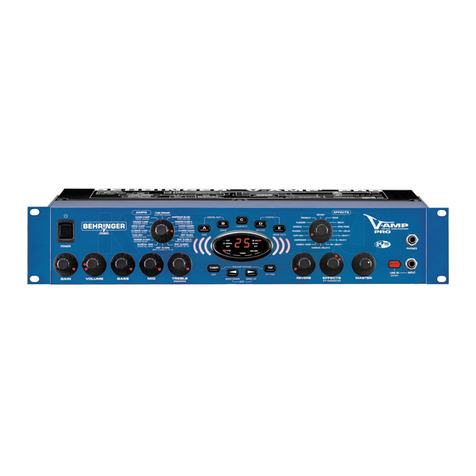
  9. Behringer Bass V-Amp Pro User manual

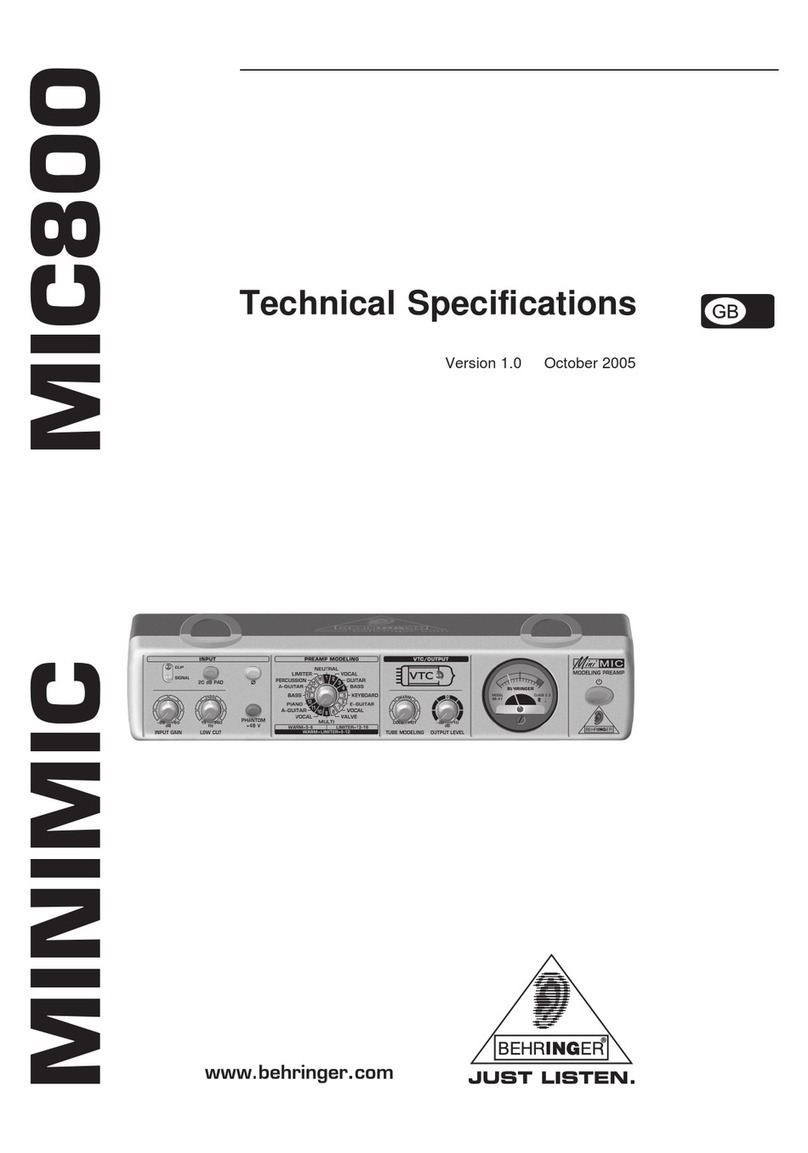
Behringer Bass V-Amp Pro User manual

Other manuals for Bass V-Amp Pro

3

Other Behringer Amplifier manuals

Behringer EUROPOWER EPQ1200 User manual

Behringer

Behringer EUROPOWER EPQ1200 User manual

Behringer XENYX CONTROL1USB User manual

Behringer

Behringer XENYX CONTROL1USB User manual

Behringer VIRTUBE VT100FX User manual

Behringer

Behringer VIRTUBE VT100FX User manual

Behringer Powerplay Pro-8 HA8000 User manual

Behringer

Behringer Powerplay Pro-8 HA8000 User manual

Behringer Ultragain Pro MIC2200 User manual

Behringer

Behringer Ultragain Pro MIC2200 User manual

Behringer V-AMPIRE LX110 User manual

Behringer

Behringer V-AMPIRE LX110 User manual

Behringer ULTRA-DI DI100 User manual

Behringer

Behringer ULTRA-DI DI100 User manual

Behringer Tube Ultragain MIC100 User manual

Behringer

Behringer Tube Ultragain MIC100 User manual

Behringer Ultratone K3000FX User manual

Behringer

Behringer Ultratone K3000FX User manual

Behringer Ultravoice Digital VX2496 User manual

Behringer

Behringer Ultravoice Digital VX2496 User manual

Behringer TUBE ULTRAGAIN MIC200 User manual

Behringer

Behringer TUBE ULTRAGAIN MIC200 User manual

Behringer Europower EP2500 User manual

Behringer

Behringer Europower EP2500 User manual

Behringer Ultracoustic ACX1000 User manual

Behringer

Behringer Ultracoustic ACX1000 User manual

Behringer Ultrabass BX600 User manual

Behringer

Behringer Ultrabass BX600 User manual

Behringer ULTRABASS BX1800 User manual

Behringer

Behringer ULTRABASS BX1800 User manual

Behringer SHARK FBQ100 User manual

Behringer

Behringer SHARK FBQ100 User manual

Behringer X V-AMP User manual

Behringer

Behringer X V-AMP User manual

Behringer Ultrabass BB210 User manual

Behringer

Behringer Ultrabass BB210 User manual

Behringer Powerplay Pro HA4600 User manual

Behringer

Behringer Powerplay Pro HA4600 User manual

Behringer Miniamp AMP800 User manual

Behringer

Behringer Miniamp AMP800 User manual

Behringer Microamp HA400 User manual

Behringer

Behringer Microamp HA400 User manual

Behringer Ultrabass BX4410 User manual

Behringer

Behringer Ultrabass BX4410 User manual

Behringer Powerplay P2 User manual

Behringer

Behringer Powerplay P2 User manual

Behringer EUROPOWER EP1500 User manual

Behringer

Behringer EUROPOWER EP1500 User manual

Popular Amplifier manuals by other brands

Magnat Audio EDITION FOUR Owner's manual/warranty document

Magnat Audio

Magnat Audio EDITION FOUR Owner's manual/warranty document

Inter-m PA-2000A Operation manual

Inter-m

Inter-m PA-2000A Operation manual

Yamaha TX6n owner's manual

Yamaha

Yamaha TX6n owner's manual

Peavey TNT 150 user guide

Peavey

Peavey TNT 150 user guide

Bosch LBB 1903/10 Installation and user instructions

Bosch

Bosch LBB 1903/10 Installation and user instructions

Avocent Emerge DA1200D Installer/user guide

Avocent

Avocent Emerge DA1200D Installer/user guide

Redgum RGi35 operating instructions

Redgum

Redgum RGi35 operating instructions

Cambridge Audio AXA25 user manual

Cambridge Audio

Cambridge Audio AXA25 user manual

Alpine MRP-M200 owner's manual

Alpine

Alpine MRP-M200 owner's manual

Technical Pro H1502UrBT user manual

Technical Pro

Technical Pro H1502UrBT user manual

FMS EMGZ307 operating manual

FMS

FMS EMGZ307 operating manual

Racal Instruments 5601 user manual

Racal Instruments

Racal Instruments 5601 user manual

Valcom V-1094A Technical specifications

Valcom

Valcom V-1094A Technical specifications

Cambridge Audio 851D user manual

Cambridge Audio

Cambridge Audio 851D user manual

QSC 3800 Specifications

QSC

QSC 3800 Specifications

NAD C300 owner's manual

NAD

NAD C300 owner's manual

Rotel RMB-1077 owner's manual

Rotel

Rotel RMB-1077 owner's manual

Peavey Monitor 300 Series operating guide

Peavey

Peavey Monitor 300 Series operating guide

manuals.online logo
manuals.online logoBrands
  • About & Mission
  • Contact us
  • Privacy Policy
  • Terms and Conditions

Copyright 2025 Manuals.Online. All Rights Reserved.

Version 1.0 September 2002
Users Manual
V-AMP PRO
ENGLISH
DATA-MANFULL_V-AMP PRO_ENG_Rev_A.PMD 16.09.2002, 14:151
2
V-AMP PRO
This symbol, wherever it appears, alerts you to the
presence of uninsulated dangerous voltage inside
the enclosurevoltage that may be sufficient to
constitute a risk of shock.
This symbol, wherever it appears, alerts you to
important operating and maintenance instructions
in the accompanying literature. Please read the
manual.
SAFETY INSTRUCTIONS
CAUTION: To reduce the risk of electric shock, do not remove
the top cover (or the rear section). No user
serviceable parts inside refer servicing to qualified
personnel.
WARNING: To reduce the risk of fire or electric shock, do not
expose this appliance to rain and moisture.
DETAILED SAFETY INSTRUCTIONS:
All the safety and operation instructions should be read before
the appliance is operated.
Retain Instructions:
The safety and operating instructions should be retained for
future reference.
Heed Warnings:
All warnings on the appliance and in the operating instructions
should be adhered to.
Fo ow instructions:
All operation and user instructions should be followed.
Water and Moisture:
The appliance should not be used near water (e.g. near a
bathtub, washbowl, kitchen sink, laundry tub, in a wet basement,
near a swimming pool etc.).
Venti ation:
The appliance should be situated so that its location or position
does not interfere with its proper ventilation. For example, the
appliance should not be placed on a bed, sofa, rug, or similar
surface that may block the ventilation openings, or placed in a
built-in installation, such as a bookcase or cabinet that may impede
the flow of air through the ventilation openings.
Heat:
The appliance should be situated away from heat sources
such as radiators, heat registers, stoves, or other appliances
(including amplifiers) that produce heat.
Power Source:
The appliance should be connected to a power supply only of
the type described in the operating instructions or as marked on
the appliance.
Grounding or Po arization:
This device must be grounded.
Power-Cord Protection:
Power supply cords should be routed so that they are not
likely to be walked on or pinched by items placed upon or against
them, paying particular attention to cords and plugs, extension
cords and the point where they exit from the appliance.
C eaning:
The appliance should be cleaned only as recommended by the
manufacturer.
Non-use Periods:
The power cord of the appliance should be unplugged from
the outlet when left unused for extended periods of time.
Debris and Liquid Entry:
Care should be taken that debris and/or liquids do not enter the
enclosure through openings.
Damage Requiring Service:
The appliance should be serviced by qualified service
personnel when:
sThe power supply cord or the plug has been damaged or
sDebris or liquid has entered the appliance or
sThe appliance has been exposed to rain or
sThe appliance does not appear to operate normally or
exhibits a noticable change in performance or
sThe appliance has been dropped, or the enclosure
damaged.
Servicing:
The user should not attempt to service the appliance beyond
that which is described in the operating instructions. All other
servicing should be referred to qualified service personnel.
DATA-MANFULL_V-AMP PRO_ENG_Rev_A.PMD 16.09.2002, 14:152
3
V-AMP PRO
FOREWORD
Dear Customer,
Welcome to the team of
BEHRINGER users and
thank you very much for
expressing your con-
fidence in BEHRINGER
products by purchasing
the V-AMP PRO.
Writing this foreword
for you gives me great
pleasure, because it
represents the cul-
mination of many months
of hard work delivered
by our engineering team
to achieve a very am-
bitious goal: to present
you with an excellent
virtual guitar amplifier,
which gives you maxi-
mum flexibility and performance through its advanced sound
and remarkable range of functions. The task of designing our
new V-AMP PRO certainly meant a great deal of responsibility
which we assumed by focusing on you, the discerning user and
musician. Meeting your expectations also meant a lot of work
and night shifts. But it was fun, too. Developing a product usually
brings a lot of people together, and what a great feeling it is
when all who participated in such a project can be proud of
what theyve achieved.
It is our philosophy to share our enjoyment with you, because
you are the most important member of the BEHRINGER team.
With your highly competent suggestions for new products youve
made a significant contribution to shaping our company and
making it successful. In return, we guarantee you uncom-
promising quality as well as excellent technical and audio
properties at an extremely reasonable price. All of this will enable
you to give free rein to your creativity without being hampered
by budget constraints.
We are often asked how we manage to produce such high-
quality devices at such unbelievably low prices. The answer is
quite simple: its you, our customers! Many satisfied customers
mean large sales volumes enabling us to get better purchasing
terms for components, etc. Isnt it only fair to pass this benefit on
to you? Because we know that your success is our success
too!
I would like to thank all of you who have made the V-AMP PRO
possible. You have all made your own personal contributions,
from the developers to the many other employees at this company.
My friends, its been worth the effort!
Thank you very much,
Uli Behringer
TABLE OF CONTENTS
1. INTRODUCTION ......................................................... 4
1.1 ... before you get started ............................................... 4
1.1.1 Serial number ....................................................... 4
2. CONTROL ELEMENTS ............................................... 4
2.1 Front panel ...................................................................... 4
2.2 Rear panel ...................................................................... 6
3. EXAMPLES OF USE/OPERATING MODES
(CONFIGURATION) ................................................... 7
3.1 Selecting CONFIGURATION modes ................................ 7
3.2 Standard set-up with MIDI foot controller and
(optional) recording system ........................................... 7
3.3 Hard-disk recording studio ............................................. 7
3.4 Live set-up in combination with a
full-range monitor system .............................................. 7
3.5 Live set-up with P.A. system and
your own guitar amp on stage ....................................... 8
4. V-AMP PRO PRESETS ............................................... 8
4.1 Calling up presets ........................................................... 8
4.2 Editing presets ................................................................ 9
4.3 Storing presets ............................................................... 9
4.4 Discarding an edited preset/restoring a single
factory preset ................................................................. 9
4.5 Restoring all factory presets ......................................... 9
5. AMP/SPEA ER SIMULATION .................................... 9
5.1 Amp descriptions ........................................................... 9
5.2 Speaker descriptions .................................................... 11
6. EFFECTS PROCESSOR ............................................ 11
6.1 Effect descriptions ....................................................... 11
Reverb and delay algorithms ....................................... 11
Modulation effects ........................................................ 11
Combinations of effect algorithms
(multi-effects programs) .............................................. 11
Special effects.............................................................. 12
6.2 The separate reverb effect ......................................... 12
7. TUNER ...................................................................... 12
7.1 Tuning your guitar ........................................................ 12
7.2 Setting reference pitch A .......................................... 12
8. INSTALLATION ......................................................... 12
8.1 Rack mounting .............................................................. 12
8.2 Mains voltage ................................................................ 12
8.3 Audio connections ....................................................... 12
8.4 MIDI connections .......................................................... 13
8.4.1 Sending/receiving MIDI-Sysex data ................... 13
8.5 AES/EBU and S/PDIF standards ................................... 13
9. SPECIFICATIONS ..................................................... 14
10.MIDI IMPLEMENTATION .......................................... 15
11.WARRANTY ............................................................. 16
CAUTION!
+P ease note that high vo ume eve s may cause
permanent damage to your hearing and/or your
headphones. Turn a LEVEL contro s to the eft
before you switch on the unit. Be sure to keep the
vo ume at an appropriate eve .
DATA-MANFULL_V-AMP PRO_ENG_Rev_A.PMD 16.09.2002, 14:153
4
V-AMP PRO
2. CONTROL ELEMENTS
2.1 Front panel
Fig. 2.1: V-AMP PRO front panel (section 1)
Use the POWER switch to put the V-AMP PRO into
operation.
The GA N control determines the distortion level of an
amp simulation.
The VOLUME control determines the volume of the se-
lected preset.
The BASS control in the EQ section is for boosting or
cutting the low-frequency range.
The M D control is for boosting or cutting the mid-range
frequencies.
TREBLE controls the high-frequency range of the selected
preset.
+If the TAP key is down (see fig. 2.2), the TREBLE
contro functions as a PRESENCE contro . This
enab es you to boost/cut a high-frequency fi ter
tuned to whatever amp mode is active, thus
simu ating the frequency-dependent coup ing of
tube amps.
The AMPS control is for selecting one of 32 different
amplifier simulation models. The control is surrounded by a
ring of 16 LEDs. Each LED corresponds to two types of
amplifier. The first 16 simulations can be selected by turning
the AMPS control (marked on the housing in: white).
To select the simulation models 17 - 32 (marked on the
housing in: gray), press down the TAP key while making
your selection by turning the AMPS control.
+The LED 17 - 32 in the bottom eft-hand corner of
the DISPLAY indicates that one of the simu ation
mode s 17 - 32 has been se ected.
In addition, you can activate a PREAMP BYPASS by
pressing the key combination TUNER and TAP. If
PREAMP BYPASS has been selected, none of the LEDs
on the AMPS control lights up. To disable PREAMP
BYPASS, simply select a different amp model or press
both keys again.
1. INTRODUCTION
Congratulations! With the V-AMP PRO you have acquired the
professional 19" rack version of the V-AMP 2. Our ultimate aim in
developing it was to create the authentic sound of classic guitar
amplifiers by means of physical modeling and to combine this
with the latest DSP effects.
The V-AMP PRO has a number of decisive advantages over
its little brother, the V-AMP 2: the output signal can now be
taken in digital formand you can even select the output
format. External synchronization of your V-AMP PRO is possible
via word clock and, what is more, the V-AMP PRO features
an additional analog speaker simulation, giving you unprece-
dented flexibility. But if you think the V-AMP PRO has been
designed for guitarists only, youre wrong: for example, with its
innovative preamp bypass feature you can even use it purely
as an effects processor. And thanks to its digital signal
processing, the V-AMP PRO also works as an all-purpose A/D
converter with an extremely low-noise, high-impedance input.
But enough of this talk. Nothing we say will convince you as
readily as what you hear and feel when you test your
V-AMP PRO for the first time. But...
1.1 ... before you get started
The V-AMP PRO was carefully packed at the factory and the
packaging is designed to protect the unit from rough handling.
Nevertheless, we recommend that you carefully examine the
packaging and its contents for any signs of physical damage
which may have occurred during transit.
+If the unit is damaged, p ease do NOT return it to
BEHRINGER, but notify your dea er and the shipping
company immediate y. Otherwise, c aims for
damage or rep acement may not be granted.
Be sure that there is enough space around the unit for cooling
and, to avoid overheating, please do not place the V-AMP PRO
near radiators etc.
+Before you connect the V-AMP PRO to the mains,
p ease make sure that the vo tage setting on the
unit matches the oca vo tage!
The mains connection is made using the enclosed power cord
and a standard IEC receptacle. It meets all of the international
safety certification requirements.
+P ease make sure that a units have a proper
ground connection. For your own safety, never
remove or disab e the ground conductor from the
unit or of the AC power cord.
The MIDI connections (IN, OUT/THRU) are for standard DIN
connectors. Data is transferred via ground-free opto-couplers.
Further information can be found in chapter 8 INSTALLATION.
1.1.1 Serial number
The V-AMP PROs serial number is located on the rear. Please
take the time to fill in and return the warranty card within 14 days
after the date of purchase, so as to benefit from our extended
warranty. Or register online at www.behringer.com.
1. INTRODUCTION
DATA-MANFULL_V-AMP PRO_ENG_Rev_A.PMD 16.09.2002, 14:154
5
V-AMP PRO
Fig. 2.2: V-AMP PRO front panel (section 2)
These five keys are for selecting a preset (A - E) within
one bank.
In EDIT mode (activated by simultaneously pressing the
arrow keys described in ), the keys perform the
function printed directly above them. As long as EDIT mode
is active, the EDIT MODE LED lights up.
sA: Accesses the M D functions. Use the arrow keys to
set the MIDI channels for transmitting and receiving
(1 through 16).
If you use key A in EDIT mode to select the MIDI function
and then press the TAP key, the MIDI OUT jack is set to act
as a MIDI THRU. In this case, the V-AMP PRO does not
send its own MIDI information, but passes on the signal
received at the MIDI IN jack.
sB: Selects the DR VE function. This noticeably raises
distortion and volume. Use the arrow keys to switch DRIVE
on and off. The DRIVE function is wired pre GAIN control.
+Whi e editing the DRIVE function, you can a so
activate and adjust the wah-wah effect by turning
the EFFECTS contro . The LEDs surrounding the
EFFECTS contro indicate the position of the peda .
If none of the LEDs ights up, the wah-wah is
bypassed.
sC: This key activates the CAB NETS mode. Use the arrow
keys to select the type of speaker or combination of
speakers you want. You can also switch off the speaker
simulation completely (-). For further details, please refer
to chapter 5.2 Speaker descriptions.
sD: Use this key to select the REVERB function. The
arrow keys can be used to select one of nine different
types of reverb in addition to the multi-effects processor.
For further details see chapter 6.2.
sE: Here you can activate the NO SE GATE function. Use
the arrow keys to adjust the noise reduction threshold.
+After preset editing, p ease press TUNER/EXIT to
quit (the EDIT MODE LED dies out).
+DIGITAL OUT: The digita output can be configured if
keys A and B are pressed simu taneous y. The
disp ay reads either SP for S/PDIF or AE for
AES/EBU. P ease switch between these two formats
using the TAP key. The LEDs in the disp ay i ustrate,
whether you have chosen interna synchronization
(with 44.1, 48 or 96 kHz samp e rate) or externa
synchronization via word c ock (see tab. 2.1 in this
users manua ). Use the arrow keys to se ect the
appropriate samp e rate with respect to the
receiving device. The TUNER/EXIT key a ows you to
quit the DIGITAL OUT configuration.
2. CONTROL ELEMENTS
+CONFIGURATION: If you press the D and E keys
simu taneous y, you can se ect the V-AMP PROs
genera operating mode a owing adjustments to
different studio and ive situations (see chapter 3).
Press TUNER/EXIT to quit configuration.
The TUNER button is for switching on the tuner. In addition,
this button can be used to quit EDIT mode (Exit).
Use the two arrow keys to select a different bank (BANK
DOWN and BANK UP). You can skip banks by holding
each of the keys down. To activate the EDIT mode, press
both keys simultaneously (THE EDIT MODE LED in the
display lights up). if you press one of the keys A - E ( )
in that mode, the arrow keys can be used for setting
parameters.
The TAP button performs five functions:
sTap: Tap the rhythm of a piece of music on the TAP
button and the selected effect automatically adapts to the
tempo of the music.
sPresence: Holding down the TAP button, you can use
the TREBLE control to change the PRESENCE setting of
the amp simulation model youve selected.
s2nd parameter: You also can access the second effects
parameter set by the EFFECT control by holding down the
TAP button (see chapter 6).
sAmp mode s 17 - 32: Keep the TAP button pressed
down and select an amp model using the AMPS control.
sMIDI Thru: The MIDI OUT jack can be set to act as
MIDI THRU (see A).
Fig. 2.3: V-AMP PRO display
Tab. 2.1: Output formats and display LED assignments
The D SPLAY shows you what preset bank you have
selected and gives you information on parameter changes
when you are editing. In TUNER mode the DISPLAY shows
the pitch of the instrument connected to the unit. If one of
the amplifier simulations 17 - 32 has been selected, the
LED in the bottom left-hand corner of the DISPLAY lights
up. Additionally, the DISPLAY reads the digital format
output and the sample rate of your V-AMP PRO and
illustrates whenever the V-AMP PRO is synchronized by
an external word clock signal. Applied signals are indicated
by the SIGNAL LED, overload signals by the red CLIP LED.
DATA-MANFULL_V-AMP PRO_ENG_Rev_A.PMD 16.09.2002, 14:155
V-AMP PRO
2. CONTROL ELEMENTS
Fig. 2.4: V-AMP PRO front panel (section 3)
This control is for selecting an effect or a combination of
effects. This encoder-type rotary control is also surrounded
by a ring of 16 LEDs. Each LED corresonds to one specific
effects preset.
Using the REVERB control, you can add the reverb content
of your choice to your overall sound. By turning it to the left
until all the LEDs are off, you deactivate the reverb. To
fade out the original signal, turn the control to the right until
only the last LED lights up.
If an effect has been selected via , its part of the
overall sound can be set using this EFFECTS control. If
you select the Compressor effect, you can use the
EFFECTS control to adjust the compression intensity.
Turning the control to the left until all the LEDs are off
disables the effect. This is known as an effects bypass.
+By pressing the TAP key, you can set a second
effects parameter using the EFFECTS contro (see
tab. 3 on the separate sheet).
The MASTER control determines the overall volume of
your V-AMP PRO.
+This is the on y conventiona  contro on the
V-AMP PRO. A the other contro s are encoder-
type rotary contro s whose settings can be stored
in a preset.
+The LED rings around the VOLUME, BASS, MID,
TREBLE, GAIN, EFFECTS and REVERB contro s each
have nine LEDs. On each ring either one LED or
two neighboring LEDs wi ight up at a time,
indicating a tota of 17 different positions.
The NPUT socket is the V-AMP PROs 1/4" jack socket for
your guitar. Please use a standard 1/4" mono jack cable.
The L NE N switch determines which signal source is
processed by the V-AMP PRO, either (switch not pressed)
the signal applied at the high-impedance INPUT jack, for
example, your guitar, or (switch pressed) the line signal
connected to the PRE DSP INSERT (LINE IN, ).
The stereo PHONES jack allows you to monitor the
V-AMP PROs audio signal with standard headphones.
+When you connect your headphones, the
V-AMP PRO automatica y activates studio mode 1
(S1). If the current preset or setting does not have
a cabinet mode , the V-AMP PRO wi a so se ect a
defau t speaker simu ation automatica y, as soon
as you p ug in your headphones. This improves the
aura impression when using headphones. The
standard cabinet simu ations are shown in tab e 4
(enc osed sheet). However, you can intentiona y
change or deactivate the simu ation when using
headphones by se ecting - in the CABINETS mode.
2.2 Rear panel
Fig. 2.5: V-AMP PRO rear panel (section 1)
Your V-AMP PRO features a serial insert path for external
effects, such as a wah-wah pedal. Connect the SEND/
L NE OUT jack to the input of your effects device.
The SEND/LINE OUT output is taken directly pre-digital
processor (PRE DSP), which means you can use this jack
also to record a dry direct signal without any effect added.
Connect the RETURN/L NE N jack to the output of your
external effects device.
+When using the seria insert path, p ease do not
set the effects device to 100% effects signa (wet);
otherwise, the direct signa wi be missing.
+Press the LINE IN key to route the signa app ied
at the RETURN/LINE IN to the V-AMP PRO. This function
is usefu , for examp e, to monitor a dry guitar
signa with the V-AMP PRO before adding any effects
(see enc osed sheet, fig. 1).
The ANALOG L NE OUTPUTS provide the stereo signal of
your V-AMP PRO without analog speaker simulation applied.
Use this jacks, for example, to connect an external amp on
stage.
Connect the POST DSP NSERT RETURN ( N) pair of
stereo 1/4" jacks to the outputs of the external stereo
effects device and use this path to return the signal sent
out from the POST DSP SEND (OUT) outputs .
The GROUND L FT switch disconnects (switch pressed)
the ground connection at the DI OUT outputs to
effectively eliminate hum noise resulting from ground loops.
The D OUT output provides the balanced stereo signal of
your V-AMP PRO. Connect this output to two balanced
channel inputs on your mixing console.
The POST DSP SEND (OUT) stereo output allows you to
connect the inputs of an external stereo effects device.
The signal provided here is the same as the signal present
at the digital outputs. Unlike the SEND/LINE OUT output
this signal is post-DSP. If the two corresponding RETURN
(IN) jacks are not used, the ANALOG LINE OUTPUTS
provide an identical signal.
DATA-MANFULL_V-AMP PRO_ENG_Rev_A.PMD 16.09.2002, 14:156
7
V-AMP PRO
3. EXAMPLES OF OUTPUT CONFIGURATIONS
Fig. 2.6: V-AMP PRO rear panel (section 2)
The S/PD F output provides the digital output signal of your
V-AMP PRO.
The AES/EBU output (XLR connector) provides the digital
output signal of your V-AMP PRO in an AES/EBU format,
provided that AES/EBU has been selected as digital output
format (please refer to the 2nd note under E).
The WORDCLOCK BNC jack is used to connect equipment
for the external synchronization of your V-AMP PRO. This
high-impedance jack has no internal terminating resistor
(75 Ohms).
This is the M D OUT/THRU jack of your V-AMP PRO. It is
configured as MIDI OUT but can be set to act as a MIDI
THRU jack (see A).
Use the M D N to connect a foot controller, for example,
the BEHRINGER MIDI FOOT CONTROLLER FCB1010.
See also chapter 8.4.
Fig. 2.7: V-AMP PRO rear panel (section 3)
SER AL NUMBER. Please take the time to fill in and return
the warranty card within 14 days after the date of purchase,
so as to benefit from our extended warranty. Or register
online at (www.behringer.com).
FUSE HOLDER/VOLTAGE SELECTOR. Before
connecting the unit to the mains, make sure that the voltage
setting matches your local voltage. A blown fuse should
only be replaced by a fuse of the same type and rating. On
some units, the fuse holder can be switched to one of two
positions, i.e. 230 V and 115 V. When operating the unit
outside Europe at 115 V, a higher fuse rating is required
(see chapter 8 INSTALLATION).
The mains connection is on an EC receptacle. An
appropriate power cord is included.
3. EXAMPLES OF OUTPUT
CONFIGURATIONS
To adapt the V-AMP PRO best to different studio and live
situations, you can select between five operating modes
(CONFIGURATION). Regardless of the settings on the unit itself,
these modes determine in which way the V-AMP PROs output
signal is taken. Basically, there are 3 studio and 2 live operating
modes (with additional EQ). This also allows for using the left
and right output signals differently at the same time. In operating
mode Live 2, it is necessary to distinguish between the balanced
XLR outputs (DI OUT) and the 1/4" jack outputs (UNBALANCED).
3.1 Selecting CONFIGUR TION modes
Your V-AMP PRO left the factory set in Studio 1 (S1) mode.
To change modes, you have to switch to CONFIGURATION
mode. To do this, press buttons D and E simultaneously. Use the
arrow keys to switch from one mode to another. Press TUNER
to quit CONFIGURATION mode.
3.2 Standard set-up with MIDI foot controller
and (optional) recording system
Set up and wire your V-AMP PRO as shown in fig. 1 on the
enclosed sheet. Connect your headphones to the PHONES jack
if required. The MIDI foot controller enables you to select
programs, enable/disable the tuner and control the wah-wah
effect (see chapter 10).
+For this app ication p ease se ect CONFIGURATION
mode S1!
+To monitor the recorded signa p ease press button
!
3.3 Hard-disk recording studio
A widely used recording application is to make a dry recording
of the output signal while monitoring the signal with effects (see
fig. 2 on the enclosed sheet). The advantage here is that you
dont have to make a final decision on what effect to use during
mix-down. For this purpose, connect the left output of the
V-AMP PRO to the recording device, and use the right output
for monitoring (with effects).
If you have a MIDI foot controller, you can use it to control
preset, bank and amp model changes. It is also convenient for
switching the tuner on and off.
+If you se ect CONFIGURATION mode S2 for this
app ication, the cabinet simu ation is active both on
the eft and right channe s.
+P ease se ect CONFIGURATION mode S3 to use the
eft output without cabinet simu ation!
3.4 Live set-up in combination with a
full-range monitor system
When youre playing on stage, it is extremely important to
monitor your guitar sound properly. To this end, the
V-AMP PRO is ideally connected to a monitor system with
sufficient power to reproduce the V-AMP PROs sound potential
to the full (see fig. 3 on the separate sheet).
+For this app ication, p ease se ect mode L1 under
CONFIGURATION. The additiona 3-band EQ can be
set with the BASS, MID and TREBLE contro s. As this
is a g oba EQ, it has no effect on the setting of
these three contro s stored with a preset.
DATA-MANFULL_V-AMP PRO_ENG_Rev_A.PMD 16.09.2002, 14:157
8
V-AMP PRO
4. V-AMP PRO PRESETS
+When headphones are connected, the V-AMP PRO
se ects operating mode S1 automatica y.
3.5 Live set-up with P. . system and
your own guitar amp on stage
This application is intended to give you your own guitar signal
on stage so that you can have complete control of intentionally
produced feedback, for example. Use the UNBALANCED LINE
OUTPUTS to drive the guitar amp, and the 3-band EQ plus effects
on this output (but no cabinet simulation!) to optimize the sound.
The DI OUT provides a DI signal for the FOH mixing consolewith
effects and ULTRA-G cabinet simulation!
+For this app ication, p ease se ect CONFIGURATION
mode L2!
4. V-AMP PRO PRESETS
The V-AMP PRO features 125 overwritable presets divided
into 25 banks. In other words, there are five presets available
per bank. Each preset consists of a maximum of five ingredients:
samp simulation (including GAIN, EQ and VOLUME settings)
scabinet simulation
spre-amp effect, such as noise gate, compressor, auto wah
and wah-wah
spost-amp multi-effect, such as delay, modulation effect, or
a combination of both
sreverb effect
The enclosed sheet shows an overview of all the presets on
your V-AMP PRO.
4.1 Calling up presets
When the unit is switched on, it automatically loads the preset
used last. In the following example, the last preset selected was
preset D in bank 25:
Fig. 4.1: Calling up presets
In this case, by pressing button A, B, C or E you can immediately
call up another preset of the same bank. The two arrow keys
(BANK UP and BANK DOWN) enable you to switch banks. The
display on the V-AMP PRO always shows which bank has been
selected. When you switch banks, the preset has to be called up
by pressing one of the buttons A - E. One LED lights up to show
you which preset in the respective bank has been activated.
Tab. 4.1: V-AMP PRO modes with application examples
DATA-MANFULL_V-AMP PRO_ENG_Rev_A.PMD 16.09.2002, 14:158
9
V-AMP PRO
5. AMP/SPEAKER SIMULATION
4.2 Editing presets
Editing presets is fast and simple with the V-AMP PRO. One
option is to call up a preset you like and then start editing it. Select
an amp model by means of the AMPS encoder. The LED on the
preset button flashes (e.g. D) and signals that you have made a
change to the preset.
Now change the settings of the VOLUME, BASS, MID, TREBLE
and GAIN controls as you like. If you select an effect, you can
adjust its ratio in the overall sound using the EFFECTS control.
You then switch to EDIT mode by pressing the arrow keys
simultaneously. If you use buttons B - E to activate the DRIVE,
CABINETS, REVERB and NOISE GATE functions respectively
and then edit using the arrow keys, the value of the respective
parameter is shown in the display. To leave EDIT mode, briefly
press the TUNER button.
If you hold the TAP button down while using the TREBLE control,
you can raise or lower an additional high-frequency filter
(PRESENCE). This simulates the frequency-sensitive coupling of
tube amps.
+Apart from compressor and auto wah, a the mu ti-
effects have a speed-based parameter. Say you
want to set the effect youve se ected to the tempo
of your p ayback: just tap the TAP button twice in
time to the music and the effect tempo wi match
the tempo of your piece.
4.3 Storing presets
To store your edited preset, hold down the preset button
required for approx. 2 seconds for the preset to be overwritten
(the corresponding LED lights up throughout).
+You do not necessari y have to store your edited
preset in p ace of the origina preset se ected. If
you choose a different storage position, se ect the
preset bank you want using the arrow keys (BANK
UP and BANK DOWN). You can store your changes by
ho ding down the preset button for approx. two
seconds. For examp e, you can edit a preset
origina y stored in bank 5, position D, and then store
it in bank 6, position A.
4.4 Discarding an edited preset/restoring a
single factory preset
If you have edited a preset and find that you dont like the
edited version, you can, of course, discard it. Lets assume
youve selected and then edited preset C (the corresponding
LED has lit up), but you would now like to return to the
configuration stored previously. Simply select another preset.
The next time you call up the preset, the temporary edited
version is discarded. After editing, you can also hold down the
two arrow keys until Pr appears in the display, which brings
back the factory preset that was originally stored there. How-
ever, you then have to save it again by holding down the
corresponding preset button for approx. two seconds.
4.5 Restoring all factory presets
All factory presets can be restored as follows: Hold down
buttons D and E and then switch on the V-AMP PRO. CL
appears in the display. Now release the two buttons and press
the two arrow keys simultaneously. This erases all the edited
presets you have stored and restores the factory presets.
5. AMP/SPEAKER SIMULATION
The very heart of your V-AMP PRO is its amp/speaker
simulation. The 32 simulation models can make work in a home
recording studio very much easier because it isnt necessary to
mike up the guitar amp. The V-AMP PRO makes it childs play
for you to choose one of the legendary guitar amps, be it for
Brit Pop, Blues, Heavy Metal or whatever. In addition, you can
tailor the sound of the respective amp to suit your ideas and
then connect it virtually to one of 15 speaker simulations
(cabinets). On top of all that, you can even choose digital
effect and reverb types for your virtual amp. See chapter 4
V-AMP PRO PRESETS for more details.
When you switch on the V-AMP PRO, it automatically loads the
last preset selected. The LED ring around the AMPS control
shows what amp has been selected. The corresponding LED
lights up. To select another amp simply turn the control. Use the
VOLUME, BASS, MID, TREBLE and GAIN controls to modify the
basic sound of the amp. Hold down the TAP button and turn the
TREBLE control to raise or lower an additional high-frequency
PRESENCE filter (see ).
As a rule, you will want to select an amp first, then a cabinet
and finally an effect. See chapter 4 for how to store your
modifications. To give you a better overview of the extensive
range of amp simulations on the V-AMP PRO, we have com-
piled the following descriptions of the different types of amp.
+When you se ect an amp simu ation, an appropriate
speaker simu ation is activated automatica y (see
tab. 4 on the separate sheet). Otherwise, the
authenticity of the sound cou d be affected by an
unsuitab e cabinetespecia y if you are using
headphones. Natura y, you can combine the amp
simu ations with other cabinets according to taste.
5.1 mp descriptions
AMERICAN BLUES: This virtual amp is modelled on the Fender
Bassman 4 x 10 Combo. Originally designed as a bass amp, it
soon became a standard amp of blues legends such as Steve
Ray Vaughan or Billy Gibbons due to its characteristic distortion.
As you would expect, it packs a solid punch in the bass range,
but is still flexible enough in the mid and treble ranges.
AND DELUXE: A synthesis of a 1960 Fender Blackface Deluxe
and a 50s Fender Bassman. The result is a crystal-clear sound
that still simlates the edge of the vintage amps. The V-AMP PRO
sound control gives you even greater scope than the EQ controls
on the originals.
MODERN CLASS A: This amp is characterized by its slight
distortion and sounds almost like hi-fi. It is modelled on the
Matchless Chieftain, a very expensive, hand-made amp.
CUSTOM CLASS A: The model for this simulation is the Budda
Twinmaster. This Class-A amp is renowned for its warm sound
combined with irresistible tube distortion. Although the original
amp does not have a mid control, we have given the
V-AMP PRO the capability of suiting the mid range to your taste.
TWEED COMBO: This was Jeff Becks favorite when he
recorded the albums Blow by Blow and Wired. This amp was
not actually designed for heavy distortion, but due to its low
power, it is ideal for uncompromising overdrive sound.
SMALL COMBO: This model is based on the 1960 Tweed
Champ. The main attraction of this amp simulation is when the
DRIVE function is used a lot. Although this amp was actually
designed for beginners on the guitar, it soon became a favorite
amp of many guitar afficionados. The reason for that was that it
produced an amazingly distorted sound even at low volume. The
Tweed Champ had a volume control, but no EQ control. If you
want to get the most authentic sound out of this amp, keep the
sound control on the V-AMP PRO in the mid-range.
DATA-MANFULL_V-AMP PRO_ENG_Rev_A.PMD 16.09.2002, 14:159
10
V-AMP PRO
CLASSIC CLEAN: Back in the 80s, the Roland JC-120 was
the preferred sound of Buzzy Feiten (guitarist with the Dave
Weckl Band). The unique quality of this transistor amps sound is
the way its brilliance cuts through any mix. It is ideal for the New
Wave sound of the 80s that is making a come-back today. By the
way, the JC-120 was also popular among Fender Rhodes pianists.
BLACK TWIN: This simulation was modeled on a Fender
Blackface Twin from 1965. In the 60s this amp was used by
jazz, country and even rock guitarists. What was unique about
it was that it was exceptionally loud and was therefore mainly
used for live performances. The secret of the Blackface Twin
was that although you could play it extremely loud, the distortion
remained relatively low.
BRITISH BLUES: Modeled on the JTM 45, the first Marshall
amp ever. This, by the way, was Eric Claptons favorite amp
when he was with Cream. The JTM 45 was the forerunner of
many of Marshalls later amps with their distinctive, powerful
sound. Extreme gain settings produce a highly compressed and
really dirty sounding distortion. Combined with a 2 x 12" speaker
simulation it produces impressive Bluesbreaker sounds.
AND CUSTOM: This simulation is based on a 1965 Marshall
JTM 45 Bluesbreaker but has more flexibility of sound control.
Turn the GAIN control to the left and this simulation sounds like a
Marshall turn it to the right and it is more reminiscent of the
Budda.
BRITISH CLASS A: This simulation is modeled on the Vox
AC 30. This amp was originally designed in the 60s when
guitarists wanted amps with enhanced brilliance, a feature that
Vox successfully implemented by means of revolutionary bass
and treble controls. Brian May and U2s The Edge are probably
the best-known users of this sound.
NON TOP BOOST: This is a Vox AC 30 as used by Bryan
Adams in the recording studio. Unlike the well-known AC 30
with treble boost, the former amp version did not have this feature.
This simulation copies the original amps normal channel.
BRITISH CLASSIC: Based on a 1959 Marshall Plexi 100 Watt,
this amp is ideal for producing clean sounds. It was used by Jimi
Hendrix, Eric Clapton and Jeff Beck.
CLASSIC 50 W: This is also a Plexi, but we have extensively
widened its sound range. The sound controls on the original
Marshall Plexi 50 Watt hardly had any effect on the sound if
distortion was high.
BRITISH HI GAIN: Compare this model with a Marshall JCM
800. Although the original was renowned mainly for its distorted
sounds, this amp also sounds very good with low gain settings.
Its good at reproducing Steve Ray Vaughans and Michael
Landaus sounds. In distortion mode it sounds like Gary Moore in
his early days, but its also good for heavy metal.
BRITISH CLASS A 15 W: Another Vox model, based on the
first channel of an AC 15 from 1960. Unlike the AC 30 this amp
had only one 12" speaker, instead of two, and produced a
warmer sound. Tip: to make this simulation sound as authentically
as possible, leave the BASS and MID controls in mid-travel
position and vary the TREBLE control only.
RECTIFIED HI GAIN: This model is based on a 1994 Mesa
Boogie Dual Rectifier Trem-O-Verb featuring a modern, high-
gain sound that also comes over well in a band context. The tone
control is post-gain, which allows you to tailor distorted sounds
to great effect. This amp is perfect for heavy metal, but also for
Steve Lukather sounds. The best-known user of this amp is
Dream Theaters guitarist John Petrucci.
RECTIFIED HEAD: This simulation is modeled on a Mesa Boogie
Dual Rectifier top. Unlike the Trem-O-Verb, this amp produces a
more modern high-gain sound. The tone control is most effective
at high gain settings.
MODERN HI GAIN: Here, too, the tone control is post-gain,
allowing the extremely distorted sound to cut through the mix.
The MODERN HI GAIN sound is ideal for playing Grunge, but is
also used by guitarists such as Steve Vai and Joe Satriani.
Among others, Steve Lukather, Nuno Bettencourt and Steve Vai
have all popularized the Soldano sound. If youre playing a
Gibson Les Paul, MODERN HI GAIN sounds best when you
turn down the volume control on the guitar a little.
SAVAGE BEAST: Engl is well-known for amps that really cut
through. The Savage 120 in particular has built up a large
following among guitarists. For some time now Ritchie Black-
more has been an major endorser of this German company, and
Randy Hanson, the best Hendrix since Jimi, also swears by this
amp. The unique feature of the Savage is its extreme power and
is therefore highly popular with heavy metal guitarists. Silent
Force/Sinner guitarist Alex Beyrodt has been an enthusiastic
Engl user for years. An amp for making yourself heard!
FUZZ BOX: This sound is not actually based on any one amp,
but on a particular fuzz box. Jimi Hendrix was one of the first
guitarists to recognize the potential in this legendary broadband
transistor distortion. The humming distortion sound of the FUZZ
BOX has returned to popularity with Alternative Rock and Grunge.
CUSTOM HI GAIN: This sound goes back to a 1969 50-Watt
Marshall Plexi modified by Jose Arrendondo. Arrendondo was
none other than Eddie Van Halens guitar technician. The unique
features of this amp are its fine mid-range sounds and its ability
to produce the ultimate in gain without making the sound muddy.
Warning: highly addictive!
ULTIMATE V-AMP: From clean to brutal hi-gain, this brute
covers the entire range. The ULTIMATE V-AMP is basically a
souped-up rectifier amp.
ULTIMATE PLUS: Those who find the ULTIMATE V-AMP too
tame will find enough gain here for an overdose.
DRIVE V-AMP: This simulation is based on a more modern
high-gain lead amp producing a soft but precise sound with
plenty of drive, making it ideal for lead guitar work. The DRIVE
V-AMP is modeled on the Mesa Boogie Mark III.
CALIFORNIA DRIVE: Based on the Mesa Boogie Mark II c, this
is purely a simulation of its drive channeldefinitely the right
choice for Santana songs.
CRUNCH V-AMP: This amp is ideal for modern blues or jazz.
Its sound is not too subtle, but not in-your-face eitherits
crunchy, thats all.
CUSTOM DRIVE: This simulates the Dumble Overdrive
Specialan amp that was at the top of many guitarists wish-list
but beyond their financial means. Dumble amps are hand-made
and can be custom-built for the individual guitarist. What weve
done here is simulate the drive channel of one of these rare
Dumble amps.
CLEAN V-AMP: Here we have managed to simulate the sound
of a Roland JC-120 and comine it with our BRIT CLASSIC model.
The result is the brilliance of a transistor amp which, however,
features the cutting power of a Marshall Plexi. Turn the GAIN
control clockwise and the Marshall comes in.
CALIFORNIA CLEAN: This model is based on the clean channel
of the Mesa Boogie Mark II c. It sounds a little like a Fender, but
has more of a punch in the mid-range.
TUBE PREAMP: Sound engineers were quick to recognize
the appeal of tubes. They used tube amps to add warmth to all
kinds of sounds. This amp model is not only for refining guitar
sounds. Try putting a vocal track through the V-AMP PRO and
give it the finishing touch with TUBE PREAMP.
CUSTOM CLEAN: This simulation is of the clean channel on
our Dumble amp.
5. AMP/SPEAKER SIMULATION
DATA-MANFULL_V-AMP PRO_ENG_Rev_A.PMD 16.09.2002, 14:1510