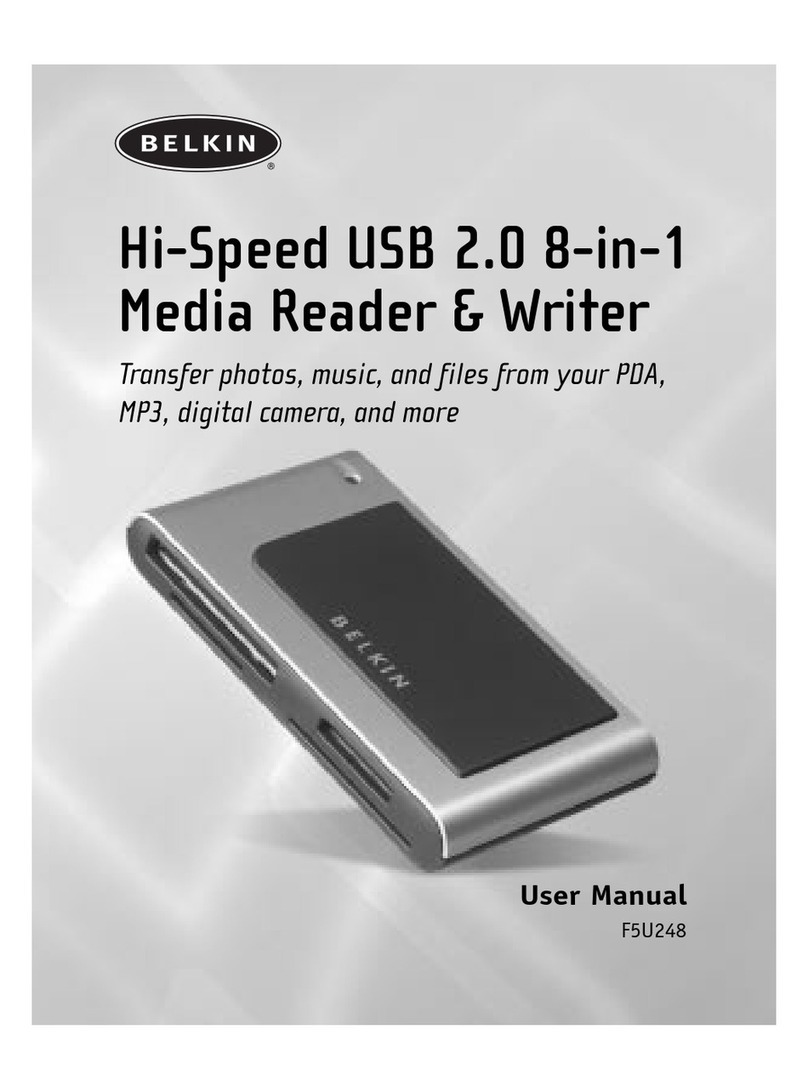
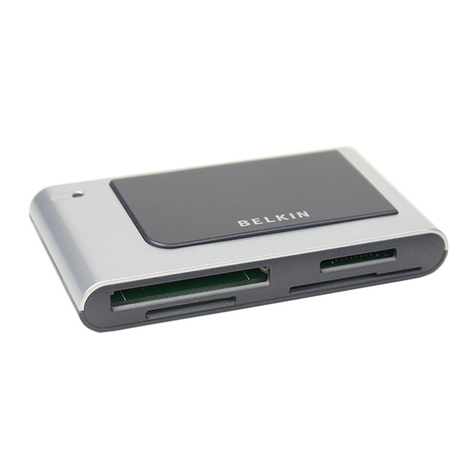
Belkin F5U249 User manual

F5U249
Hi-Speed USB 2.0 15-in-1
Media Reader & Writer
User Manual
Transfer photos, music, and files
from your PDA, MP3, digital camera,
and more

Table of Contents
1 Introduction................................................................1
Features ..................................................................2
System Requirements.............................................2
Package Contents...................................................2
Media Insertion .......................................................3
2 Installation Procedure for Windows..........................4
Windows 98 SE, Me, 2000, XP...............................4
3 Safe Removal of Media Cards and Readers...............6
4 Uninstalling your Media Reader & Writer.................7
5 Installation Procedure for Mac OS.............................8
Mac OS 9.0–9.x ......................................................8
Mac OS X v10.1.2 and above.................................9
6 Accessing Files and Data .........................................10
7 Safe Removal of Digital Flash Media Cards.............10
8 Uninstalling your Media Reader & Writer...............11
Mac OS 9.0–9.x and Mac OS X v10.1.2
and above .............................................................11
9 Information ..............................................................12

Congratulations
Thank you for purchasing the Belkin 15-in-1
Hi-Speed USB 2.0 Media Reader & Writer.
This quality product provides compatibility with
the following popular flash memory formats.
• CompactFlash®Type I and Type II
• IBM®Microdrive™
• SmartMedia™
• Secure Digital/Mini SD*
• MultiMediaCard/RSMMC
(Reduced Size Multimedia Card)*
• xD Picture Card
• Memory Stick®/Memory Stick Duo™*
• Memory Sick Pro™/Memory Stick Pro Duo™*
• Memory Stick MagicGate™/Memory Stick
MagicGate Duo™* (non-secure mode only)
*Requires use of adapter included with media card
In addition to Media Readers, Belkin manufactures an
entire line of USB and PC accessories. Please visit
belkin.com for details.
Introduction
1
___
2
___
3
___
4
___
5
___
6
___
7
___
8
___
9
1
1

Introduction
Features
• Easy transfer of data between slots
• Quick and easy access to digital photos, MP3s,
and other digital files
• Doubles as a removable media storage device
• Bus-powered—no power supply required
• Plug-and-Play, hot swap capability
• Drag-and-drop file transfer
• Custom drive icon support using the included driver
• Belkin Lifetime Warranty
System Requirements
• Computer with available USB port
(USB 2.0 port for Hi-Speed mode)
• Windows®98 SE, Me, 2000, or XP
• Mac OS®9.x or Mac OS X v10.1.2 or higher
(Custom icons not supported in OS 10)
Package Contents
• Belkin Hi-Speed USB 2.0 15-in-1
Media Reader & Writer
• User Manual
• Installation CD
1
___
2
___
3
___
4
___
5
___
6
___
7
___
8
___
9
1
2
Introduction
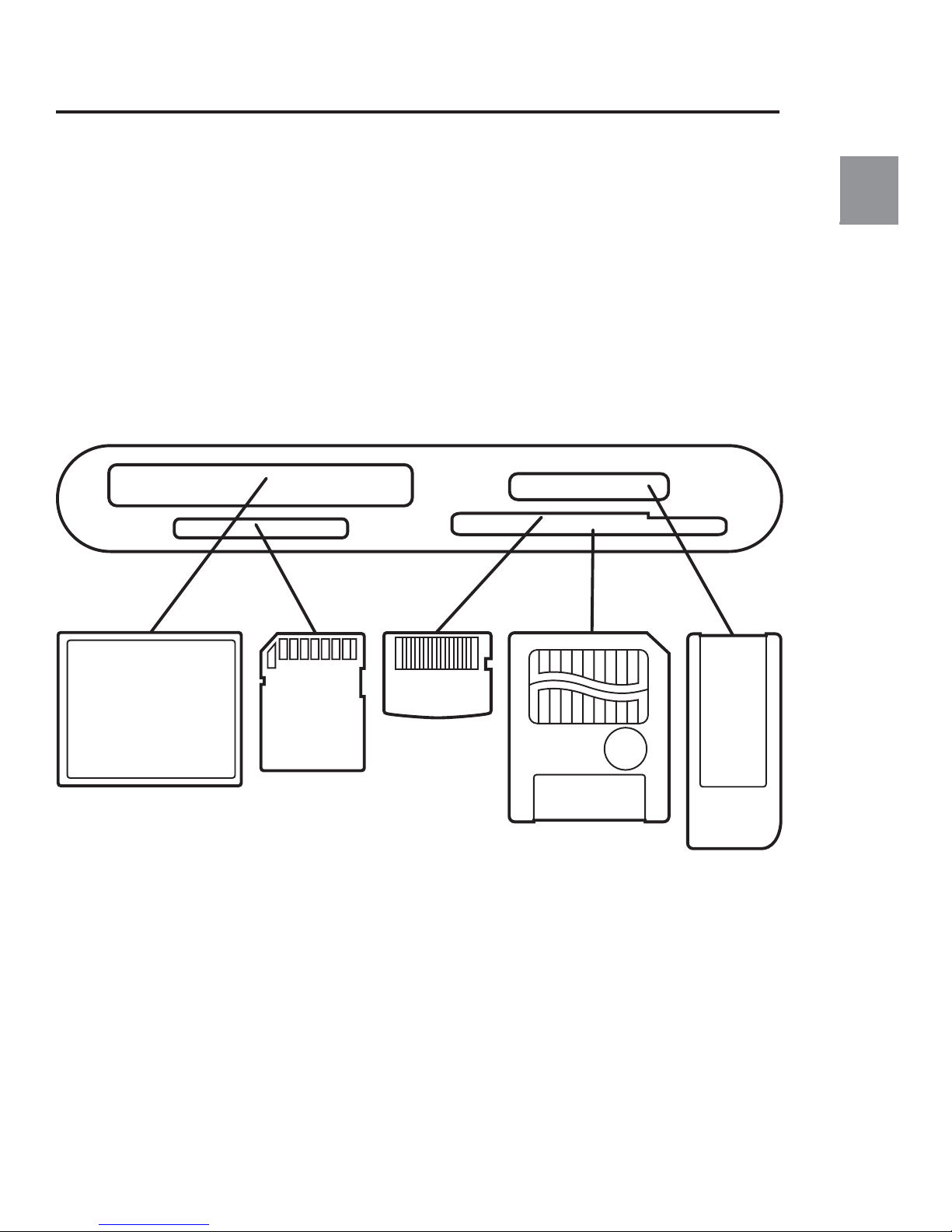
Media Insertion
To prevent damage to your Media Reader and/or media
card, it is important that the media card be correctly
inserted into the Reader. See the drawings below, which
illustrate the proper orientation for insertion of your
media card.
Important Note: The 15-in-1 Reader & Writer uses a
combination slot designed to accommodate both xD
Picture Card and SmartMedia card formats. Only a
single card may be plugged into the combination slot
at any time.
CompactFlash MultiMedia
Card
xD
Picture
Card
SmartMedia
Memory
Stick
1
___
2
___
3
___
4
___
5
___
6
___
7
___
8
___
9
1
3

Installation Procedure for Windows
IMPORTANT NOTE: DO NOT PLUG MEDIA READER
INTO COMPUTER UNTIL INSTRUCTED TO DO SO
Windows 98 SE, Me, 2000, XP
1. Insert the Belkin Driver Installation CD.
a. After a few moments, the setup application will
appear on your computer screen.
b. If the setup application does not appear,
double-click “My Computer” then click on your
CD-ROM drive icon. This will load the setup
application’s main page.
2. Click the “Install Driver” button.
3. The “InstallShield Wizard” will now start. Click
“Next” on each of the screens that are displayed,
then click “Finish”. You should now restart to
complete the driver installation process.
Important Operating System Notes:
a) Windows Me and XP offer native support for
mass-storage devices. It is not necessary to
install the Belkin driver in order to use the
15-in-1 Media Reader. However, if you wish to
take advantage of the custom drive icons, the
driver must be installed.
b) Windows 2000 also offers native support for
mass-storage devices, but in versions prior to
Service Pack 3, does not support “multi-LUN”
devices. If the Belkin driver is not installed in
1
___
2
___
3
___
4
___
5
___
6
___
7
___
8
___
9
2
4

Installation Procedure for Windows
Windows 2000 versions prior to Service Pack 3,
only the CompactFlash slot will be available.
Furthermore, if you wish to take advantage of the
custom drive icons, the driver must be installed.
c) Windows 98 SE does not support mass-storage
devices; therefore, the Belkin driver must always be
installed.
4. After Windows restarts, connect the Media Reader’s
USB plug to the USB port on your PC or USB hub and
follow the on-screen instructions to complete the
installation.
5. The Media Reader will be recognized as four individual
removable disk drives. To access the new drive(s),
click the “My Computer” icon found on your Windows
desktop display. When the “My Computer” window
opens, you will see a customized disk drive icon
representing each of the four slots. (See Operating
System notes above regarding custom icon support)
1
___
2
___
3
___
4
___
5
___
6
___
7
___
8
___
9
2
5

Safe Removal of Media Cards and Readers
All versions of Windows
1. Do not remove your media card from the Reader
while data is being read or written to the card.
Doing so could corrupt the media card resulting
in a loss of data. The correct way to remove the
card is to go to “My Computer”, right-click on
the drive and select “Eject” from the list.
Depending on your operating system, this
feature may not give you a prompt that says
it was done. After clicking on eject, you can
remove the card without corrupting the files
on the card.
2. To safely remove a Media Reader from your
computer, click on the “Unplug or Eject Hardware”
button found in the right-hand corner of the
Windows taskbar. Failure to follow this step could
result in the loss or corruption of data stored on
your media card.
1
___
2
___
3
___
4
___
5
___
6
___
7
___
8
___
9
3
6

Uninstalling your Media Reader & Writer
All versions of Windows
1. To uninstall the Belkin Media Reader & Writer driver,
click the “Start” Button, select “Settings”, select
“Control Panel”, then select “Add/Remove
Programs”. Choose “Belkin F5U249 Driver and
Icon”, then click “Remove”.
Note: This procedure is only necessary if the Belkin
driver has been installed.
2. You may also perform the uninstall from Windows
Device Manager. (To uninstall from Windows Device
Manager, the Media Reader must be plugged into
your computer.) Right-click on “My Computer”, then
select “Properties”, then “Device Manager”. Click on
the (+) sign next to “Disk Drives”. Select the Media
Reader from the list of drives, then click on
“Remove”. Now unplug the Media Reader from the
USB port on your computer or hub.
1
___
2
___
3
___
4
___
5
___
6
___
7
___
8
___
9
4
7

Installation Procedure for Mac OS®
Mac OS 9.0–9.x
1. Insert the Belkin Media Reader Installer CD.
2. Double-click on the “USB Media Reader” CD-ROM
drive icon that appears on your desktop. Then click
on “Belkin installer 0.6”.
3. Follow the on-screen instructions to complete driver
installation.
4. Connect the Media Reader’s USB plug to an
available USB port on your Mac®computer or USB
hub, and insert your media card.
5. Once a media card is inserted, it will appear on your
desktop as a standard Mac OS disk drive. A custom
drive icon will appear for each slot according to the
media type. The drive icon will appear only when a
media card is inserted into its slot.
Important Note: The 15-in-1 Hi-Speed USB 2.0
Reader & Writer uses a combination slot designed to
accommodate both xD Picture Card and SmartMedia
card formats. When an xD Picture Card is inserted into
the slot, it will be displayed on your Mac OS desktop as
a SmartMedia card. Only a single card may be plugged
into the combination slot at any time.
1
___
2
___
3
___
4
___
5
___
6
___
7
___
8
___
9
5
8
Table of contents
Other Belkin Card Reader manuals