manuals.online logo
Brands
  1. Home
  2. •
  3. Brands
  4. •
  5. Brady
  6. •
  7. Label Maker
  8. •
  9. Brady Bradyprinter 200MVP User manual

Brady Bradyprinter 200MVP User manual

Other manuals for Bradyprinter 200MVP

2

This manual suits for next models

1

Other Brady Label Maker manuals

Brady LabelMark 3.2 User manual

Brady

Brady LabelMark 3.2 User manual

Brady Versaprinter User manual

Brady

Brady Versaprinter User manual

Brady LABELIZER PLUS User manual

Brady

Brady LABELIZER PLUS User manual

Brady BradyPrinter i7100 User manual

Brady

Brady BradyPrinter i7100 User manual

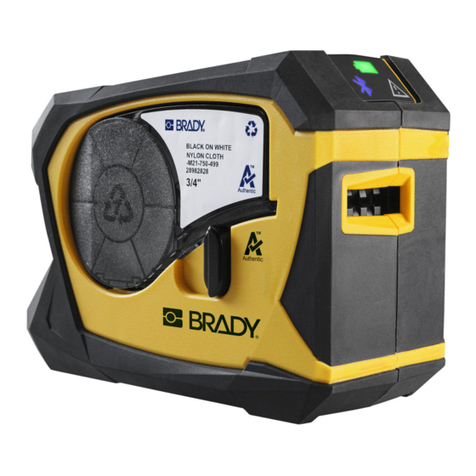
Brady BMP21 User manual

Brady

Brady BMP21 User manual

Brady DSP-5 User manual

Brady

Brady DSP-5 User manual

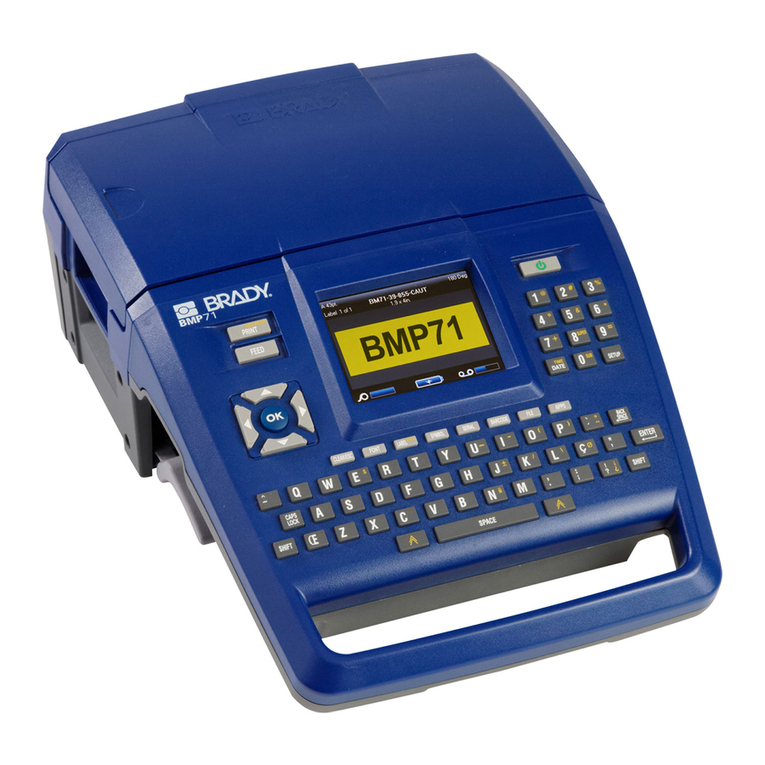
Brady BMP71 Instruction Manual

Brady

Brady BMP71 Instruction Manual

Brady BBP 35 User manual

Brady

Brady BBP 35 User manual

Brady M211 User manual

Brady

Brady M211 User manual

Brady BBP 30 User manual

Brady

Brady BBP 30 User manual

Brady label maker User manual

Brady

Brady label maker User manual

Brady I.D. PRO Plus User manual

Brady

Brady I.D. PRO Plus User manual

Brady BMP 51 User manual

Brady

Brady BMP 51 User manual

Brady BMP 41 User manual

Brady

Brady BMP 41 User manual

Brady BradyPrinter M611 User manual

Brady

Brady BradyPrinter M611 User manual

Brady M511 User manual

Brady

Brady M511 User manual

Brady MINIMARK User manual

Brady

Brady MINIMARK User manual

Brady GlobalMark 2 User manual

Brady

Brady GlobalMark 2 User manual

Brady Bradyprinter THT 200M-e User manual

Brady

Brady Bradyprinter THT 200M-e User manual

Brady QuickLabel GlobalMark 2 Applic Parts list manual

Brady

Brady QuickLabel GlobalMark 2 Applic Parts list manual

Brady IDXpert Handheld Labeler User manual

Brady

Brady IDXpert Handheld Labeler User manual

Brady LABPAL User manual

Brady

Brady LABPAL User manual

Brady BMP71 User manual

Brady

Brady BMP71 User manual

Brady TLS2200 User manual

Brady

Brady TLS2200 User manual

Popular Label Maker manuals by other brands

Brother P-Touch 3600 user guide

Brother

Brother P-Touch 3600 user guide

Dymo Rhino 6500 user guide

Dymo

Dymo Rhino 6500 user guide

LabelMill LM3510 Operation manual

LabelMill

LabelMill LM3510 Operation manual

Brother P-Touch 2420PC Quick reference guide

Brother

Brother P-Touch 2420PC Quick reference guide

newell Dymo LabelManager 210D user guide

newell

newell Dymo LabelManager 210D user guide

Brother TD-4000 Gu

Brother

Brother TD-4000 Gu

U-Line BROTHER H-8754 manual

U-Line

U-Line BROTHER H-8754 manual

Tharo Systems H-435+ user manual

Tharo Systems

Tharo Systems H-435+ user manual

Brother E300 user guide

Brother

Brother E300 user guide

Godex RT700 SERIES Service manual

Godex

Godex RT700 SERIES Service manual

ID Technology 252 Operator / technical  manual

ID Technology

ID Technology 252 Operator / technical manual

Labelmate MC-11 user manual

Labelmate

Labelmate MC-11 user manual

CAB XD4M/300 Service manual

CAB

CAB XD4M/300 Service manual

Avery Dennison Pathfinder 6057 System administrator guide

Avery Dennison

Avery Dennison Pathfinder 6057 System administrator guide

Brother P-touch PT-9700PC user guide

Brother

Brother P-touch PT-9700PC user guide

TSC PEX1000 Series user manual

TSC

TSC PEX1000 Series user manual

Adkins Label Master user guide

Adkins

Adkins Label Master user guide

Epson LabelWorks LW-400 Specifications

Epson

Epson LabelWorks LW-400 Specifications

manuals.online logo
manuals.online logoBrands
  • About & Mission
  • Contact us
  • Privacy Policy
  • Terms and Conditions

Copyright 2025 Manuals.Online. All Rights Reserved.

Â@bàÂÎkÂÔ
3Åk¿ÅÌ×bk
Customer order # 62296
Manufacturer part # 77965LB-12 Rev. 1
All manuals and user guides at all-guides.com
all-guides.com
ii Bradyprinter 200MVP and 300MVP User’s Guide
3URSULHWDU\6WDWHPHQW
This manual contains proprietary information of Brady Corporation. It is intended solely for the information and use
of parties operating and maintaining the equipment described herein. Such proprietary information may not be used,
reproduced, or disclosed to any other parties for any other purpose without the expressed written permission of Brady
Corporation.
3URGXFW,PSURYHPHQWV
Continuous improvement of products is a policy of Brady Corporation. All specifications and signs are subject to
change without notice.
)&&&RPSOLDQFH6WDWHPHQW
NOTE: This equipment has been tested and found to comply with the limits for a Class B digital device, pursuant to
Part 15 of the FCC Rules. These limits are designed to provide reasonable protection against harmful interference in a
residential installation. This equipment generates, uses and can radiate radio frequency energy and, if not installed and
used in accordance with the instructions, may cause harmful interference to radio communications. However, there is
no guarantee that the interference will not occur in a particular installation. If this equipment does cause harmful
interference to radio or television reception, which can be determined by turning the equipment off and on, the user is
encouraged to try to correct the interference by one or more of the following measures:
• Reorient or relocate the receiving antenna.
• Increase the separation between the equipment and the receiver.
• Connect the equipment into an outlet on a circuit different from that to which the receiver is connected.
• Consult the dealer or an experienced Radio/TV technician for help.
NOTE: This unit was tested with shielded cables on the peripheral devices. Shielded cables must be used with the
unit to ensure compliance.
“The user is cautioned that any changes or modifications not expressly approved by Brady Corporation could void the
user’s authority to operate the equipment.”
&DQDGLDQ'2&&RPSOLDQFH6WDWHPHQW
This digital apparatus does not exceed the Class A limits for radio noise emissions from digital apparatus as set out in
the radio interference regulations of the Canadian Department of Communications.
/LDELOLW\'LVFODLPHU
Brady Corporation takes steps to assure that its published Engineering Specifications and Manuals are correct;
however, errors do occur. Brady Corporation reserves the right to correct any such errors and disclaims liability
resulting therefrom.
1R/LDELOLW\IRU&RQVHTXHQWLDO'DPDJH
In no event shall Brady Corporation or anyone else involved in the creation, production, or delivery of the
accompanying product (including hardware and software) be liable for any damages whatsoever (including, without
limitation, damages for loss of business profits, business interruption, loss of business information, or other pecuniary
loss) arising out of the use of or the results of use of or inability to use such product, even if Brady Corporation has
been advised of the possibility of such damages. Because some states do not allow the exclusion or limitation of
liability for consequential or incidental damages, the above limitation may not apply to you.
&RS\ULJKWV
This copyrighted manual and the label printers described herein are owned by Brady Corporation. All rights are
reserved. Unauthorized reproduction of this manual or the software in the label printer may result in imprisonment of
up to one year and fines of up to $10,000 (17 U.S.C.506). Copyright violators may be subject to civil liability.
All products and brand names are trademarks of their respective companies. All rights reserved.
© 2001 Brady Corporation. All rights reserved.

All manuals and user guides at all-guides.com
Bradyprinter 200MVP and 300MVP User’s Guide iii
All manuals and user guides at all-guides.com
iv Bradyprinter 200MVP and 300MVP User’s Guide
All manuals and user guides at all-guides.com
Bradyprinter 200MVP and 300MVP User’s Guide v
For Technical Support Service, call us directly at 1-800-643-8766 or visit our web
site: http://www.bradyid.com.

:+% 5$'<&2
CUSTOMER SERVICE FORM
This form should be completed in full before requesting technical assistance.
SERIAL # _____________________________________________
MODEL # _____________________________________________
(Be specific, include ALL letters and numbers)
COMPANY ___________________________________________
ADDRESS ____________________________________________
CITY ________________________________________________
STATE, ZIP ___________________________________________
PHONE # (_______) ____________________________________
CONTACT ___________________________________________
Hours available for return call ____________________________
Hardware Interface Type ________________________________
Unit Interfaced with ____________________________________
Description of problem including actions taken just prior to problem occurring:
_____________________________________________________
_____________________________________________________
_____________________________________________________
_____________________________________________________
_____________________________________________________
All manuals and user guides at all-guides.com
vi Bradyprinter 200MVP and 300MVP User’s Guide
All manuals and user guides at all-guides.com
all-guides.com
Bradyprinter 200MVP and 300MVP User’s Guide vii
2AOlÍyÍÏlÏÆ
:lYl³³³³³³³³³³³³³³³³³³³³³³³³³³³³³³³³³³³³³³³³³³³³³³³³³³³³³³³³³³³³³³³³³³³³¦
Hello! .......................................................................................................................1
Unpacking and Inspection........................................................................................1
Reporting Damage..............................................................................................2
Storage................................................................................................................2
Media and Ribbon Requirements.............................................................................2
Printer Power ...........................................................................................................3
Printer Overview......................................................................................................4
AOÃAÏÍÏlÍ-ÃÏló³³³³³³³³³³³³³³³³³³³³³³³³³³³³³³³³³³³³³³³³³³³{
Purpose.....................................................................................................................5
Types of Media ........................................................................................................6
Non-Continuous Web Media..............................................................................6
Continuous Media...............................................................................................7
Non-Continuous Black Mark Media ..................................................................7
Choosing the Print Mode .........................................................................................8
Loading the Media...................................................................................................8
Positioning the Media Sensor ..................................................................................9
Transmissive Sensor...........................................................................................9
Adjusting the Transmissive Sensor ....................................................................9
Reflective Sensor..............................................................................................10
Adjusting the Reflective Sensor .......................................................................11
Loading the Ribbon................................................................................................12
Auto Calibration.....................................................................................................13
Operator Controls...................................................................................................14
POWER Switch ................................................................................................14
Front Panel........................................................................................................14
Configuring the Printer ..........................................................................................15
Configuring the Software of Printer Driver...........................................................16
Printing a Test Label .............................................................................................16
All manuals and user guides at all-guides.com
viii Bradyprinter 200MVP and 300MVP User’s Guide
ÆÏAOÆÍØYAÏ ³³³³³³³³³³³³³³³³³³³³³³³³³³³³³³³¦Ê
System Considerations .......................................................................................... 17
Interfaces.......................................................................................................... 17
Data Specifications .......................................................................................... 17
Cabling Requirements .......................................................................................... 18
-ÃÏlÃÍAÆYÆ ³³³³³³³³³³³³³³³³³³³³³³³³³³³³³³³³³³³³³³³³³³³³³³³³³³³³³³³³³¦
Front Panel............................................................................................................. 19
Front Panel Display.......................................................................................... 19
Front Panel Keys.............................................................................................. 20
Front Panel Lights............................................................................................ 21
Roll Media Loading............................................................................................... 22
Tear-off Mode .................................................................................................. 22
Cutter Mode...................................................................................................... 23
Value Peel-off Mode........................................................................................ 24
Liner Take-up Mode.........................................................................................26
Power Peel-off Mode ....................................................................................... 28
Power Rewind Mode........................................................................................ 30
Fanfold Media Loading.........................................................................................32
Ribbon Loading..................................................................................................... 34
Loading the Ribbon..........................................................................................34
Ribbon Removal.................................................................................................... 36
yØÃAÏ ³³³³³³³³³³³³³³³³³³³³³³³³³³³³³³³³³³³³³³³³³³³³³³³³³³³³³³³³ÑÊ
Entering the Setup Mode....................................................................................... 37
Changing Password-Protected Parameters............................................................38
Leaving the Setup Mode........................................................................................39
Configuration and Calibration Sequence ..............................................................40
/ØÏlÍAÃlÍAcÍ cØÆÏlÏÆ³³³³³³³³³³³³³³³³³³³³³³³³³³³³³³{{
Cleaning................................................................................................................. 55
Cleaning the Exterior ....................................................................................... 56
Cleaning the Interior.........................................................................................56
Cleaning the Printhead and Platen Roller ........................................................56
Cleaning the Sensors........................................................................................ 57
Cleaning the Power Peel-Off Module..............................................................58
Cleaning the Value Peel-Off Module............................................................... 59
Cleaning the Cutter Module............................................................................. 60
All manuals and user guides at all-guides.com
Bradyprinter 200MVP and 300MVP User’s Guide ix
Lubrication.............................................................................................................61
Printhead Pressure Adjustment .............................................................................62
Power Rewind Media Alignment...........................................................................64
Fuse Replacement..................................................................................................65
2ÃØOlÆÏ³³³³³³³³³³³³³³³³³³³³³³³³³³³³³³³³³³³³³³³³³³³³³³³³³³³³³ËÊ
LCD Error Conditions and Warnings ....................................................................67
Print Quality Problems...........................................................................................69
Communication Problems......................................................................................71
Printer Diagnostics.................................................................................................73
Power-On Self Test...........................................................................................73
Additional Printer Self Tests ............................................................................73
CANCEL Key Self Test ..................................................................................74
PAUSE Key Self Test.......................................................................................75
FEED Key Self Test ........................................................................................76
Loading Factory Defaults ......................................................................................77
0®lYyYAÏÆ ³³³³³³³³³³³³³³³³³³³³³³³³³³³³³³³³³³³³³³³³³³³³³³³³³³³³³³³³³Ê
General Specifications ...........................................................................................79
Printing Specifications...........................................................................................80
Ribbon Specifications............................................................................................80
Media Specifications..............................................................................................81
Options...................................................................................................................81
Zebra Programming Language (ZPL II)................................................................82
Bar Codes...............................................................................................................82
AC Power Cord......................................................................................................83
Power Line Cord Specifications.......................................................................83
:AÃÃAÏáÍyÃAÏ³³³³³³³³³³³³³³³³³³³³³³³³³³³³³³³³³³³³³³³³³³³q{
ÃAcálYÏÍ YlÆlÍ Ãlllϳ³³³³³³³³³³³³³³³³³³³³³³³³qÊ
®®lcà ³³³³³³³³³³³³³³³³³³³³³³³³³³³³³³³³³³³³³³³³³³³³³³³³³³³³³³³³³³³³³³³³¦
Printer Interface Technical Information.................................................................91
Serial Data Communications............................................................................91
Parallel Data Communications .........................................................................96
clà³³³³³³³³³³³³³³³³³³³³³³³³³³³³³³³³³³³³³³³³³³³³³³³³³³³³³³³³³³³³³³³³³³³³³³³Ê
All manuals and user guides at all-guides.com
x Bradyprinter 200MVP and 300MVP User’s Guide
All manuals and user guides at all-guides.com