manuals.online logo
Brands
  1. Home
  2. •
  3. Brands
  4. •
  5. Brady
  6. •
  7. Printer
  8. •
  9. Brady PAM 3000 User manual

Brady PAM 3000 User manual

Other manuals for PAM 3000

1

Other Brady Printer manuals

Brady BP-IP600-C User manual

Brady

Brady BP-IP600-C User manual

Brady BradyPrinter M611 User manual

Brady

Brady BradyPrinter M611 User manual

Brady BradyPrinter A5500 User manual

Brady

Brady BradyPrinter A5500 User manual

Brady 2024 User manual

Brady

Brady 2024 User manual

Brady BMP 41 User manual

Brady

Brady BMP 41 User manual

Brady BradyPrinter S3000 User manual

Brady

Brady BradyPrinter S3000 User manual

Brady THT MVPplus User manual

Brady

Brady THT MVPplus User manual

Brady BRADYMARKER XC Plus User manual

Brady

Brady BRADYMARKER XC Plus User manual

Brady SLV-DAT-PRO User manual

Brady

Brady SLV-DAT-PRO User manual

Brady BradyJet J1000 User manual

Brady

Brady BradyJet J1000 User manual

Brady BBP 33 User manual

Brady

Brady BBP 33 User manual

Brady Bradyprinter THT 300X-PLUS User manual

Brady

Brady Bradyprinter THT 300X-PLUS User manual

Brady BMP21 User manual

Brady

Brady BMP21 User manual

Brady BBP12 User manual

Brady

Brady BBP12 User manual

Brady BBP16 User manual

Brady

Brady BBP16 User manual

Brady BradyPrinter M611 User manual

Brady

Brady BradyPrinter M611 User manual

Brady BBP81 User manual

Brady

Brady BBP81 User manual

Brady TLS2200 User manual

Brady

Brady TLS2200 User manual

Brady PAM 3600 User manual

Brady

Brady PAM 3600 User manual

Brady BBP 72 User manual

Brady

Brady BBP 72 User manual

Brady Tagus User manual

Brady

Brady Tagus User manual

Brady touch print User manual

Brady

Brady touch print User manual

Brady Bradyprinter 2461 User manual

Brady

Brady Bradyprinter 2461 User manual

Brady BP-1244 User manual

Brady

Brady BP-1244 User manual

Popular Printer manuals by other brands

Evolis Elypso user guide

Evolis

Evolis Elypso user guide

Lexmark 522n - C Color Laser Printer Service manual

Lexmark

Lexmark 522n - C Color Laser Printer Service manual

Panduit COUGAR LS9Q Operator's manual

Panduit

Panduit COUGAR LS9Q Operator's manual

Olivetti PG L2140 Operation guide

Olivetti

Olivetti PG L2140 Operation guide

Samsung SL-M2820DW user manual

Samsung

Samsung SL-M2820DW user manual

Kyocera FS-9530DN specification

Kyocera

Kyocera FS-9530DN specification

Canon LASER SHOT LBP-1210 Specifications

Canon

Canon LASER SHOT LBP-1210 Specifications

Canon PIXMA PRO-1 Series Getting started

Canon

Canon PIXMA PRO-1 Series Getting started

Canon LBP113w Getting started

Canon

Canon LBP113w Getting started

Lexmark Infoprint 1332 user manual

Lexmark

Lexmark Infoprint 1332 user manual

Epson M1120 user guide

Epson

Epson M1120 user guide

TransAct POSJET 1500 Spare parts

TransAct

TransAct POSJET 1500 Spare parts

Telpar MTP-1500 user manual

Telpar

Telpar MTP-1500 user manual

Star DP8340 SERIES user manual

Star

Star DP8340 SERIES user manual

MGI JETVARNISH 3DS user manual

MGI

MGI JETVARNISH 3DS user manual

Kyocera TASKalfa PA4500ci Operation guide

Kyocera

Kyocera TASKalfa PA4500ci Operation guide

Emaar EP-360 user manual

Emaar

Emaar EP-360 user manual

Fujitsu DL7400 user manual

Fujitsu

Fujitsu DL7400 user manual

manuals.online logo
manuals.online logoBrands
  • About & Mission
  • Contact us
  • Privacy Policy
  • Terms and Conditions

Copyright 2025 Manuals.Online. All Rights Reserved.

Edition 6/02
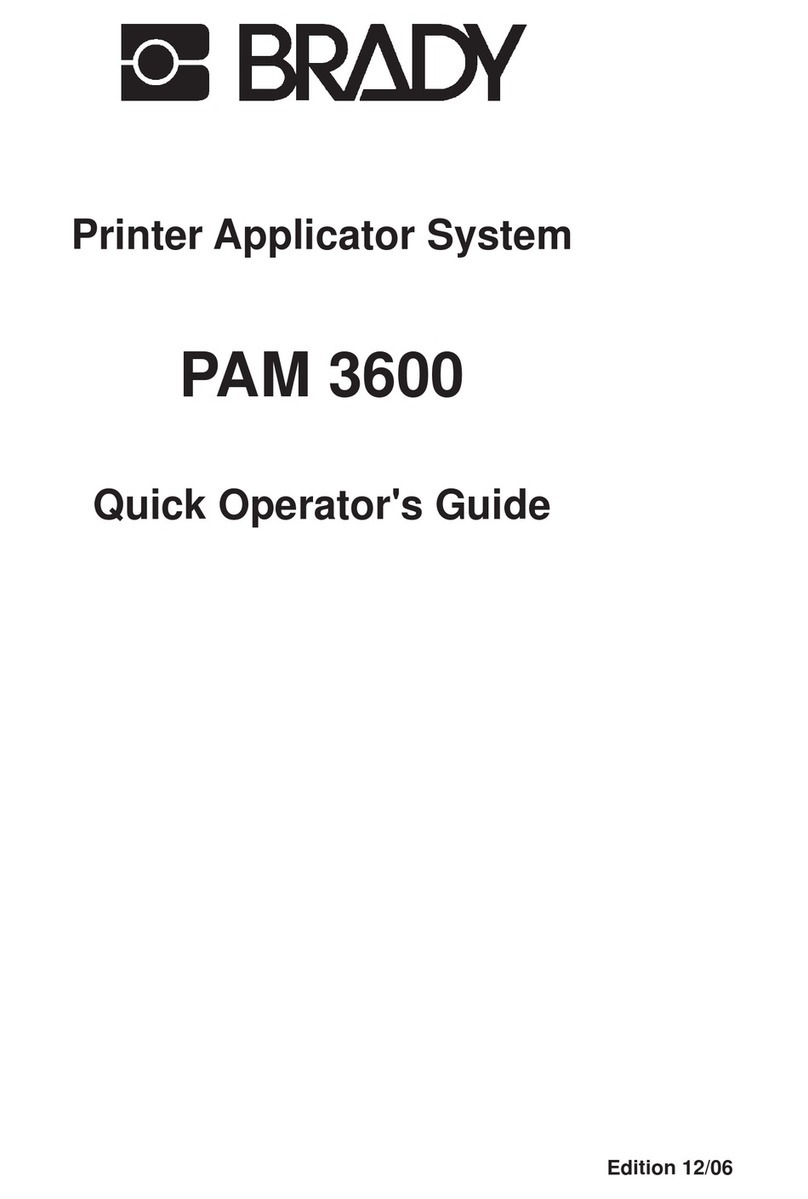
PAM 3000
Printer-Applicator-System
Operator's Manual
In accordance with our policy of continual product improvement, we reserve the right to alter specifications without notice
Données technique modifiables sans prévais
Technische Änderungen vorbehalten
Identification Solutions Division
6555 W. Good Hope Road
PO Box 2131
Milwaukee, WI 53201 U.S.A.
Phone: 1-800-537-8791 Fax: 1-800-292-2289
3Printer-Applicator-System PAM 3000
All rights reserved, including those of the translations.
No part of this manual nor any translation may be reproduced or transmitted in any form or by any means, for
any purpose other than the purchaser's personal use, without the express written permission of W.H. Brady
Co.
Edition 6/02
Printer-Applicator-System
Operator's Manual
PAM 3000
Printer-Applicator-System
Operator's Manual
Printer-Applicator-System PAM 30004
Table of Contents
Table of Contents ................................................................................................................................... 4
A General Guide to the Documentation ................................................................................................ 7
Operator's Manual ............................................................................................................................. 7
Further Documentation ...................................................................................................................... 7
Trademarks ............................................................................................................................................. 7
1. Product Description ........................................................................................................................ 8
General Information........................................................................................................................... 8
Characteristics of the Thermal Printhead .......................................................................................... 8
Technical Specification ...................................................................................................................... 9
Optional Features ............................................................................................................................ 11
Print Media ...................................................................................................................................... 12
Print Media for Direct Thermal Printing ........................................................................................ 12
Print Media for Thermal Transfer Printing .................................................................................... 12
Label Media Specification ............................................................................................................ 13
Transfer Ribbon........................................................................................................................... 14
2. General Safety Instructions .......................................................................................................... 15
3. Delivery Contents .......................................................................................................................... 15
4. Component Location .................................................................................................................... 16
Printer.............................................................................................................................................. 16
Applicator ........................................................................................................................................ 19
5. Mounting the Applicator ............................................................................................................... 20
Installation ....................................................................................................................................... 20
Slide Valve....................................................................................................................................... 21
Pad Unit .......................................................................................................................................... 22
Blow Tube ....................................................................................................................................... 24
6. Connecting the Printer.................................................................................................................. 25
Air Connection ................................................................................................................................. 25
Interface Connections ..................................................................................................................... 26
Connection to Power Supply ........................................................................................................... 27
7. Media Loading ............................................................................................................................... 28
Preparation of the Label Supply Hub ............................................................................................... 28
Loading Labels ................................................................................................................................ 29
Loading Transfer Ribbon ................................................................................................................. 30
8. Adjustments................................................................................................................................... 31
Mechanical Adjustments.................................................................................................................. 31
Special Settings for the Operation ................................................................................................... 34
9. Control Panel ................................................................................................................................. 35
System Mode ONLINE .................................................................................................................... 35
System Mode OFFLINE .................................................................................................................. 36
System Mode PRINT....................................................................................................................... 36
System Mode PAUSE...................................................................................................................... 36
System Mode LABEL FROM CARD ................................................................................................ 36
5Printer-Applicator-System PAM 3000
10. Setup .............................................................................................................................................. 37
Start of Setup Mode ......................................................................................................................... 37
Leaving the Setup Mode .................................................................................................................. 37
Restore the Default Setting ............................................................................................................. 37
Function Keys in System Mode SETUP .......................................................................................... 37
Overview of the Setup Parameters .................................................................................................. 38
11. Printer Info Display ....................................................................................................................... 40
Viewing the Printer Info Display ....................................................................................................... 40
Definition of the Printer Info Display ................................................................................................ 40
12. Monitor Mode / ASCII Dump Mode ...............................................................................................42
Start of Monitor Mode / ASCII Dump Mode ...................................................................................... 42
Representations of the Control Characters...................................................................................... 42
Example of ASCII Dump Mode ........................................................................................................ 43
13. Operation ....................................................................................................................................... 44
Positioning of the Labels ................................................................................................................. 44
Switch on the Printer ....................................................................................................................... 45
Standard Operation ......................................................................................................................... 46
Special Operation with the Pre-dispense Key .................................................................................. 47
14. Optionen ........................................................................................................................................ 48
Keyboard Adapter ............................................................................................................................ 48
Installation of the Keyboard Adapter ............................................................................................48
Key Assignment........................................................................................................................... 49
Special Key Functions ................................................................................................................. 49
Memory Cards ................................................................................................................................. 50
Preparing the Memory Card ........................................................................................................ 50
Installation of the Memory Card ................................................................................................... 50
Formatting the Memory Card....................................................................................................... 51
Writing on the Memory Card........................................................................................................ 51
Printing from a Memory Card ...................................................................................................... 52
Warning Light .................................................................................................................................. 53
Warning Sensors ............................................................................................................................. 54
Warning Sensor Ribbon End .......................................................................................................54
Warning Sensor Label End.......................................................................................................... 55
Service Unit for Compressed Air ................................................................................................ ..... 56
Antistatic Brush ............................................................................................................................... 57
Appendices
Appendix A - Error Messages / Problem Solution.............................................................................A-1
Error Messages .............................................................................................................................. A-1
Correctable Errors ...................................................................................................................... A-1
Irrecoverable Errors....................................................................................................................A-2
Errors During System Test ......................................................................................................... A-2
List of Error Messages ......................................................................................................... ......A-3
Problem Solution ............................................................................................................................ A-6
Appendix B - Maintenance / Cleaning ............................................................................................... B-1

General .......................................................................................................................................... B-1
Cleaning the Printhead ................................................................................................................... B-1

Printer-Applicator-System PAM 30006
Appendix C - Pin Assignment of the Interface Connectors ............................................................ C-1

Pin Assignment of the Serial Interface Connector ......................................................................... C-1

Pin Assignment of the Parallel Interface Connector ....................................................................... C-3
PLC Interface Port ......................................................................................................................... C-4
Pin Assignment ......................................................................................................................... C-4
Circuit Diagrams of Inputs and Outputs ..................................................................................... C-5
Explanation of the Signals ......................................................................................................... C-6
Scanner Connector ....................................................................................................................... C-8
Pin Assignment ......................................................................................................................... C-8
Circuit Diagrams of Input and Output ........................................................................................ C-8
Explanation of the Signals ......................................................................................................... C-9
Example of a Circut Diagram .................................................................................................... C-9
Appendix D - Setup Selectable Character Tables ............................................................................ D-1
Appendix E - Spare Parts (Extract).....................................................................................................E-1
Index
Manufacturer's Declaration
7Printer-Applicator-System PAM 3000
A General Guide to the Documentation
Operator's Manual
The present manual contains information on the characteristics, features, functions, and use
of the Printer-Applicator-System PAM 3000.
The manual covers general information which is necessary for operating the printer as well as
information about accessibility to different components of the printer.
Furthermore the loading of media and ribbon and the configuration in setup will be explained.
In the appendices, you will find useful additional information, such as internal character sets of
the printer, interface specifications, comments on possible error messages and printer
maintenance.
Note the directions for use on recommended material and comments on maintenance in order
to avoid damage and premature failure of your printer.
Every effort has been made in the creation of this manual to provide as much information as
possible in an understandable manner.
We welcome your comments and suggestions regarding additions or corrections to improve
future editions of this manual. Please, let us know if you have any questions.
Important information contained in this manual is marked as follows:
WARNING !
Impending danger!
May cause death or physical injuries.
CAUTION !
Dangerous situation !
May cause equipment/material damage or data loss.
NOTICE !
Helpful additional information and tips for use.
Further Documentation
The programming of the PAM 3000 printer is completely compatible to the programming of the
PAM 2000. Therefore it is possible to use the information, that can be found in the manual
"Programming Instructions - Apollo".
Detailed information about service and maintenance are included in the "Service Manual" of
the PAM 3000.(e.g. replacement of components, adjustment instructions, spare parts lists,
etc.)
Trademarks
Centronics ® is a registered trademark of Centronics Data Computer Corporation.
Macintosh-Computer is a product of Apple Computer, Inc.
Microsoft ® is a registered trademark of Microsoft Corporation.
Bitstream ® is a registered trademark of Bitstream, Inc.
Speedo  is a registered trademark of Bitstream, Inc.
TrueType  is a registered trademark of Apple Computer, Inc.
Printer-Applicator-System PAM 30008
Characteristics of the Thermal Printhead
CAUTION !
The thermal printhead is the most sensitive part of your printer.
Pay special attention to the following guidelines :
1) The glass cover on the printhead must not be touched with the hand. Do not use any sharp
items, such as knives or screwdrivers, to clean the printhead.
2) During printing, always take care that there is no dirt or foreign objects on the labels in order
to avoid impurification of the printhead. This way, the printhead might be damaged.
3) Use proper label material with a smooth surface only.
A rough surface will affect the printhead and may cause damage and reduce its operating
life.
4) Clean the printhead regularly with a special printhead cleaning pen, or an isopropyl alcohol
soaked cotton swab.
5) Print with the lowest possible printhead temperature.
Careful use will allow you to print approximately between 30 to 50 km of print media before
the printhead needs replacing.
Improper usage can cause damage to the printhead.
1 Product Description
General Information
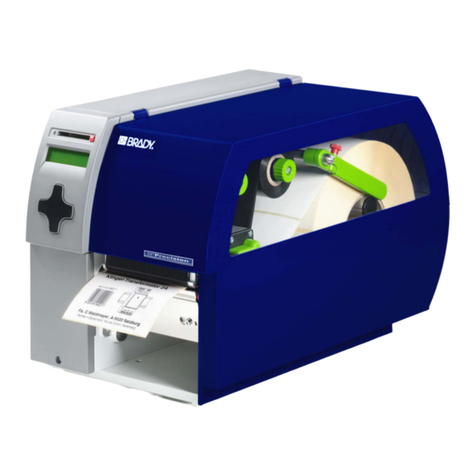
The Printer-Applicator-System PAM is especially developed for automatic labelling.
The system is composed of two main parts: printer module and applicator module.
The printer module PAM 3000 is equipped with a high-class 300 dpi printhead to print texts,
bar codes and graphics quick, brilliant and tidy.
The print mechanism is aligned to dispense labels. The transport system guarantees a high
precision in printing and applying labels independent from the size of the label supply roll. For
the receipt of the print data PAM 3000 has a serial RS-232-interface.
The printer is designated to work in the dispense mode. In this mode only each one label is
printed after the receipt of an start signal. The label is peeled-off from the backing paper by
moving back the peel-off table and taken by the pad. After removing the dispensed label the
peel-off table is moved back in the printing position. So the printing of the next label may be
started at the front label edge.
The applicator module PAM 3002 performs the transport of the labels from the peel-off
position (starting position) to the product (labelling position). The labels are transferred with a
pad, by two compressed-air driven pneumatic cylinders. A lift cylinder carries out the vertical
movement of the pad between the starting position and the labelling position and the turn
cylinder provides the turning movement of the pad between the 0°-position and the 90°-
position.
The labels could be applied parallel to the print line (0°-position) as well as across to the print
line (90°-position).
For the external control of the labelling process the PAM 3000 is equipped with a PLC
(programmable logic control) interface with potential free inputs and outputs. This interface is
especially used to start the printing and applying of the labels.
The PAM 3000 is an innovative label printer and applicator system which may be used in
either direct thermal or thermal transfer mode.
The double lined LCD display keeps the operator constantly informed about the current status
of the printer. The setup menu allows easy configuration changes whenever desired.
There are offered varied options to complete the print system.
9Printer-Applicator-System PAM 3000
Technical Specifications
Type : Direct thermal / Thermal transfer printer
Printhead : Thin film transfer printhead
Resolution: 300 dpi = 12 dots / mm
Number of dots/ line : 1280
Print width : 108 mm
Print speed : 66, 100, 133, 166, 200 mm/s
Available fonts : 5 Bitmap fonts incl. OCR-A and OCR-B
2 scaleable fonts (Speedo) - internally
Speedo and TrueTypefonts - to load externally
Character sets : Windows 95/98/NT4.00/2000, Windows 1252/1250, IBM Codepage 850/852,
ISO 8859-1, ISO 8859-8, EBCDIC, Macintosh
Supports all Western and Eastern European Latin characters
Character size : 0.9 - 128mm
For scaleable fonts : width and height are individually changeable
For Bitmap fonts : the size is selectable up to a factor of 10
Font style : bold, italic, underlined, mirror-inverted, outlined, revers, grey
Font rotation : Bitmap fonts/Bar codes : 0°, 90°, 180°, 270°
Scaleable fonts : optional, texts in circular format
Speedo and TrueTypefonts : alignment degree for degree, text in circular
format and mirror-inverted
Bar codes : Linear codes :
Code 39, Code 93, Code 128, Codabar, FIM, HIBC,
Interleaved 2/5, Ident-/Leitcode der Deutschen Post AG,
MSI, Plessey, Postnet, EAN-8, EAN-13, EAN-128, EAN/UCC 128,
EAN/UPC App 2, EAN/UPC App 5, JAN-8, JAN-13, UPC-A, UPC-E
2-D codes :
Data Matrix, PDF417, UPS-Maxicode
Bar code height, modul width, and ratio are variable, with/without check digit,
human readable character, start/stop character
Graphic elements : Line, box, circle, ellipse, fill-in segment, arrow
Graphic file type: .PCX, .IMG, .BMP, .TIF, .GIF and .MAC files
Processor : 32 Bit, Motorola
Memory : Internal memory 2 MB
Interfaces : serial : RS-232, RS-422, RS-485, 1200-57600 Baud, 8 Data Bits, even parity
parallel : Centronics
Printer-Applicator-System PAM 300010
Peripheral ports : PLC-interface for the control of the labelling process
Interface for connecting the scanner
Interface for connecting the warning sensor label end
Interface for connecting the warning sensor ribbon end
Interface for connecting the warning light
Test feature : System test when switching on
Material recognition : Gap sensor (See-trough), adjustable from 3 until 48 mm in the width
Control features : Print stop and error message at the LCD display at
- Paper out
- Ribbon out
- Transport system open
- Applicator errors
Control panel : 4 Function keys with LED display
Backlit LCD with 2 lines of text, 16 characters per line
LCD can be set to display in 9 different languages
Dimensions : Height : 420 mm
Width : 290 mm
Length : 530 mm
Weight : 35 kg
Operating voltage : Switcheable between 230 V A.C/ 50 Hz or 115 V A.C/ 60 Hz
Maximum 1.5 A (at 230 V) / 3 A (at 115 V)
power input :
Circuit protection : T 4 A (at 230 V) / T 6.3 A (at 115 V)
Compressed Operating pressure : 5 bar
air supply : Air connector : Push-in fitting for a 8 mm tube
Filter : 5 µm
Environment : Operation at 10° to 35°C at a humidity of 30 to 85%
Transport at -25° to +70°C at a max. humidity of 95%
non-condensing
Storage at 5° to 40°C at a humidity of 5 bis 85%
Tolerance of the print : +/- 0.3 at a print speed of 66 mm/s and 100 m media roll
increasing with the size of the media roll
Tolerance measure : 0.6 mm at a print speed of 66 mm/s and 100 m media roll
0.8 mm at a print speed of 66 mm/s and 150 m media roll
1.0 mm at a print speed of 66 mm/s and 180 m media roll
Measures determinded with material of the manufacturer according to the
conditions of the manufacturer.
Demand mechanism : "Shuttle"
Patent-No. : 5,300,160
Patent date : Apr. 5, 1994
Peel-off table dim. : Length : 120 mm
Width : 20 mm