5
step through the ranges or functions.
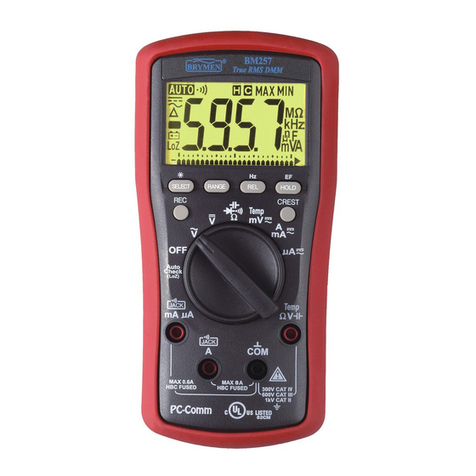
*As Hazardous-Alert: When making resistance measurements in AutoCheckTM mode,
an unexpected display of voltage readings alerts you that the object under test is being
energized.
*Ghost-voltage Buster: Ghost-voltages are unwanted stray signals coupled from
adjacent hard signals, which confuse common multimeter voltage measurements. Our
AutoCheckTM mode provides low (ramp-up) input impedance (approx. 2.5kΩ at low
voltage) to drain ghost voltages leaving mainly hard signal values on meter readings. It
is an invaluable feature for precise indication of hard signals, such as distinguishing
between hot and open wires (to ground) in electrical installation applications.
WARNING:
AutoCheckTM mode input impedance increases abruptly from initial 2.5kΩ to a few
hundred kΩ’s on high voltage hard signals. “LoZ” displays on the LCD to remind the
users of being in such low impedance mode. Peak initial load current, while probing
1000VAC for example, can be up to 566mA (1000V x 1.414 / 2.5kΩ), decreasing
abruptly to approx. 3.37mA (1000V x 1.414 / 420kΩ) within a fraction of a second. Do
not use AutoCheckTM mode on circuits that could be damaged by such low input
impedance. Instead, use rotary-switch selector or high input impedance voltage
modes to minimize loading for such circuits.
VFD-ACV Hz & ACV Hz functions
Inputs are made through the test leads terminals.
VFD-ACV Hz function is to deal with VFD (Variable Frequency Device) signals. It,
however, further pre-selects the most appropriate voltage-ranges and thus the Hz
trigger levels to best cope with most VFD-Voltage and VFD-Frequency applications.
Note: The Hz trigger level is determined by the AC/DC+AC Voltage or Current
function-range being in use. Press RANGE button to select different function-ranges
and thus trigger levels manually.
DCV & DC+ACV Hz (Model 197 only) functions
Inputs are made through the test leads terminals. Defaults at DCV Function. Press
SELECT button momentarily and release to select DC+ACV Hz.