manuals.online logo
Brands
  1. Home
  2. •
  3. Brands
  4. •
  5. Canon
  6. •
  7. Batteries Charger
  8. •
  9. Canon LC-10 User manual

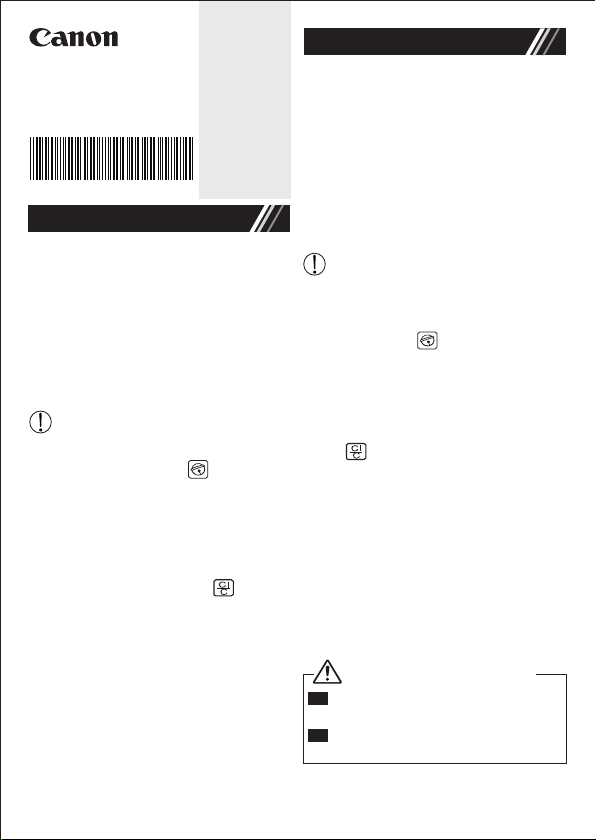
Canon LC-10 User manual

Other Canon Batteries Charger manuals

Canon Optura 100 MC User manual

Canon

Canon Optura 100 MC User manual

Canon CB-2LW User manual

Canon

Canon CB-2LW User manual

Canon CG-570 User manual

Canon

Canon CG-570 User manual

Canon CBC-NB2 User manual

Canon

Canon CBC-NB2 User manual

Canon CB-2LWE User manual

Canon

Canon CB-2LWE User manual

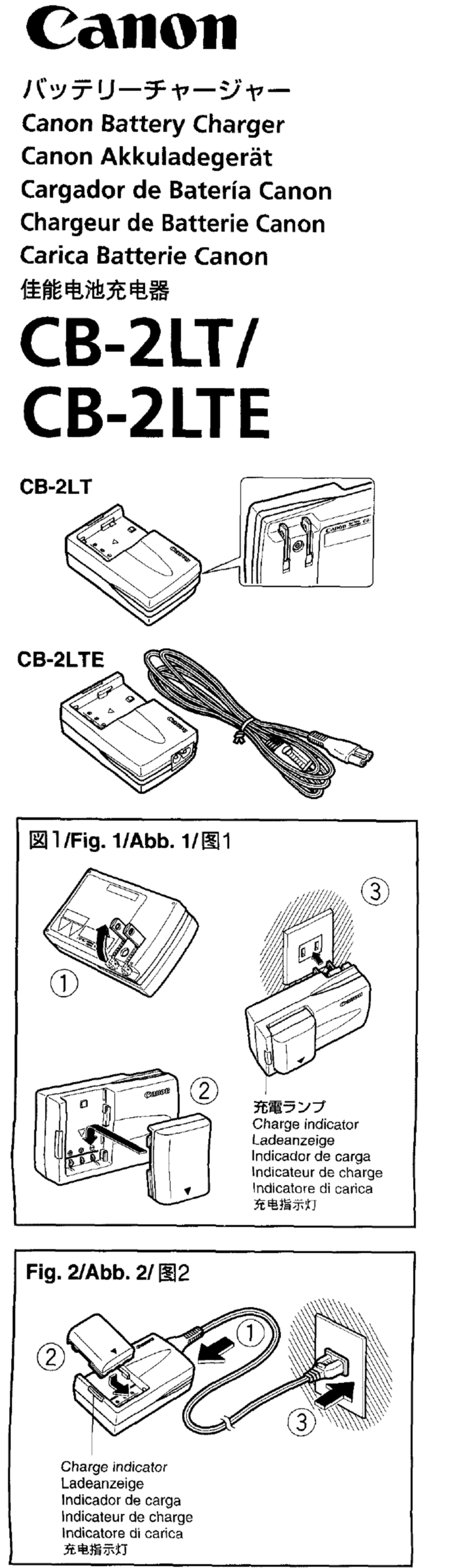
Canon CB-2LT User manual

Canon

Canon CB-2LT User manual

Canon 2MC - Elura 2MC MiniDV Digital Camcorder User manual

Canon

Canon 2MC - Elura 2MC MiniDV Digital Camcorder User manual

Popular Batteries Charger manuals by other brands

EVBox BusinessLine manual

EVBox

EVBox BusinessLine manual

Goobay 71808 user manual

Goobay

Goobay 71808 user manual

Kogan KACRDQIS4XA user manual

Kogan

Kogan KACRDQIS4XA user manual

Sealey WCB3 quick start guide

Sealey

Sealey WCB3 quick start guide

Vanner SP00143/181 owner's manual

Vanner

Vanner SP00143/181 owner's manual

KeyOuest KO037515 quick start guide

KeyOuest

KeyOuest KO037515 quick start guide

Enplus Silk Series user manual

Enplus

Enplus Silk Series user manual

Intermec SF51 user guide

Intermec

Intermec SF51 user guide

Colorovo PowerBox 6800 user guide

Colorovo

Colorovo PowerBox 6800 user guide

Smartech WBC-250 Operator's manual

Smartech

Smartech WBC-250 Operator's manual

PIXO C-USB instruction manual

PIXO

PIXO C-USB instruction manual

Gunson G4104 quick start guide

Gunson

Gunson G4104 quick start guide

Dometic NDS SCE320 Short Operating Manual

Dometic

Dometic NDS SCE320 Short Operating Manual

ABB HT572708 Operation manual

ABB

ABB HT572708 Operation manual

EVOline Square80 manual

EVOline

EVOline Square80 manual

Redarc SBC24025 Operating instructions and owner's manual

Redarc

Redarc SBC24025 Operating instructions and owner's manual

Absaar HV04 manual

Absaar

Absaar HV04 manual

DazeTechnology Cover Dazebox Home installation manual

DazeTechnology

DazeTechnology Cover Dazebox Home installation manual

manuals.online logo
manuals.online logoBrands
  • About & Mission
  • Contact us
  • Privacy Policy
  • Terms and Conditions

Copyright 2025 Manuals.Online. All Rights Reserved.

■
Sebelum menggunakan produk ini, silahkan
baca petunjuk ini denga seksama. Mohon
disimpan untuk referensi.
CATU DAYA
Kalkulator ini dilengkapi dengan sumber
daya baterai lithium. Umur baterai hanya
tergantung pada penggunaan masing-
masing.
(CATATAN: Setelah daya baterai hampir
habis, buanglah mesin dan
baterai sesuai dengan hukum
setempat).
Gangguan elektromagnetik atau
lucutan elektrostatik dapat menyebab
kan kerusakan pada tampilan atau isi
di dalam memori hilang atau berubah.
Apabila yang demikian ini terjadi,
tekan tombol dan ulangi kalkulasi
Anda dari awal.
FUNGSI OVERFLOW
Pada kasus berikut, pesan kesalahan (E)
akan diperlihatkan pada tampilan. Papan
ketik terkunci secara elektronik, dan
operasi tidak mungkin dapat dilakuka lagi.
Tekan untuk menghapus overflow.
Overflow terjadi apabila:
1) Hasil perhitungan melebihi 10 digit ke
sebelah kiri dari titik desimal.
2) Membagi dengan "0".
SPESIFIKASI
Sumber Daya: baterai lithium (CR2016 x 1)
Suhu Operasi: 0°C to 40°
Catu Daya Mati Otomatis: lebih kurang 7 menit
Dimensi: 90mm (L) x 50mm (P) x 5.4mm (T)
Berat: 20g
(Dapat berubah tanpa pemberitahuan)
BAHASA INDONESIA
■ Before using this product, please read
this manual carefully. Please keep
it for future reference.
POWER SUPPLY
This calculator comes with lithium cell
power source. The duration of the battery
depends on individual usage.
(NOTE: After battery power running out,
please dispose the machine and
battery according to local law).
Electromagnetic interference or
electrostatic discharge may cause
the display to malfunction. Should
this occur, press the key and
re-start your calculation from the
beginning.
OVERFLOW FUNCTIONS
In the following cases, error message (E)
will be shown on the display. The keyboard
is electronically locked, and further
operation is impossible. Press to clear
the overflow. The overflow occurs when:
1) The calculation result exceeds 10 digits
to the left of the decimal point.
2) Dividing by "0".
SPECIFICATIONS
Power Source: Lithium battery (CR2016 x 1)
Operating Temperature : 0oC to 40oC
Auto-power off : approx. 7 minutes
Dimension: 90mm(L) x 50mm (W) x 5.4mm (H)
Weight : 20g
(Subject to change without notices)
ENGLISH
LC-10
INSTRUCTIONS / INSTRUKSI
ENGLISH
BAHASA INDONESIA
Made in China / Buatan Cina
Printed in China / Tercetak di Cina
E-IM-2931
WARNING / PERINGATAN
Collectible products not intended for
children.
Produk Koleksi tidak dimaksudkan
untuk anak-anak.
EN
IN

CANON ELECTRONIC BUSINESS MACHINES (H.K.) CO., LTD.
17/F., Tower One, Ever Gain Plaza, 82-100 Container Port Road,
Kwai Chung, New Territories, Hong Kong
CANON MARKETING (MALAYSIA) SDN BHD.
Block D, Peremba Square, Saujana Resort, Section U2,
40150 Shah Alam, Selangor Darul Ehsan, Malaysia
CALCULATION /
PERHITUNGAN
DISPLAY /
TAMPILAN
OPERATION /
OPERASI
Calculation Example / Contoh Perhitungan
© CANON ELECTRONIC BUSINESS MACHINES (H.K.) CO., LTD. 2014 E-IM-2931
Mixed/Campuran
Constant/Konstan
Power, Fraction/Pangkat, Pecahan
Overflow/Limpah Atas
(Error/Salah)
(Error/Salah)
97407399420
12345678 x 7890= 9.740739942
9.740739942