www.casambi.com
Information in this document is subject to change. © Copyright Casambi Technologies Oy 2023 3
PRODUCT TECHNICAL SPECIFICATIONS EN
CBU-TED-LR US V1.1 EN
Project:
Reference Type:
Item Code:
Date:
Notes:
TIME
TIME OFF / ON
(<1 sec.)
OFF / ON
(<1 sec.)
8 sec.
from 1at
OFF / ON
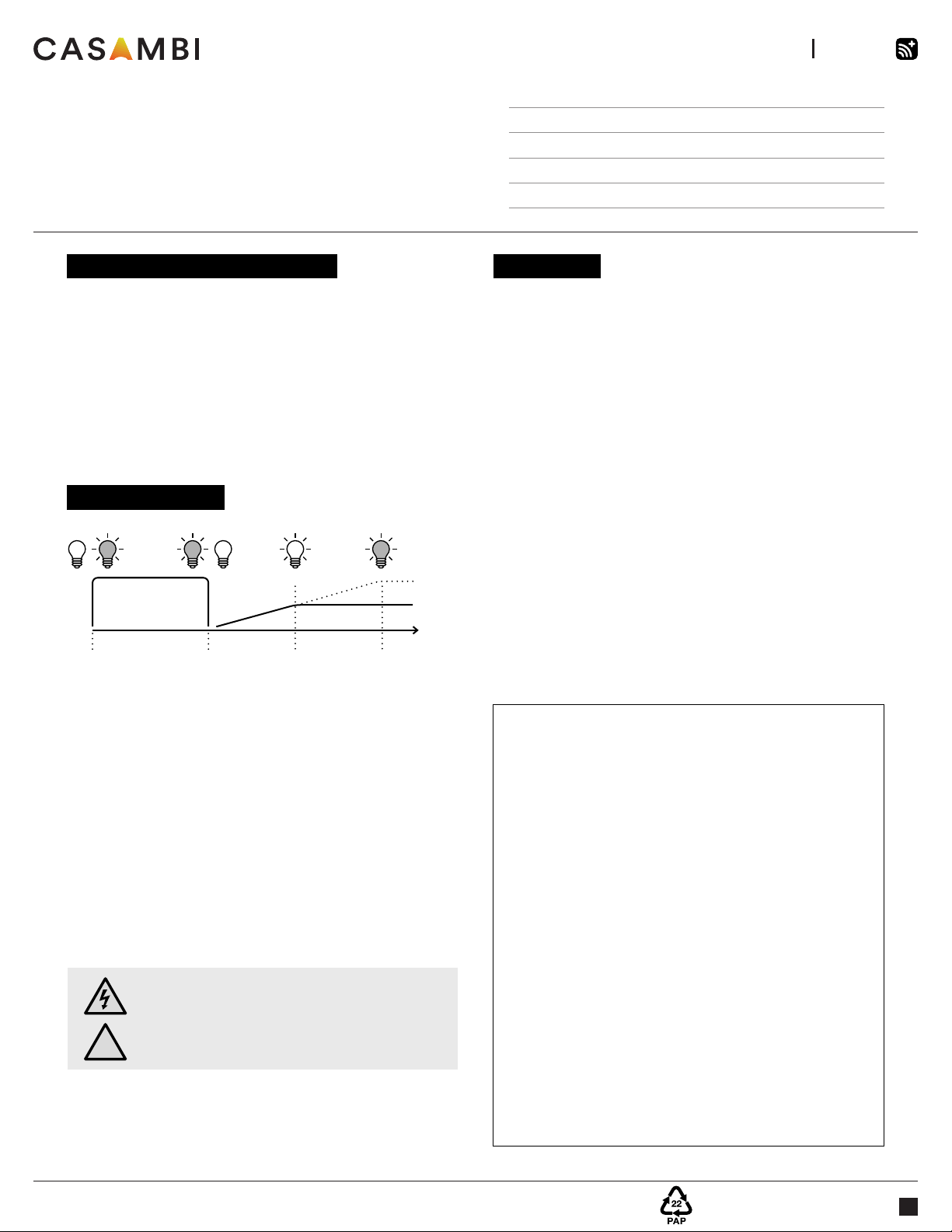
1. Turn lights on from a wall switch.
2. Quickly flick the wall switch off (max. 1sec.)
and back on. The light level starts to increase
gradually.
3. Flick the switch again at the desired dim level. The
selected level is saved automatically.
4. If the second flick is not done within 8 seconds,
the light intensity reaches its maximum level.
5. Flicking the switch can also be used to switch
between predefined scenes.
DIMMING WITHOUT APP
INSTALLATION
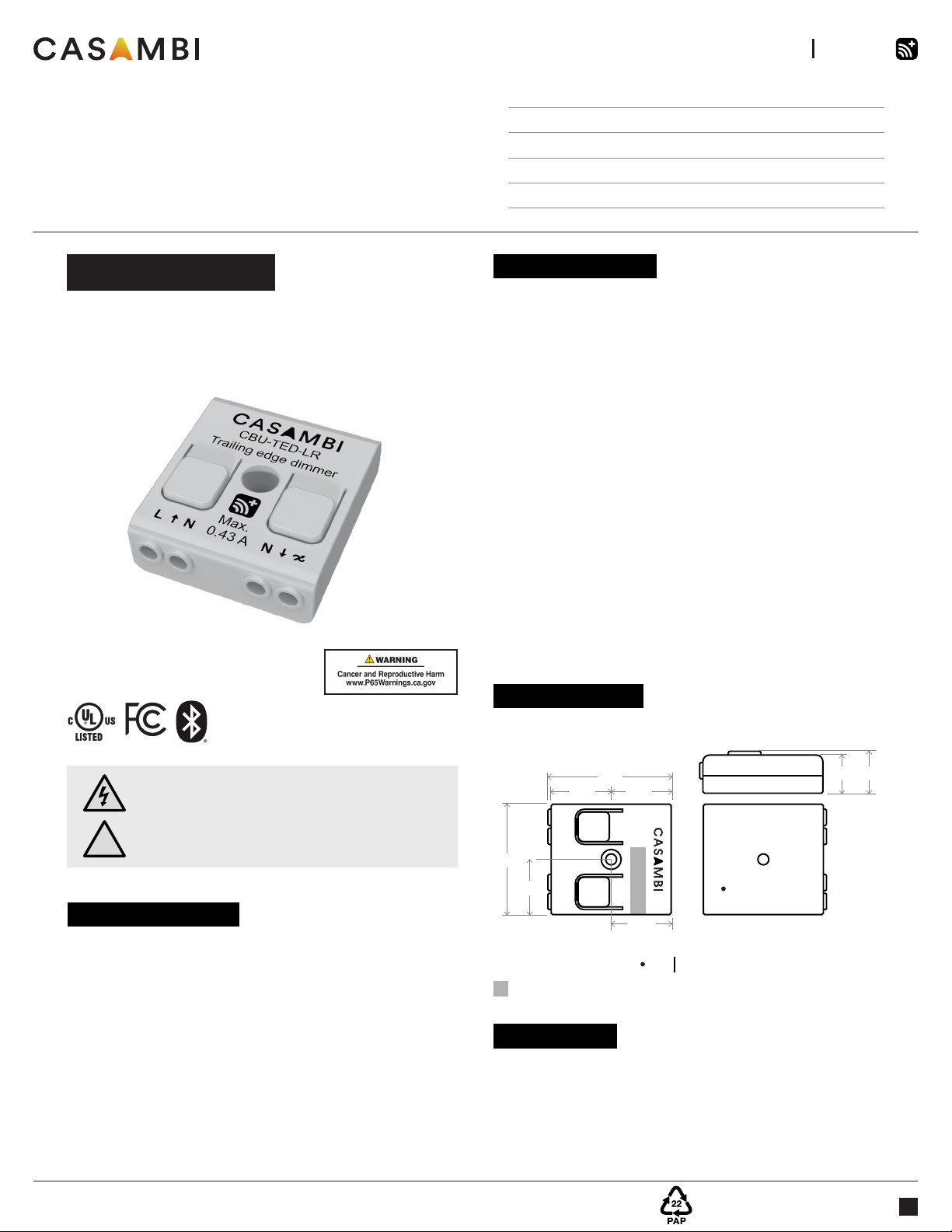
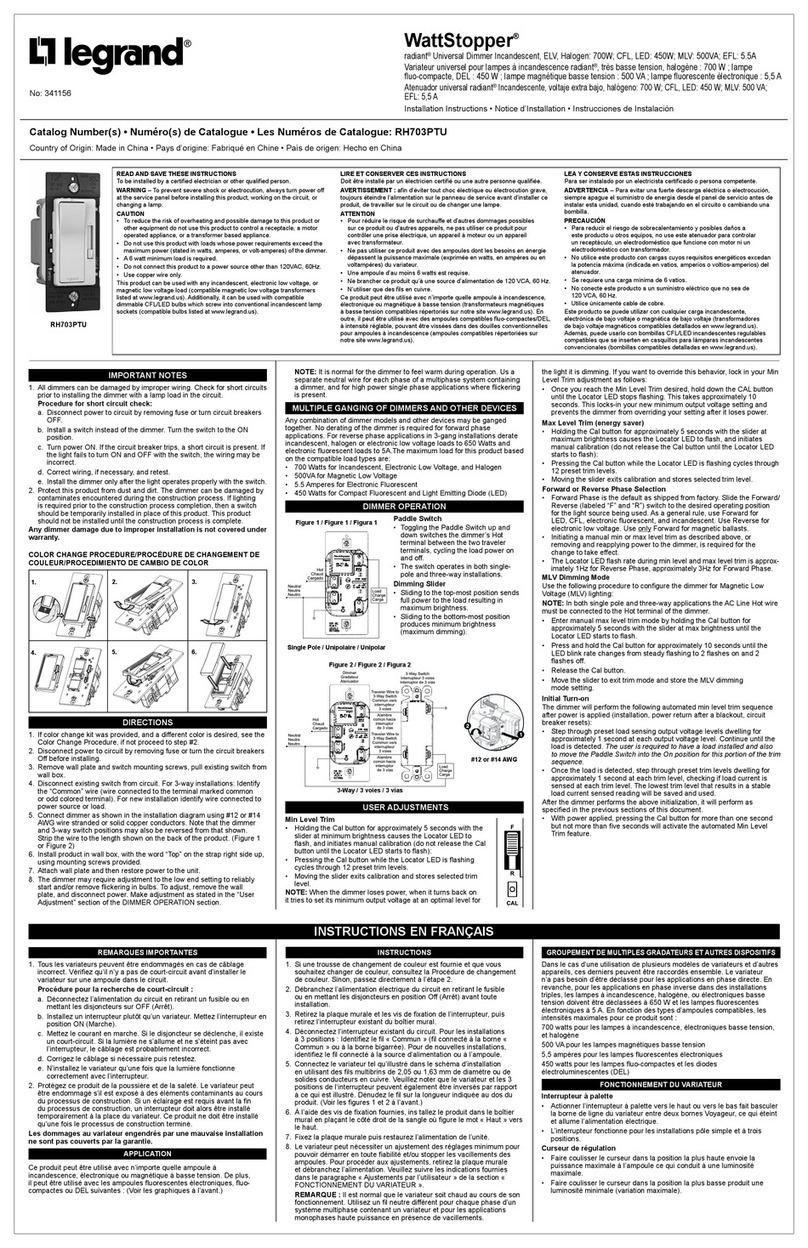
Make sure that the mains voltage is switched off before
making any connections. Use 0,5–1,5 mm² solid conductor
electrical wires. Strip the wire 6–8 mm from the end. Press
the buttons on top of the dimmer case and insert the wires
into the corresponding terminals. Make sure to connect the
input and output correctly. The input connector is marked
with letters L and N, while the output connector is marked
with the letter N and a symbol with a wave and an arrow.
If you install the dimmer in a heat-sensitive environment
(e.g. inside a luminaire or in a ceiling outlet box above
a luminaire), make sure that the ambient temperature
does not exceed the specified maximum value. Using
the dimmer in a heat-sensitive environment may limit the
maximum output power.
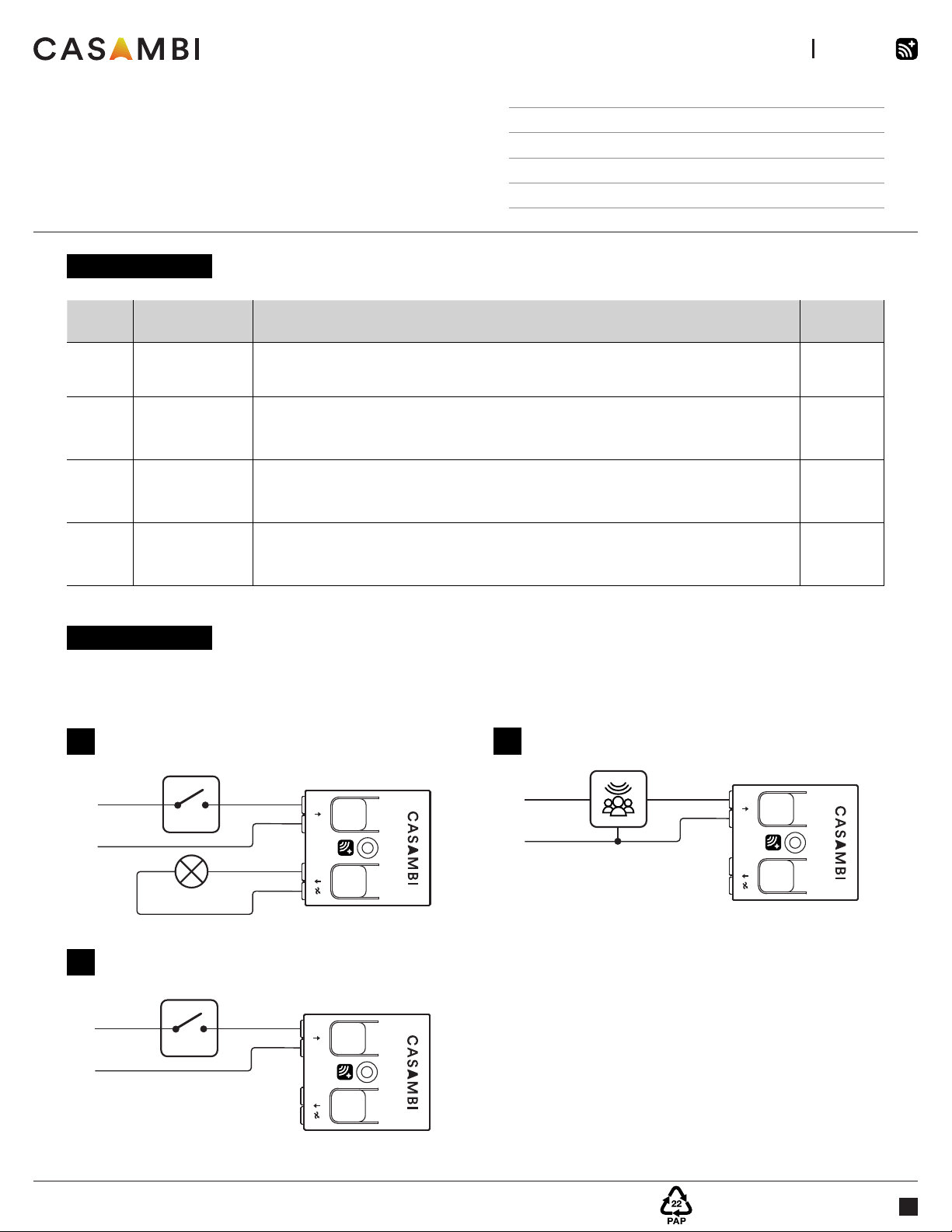
When the Smart Switching feature is enabled with the
Casambi App, the CBU-TED-LR can control the connected
luminaire according to the mains switching sequence.
This equipment has been tested and found to comply with the limits for a Class B digital
device, pursuant to part 15 of the FCC rules. These limits are designed to provide
reasonable protection against harmful interference in a residential installation. This
equipment generates, uses and can radiate radio frequency energy and, if not installed
and used in accordance with the instructions, may cause harmful interference to radio
communications. However, there is no guarantee that interference will not occur in a
particular installation. If this equipment does cause harmful interference to radio or
television reception, which can be determined by turning the equipment off and on, the
user is encouraged to try to correct the interference by one or more of the following
measures:
• Reorient or relocate the receiving antenna,
• Increase the separation between the equipment and the receiver,
• Connect the equipment into an outlet on a circuit different from that to which the
receiver is connected,
• Consult the dealer or an experienced radio/TV technician for help.
Operation is subject to the following two conditions:
(1) This device may not cause harmful interference, and
(2) this device must accept any interference received, including interference that may
cause undesired operation.
----------------------------------------------------------------------
This device complies with Industry Canada’s license-exempt RSSs. Operation is
subject to the following two conditions:
(1) This device may not cause interference; and
(2) This device must accept any interference, including interference that may cause
undesired operation of the device.
Le présent appareil est conforme aux CNR d’Industrie Canada applicables aux
appareils radio exempts de licence. L’exploitation est autorisée aux deux conditions
suivantes:
(1) l’appareil ne doit pas produire de brouillage;
(2) l’utilisateur de l’appareil doit accepter tout brouillage radioélectrique subi, même si
le brouillage est susceptible d’en compromettre le fonctionnement.
@
Warning!
Using CBU-TED-LR with maximum load will make it
hot. Make sure to place the product in well-ventilated
space and away from any flammable material.
CASAMBI MESH-NETWORK COMPATIBILITY
There are different radio modes that can be selected when
creating a network in the Casambi App: ‘Balanced’, ‘Better
Performance’ and now ‘Long Range’ options. The CBU-
TED-LR enables long-range capabilities only when the
long-range radio mode has been selected and all the oth-
er devices within the network are long-range capable. It
will revert to the shorter, standard range when deployed in
networks set to ‘Balanced’ or ‘Better Performance’ modes.