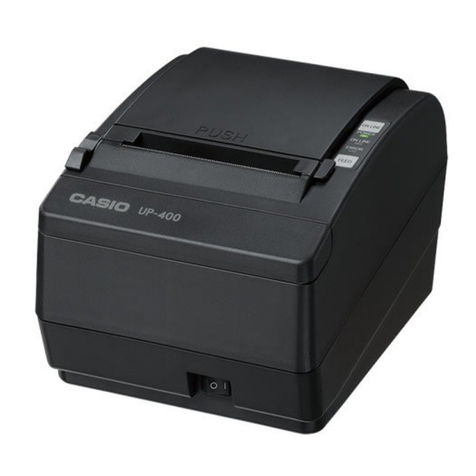
Casio UP-360 User manual

SERVICE MANUAL
(without price)
UP-360
JAN. 2004
INDEX
VAN MECHELEN
KANTOORMACHINES – KANTOORMATERIALEN
TURNHOUT –GEEL
www.vanmechelen.be

CONTENTS
UP-360 PAGE
1. SPECIFICATIONS
1-1. PRINTING SPECIFICATION .............................................................................1
1-2. PAPER SPECIFICATION..................................................................................1
1-3. INTERFACE SPECIFICATION..........................................................................2
2. DISASSEMBLY............................................................................................ 4
3. CIRCUITRY
3-1. SYSTEM BLOCK DIAGRAM ............................................................................8
3-2. POWER SUPPLY CIRCUIT ..............................................................................9
3-3. POWER SUPPLY SPECIFICATION ...............................................................11
3-4. HD64F7045F MICROCOMPUTER..................................................................12
3-5. RESET CIRCUIT .............................................................................................20
3-6. DRAWER CIRCUIT .........................................................................................20
3-7. BUZZER CIRCUIT...........................................................................................21
3-8. FLASH MEMORY CIRCUIT ............................................................................21
3-9. EXTERNAL MEMORY CIRCUIT.....................................................................22
3-10. CHARACTER GENERATOR CIRCUIT...........................................................23
3-11. PRINTER CIRCUIT..........................................................................................23
3-12. SERIAL INTERFACE CIRCUIT.......................................................................25
4. MAINTERNANCE & TROUBLESHOOTING
4-1. INSTALLING OR REPLACING PAPER ROLL...............................................26
4-2. ADJUSTING THE PAPER NEAR END SENSOR (TH200s ONLY) ...............26
4-3. PAPER JAM....................................................................................................27
4-4. TROUBLESHOOTING ....................................................................................27
4-5. SELF TEST......................................................................................................29
5. SETTING & CHECKING THE DIP SWITCHES ........................................ 30
6. CIRCUIT DIAGRAMS................................................................................. 31
7. PARTS LIST............................................................................................... 34

— 1 —
1. SPECIFICATIONS
1-1. PRINTING SPECIFICATION
Model NO. of Printer Mechanism: LTPF347A-C576 *1
Printing Method: Direct Line Thermal
Dot pitch: 8 dot / mm
Printing Speed: 210 mm per second (Max.)
Printing width: 72mm / 576 dots
Character structure: 8 x 16 (font B) 12 x 24 (font A)
Printing Columns: 69 columns / line 46 columns / line
Character Size: 1.00 x 2.00 1.50 x 3.00
Feed Speed: 220 mm per second
Interface: RS232C (serial)
Input buffer: 8k bytes
Command: ESC / POS compliant
Paper Width & Diameter: 80 mm (W) x 80 mm Dia. Max.
Thermal head life: 100 Million Pulses / 100 km or more
Cutting method: *2 ACUF324A
Partial cut(one point left uncut) *2
Auto cutter life: 500,000 cuts
Operating time of auto cutter: 600 msec max/cycle
Operating temperature: 0 °C ~ 40 °C
Storage temperature: -20 °C ~ 50 °C
Humidity: 80 %
Dimension: 145 mm (W) x 193.2 mm (L) x 120.1 mm (H)
Transfer speed: Max 38.4 kBps
Supply voltage in standby: 24V DC / 100mA
Mean voltage: Approx. 1.3 A *3
Power Consumption: Approx. 4 W *3
Weight: 1.1kg
*1 Manufactured by SIIP&S Inc. (Former name: Seiko Instruments Inc.)
*2 CAUTION: Paper must be fed 3 mm after cutting to prevent paper jam.
*3 ThesevaluesvaryaccordingtoenvironmentaltemperaturewhenprintedfontA(12x24)witharollingpattern.
1-2. PAPER SPECIFICATION
Paper Width: 79.5 ±0.5mm (3.13 ±0.02”)
Paper roll size: Roll diameter: Maximum 80 mm (3.15”)
Take-up paper roll width: 80 + 0.5/-1.0mm (3.15 + 0.02/-0.04”)
Specified paper: Specified thermal roll paper: NTP080-80
[Original paper:TF50KS-E2C Nippon Paper Industries Co., Ltd.]
Packaged roll paper:
[Original paper:PD160R-N (Oji Paper Mfg. Co., Ltd.)]
In Japan: Nakagawa Manufacturing Co., Ltd.
In U.S.A: Nakagawa Mfg. (U.S.A.) Inc.
In Europe: Nakagawa Mfg. (Europe) GmbH
In Southeast Asia: N.A.K. Mfg. (Malaysia) SDN BHD
*The following paper can be used instead of the paper above:
Original paper: HP220AB1 (Mitsubishi Paper Mills Ltd.)
Paper roll spool diameter: Inside 12 mm (0.47”)
Outside 18 mm (0.71”)
NOTE:The end of the paper roll must be free to come off the spool when finished. It must not be adhesively
attached or attached in another semi-permanent manner.

— 2 —
1-3. INTERFACE SPECIFICATION
1-3-1. RS-232 SERIAL INTERFACE SPECIFICATION
Data transmission: Serial. EIA RS232C compliant
Synchronization: Asynchronous
Handshaking: DTR/DSR or XON/XOFF control (*)
Signal levels: MARK = -3 to -15V: Logic “1”/OFF
SPACE = +3 to +15V: Logic “0”/ON
Baud rate: 9600, 19200, 38400bps (*)
Data word length: 8 bits
Parity Settings: None, even, odd (*)
Stop bits: 1 or more
Connector (printer side): Female DSUB-25 pin connector
Notes: *The data word length, baud length, and parity depend on the DIP switch settings. (Refer to
5.SETTING & CHECKING THE DIP SWITCHES.)
1-3-2. SERIAL INTERFACE CONNECTION EXAMPLE
HOST SIDE PRINTER SIDE
(DTE ex.8251) (Pin No.)
TxD RxD (3)
RxD TxD (2)
DTR DSR (6)
DSR DTR (20)
RTS
CTS
GND GND (7)
FG FG (1)
1-3-3. POWER SUPPLY CONNECTOR
The connector is connected the printer to an external power source.
CONNECTOR MODEL:
Printer side: Hosiden TCS7960-532010 or equivalent
User side: Hosiden TCP8927-631100 or equivalent
Hosiden TCP8927-531100 or equivalent
PIN SIGNAL
1 +24V
2 GND
3NC
SHELL F. G

— 3 —
1-3-4. DRAWER KICK-OUT CONNECTOR
The pulse specified by ESC p or DLE DC4 is output to this connector. The HOST can confirm the status
of the input signal by using the DLE EOT, GS a, or GS r commands.
PIN I/O DESCIPTION
1 - Frame ground
2 Output Drawer kick-out drive signal 1
3 Input Drawer open/close signal
4 Output +24 V
5 Output Drawer kick-out signal 2 *
6 - Signal ground
CONNECTIOR MODEL:
Printer side: MOLEX52065-6615 or equivalent
Used side: 6-position 6-contact (RJ12 telephone jack)
* Two drawers can be used with a Y-cable that meets the following specifications.
Pin 1: Frame ground ............................................................ Pin1
Pin 2: Drawer kick-out drive signal 1 ................................... Pin2
Pin 3: Drawer open/close signal .......................................... Pin3 Connector of Drawer No.1
Pin 4: +24V .......................................................................... Pin4
Pin 5: Drawer kick-out signal 2 .................... ......... Pin6
Pin 6: Signal ground Pin6 ............. ............................. Pin1
........................ Pin2
................... Pin3 Connector of Drawer No.2
.............. Pin4
....................................... Pin6

— 4 —
2. DISASSEMBLY
1. Remove the four screws at the bottom of the printer unit.
2. Remove the cable tie.
Screws
3. Remove the two connectors and two screws (CN5, CN6).
CN6
(To Power Switch)
CN5
(To Contorl Panel)
Screw
(Earth wires for the printer and the auto cutter)
Screw
(An earth wire for the NE sensor)
4.Remove the three connectors (CN, CN2, CN3) and the FPC (J1), and then remove the main PCB.
CN3
(To NE Sensor)
CN2
(To Auto Cutter)
CN
(To Printer Motor)
FFC (J1)
Precaution when assembling:
Bend the rug terminal in L shape and put it inside the PCB.
NG example
The rug terminal faces outward.
Cable tie

— 5 —
5. Remove the two screws.
6. Remove the upper cover while the printer cover is open.
Screws
Precaution when assembling:
Let the connector through the hole. Precaution when assembling:
Slide the lever of the cover to “close” and then fit the
upper cover into the printer.
7. Remove the two screws and then the control panel.
8. Remove the three screws and then the printer cover.
Screws
Screws
Control Panel

— 6 —
9. Remove the two screws and then the paper guide and the cutter.
10. Remove the two screws and then the platen unit.
Screws
Platen unit
Paper guide
11. Remove the power switch.
Screws
Direction of the power switch when assembling
12. Loosen the two screws and then remove the end sensor unit.
Loosen
End sensor unit
Precaution when assembling
Fix the end sensor unit at the lowest of the groove.

— 7 —
13. Remove the four screws and then the printer unit.
Screws
Screws
14. Remove the five screws and then the printer.
Screws

— 8 —
3. CIRCUITRY
3-1. SYATEM BLOCK DIAGRAM
Theterminalthatwses16bitssinglechipmicrocomputer.TheCPUhas256KFlashROMand4Kbytesofinternal
RAM.
External memory are 128K bytes SRAM 2 pcs, Flash memory (NV bit-image) and Character generator.
SRAM
128K x 2 bytes
FLASH ROM
512K bytes Motor
Drive
L6219
Character
enerator
Printer
Head
Motor
DIP SW 74LV541 Driver
MB3853
Auto
Cutter
Driver LED
Panel SW
Decode
74LV139
Driver
TD62308
Drawer
Unit
Near
End sens.
Serial
Interface
RS232C
HIN232CB
CPU
HD64F7045
VP VCC RESET
+24V Power Supply
Clock
6.754MHz
Table of contents
Other Casio Printer manuals

Casio
Casio M-U420 User manual
Casio
Casio IT-9000 Series User manual
Casio
Casio IT-3000 - Win CE .NET 4.1 400 MHz User manual
Casio
Casio UP-370 User manual
Casio
Casio J20 User manual
Casio
Casio CW-E60 - Disc Title Printer B/W Thermal... User manual
Casio
Casio MD-910 User manual
Casio
Casio IT-3000 Series User manual
Casio
Casio MEP-U10 User manual
Casio
Casio CW-50 - Disc Title Printer Color Thermal... User manual