8
3.4
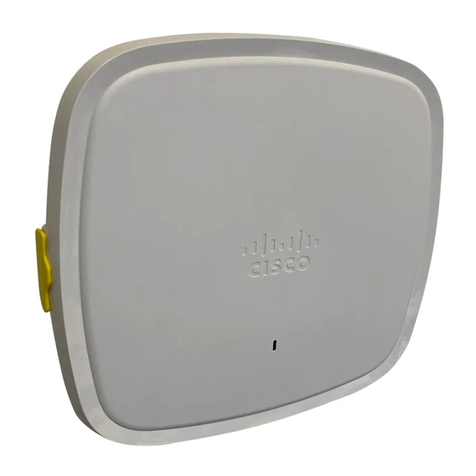
Assigning IP Addresses to CW9162I-MR
All gateway CW9162I-MR (CW9162I-MR with Ethernet connections to the LAN) must be assigned
routable IP addresses.
These IP addresses can be dynamically assigned via DHCP or statically
assigned.
3.4.1
Dynamic Assignment
When using DHCP, the DHCP server should be configured to assign a static IP address for each
MAC address
belonging to a Meraki AP. Other features of the wireless network such as 802.1x
authentication, may rely on the
property that the APs have static IP addresses.
3.4.2
Static Assignment
Static IPs are assigned using the local web server on each AP. The following procedure describes
how to set
the static IP:
1.
Using a client machine (e.g. a laptop), connect to the AP either wirelessly (by associating to
any SSID
broadcast by the AP) or over a wired connection.
If using a wired connection, connect the client machine to the CW9162I-MR either through a PoE
switch or a Meraki
PoE Injector. If using a PoE switch, plug an Ethernet cable into the CW9162I-
MR’s Ethernet jack, and the other end
into a PoE switch. Then connect the client machine over
Ethernet cable to the PoE switch. If using a Meraki
PoE Injector, connect the CW9162I-MR to the
“PoE” port of the Injector, and the client machine to the “LAN” port.
2.
Using a web browser on the client machine, access the AP’s built-in web server by
browsing to
http://my.meraki.com. Alternatively, browse to http://10.128.128.128.
3.
Click on the “Static IP Configuration” tab. Log in. The default username is “admin”. The default
password is
the AP’s serial number, with hyphens included
4.
Configure the static IP address, net mask, gateway IP address and DNS servers that this AP will
use on its
wired connection.
5.
If necessary, reconnect the AP to the LAN.
3.4.3
Static IP via DHCP Reservations
Instead of associating to each Meraki AP individually to configure static IP addresses, an administrator can
assign
static IP addresses on the upstream DHCP server. Through “DHCP reservations”, IP addresses
are “reserved” for the
MAC addresses of the Meraki APs. Please consult the documentation for the DHCP
server to configure DHCP
reservations.