manuals.online logo
Brands
  1. Home
  2. •
  3. Brands
  4. •
  5. Cobalt Digital Inc
  6. •
  7. Media Converter
  8. •
  9. Cobalt Digital Inc BBG-1190-DEC-MPEG User manual

Cobalt Digital Inc BBG-1190-DEC-MPEG User manual

Other Cobalt Digital Inc Media Converter manuals

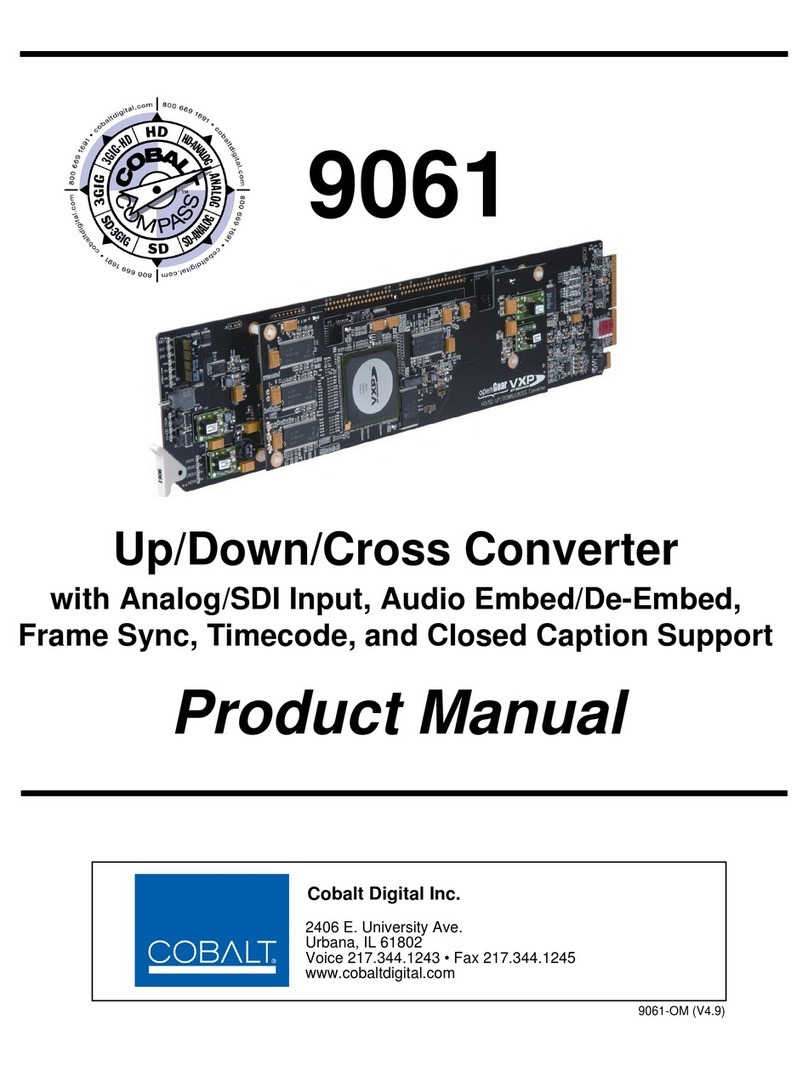
Cobalt Digital Inc 9061 User manual

Cobalt Digital Inc

Cobalt Digital Inc 9061 User manual

Cobalt Digital Inc BBG-1090-TRX-MPEG User manual

Cobalt Digital Inc

Cobalt Digital Inc BBG-1090-TRX-MPEG User manual

Cobalt Digital Inc 9926-xHtoS User manual

Cobalt Digital Inc

Cobalt Digital Inc 9926-xHtoS User manual

Cobalt Digital Inc BBG-1090-DEC-MPEG User manual

Cobalt Digital Inc

Cobalt Digital Inc BBG-1090-DEC-MPEG User manual

Cobalt Digital Inc 9223 User manual

Cobalt Digital Inc

Cobalt Digital Inc 9223 User manual

Cobalt Digital Inc 8090 User manual

Cobalt Digital Inc

Cobalt Digital Inc 8090 User manual

Cobalt Digital Inc BBG-1002-UDX-DSP User manual

Cobalt Digital Inc

Cobalt Digital Inc BBG-1002-UDX-DSP User manual

Cobalt Digital Inc HD-8019 User manual

Cobalt Digital Inc

Cobalt Digital Inc HD-8019 User manual

Cobalt Digital Inc 6540 User manual

Cobalt Digital Inc

Cobalt Digital Inc 6540 User manual

Cobalt Digital Inc openGear 9034 User manual

Cobalt Digital Inc

Cobalt Digital Inc openGear 9034 User manual

Cobalt Digital Inc 5821-D User manual

Cobalt Digital Inc

Cobalt Digital Inc 5821-D User manual

Cobalt Digital Inc 9821 User manual

Cobalt Digital Inc

Cobalt Digital Inc 9821 User manual

Cobalt Digital Inc 9061 User manual

Cobalt Digital Inc

Cobalt Digital Inc 9061 User manual

Cobalt Digital Inc BBG-1002-2UDX User manual

Cobalt Digital Inc

Cobalt Digital Inc BBG-1002-2UDX User manual

Cobalt Digital Inc 92XX-SA Operator's manual

Cobalt Digital Inc

Cobalt Digital Inc 92XX-SA Operator's manual

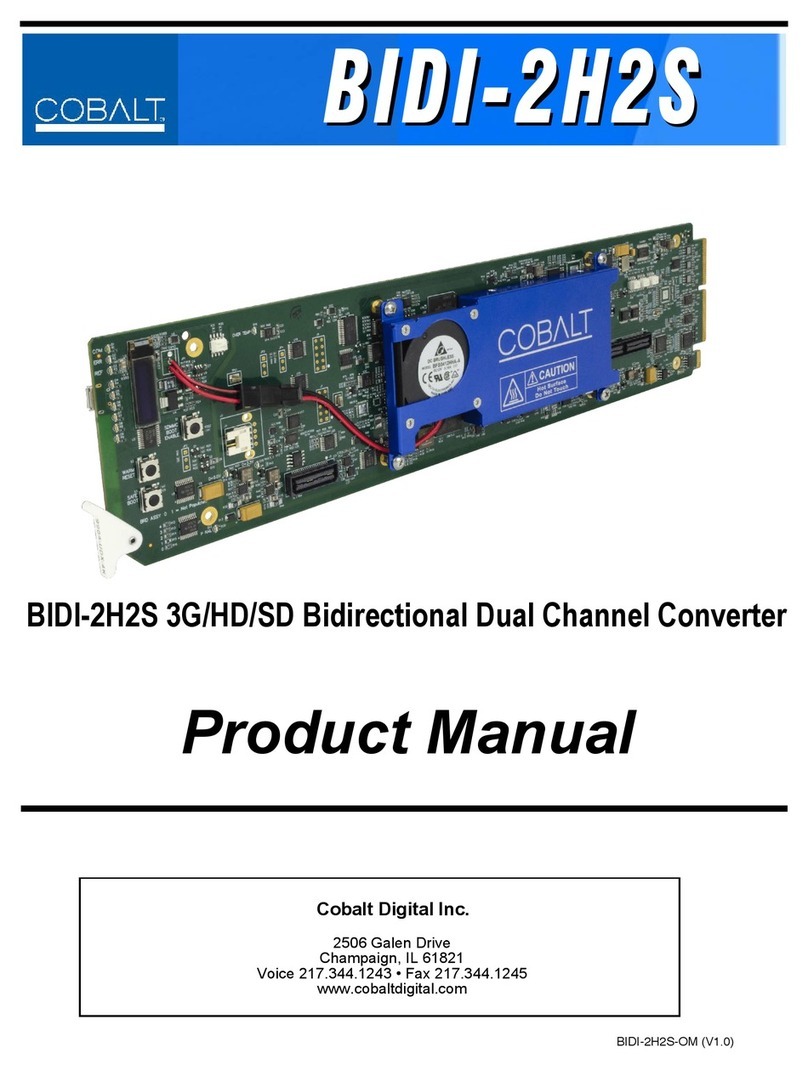
Cobalt Digital Inc BIDI-2H2S User manual

Cobalt Digital Inc

Cobalt Digital Inc BIDI-2H2S User manual

Cobalt Digital Inc 9262 User manual

Cobalt Digital Inc

Cobalt Digital Inc 9262 User manual

Cobalt Digital Inc 9902-DC-4K User manual

Cobalt Digital Inc

Cobalt Digital Inc 9902-DC-4K User manual

Cobalt Digital Inc BlueBox BBG-IP-TO-SDI-10GE User manual

Cobalt Digital Inc

Cobalt Digital Inc BlueBox BBG-IP-TO-SDI-10GE User manual

Cobalt Digital Inc openGear 9035 User manual

Cobalt Digital Inc

Cobalt Digital Inc openGear 9035 User manual

Cobalt Digital Inc 9032-SD User manual

Cobalt Digital Inc

Cobalt Digital Inc 9032-SD User manual

Cobalt Digital Inc opeanGear 9032 User manual

Cobalt Digital Inc

Cobalt Digital Inc opeanGear 9032 User manual

Cobalt Digital Inc 9933-EMDE-75 User manual

Cobalt Digital Inc

Cobalt Digital Inc 9933-EMDE-75 User manual

Cobalt Digital Inc BBG-1003-UDX-ADDA User manual

Cobalt Digital Inc

Cobalt Digital Inc BBG-1003-UDX-ADDA User manual

Popular Media Converter manuals by other brands

TR-Electronic CMS582M-4096/4096 IOL DMS 14H7 KRF Assembly instructions

TR-Electronic

TR-Electronic CMS582M-4096/4096 IOL DMS 14H7 KRF Assembly instructions

Korenix JetCon 2301S user manual

Korenix

Korenix JetCon 2301S user manual

StarTech.com ET91000LCOAM manual

StarTech.com

StarTech.com ET91000LCOAM manual

Alesis AI-3 Reference manual

Alesis

Alesis AI-3 Reference manual

Caton Vpro 5100 user guide

Caton

Caton Vpro 5100 user guide

Cypress CSC-5500 Operation manual

Cypress

Cypress CSC-5500 Operation manual

H&B TX-100 Installation and instruction manual

H&B

H&B TX-100 Installation and instruction manual

Bolin Technology D Series user manual

Bolin Technology

Bolin Technology D Series user manual

IFM Electronic Efector 400 RN30 Series Device manual

IFM Electronic

IFM Electronic Efector 400 RN30 Series Device manual

GRASS VALLEY KUDOSPRO ULC2000 user manual

GRASS VALLEY

GRASS VALLEY KUDOSPRO ULC2000 user manual

Linear Technology DC1523A Demo Manual

Linear Technology

Linear Technology DC1523A Demo Manual

Lika ROTAPULS I28 Series quick start guide

Lika

Lika ROTAPULS I28 Series quick start guide

Weidmuller IE-MC-VL Series Hardware installation guide

Weidmuller

Weidmuller IE-MC-VL Series Hardware installation guide

Optical Systems Design OSD2139 Series Operator's manual

Optical Systems Design

Optical Systems Design OSD2139 Series Operator's manual

Tema Telecomunicazioni AD615/S product manual

Tema Telecomunicazioni

Tema Telecomunicazioni AD615/S product manual

KTI Networks KGC-352 Series installation guide

KTI Networks

KTI Networks KGC-352 Series installation guide

Gira 0588 Series operating instructions

Gira

Gira 0588 Series operating instructions

Lika SFA-5000-FD user guide

Lika

Lika SFA-5000-FD user guide

manuals.online logo
manuals.online logoBrands
  • About & Mission
  • Contact us
  • Privacy Policy
  • Terms and Conditions

Copyright 2025 Manuals.Online. All Rights Reserved.

Cobalt Digital Inc.
BBG-1190-DEC-MPEG Standalone MPEG4 AVC and
MPEG2 Decoder with ASI and IP Inputs
and SDI Outputs
Product Manual
Version 1.0.0
BBG-1190-DEC-MPEG-OM
Version: 1.0
2
BBG-1190-DEC-MPEG •Standalone MPEG4 AVC and MPEG2 Decoder with ASI
and IP Inputs and SDI Outputs Product Manual
•Cobalt Digital Inc. Part Number: BBG-1190-DEC-MPEG-OM
•Document Version: 1.0.0
•Last Author: CGG
•Printing Date: 7/19/2017
The information contained in this manual is subject to change without notice or obligation.
Copyright © 2017 Cobalt Digital Inc.. All rights reserved. Contents of this publication may not be
reproduced in any form without the written permission of Cobalt Digital Inc. Reproduction or
reverse engineering of copyrighted software is prohibited.
Notice The material in this manual is furnished for informational use only. It is subject to change
without notice and should not be construed as commitment by Cobalt Digital Inc. Cobalt
Digital Inc. assumes no responsibility or liability for errors or inaccuracies that may appear in
this manual.
Trademarks
•is a registered trademark of Ross Video Limited.
is a registered trademark of Cobalt Digital Inc.
•
•DashBoard Control System™ is a trademark of Ross Video Limited.
All other product names and any registered and unregistered trademarks mentioned in
this manual are used for identification purposes only and remain the exclusive
property of their respective owners.
3
Safety Instructions for the BBG-1190-DEC-MPEG Appliance
The BBG-1190-DEC-MPEG appliance is turned off by using the power switch. Power may still
be present in the appliance. To ensure that the appliance is completely shut down, unplug its
power cord from its power source. The BBG-1190-DEC-MPEG appliance ships with all required
components installed. There is no need to open the chassis to add or remove components. Please
contact Cobalt Digital regarding any malfunction or failure of the appliance.
Electrostatic Discharge (ESD) and ESD Protection
Static electricity can damage boards, and other components. Before connecting or disconnecting
any device to the BBG-1190-DEC-MPEG appliance, we recommend you discharge static
electricity by first touching a metal part of a grounded PC.
CAUTION: To reduce the risk of electric shock, do not open chassis; do
not defeat or remove the ground pin of the power cord; connect only to
a properly grounded ac power outlet. No user-serviceable parts inside.
Refer servicing to qualified service personnel.
4
Important Regulatory and Safety Notices
Before using this product and any associated equipment, refer to the “Important Safety
Instructions” listed below to avoid personnel injury and to prevent product damage.
Products may require specific equipment, and/or installation procedures to be carried out to
satisfy certain regulatory compliance requirements. Notices have been included in this
publication to call attention to these specific requirements.
Symbol Meanings
This symbol on the equipment refers you to important operating and maintenance
(servicing) instructions within the Product Manual Documentation. Failure to heed this
information may pr
esent a major risk of damage or injury to persons or equipment.
Warning
— The symbol with the word “Warning” within the equipment manual
indicates a potentially hazardous situation which, if not avoided, could result in death or
serious injury.
C
aution — The symbol with the word “Caution” within the equipment manual
indicates a potentially hazardous situation which, if not avoided, may result in minor or
moderate injury. It may also be used to alert against unsafe practices.
Notice
— The symbol with the word “Notice” within the equipment manual indicates a
situation, which if not avoided, may result in major or minor equipment damage or a
situation which could place the equipment in a non
-compliant operating state.
ESD Susceptibility
— This symbol is used to alert the user that an electrical or
electronic device or assembly is susceptible to damage from an ESD event.
Important Safety Instructions
Caution
— This product is intended to be a component product of an 8300 series
frame. Refer
to the frame User Manual for important safety instructions regarding the
proper installation and safe operation of the frame as well as its component products.
Warning
— Certain parts of this equipment namely the power supply area still present
a safet
y hazard, with the power switch in the OFF position. To avoid electrical shock,
disconnect all A/C power cards from the chassis’ rear appliance connectors before
servicing this area.
5
Warning
— Service barriers within this product are intended to protect the operator
and service personnel from hazardous voltages. For continued safety, replace all
barriers after any servicing.
This product contains safety critical parts, which if incorrectly replaced may present a
risk of fire or electrical shock. Components contained with the product’s power supplies
and power supply area, are not intended to be customer serviced a
nd should be
returned to the factory for repair. To reduce the risk of fire, replacement fuses must be
the same time and rating. Only use attachments/accessories specified by the
manufacturer.
Maintenance/User Serviceable Parts
Routine maintenance to this Cobalt Digital Inc. product is not required. This product contains no
user serviceable parts. If the frame does not appear to be working properly, please contact
Technical Support using the numbers listed under the “Contact Us” section on the last page of this
manual. All Cobalt Digital Inc. products are covered by a generous 5-year warranty and will be
repaired without charge for materials or labor within this period. See the “Warranty and Repair
Policy” section in this manual for details.
Environmental Information
The equipment that you purchased required the extraction and use of natural resources for
its production. It may contain hazardous substances that could impact health and the
environment.
To avoid the potential release of those substances into the environment and to diminish the need
for the extraction of natural resources, Cobalt Digital Inc. encourages you to use the appropriate
take-back systems. These systems will reuse or recycle most of the materials from your end-of-life
equipment in an environmentally friendly and health conscious manner.
The crossed-out wheeled bin symbol invites you to use these systems.
If you need more information on the collection, reuse, and recycling systems, please contact your
local or regional waste administration.
You can also contact Cobalt Digital Inc. for more information on the environmental performances
of our products.
6
Contents
Safety Instructions for the BBG-1190-DEC-MPEG Appliance..................................................... 3
Electrostatic Discharge (ESD) and ESD Protection ................................................................... 3
Contents .......................................................................................................................................... 6
Safety Notice and Warnings ....................................................................................................... 8
FCC Notice ............................................................................................................................. 8
Other Certifications................................................................................................................. 8
CE Mark Warning................................................................................................................... 8
Installation Safety Notes............................................................................................................. 8
Introduction................................................................................................................................... 10
Product Overview ..................................................................................................................... 10
BBG-1190-DEC-MPEG Indicators and Switches........................................................................ 12
Back Panel ................................................................................................................................ 12
Front Panel Indicators............................................................................................................... 14
The Presets Menu.................................................................................................................. 15
The Config Menu.................................................................................................................. 16
The Status Menu................................................................................................................... 17
BBG-1190-DEC-MPEG Operation and Management.................................................................. 18
Product Tab................................................................................................................................... 20
Network Tab ................................................................................................................................. 22
Network Configuration Tab...................................................................................................... 22
Network Statistics Tab.............................................................................................................. 23
ASI Input Port............................................................................................................................... 25
ASI Input: Configuration Tab................................................................................................... 25
ASI Input: Statistics Tab........................................................................................................... 26
ASI Output Port ............................................................................................................................ 27
ASI Output Port: Configuration Tab......................................................................................... 27
ASI Output Port: Statistics Tab................................................................................................. 28
Decoder......................................................................................................................................... 29
Decoder Configuration Tab ...................................................................................................... 29
Decoder Input Configuration................................................................................................ 29
ASI Input........................................................................................................................... 30
UDP/RTP Stream.............................................................................................................. 30
RTP/ARQ Stream ............................................................................................................. 32
HLS Stream....................................................................................................................... 34
RTMP Client..................................................................................................................... 35
RTMP Server.................................................................................................................... 37
RTSP Client...................................................................................................................... 37
Color Bars......................................................................................................................... 39
Decoder Program and Audio Selection................................................................................. 39
Decoder Output Configuration ............................................................................................. 41
Digital Output: Disabled................................................................................................... 41
Digital Output: SDI........................................................................................................... 41
Digital Output: HDMI....................................................................................................... 44
Decoder Ancillary Data Injection Configuration.................................................................. 44

7
Decoder Analog Audio Configuration.................................................................................. 45
Decoder Apply/Cancel Buttons ............................................................................................ 46
Decoder Program Info Tab ................................................................................................... 47
Program Info Tab for ASI Input and UDP/RTP Stream................................................... 47
Program Info Tab for HLS Stream ................................................................................... 48
Program Info Tab for RTMP Client and Server ............................................................... 49
Program Info Tab for RTSP Streams................................................................................ 50
Program Info Tab for Color Bars...................................................................................... 50
Decoder Statistics Tab .............................................................................................................. 50
Status Tab.............................................................................................................................. 50
Network Tab ......................................................................................................................... 52
Network Tab for ASI Input............................................................................................... 52
Network Tab for UDP/RTP Stream.................................................................................. 52
Network Tab for RTP/ARQ Stream ................................................................................. 54

Network Tab for HLS Stream........................................................................................... 56
Network Tab for RTMP Client and Server....................................................................... 57
Network Tab for RTSP Client .......................................................................................... 57
Network Tab for Color Bars............................................................................................. 59
Ancillary Data Tab................................................................................................................ 59
Configuration Tab................................................................................................................. 59
IP Outputs Tab.............................................................................................................................. 61
IP Outputs Configuration Tab................................................................................................... 61
IP Outputs Status Tab ............................................................................................................... 66
Monitoring Tab............................................................................................................................. 67
Monitoring Configuration Tab.................................................................................................. 67
PID Monitor Configuration Tab ........................................................................................... 67
PID Alarms Configuration Tab............................................................................................. 68
Monitoring Status Tab .............................................................................................................. 69
Admin ........................................................................................................................................... 71
Admin General Tab................................................................................................................... 71
Admin Firmware Tab................................................................................................................ 72
Admin Config Files Tab ........................................................................................................... 74
User-Saved Configurations................................................................................................... 75
Pre-defined Templates .......................................................................................................... 76
Clear Current Configuration Button ..................................................................................... 77
Admin License Keys Tab.......................................................................................................... 78
Admin Event Log Tab .............................................................................................................. 79
Control Tab................................................................................................................................... 83
Control Port Configuration Tab................................................................................................ 83
Control Port Statistics Tab........................................................................................................ 84
SNMP Configuration Tab......................................................................................................... 85
SNMP Statistics Tab................................................................................................................. 85
Support Tab................................................................................................................................... 87
8
Safety Notice and Warnings
FCC Notice
This device complies with Subpart B of Part 15 of the FCC Rules. Operation is subject to the
following two conditions:
•This device may not cause harmful interference.
•This device must accept any interference received, including interference that may cause
undesired operation.
No Telecommunications Network Voltage (TNV)-connected PCBs shall be installed.
Other Certifications
This class A digital apparatus complies with Canadian ICES-003, Issue 4.
Cet appareil numérique de la classe A est conforme à la norme NMB-003 du Canada.
This device complies with EN 55022 standards.
This device complies with EN 61000-3-2 standards.
This device complies with EN 61000-4-2 standards.
This device complies with CISPR 22 Edition 6.
This device complies with AS/NZS CISPR 22.
CE Mark Warning
This is a Class A product. In a domestic environment, this product may cause radio interference,
in which case the user may be required to take adequate measures.
Installation Safety Notes
•Do not place the BBG-1190-DEC-MPEG appliance underneath heavy loads or in an
unstable position.
•Do not expose the BBG-1190-DEC-MPEG appliance under direct sunlight, high
humidity or wet conditions.
•Do not use or expose the BBG-1190-DEC-MPEG appliance around magnetic fields as
magnetic interference may affect the performance of the device.
•Do not block the air vents to this device or impede the airflow in any way.
9
READ THE FOLLOWING SAFETY INFORMATION THOROUGHLY BEFORE
INSTALLING THIS PRODUCT. FAILURE TO FOLLOW THIS SAFETY INFORMATION
MAY LEAD TO PERSONAL INJURY OR DAMAGE TO THE EQUIPMENT.
Power Supply
•This unit must be grounded.
•The unit must be connected to a grounded outlet to comply with product safety standards.
•The grounded socket-outlet shall be installed near the equipment and shall be easily
accessible.
•Do not connect the power supply unit to an AC outlet without a ground connection.
•All power cords must be disconnected before servicing.
Power Cords
The plug on the power supply cords is considered to be the equipment disconnect device and
must be approved for the country where it is used.
For USA and Canada:
•The cord set must be UL-approved and CSA-certified.
•The attachment plug must be an earth-grounding type with a NEMA 5-15P (15A 125V)
plug and an EN60320/IEC320 receptacle.
Important Safety Information! Please note the following:
1. The BBG-1190-DEC-MPEG is intended for indoor use only.
2. In case of emergency, disconnect the power cords.
3. If power cords are not provided:
•In the United States, use standard computer power cords (as
specified below).
•In Europe, for 230 volt operation, use a cord set marked “HAR”
and consisting of a min 3 core H05VVF3G075 cord that has a
minimum 0.75 square mm diameter conductors, provided with
an IEC 320 receptacle and a male plug for the country of
installation, rated 6A, 250V.
4. Do not block the equipment vents.
10
Introduction
This manual covers the BBG-1190-DEC-MPEG Standalone MPEG4 AVC and MPEG2 Decoder
with ASI and IP Inputs and SDI Outputs device (also called “Decoder” in this document) which
has the following features:
•Multi-Standard Decoder (MPEG-2 and H.264), with support for both SD (Standard
Definition) and HD (High Definition) content.
•Resolution resizing support (both upscale and downscale support).
•Frame rate conversion.
•Support for RTP/ARQ on Ethernet.
•Support for generic ancillary data extraction and insertion into SDI VBI where SMPTE-
2038 is present on received streams.
•Support for SCTE 35 to SCTE-104 conversion.
•Audio decoding support: MPEG-1 Layer III, AAC-LC, HE-AAC and Dolby AC-3.
•ASI input and output ports. All ports support the full ASI line rate of 213 Mb/s.
•Ethernet port for streaming with 100/1000 Mb/s support.
•Internet Protocol support:
oUDP/RTP/SMPTE-2022 auto-sensing
oRTP/ARQ support (Cobalt-proprietary)
oHTTP Live Streaming (HLS) client
oRTMP Client mode – connects to an RTMP server and plays the content
oRTMP Server mode – accepts connections from an RTMP encoder
oRTSP Client mode – connects to an RTSP server, such as a camera, and plays the
content
•(P)SI and ATSC table parsing.
Typical application scenarios for the BBG-1190-DEC-MPEG are:
•Contribution and Distribution: reception of MPEG-2/H.264 content.
•Contribution feeds over the Internet.
•Ingestion of traffic cameras for broadcast use.
Product Overview
Note: Some GUI depictions shown in this manual may show “9990-DEC-MPEG” for device ID.
Models 9990-DEC-MPEG and BBG-1190-DEC-MPEG are functionally identical.
The BBG-1190-DEC-MPEG is a multi-standard broadcast decoder with the following features:
•Video Decoding: MPEG-2 and H.264 4:2:0 High Profile video streams with resolution up
to 1920×1080p60.
•Audio Decoding capabilities: summarized in the table below. Note that 5.1 and 7.1 audio
services are down-converted to stereo when decoded.