Anschluss an das Statox 502/503 Control
Modul
Connection to the Statox 502/503 Control
Module
Beachten Sie hierzu die Verdrahtungsschemata unter
Abschnitt 10 und die Bedienungsanleitung des Control
Moduls!
Vor dem Anschluss des Transmitters an das Control Modul
muss zuerst das richtige Betriebsprogramm gewählt
werden, um Beschädigungen am Messkopf zu vermeiden.
Normalerweise ist dies Programm Nr. 46 (0-100 % UEG).
Für andere Messbereiche siehe Tabelle unter Abschnitt
4.5.
Observe the wiring diagrams shown in chapter 10 and the
operations manual of the Control Module!
Before connecting the transmitter, select the right program
(program 46 for 0-100 % LEL, for other measuring ranges
see list 4.5).
If you connect the sensor head before you choose the right
program, you might damage the sensor head.
Anschluss an beliebige Controller oder ein PLS
Connection to any other Controller or a PCS
Der Statox 501 IR Transmitter kann auch an einem
beliebigen anderen Controller oder direkt an einem
Prozessleitsystem betrieben werden. Dabei sind die unter
Punkt 9 angegebenen Anschlussdaten einzuhalten.
Beachten Sie das Anschlussschema unter Abschnitt 10.3!
If you connect the Statox 501 IR to any other control device
or PCS, observe the technical data in chapter 9.
Observe the wiring diagram shown in chapter 10.3!
Inbetriebnahme und Passwort-Menü
Start-up and Password Menu
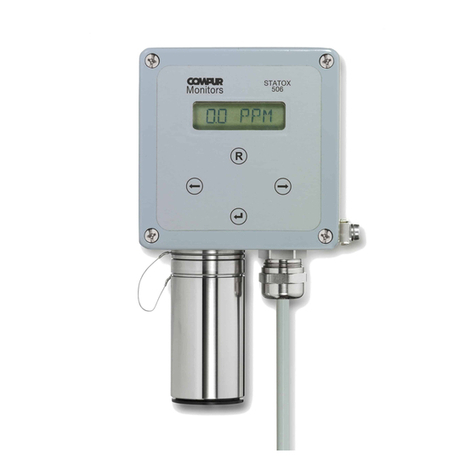
Nach dem Anschluss an die 24 V - Versorgung zeigt der
Messkopf zuerst die Software-Version, dann die
Parameter-Version und anschließend die gewählte Gasart
an (Gasartenliste siehe 4.5). Nach einer kurzen Anwärm-
phase geht er in den Messbetrieb und zeigt die aktuelle
Gaskonzentration an.
Das Menü ist nur über die Taster des aufgesteckten
Kalibrieradapters zugänglich. Mit der Taste (Enter)
kommen Sie in den jeweils nächsten Menüpunkt oder
treffen die Auswahl der Menücodes. Mit der Taste R
(Reset) springen Sie jeweils vorzeitig in den Messbetrieb
zurück.
Mit der Taste kommen Sie als erstes in das
Passwortmenü, anschließend wird die erste Stelle des
zweistelligen Menücodes im Wechsel angezeigt. Mit
wählen Sie die gewünschte Zahl, die Anzeige springt auf
die zweite Stelle und beginnt in 1er-Schritten zu rollieren.
Mit die gewünschte Zahl wählen. Das Ablaufdiagramm
zeigt eine Übersicht über alle Menüpunkte.
After being connected to the 24 V power supply, the Statox
501 IR will display the software index, afterwards the
parameter setting and then the gas code (see list 4.5). After
warm up it will go into the detection mode and start displaying
the gas concentration.
To access the user menu, connect the calibration adapter to
the sensor head. There are 2 keys that can be used on the
calibration adapter. Pressing the Enter button will bring
you to the next menu point or selects a menu code. R (Reset)
always brings you back into the measuring mode.
Push the Enter button to access the password menu. The
first digit will start alternating. Select the desired code by
pushing the Enter button when the correct first digit appears.
The second digit will start alternating in the same way. Select
the secondary code by pushing the Enter button when the
correct digit arrives. An illustrated menu diagram is available
in this document.
Nullabgleich und Justierung mit Gas
Zero and Span Adjustment with gas
Anwahl über Menücode 11.
Der Transmitter ist werkseitig justiert. Vor einer Neujus-
tierung sollte der Transmitter mindestens eine Stunde in
Betrieb sein. Nach dem Start des Menüpunktes wird
der Nullpunkt ermittelt (000 blinkt). Vergewissern Sie sich,
dass dazu reine Luft vorliegt, ersatzweise kann
synthetische Luft verwendet werden. Nach einem
Nullpunktabgleich sollte eine Justierung mit Prüfgas
durchgeführt werden.
Der Fluss bei der Justierung beträgt 10-30 l/h. Die
notwendigen Prüfgaskonzentrationen finden Sie unter
Punkt 4.5. Bei Lösemitteln ist auch eine Justierung mit
Ersatzgas möglich (siehe 4.5). In diesem Fall können Sie
zwischen dem Originalgas -O- und dem Ersatzgas -E-
wählen: drücken Sie wenn die gewünschte Option
angezeigt wird.
Select code 11.
The transmitter is pre-calibrated. Before starting a calibration
allow at least 1 hour to stabilize. After initiating the calibration
program selecting the menu, the zero point will be
adjusted. During this process the display will flash “000”.
Zeroing must be done in a clean atmosphere. If you are
unsure about the environment, use synthetic air. After setting
the zero, a gas calibration is recommendable.
When performing a gas calibration set the flow to 10 - 30 l/h.
The required span gas concentrations are listed in 4.5. When
calibrating to liquids you can choose between the original
gas “-O-“, and a reference gas, “-E-“. Select the relevant
menu pushing when the desired option is on the display.