Page 4
Telephone functions
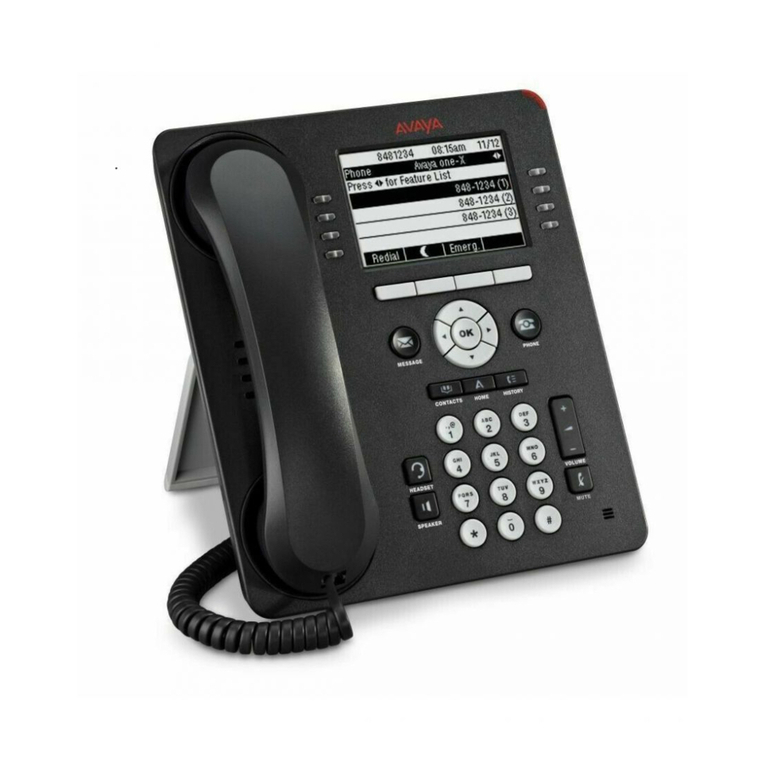
Calling with receiver Lift receiver –dial number.
with loudspeaker Press –dial number.
with headset Press –dial number.
Putting through a call Press Transfer softkey –dial number.
- Addressee Press Transfer softkey again.
- Addressee does NOT answer Press EndCall softkey.
Press Resume softkey to return to caller.
Holding a call Press Hold softkey; line key is winking.
Bringing back from hold Press Resume softkey or winking key.
Addressee does not answer
Activating return call Press CallBack softkey.
The relevant information about the return call thus
initiated will display.
Answering return call As soon as the addressee is free, you will receive a
message to that effect on the display.
Press Dial softkey.
Redialling Press Redial softkey to redial the last number,
or
press navigation key to display the numbers
selected earier.
Conference Press Confrn softkey.
up to 6 participants You may have to press the more softkey for
Confrn to display.
Dial the participant’s number.
Wait until the participant answers the call.
Then redial Confrn to add the participant to the
conference. Further conference participants can only
be added by the conference chair (initiator).
Displaying conference participants Press ConfList softkey.
You may have to press the more softkey for
ConfList to display.
All the conference participants are listed.
The participant with an * is the initiator of the conference.
Removing conference participants Highlight the participant’s name in the conference list
and then press Remove.
Depending on the configuration, only the initiator is
permitted to use this function.