8About Your TV
www.dell.com | support.dell.com
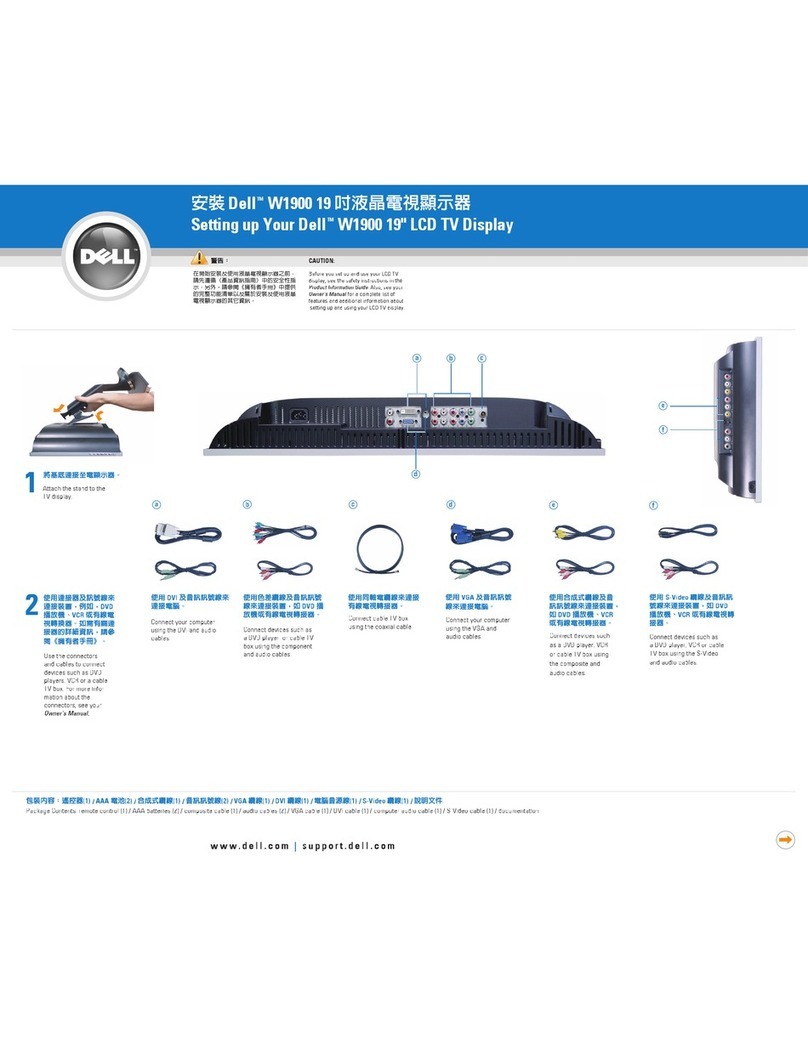
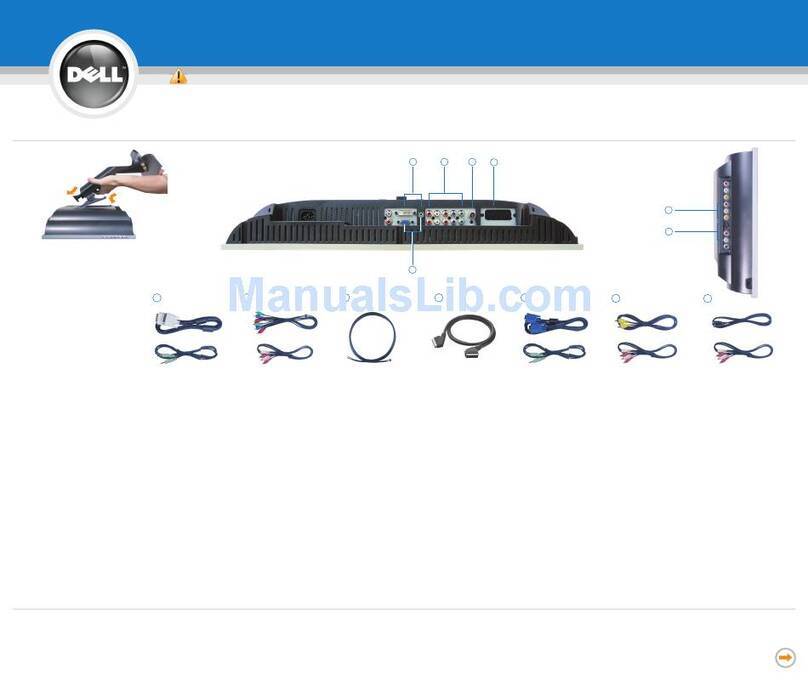
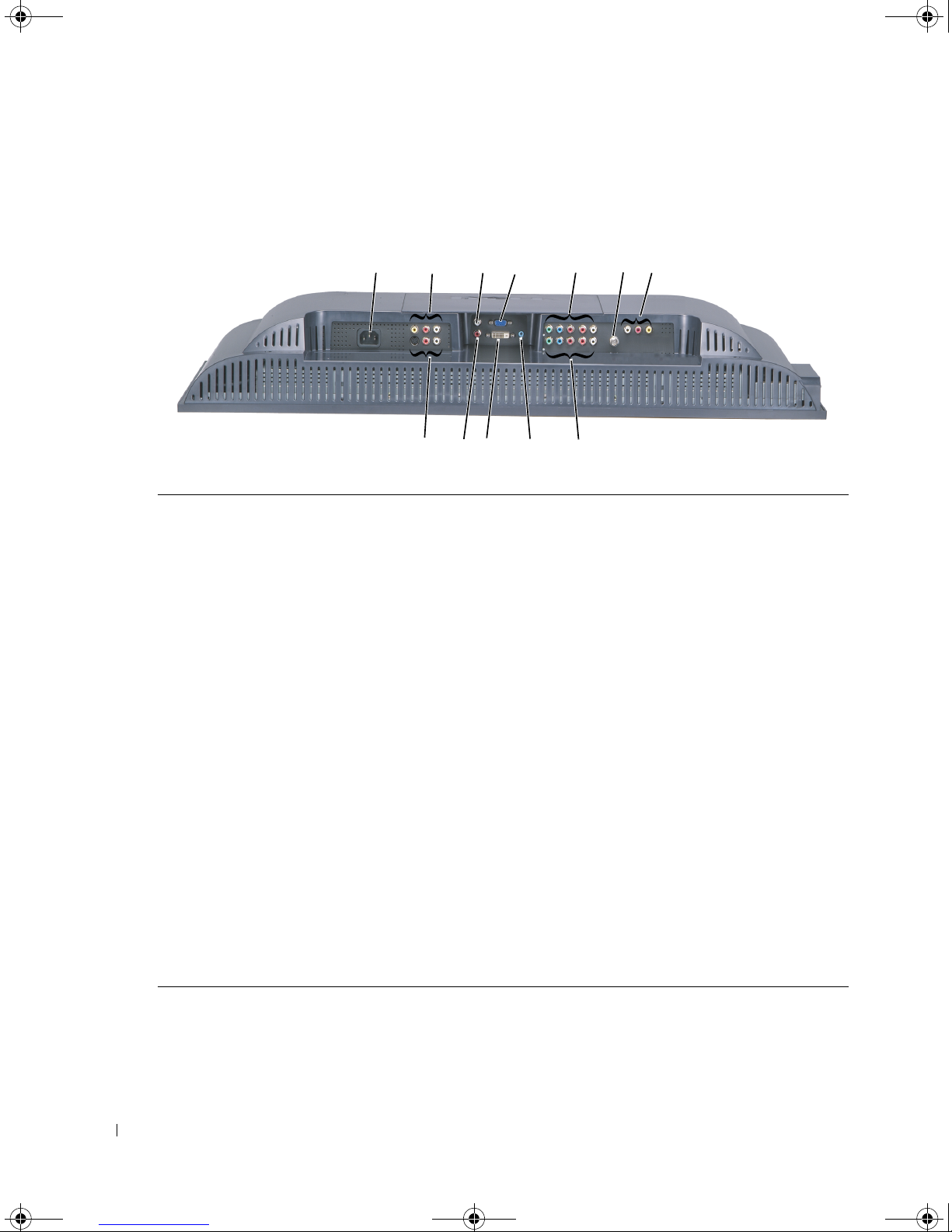
Bottom View
1Power connector Connect your power cord.
2Composite video and audio
connector (AV2)
Connect devices such as a VCR or DVD player.
3DVI audio connector (L) Use the DVI audio connector if you have connected a device to
the DVI connector.
4VGA connector Use the VGA connector to use your TV as a monitor for your
computer.
5Component audio and video
connectors (AV6)
Connect devices such as a DVD player, satellite or cable box.
6ANT/Cable Connect an antenna or cable box.
7Composite Audio/Video Out
connector
Connect a device such as a VCR if you have connected an
antenna or cable through the ANT/Cable connector.
8Component audio and video
connector (AV5)
Connect devices such as a DVD player, satellite or cable box.
9Audio connector for your computer Connect the audio cable from your computer to the TV.
10 DVI connector Connect devices such as a DVD player, set-top box, or your
computer.
11 DVI audio connector (R) Use the DVI audio connector if you have connected a device to
the DVI connector.
12 S-Video connector (AV4) Connect devices such as a video game system or a DVD player.
12 457
891011
12
63
W2600a00.book Page 8 Friday, August 6, 2004 2:52 PM