Back to Contents Page
Introduction
Dell™PowerConnect™2216/2224/2324SwitchesUser'sGuide
Package Contents
Front Panel Indicators
Connecting Devices
Typical Deployments
Class-of-Service
Mounting Kit Instructions
Technical Information
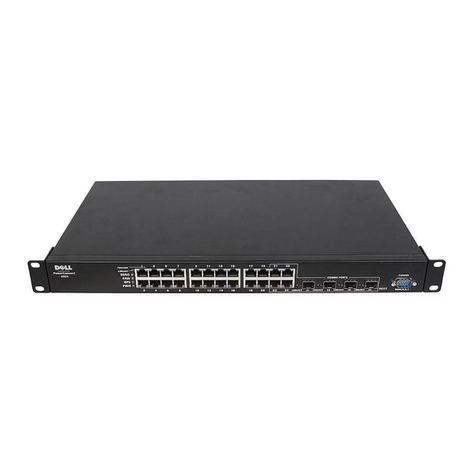
Dell™PowerConnect™switchesprovide10/100-Mbps Gigabit or 10/100/1000-Mbps Gigabit Ethernet connectivity. The switches have the following features:
lSwitch ports
¡PowerConnect2216—16 ports, 10/100-Mbps Gigabit
¡PowerConnect2224—24 ports, 10/100-Mbps Gigabit
¡PowerConnect2324—24 ports, plus two additional RJ-45 Gigabit Ethernet ports, 10/100/1000-Mbps Gigabit.
lComplies with IEEE 802.3 10Base-T, IEEE 802.3u 100Base-TX,IEEE802.3z/ab1000Base-T
lTag-based IEEE 802.1p Class-of-Service with two priority queues per port
lIEEE 802.3x PAUSE frames flow control in full-duplex operation
lAutomatic negotiation for speed and full-and half-duplex mode on all ports
lBackpressure flow control in half-duplex operation
lCollision detection on all ports
lAuto MDI/MDIX
l8K MAC address entries supported
lComprehensive LED indicator panel to monitor overall switching condition
l19-inch rackmountable and wallmountable, standard 1U chassis
lInternal power supply
Package Contents
Beforeyouinstallaswitch,verifythatyourpackagecontainsthefollowingitems:
lSwitch
lSelf-adhesive rubber pads for desktop installation
lKit for 19-inch rack installation
lKit for wallmount installation of 16-and 24-port switches
lPowerConnect 2216/2224/2324 Switches CD
lAC power cord
Front Panel Indicators
Your PowerConnect switch contains two rows of LEDS that provide information about connection speed, data activity, and duplex operation mode.
Power (POWER) LED
lGreen —The switch is powered on.