EnglishDeutsch
 logo
Brands
  1. Home
  2. •
  3. Brands
  4. •
  5. Denver
  6. •
  7. Scouting Camera
  8. •
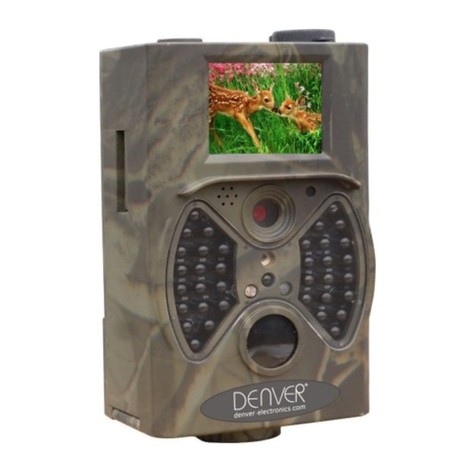
  9. Denver WCT-8010 User manual

Denver WCT-8010 User manual

Other manuals for WCT-8010

2

Other Denver Scouting Camera manuals

Denver WCT-5003MK2 User manual

Denver

Denver WCT-5003MK2 User manual
Denver WCS-5020 User manual

Denver

Denver WCS-5020 User manual

Denver WCT-3004 User manual

Denver

Denver WCT-3004 User manual
Denver WCT-3004 User manual

Denver

Denver WCT-3004 User manual
Denver HC500A User manual

Denver

Denver HC500A User manual

Denver WCM-8010 MK3 User manual

Denver

Denver WCM-8010 MK3 User manual
Denver WCT-5003 User manual

Denver

Denver WCT-5003 User manual
Denver WCS-5020 User manual

Denver

Denver WCS-5020 User manual
Denver HC-300A User manual

Denver

Denver HC-300A User manual

Denver WCT-5003 User manual

Denver

Denver WCT-5003 User manual

Denver WCM-5003 User manual

Denver

Denver WCM-5003 User manual

Denver WCT-3004 MK3 User manual

Denver

Denver WCT-3004 MK3 User manual
Denver WCT-5003 User manual

Denver

Denver WCT-5003 User manual

Denver WCT-8020W User manual

Denver

Denver WCT-8020W User manual

Denver WCL-8040MK2 User manual

Denver

Denver WCL-8040MK2 User manual
Denver HSM-3004 User manual

Denver

Denver HSM-3004 User manual
Denver WCT-5005 User manual

Denver

Denver WCT-5005 User manual
Denver ACT-5050W User manual

Denver

Denver ACT-5050W User manual

Denver WCM-8010MK2 User manual

Denver

Denver WCM-8010MK2 User manual
Denver WCT-5002 User manual

Denver

Denver WCT-5002 User manual
Popular Scouting Camera manuals by other brands

Nestbox C13 user guide

Nestbox

Nestbox C13 user guide

Wildview STC-TGL1 user manual

Wildview

Wildview STC-TGL1 user manual

Stealth Cam CORE STC-Z3IRTL instruction manual

Stealth Cam

Stealth Cam CORE STC-Z3IRTL instruction manual

Suntek HC-800M user manual

Suntek

Suntek HC-800M user manual

Spypoint G4 user manual

Spypoint

Spypoint G4 user manual

Duramaxx 10029765 user manual

Duramaxx

Duramaxx 10029765 user manual

Brecom C2400 user manual

Brecom

Brecom C2400 user manual

BlazeVideo A280W instruction manual

BlazeVideo

BlazeVideo A280W instruction manual

Bestok 5210GM user manual

Bestok

Bestok 5210GM user manual

GardePro X60P instruction manual

GardePro

GardePro X60P instruction manual

Delta-Opti HC-SG880MK-18MHD user manual

Delta-Opti

Delta-Opti HC-SG880MK-18MHD user manual

PNI HUNTING 280C user manual

PNI

PNI HUNTING 280C user manual

Muddy Pro-Cam 14 user manual

Muddy

Muddy Pro-Cam 14 user manual

Bresser 3310006 instruction manual

Bresser

Bresser 3310006 instruction manual

Recon Outdoors HS410 user manual

Recon Outdoors

Recon Outdoors HS410 user manual

Braun 57660 instruction manual

Braun

Braun 57660 instruction manual

Wildgame Shadow user manual

Wildgame

Wildgame Shadow user manual

Hieha WiFi900Pro Use manual

Hieha

Hieha WiFi900Pro Use manual

https://manuals.online logo
https://manuals.online logoBrands
  • About & Mission
  • Contact us
  • Privacy Policy
  • Terms and Conditions

Copyright 2026 Manuals.Online. All Rights Reserved.

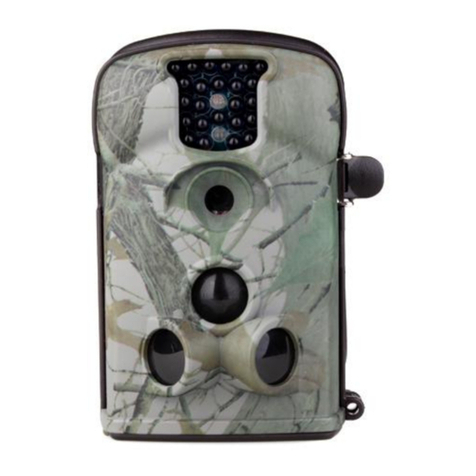
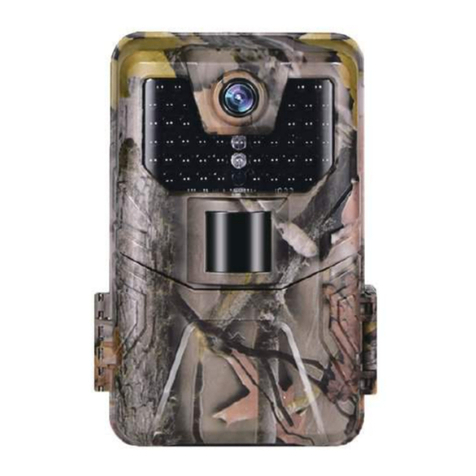
DENVER WCT-8010
Wild kamera
Quick Start Guide
Overview
2 inch color LCD Display
Shot button
O button
Power Switch
USB connector
Micro SD card slot
Replay button
8)Menu button
9)Left button
10)Up button
11)Down button
12)Right button
13)Microphone
The camera has 3 basic operation modes:
1. OFF mode: Power switch is at OFF position.
2.ON mode: Power switch is at ON position.
3. TEST mode: Power switch is at TEST position.
In the above three modes, the OFF mode is the specified safe mode when replacing the microSD or batteries and transporting the camera.
A. There are 3 modes under system setting for your selection.
a. Camera
It only takes photos at a time.
b. it only takes videos at a time.
c. Camera &Video.
It takes photo firstly, then takes videos.
B. There are also ways to take photos or videos.
a. Manually to press the SHOT button
After sliding power switch to ‘TEST’, without any menu on the screen, press Shot to take photos or videos.
b. Automatically
After sliding power switch to ON, the LED blinks 15s, then the camera takes photos or videos when the movement is detected.
C. To view the photos or videos on the camera, please turn off the camera, slide power switch to Test, press OK button to enter
view model.
a. Photos viewing
Press up or down button to view the previous of next photo.
b. Videos viewing
Press Replay button to start the video, press Replay button again to stop.
Note: Press O to return to screen.
D. Please note, that this is not an error with the Camera:
Heavy rain, fog and drizzle (in the dark) will give white photos without motive.
ENG-1
ALL RIGHTS RESERVED, COPYRIGHT DENVER ELECTRONICS A/S
Electric and electronic equipment and included batteries contains materials, components and substances that can be hazardous to your
health and the environment, if the waste material (discarded electric and electronic equipment and batteries) is not handled correctly.
Electric and electronic equipment and batteries is marked with the crossed out trash can symbol, seen below. This symbol signifies that
electric and electronic equipment and batteries should not be disposed of with other household waste, but should be disposed of
separately.
As the end user it is important that you submit your used batteries to the approriate and designated facility. In this manner you make sure
that the batteries are recycled in accordance with legislature and will not harm the environment.
All cities have established collection points, where electric and electronic equipment and batteries can either be submitted free of charge
at recycling stations and other collection sites, or be collected from the households. Additional information is available at the technical
department of your city.
Hereby, Inter Sales A/S declares that the radio equipment type W T-8010 is in compliance with Directive 2014/53/EU. The full
text of the EU declaration of conformity is available at the following internet address: http://www.denver-electronics.com/denver-
W T-8010 /
Imported by:
DENVER ELECTRONICS A/S
Omega 5A, Soeften
8382 Hinnerup
Denmark
facebook.com/denverelectronics
ENG-2