5
o Reference Altitude Adjustment
Hold (S2) for 1 secondCurrent altitude on field 2 will begin to flash. Press (S3) or (S4) to set the
function Press (S1) to accept the setting
Note
Setting of the reference altitude of a current location will also change the sea level pressure. If the user is
at a known altitude, adjustment of the reference altitude to this correct altitude will give the present sea
level atmospheric pressure.
Altimeter Difference Measurement
• Enable user to measure the absolute altitude difference between the start and stop time.
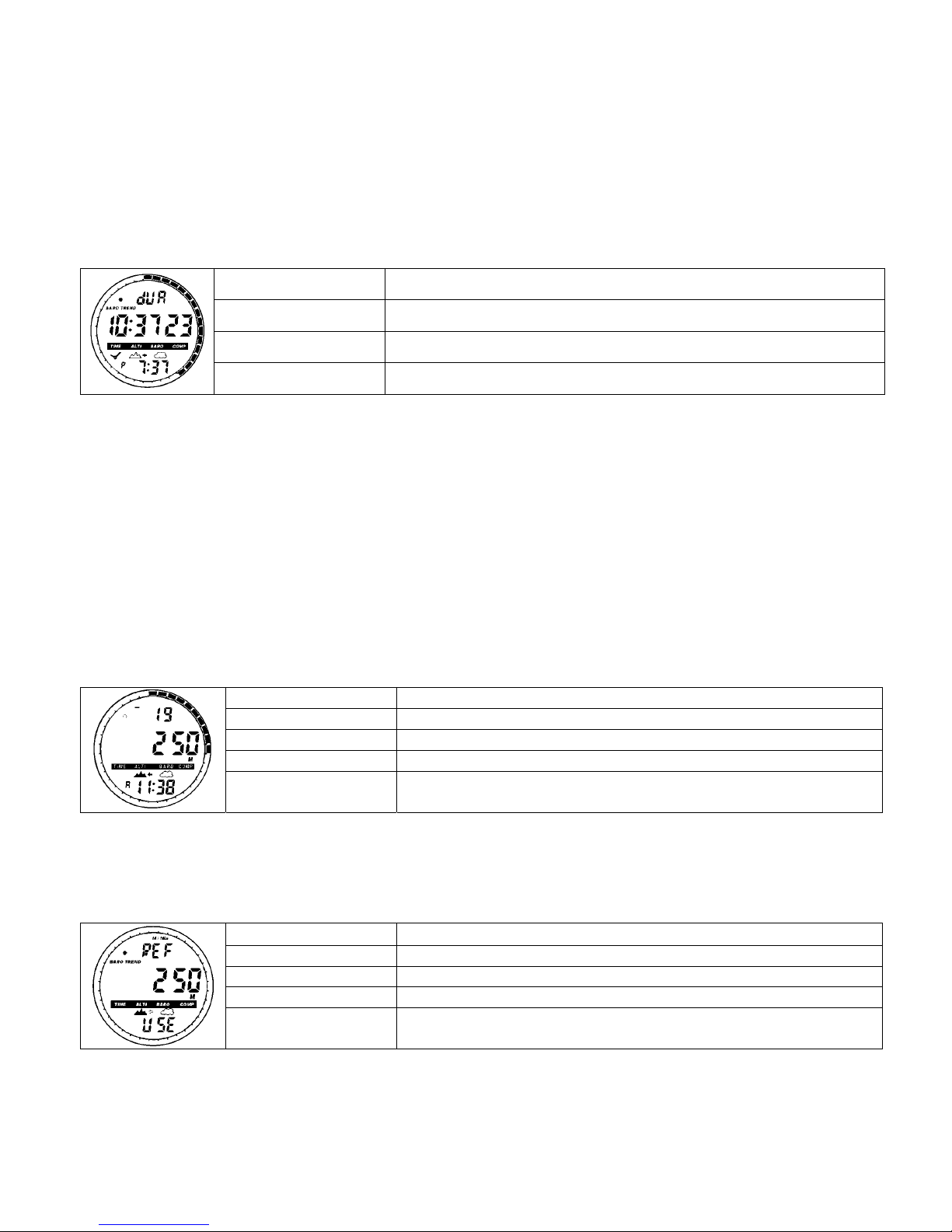
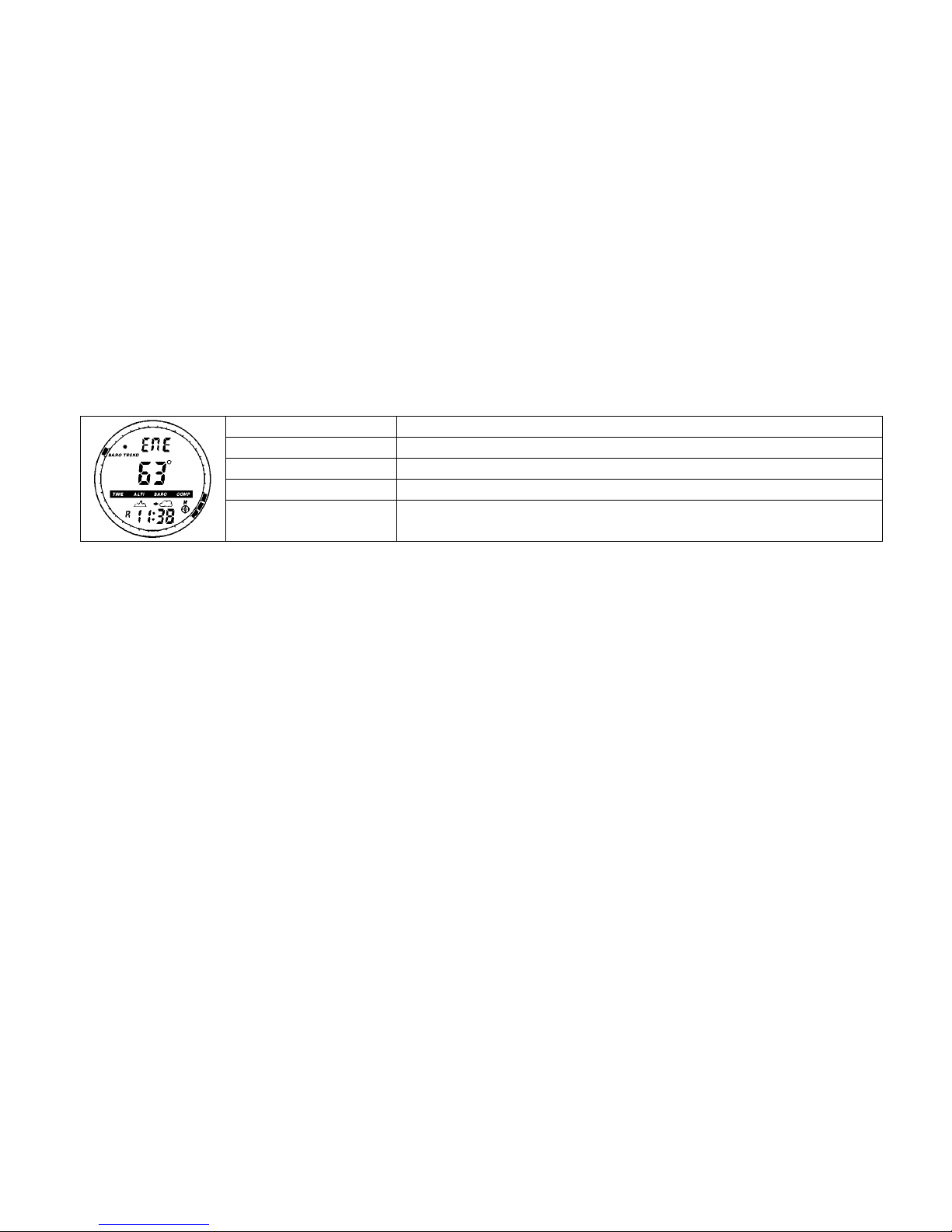
Path Press (S2)×2 from Altitude Main Mode
Field 1 Vertical ascent or decent rate and “DIFF”
Field 2 Current altitude
Field 3 Running time
Outer Circumference Altitude animation. A complete circle represents 1000 meter or
1000ft
Setup
o Hold (S2) for 1 second, “SET” will display on Field 1 and a zero value will begin to flash on Field 2
o Press (S3) or (S4) to select a non-flashing altitude (the previous altitude difference record) to resume the
previous difference measurement. User selects the flashing zero will start a new difference measurement.
For a new difference measurement, the time will start running automatically.
o Press (S1) to accept the setting
Stop or Resume Difference Measurement
o In the Altimeter Difference Measurement mode Press to stop or resume the measurement
Notes
Altimeter different measurement cannot start when Barometer Use is selected.
“ : ” in field 3 will begin to flash to indicate the difference measurement mode is in operation.
“DIFF” will begin to flash when user leave the mode while it is functioning
The watch will return to Time Main Mode after 12 hours.
Running time displays up to 99 hours and 59 minutes. Afterwards, (--:--) appears in Field 3.
24 hour Memory
• This is the altitude record for the last 24 hours
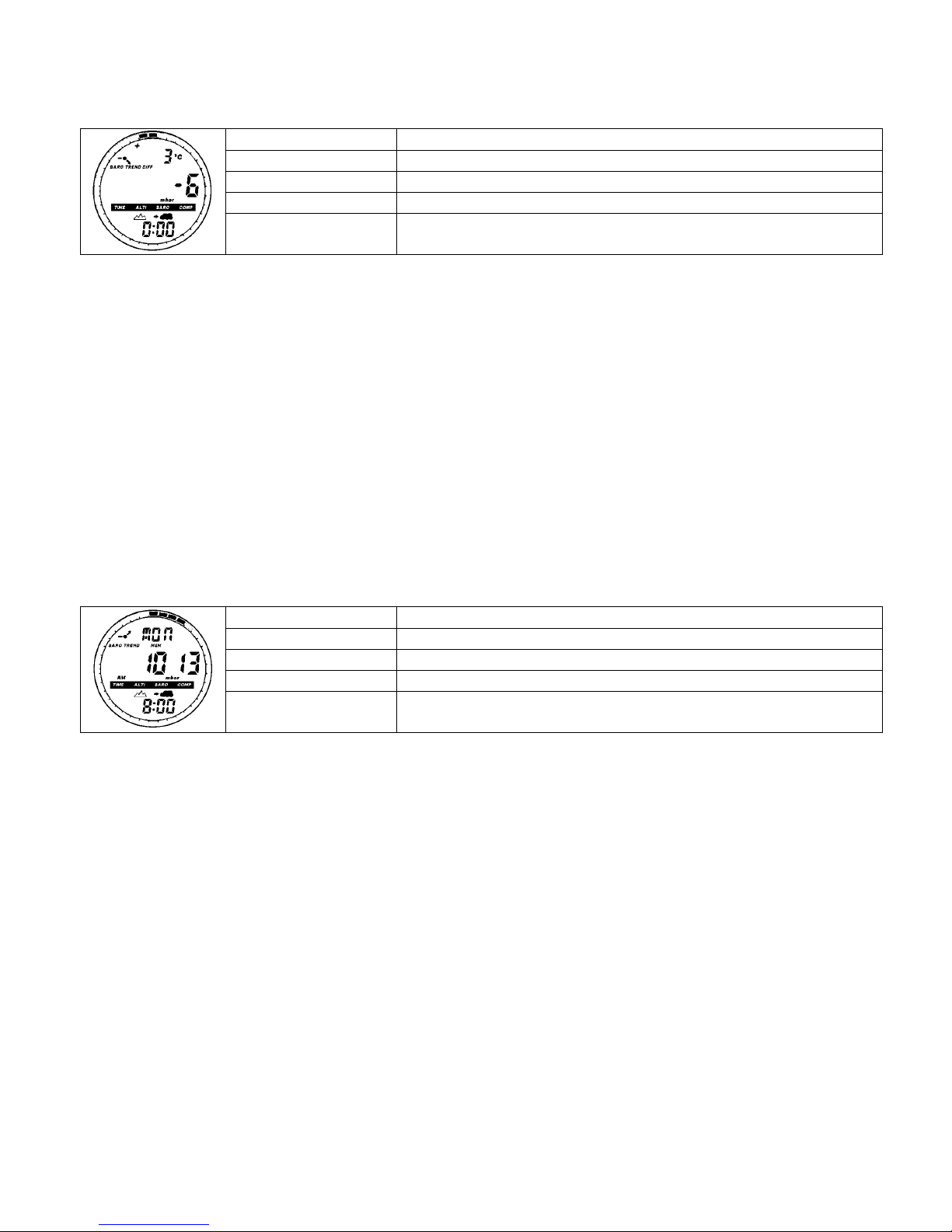
Path Press (S2)×3 from Altitude Main Mode
Field 1 Vertical ascent or decent rate and “MEM”
Field 2 Current altitude
Field 3 Flashing hour
Outer Circumference Altitude animation. A complete circle represents 1000 meter or
1000ft
o Viewing Information
Press (S3) or (S4) to scroll forward and backward to view the corresponding altitude, ascent and
decent rate of the particular hour
Notes
Either select Altimeter Use or Barometer Use to record the on-the-hour information for the last 24-hours.
The watch will return to Time Main Mode after 10 minutes.
Logbook
• It records the average vertical ascent and descent rate, total vertical distance travelled, elapsed time, date,
lap number and log number.
• The logbook has five displays. The display automatically displays the first frame for 7 seconds, and the
rest for 4-seconds.
o View Logbook
Press (S2)×4 from Altitude Main Mode
Press (S3) or (S4) to scroll the records