manuals.online logo
Brands
  1. Home
  2. •
  3. Brands
  4. •
  5. Dosy
  6. •
  7. Test Equipment
  8. •
  9. Dosy PM-1000 User manual

Dosy PM-1000 User manual

This manual suits for next models

2

Other Dosy Test Equipment manuals

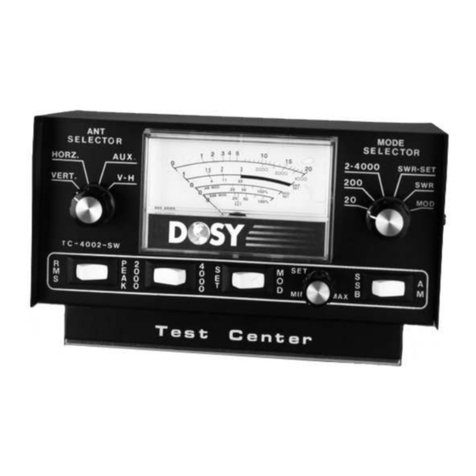
Dosy TC-4002-SW User manual

Dosy

Dosy TC-4002-SW User manual

Dosy TC-4002-PSW User manual

Dosy

Dosy TC-4002-PSW User manual

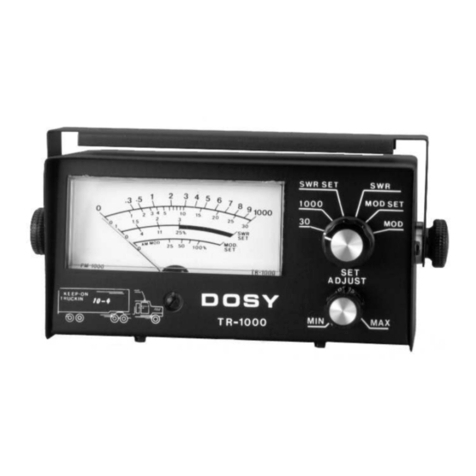
Dosy TR-1000 User manual

Dosy

Dosy TR-1000 User manual

Popular Test Equipment manuals by other brands

Ambit P.F. Series instruction manual

Ambit

Ambit P.F. Series instruction manual

Megger BMM500 Series user guide

Megger

Megger BMM500 Series user guide

RJG Lynx Sensor Tester operating instructions

RJG

RJG Lynx Sensor Tester operating instructions

Mark-10 TT02 Series user guide

Mark-10

Mark-10 TT02 Series user guide

Martel 3001 Operator's manual

Martel

Martel 3001 Operator's manual

ElproSys DiagProg4 instruction manual

ElproSys

ElproSys DiagProg4 instruction manual

Redtech TRAILERteck T05 user manual

Redtech

Redtech TRAILERteck T05 user manual

Venmar AVS Constructo 1.0 HRV user guide

Venmar

Venmar AVS Constructo 1.0 HRV user guide

Test Instrument Solutions SafetyPAT operating manual

Test Instrument Solutions

Test Instrument Solutions SafetyPAT operating manual

Hanna Instruments HI 38078 instruction manual

Hanna Instruments

Hanna Instruments HI 38078 instruction manual

Kistler 5495C Series instruction manual

Kistler

Kistler 5495C Series instruction manual

Waygate Technologies DM5E Basic quick start guide

Waygate Technologies

Waygate Technologies DM5E Basic quick start guide

StoneL DeviceNet CK464002A manual

StoneL

StoneL DeviceNet CK464002A manual

Seica RAPID 220 Site preparation guide

Seica

Seica RAPID 220 Site preparation guide

Kingfisher KI7400 Series Training manual

Kingfisher

Kingfisher KI7400 Series Training manual

Kurth Electronic CCTS-03 operating manual

Kurth Electronic

Kurth Electronic CCTS-03 operating manual

SMART KANAAD SBT XTREME 3G Series user manual

SMART

SMART KANAAD SBT XTREME 3G Series user manual

Agilent Technologies BERT Serial Getting started

Agilent Technologies

Agilent Technologies BERT Serial Getting started

manuals.online logo
manuals.online logoBrands
  • About & Mission
  • Contact us
  • Privacy Policy
  • Terms and Conditions

Copyright 2025 Manuals.Online. All Rights Reserved.

Welcome to the online version of your DOSY Manual.
We hope that you find this helpful and informative.
PM-2001 Meter Scale Reading
Up to 20 Watts....................................................................................... 20 Scale
Up to 200 Watts ............................................................................ 20 Scale X 10
Up to 2000 Watts .............................................................................. 2000 Scale
PM-1000 Meter Scale Reading
Up to 30 Watts....................................................................................... 30 Scale
Up to 300 Watts ............................................................................ 30 Scale X 10
Up to 1000 Watts .............................................................................. 1000 Scale
DOSY
PM-1000/PM-2001
Test Center
Instruction Manual
Installation Instructions
The test center can be installed at any point in
your transmitter line.
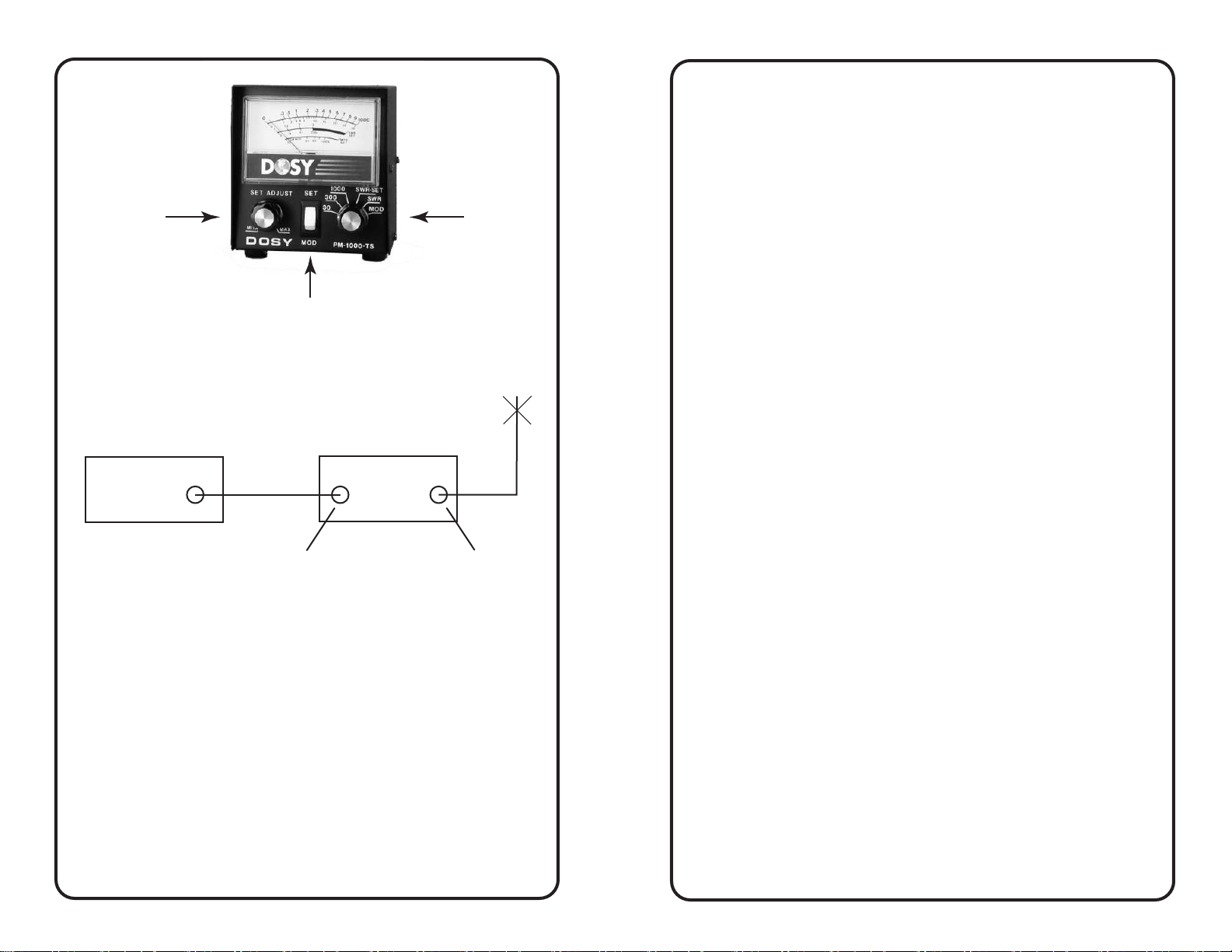
Transmitter DOSY Test Center
RG/58BU
Input Antenna
Operating Instructions
Watts
The PM-1000/PM-2001 Test Center will indicate the power
output (in watts) of your equipment at the point in the
transmission line where you have installed the test center. To
measure any power from 1 to 1000 watts (2000 watts on
PM-2001), just set the power range selector switch (#3 Fig. 1)
to the appropriate range - 30, 100, 1000 (or 20, 200, 2000 on
PM-2001) watts. Key the transmitter and read the wattage on
the corresponding scale.
NOTE: If power output is uncertain, use the highest range
and work down until the range is appropriate to prevent
possible damage to the meter movement.
SWR Set
A.M. Modulation Check
1. Turn Mode Selector switch (#3 Fig. 1) to the SWR SET position
2. Turn RF Level Control (#1 Fig. 1) to MIN
3. Key Transmitter and turn RF Level Control (#3 Fig. 1) to give
a full scale meter reading to SWR SET on meter scale.
4. With Transmitter keyed, switch Mode Selector Switch
(#3 Fig.1) to SWR position and read SWR ratio directly on
SWR Scale.
NOTE: The SWR Functions need to be performed on each wattage range
to prevent possible damage to the meter movements.
1. Turn Mode Selector Switch (#3 Fig. 1) to MOD position
2. Switch MOD/SET rocker (#2 Fig. 1) to SET
2. Turn RF Level Control (#1 Fig. 1) to MIN
3. Key Transmitter and turn MOD RF Level Control (#1 Fig. 1)
to read full scale to MOD SET on meter scale
4. With transmitter keyed, switch MOD/SET rocker (#2 Fig. 1)
to MOD position and talk or steadily whistle into
microphone. Read modulation percentage on AM MOD
scale
5. DO NOT CHECK MODULATION WITH HIGH POWER
NOTE: A.M. modulation check functions must be performed on each
wattage range, to prevent possible damage to the meter movements.
General Notation
On Grounded Grid amplifiers, we do not recommend checking modulation
at higher powers. Grounded Grid amplifiers will not be able to output 100%
modulation in the A.M. mode, however, the feed through power prevents
the grounded grid from being fully modulated. This is the reason A.M.
modulation should be checked at the transmitter, or with the Linear
Amplifier in standby position.
Peak Watts
The PM-1000/PM-2001 watt meter will indicate peak watts
when transmitter is modulated.
Figure 1
2. Rocker Switch for Modulation
and set
3. Mode Selector
Switch
1. RF Level &
Modulation Set
Rely only on high-grade cb radios & components offered on our virtual shelves.