manuals.online logo
Brands
  1. Home
  2. •
  3. Brands
  4. •
  5. DW
  6. •
  7. Dome Camera
  8. •
  9. DW Snapit DWC-V4367WD User manual

DW Snapit DWC-V4367WD User manual

This manual suits for next models

1

Popular Dome Camera manuals by other brands

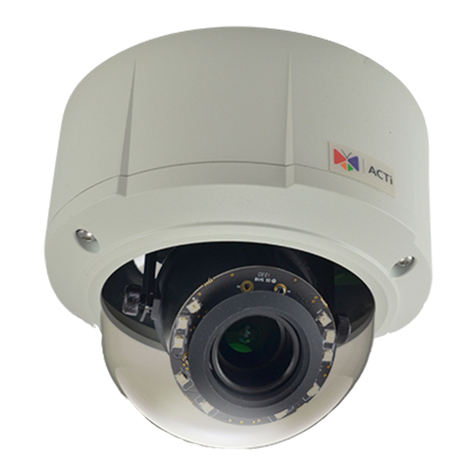
ACTi E89 Hardware manual

ACTi

ACTi E89 Hardware manual

Zavio D4220 user manual

Zavio

Zavio D4220 user manual

Hitron HSGI-H7DxF3S22 Instruction

Hitron

Hitron HSGI-H7DxF3S22 Instruction

ACTi E51 Hardware user manual

ACTi

ACTi E51 Hardware user manual

Riva RC3102HD-5311 installation guide

Riva

Riva RC3102HD-5311 installation guide

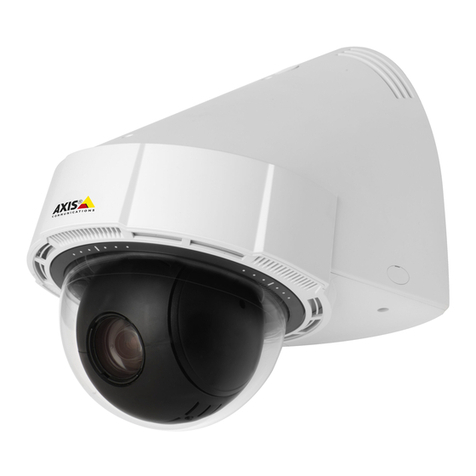
Axis P5414-E PTZ installation guide

Axis

Axis P5414-E PTZ installation guide

Bosch FLEXIDOME IP starlight6000 VR NIN-63013 installation manual

Bosch

Bosch FLEXIDOME IP starlight6000 VR NIN-63013 installation manual

Digital Watchdog DWC-V6763TIR manual

Digital Watchdog

Digital Watchdog DWC-V6763TIR manual

JVC TK-C2201U - Analog Mini-dome -- 580 Tv Lines instructions

JVC

JVC TK-C2201U - Analog Mini-dome -- 580 Tv Lines instructions

Avigilon 1.0-H3-DO1 installation guide

Avigilon

Avigilon 1.0-H3-DO1 installation guide

Lilin SP9264 instruction manual

Lilin

Lilin SP9264 instruction manual

Vivotek FE9182-H user manual

Vivotek

Vivotek FE9182-H user manual

Channel Vision 6822-W instructions

Channel Vision

Channel Vision 6822-W instructions

Zavio P8220 user manual

Zavio

Zavio P8220 user manual

Grundig GCA-B3322D owner's manual

Grundig

Grundig GCA-B3322D owner's manual

Eneo TVD-1080V2812IR user manual

Eneo

Eneo TVD-1080V2812IR user manual

Bosch FLEXIDOME IP 7000 VR Specifications

Bosch

Bosch FLEXIDOME IP 7000 VR Specifications

Golbong 2252-23 Operation and installation manual

Golbong

Golbong 2252-23 Operation and installation manual

manuals.online logo
manuals.online logoBrands
  • About & Mission
  • Contact us
  • Privacy Policy
  • Terms and Conditions

Copyright 2025 Manuals.Online. All Rights Reserved.

ABOUT MANUAL
Before installing and using the camera, please read this manual carefully.
Be sure to keep it handy for future reference.
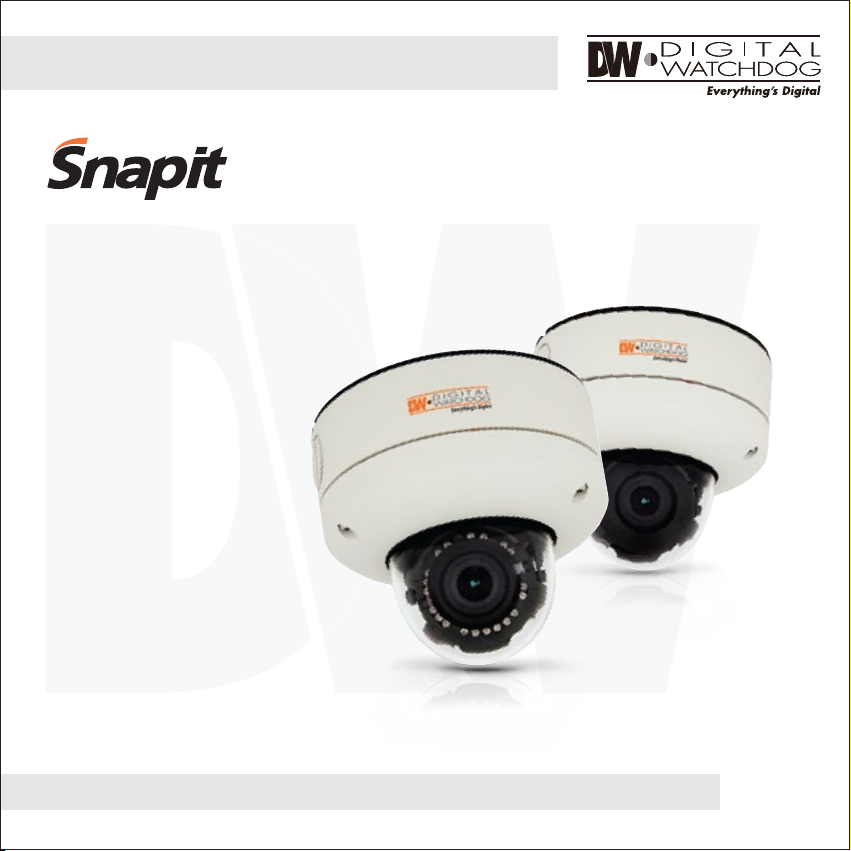
Vandal-Proof Dome Camera
DWC-V4367WD
DWC-V4367WTIR
12132012
2
PRECAUTIONS
FCC COMPLIANCE
Do not open or modify.
Do not open the case except during maintenence and installation, for it may be dangerous and can
cause damages.
Do not put objects into the unit.
Keep metal objects and flammable substances from entering the camera.
It can cause fire, short-circuits, or other damages.
Be careful when handling the unit.
To prevent damages, do not drop the camera or subject it to shock or vibration.
Do not install near electric or magnetic fields.
Protect from humidity and dust.
Protect from high temperature.
Be careful when installing near the ceiling of kitchen or a boiler room, as the temperature may rise
to high levels.
Cleaning:
To remove dirt from the case, moisten a soft cloth with a soft detergent solution and wipe.
Mounting Surface:
The material of the mounting surface must be strong enough to support the camera.
This equipment has been tested and found to comply with the limits for a Class B digital device,
pursuant to part 15 of the FCC rules. These limits are designed to provide reasonable protection against
harmful interference, when the equipment is operated in a residential environment. This equipment
generates, uses, and radiates radio frequency energy; and if it is not installed and used in accordance
with the instruction manual, it may cause harmful interference to radio communications.
WARNING: Changes or modifications are not expressly approved by the manufacturer.

TABLE OF CONTENTS
3
Introduction
Installation
Module OSD Menu
Troubleshooting
Warranty Information
Specifications
Features
Parts and Descriptions
Dimensions
Inside the Box
Mounting the Camera
Connecting to Monitors
Adjusting the Camera Lens
4
5
6
7
8-13
14-15
16
18-29
30
31-32
33-34
Adjusting the 3-Axis Gimbal 17
4
FEATURES*
1/3” Sony Super HAD CCD II
620 TV Lines (B&W), 600 TV Lines (Color)
3.3~12mm Varifocal Auto Iris Lens
70ft Range IR with Intelligent Camera Sync [DWC-V4367WTIR Only]
Electronic Day and Night [DWC-V4367WD Only]
TDN (True Day and Night / IR Cut Filter) [DWC-V4367WTIR Only]
Smart DNR (Digital Noise Reduction)
WDR (Wide Dynamic Range)
Star-Light (Super Low Light Technology)
HME (Highlight Masking Exposure)
Programmable Privacy Zones & Motion Detection
Easy Icon Driven OSD Menu with Built-In Joystick
IP68 Certified (Water Submersible)
Junction Box Included
UTP & RS485 Built-In
Auto Sensing 12VDC or 24VAC with Line Lock
Secondary Video-BNC Output
5
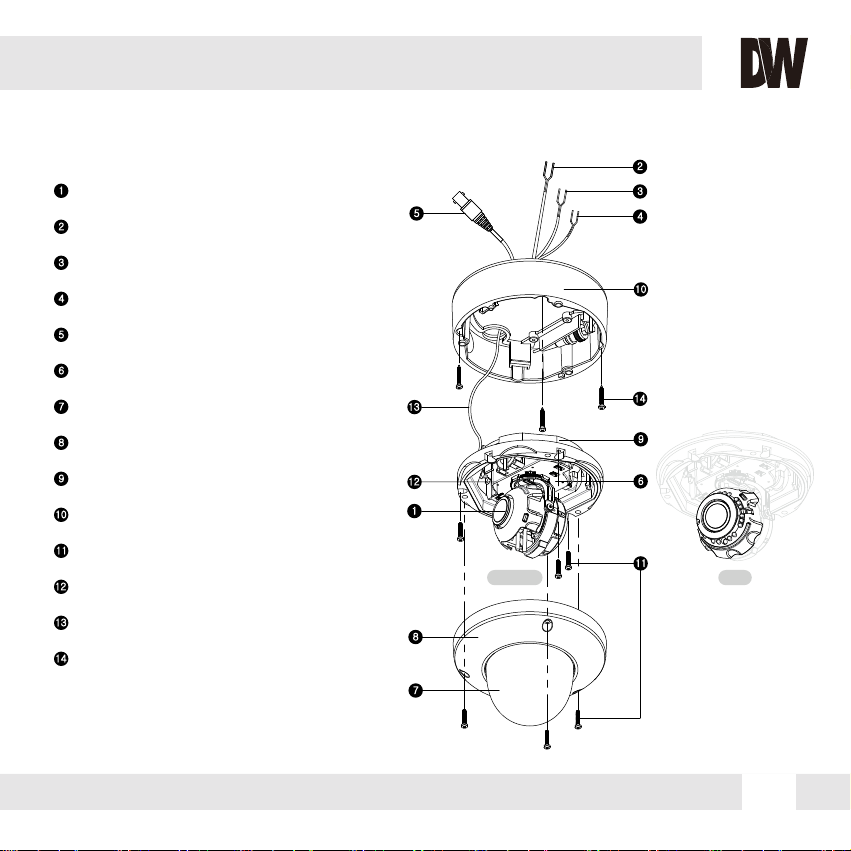
PART & DESCRIPTIONS*
1Lens
Power Input Connector (Dual Voltage)
UTP
RS-485
Primary Video-BNC Output Connector
Camera Control Board
Bubble Dome Cover
Upper Case
Flush Mount Base
Surface Mount Base / Junction Box
Assembly Screws (#8 - 32 x 0.75)
Secondary Video-BNC Output Connector
Safety Wire
Mounting Screws
2
3
4
5
6
7
8
9
10
11
12
13
14
NO IR IR
7
8
1
2
12
3
4
5
6
9
10
11
13
14
6
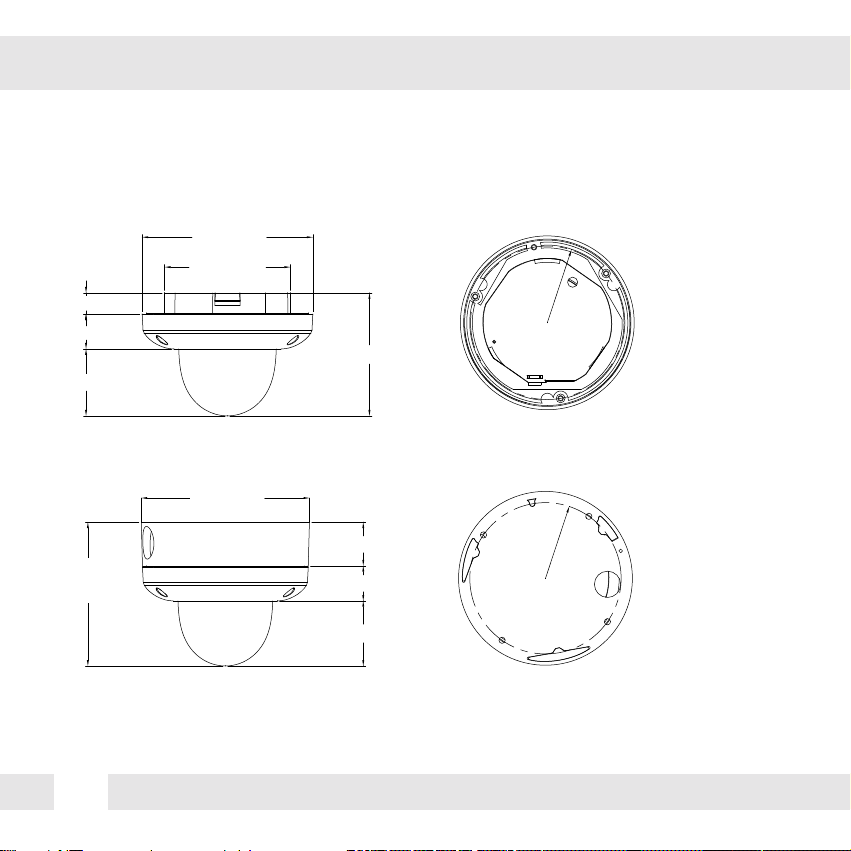
DIMENSIONS IN MILLIMETERS (IN)*
101(3.98”)
137(5.39”)
17(0.67”)
28(1.1”)
54(2.13”)
98.8(3.89”)
121
(4.76”)
118.8
(4.68”)
139(5.47”)139(5.47”)
36(1.42”)
29(1.41”)
53.8(2.12”)
Flush Mount
Surface Mount
121
(4.76”)
7
INSIDE THE BOX*
Included with Snapit Vandal Dome Camera
1
2
3
4
5
6
7
8
User Manual
Mounting Template
4 Machine Screw and 4 Dry Wall Anchors
TORX-T20 Wrench
L-Wrench
TORX-T20 Bolt
DC Plug
Secondary Video-BNC Cable
7 8
8
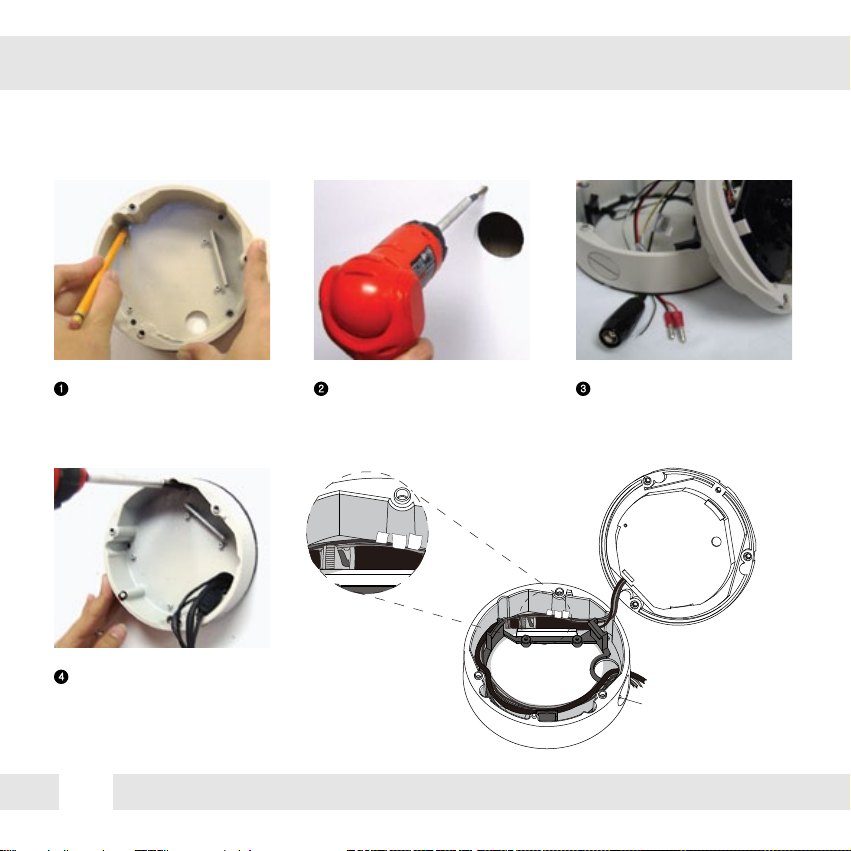
SURFACE MOUNT INSTALLATION INSTRUCTIONS*
Use the camera’s mounting
template or your camera to
mark the holes as required.
Drill holes into the drywall and
insert the drywall mounts into
the holes.
Pull wires through and make
connections.
If you need to keep the wiring within the
camera housing, refer to the diagram
below.
Mount the surface mount
base (junction box) to the
wall.
DC 12V
AC 24V
UTP
RS485
To use the side conduit, remove the
security screw with the supplied
3.0mm Allen key, and unscrew the
conduit plug.
Route wiring behind
the inner posts
(dark gray area).
DC 12V
AC 24V
UTP
RS485
1 2 3
4
9
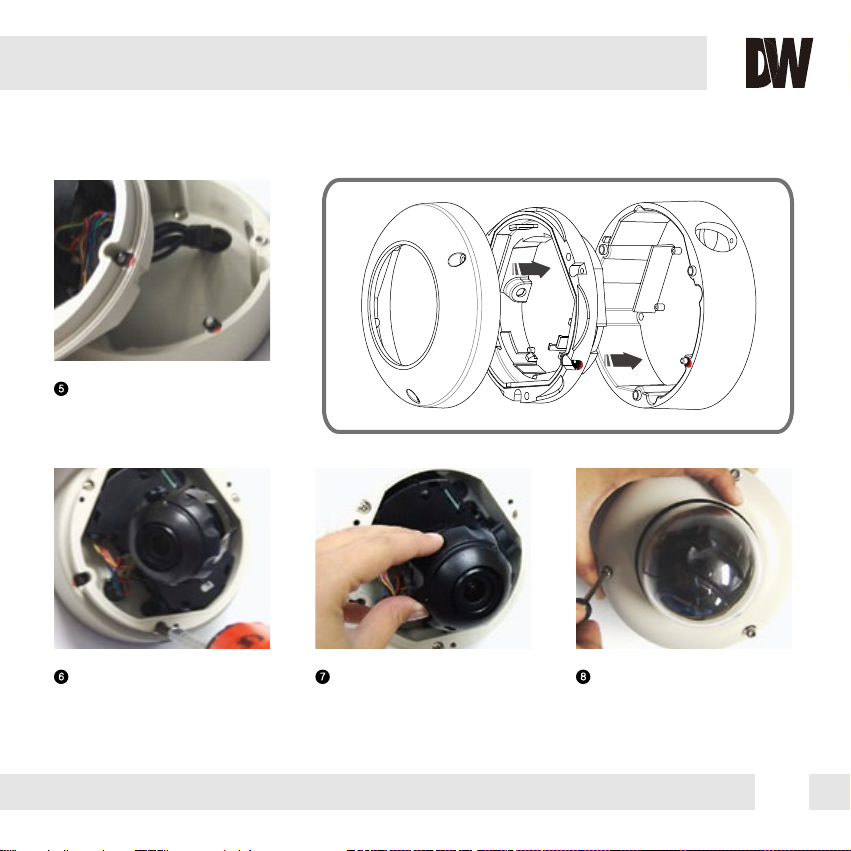
Secure the three (3) assembly
screws.
Adjust the camera’s position
by using the 3-Axis Gimbal.
Tighten the three locking
screws in with the L-Wrench
to secure the dome cover
over the camera.
Snap the camera module onto
the base by aligning the red
and black markings on the
base and the camera module.
5
6 7 8
10
FLUSH MOUNT INSTALLATION INSTRUCTIONS*
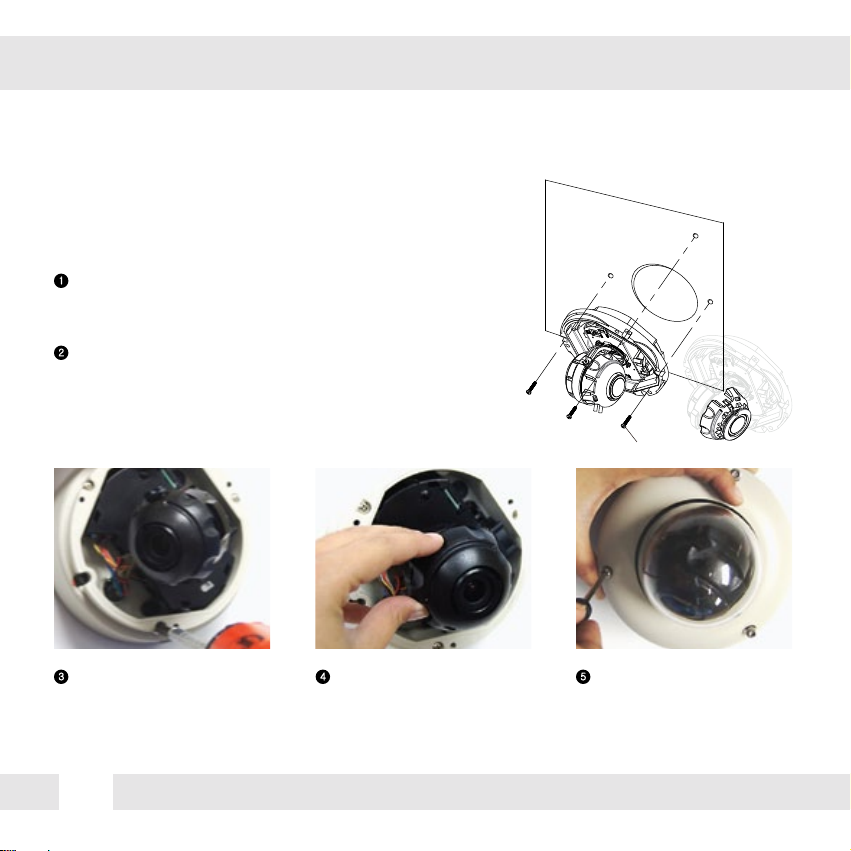
For a flush mount housing, detach the surface mount base,
which is also known as the junction box, from the flush
mount base.
Use the mounting template to mark the holes for the screws
and a larger hole for the top extruded component of the
flush mount base.
The three assembly screws (ST4X35) fixed to the flush
mount base should be used to mount the camera to the
surface of the wall or ceiling.
ST4X35
Secure the three (3) assembly
screws.
Adjust the camera’s position
by using the 3-Axis Gimbal.
Tighten the three locking
screws in with the L-Wrench
to secure the cover dome
over the camera.
1
2
3 4 5