
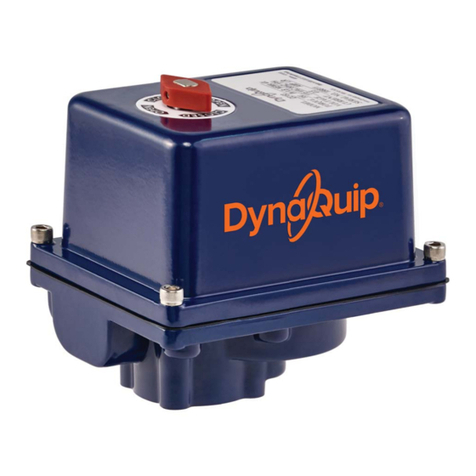
DynaQuip JE Series User manual

How this JE Series modulating electric valve actuator works
With power permanently connected, movement of the JE actuator is then proportional to an input control signal, typically 4-20mA or
0-10V, usually the output from a process controller. The DPS processor continually compares the physical position of the JE output shaft to
the input signal, and if a difference exists, controls the motor to eliminate the difference. In the JE the output shaft position is measured
very accurately using digital magnetic position sensing technology. An output signal for closed loop control is provided as standard.
JE Series Modulating Electric Actuators
In the interest of product improvement, specifications may change without notice.
4-20mA or 0-10V
Grey Plug
& base
Input
Customer supplied
WIRING DIAGRAM
*Customer supplied
L/+ N/-N/-
CLOSED OPEN
Volt free
Posion Conrmaon
VAC/VDC
②
③
①
N/- L/+
VAC/VDC
External Power
③
①②
①
+
-
+
Output
4-20mA /
0-10VDC
③
②
Control Signal I/O
**
Customer supplied
Supplied with actuator
Right Black
Plug & base
Do not connect
Centre Black
Plug & Base
Modulating plug &
play kit pre-installed
3 x DIN Plugs
JE Series Digital Positioner Specifications:
Detail JE Series
Input/ Output opons 0-10V, 1-10V, 0-20mA, 4-20mA
Output sha feedback system Magnec, digital
Accuracy, linearity, hysteresis, repeatability Beer than 2%

In the interest of product improvement, specifications may change without notice. 194566 REV C
JE Series Modulating Electric Actuators
Setting the control signal format
In the modulating version of the JE actuator, DIP switches are employed to set the format of the control signal input/ output as follows:
CALIBRATION PROCEDURE
1Push dip switch ‘1’ up, to ‘ON’
2Connect the grey power Din plug and apply external power
3Pull dip switch ‘1’ down . The actuator will now make a complete operation to auto-calibrate and set the zero and span.
4Set the dip switches according to the diagrams below to configure the DPS for control signal and command on the loss of the
control signal.
5Apply the control signal and test. On conclusion of a satisfactory test, the modulating actuator is ready for use
DIP SWITCH SETTINGS
4-20mA
OPEN ON LOSS OF
CONTROL SIGNAL
0-10V
1-10V
JE Mul-colour LED status light:
Actuator operaonal status LED Colour
No power being supplied O
Actuator in MANUAL mode Flash
Torque limiter acvated If closing when acvated = ash if opening = ash
Actuator with DPS (2015) posioner Opening = ash Closing = ash Staonary =
4mA - CLOSE / 20mA - OPEN 4mA - OPEN / 20mA - CLOSE
0V - CLOSE / 10V - OPEN 0V - OPEN / 10V - CLOSE
1V - CLOSE / 10V - OPEN
CLOSE ON LOSS OF
CONTROL SIGNAL
1V - OPEN / 10V - CLOSE
Other DynaQuip Controllers manuals

Popular Controllers manuals by other brands

Digiplex
Digiplex DGP-848 Programming guide

YASKAWA
YASKAWA SGM series user manual

Sinope
Sinope Calypso RM3500ZB installation guide

Isimet
Isimet DLA Series Style 2 Installation, Operations, Start-up and Maintenance Instructions

LSIS
LSIS sv-ip5a user manual

Rockwell Automation
Rockwell Automation 1769-L31 installation instructions










