manuals.online logo
Brands
  1. Home
  2. •
  3. Brands
  4. •
  5. EAPL
  6. •
  7. Cash Counter
  8. •
  9. EAPL H3CT-5U V2.0 User manual

EAPL H3CT-5U V2.0 User manual

Popular Cash Counter manuals by other brands

Measurement Computing USB-4301 user guide

Measurement Computing

Measurement Computing USB-4301 user guide

Polar Electro U Series instruction manual

Polar Electro

Polar Electro U Series instruction manual

Tranax Mini-Bank 1500 Operator's manual

Tranax

Tranax Mini-Bank 1500 Operator's manual

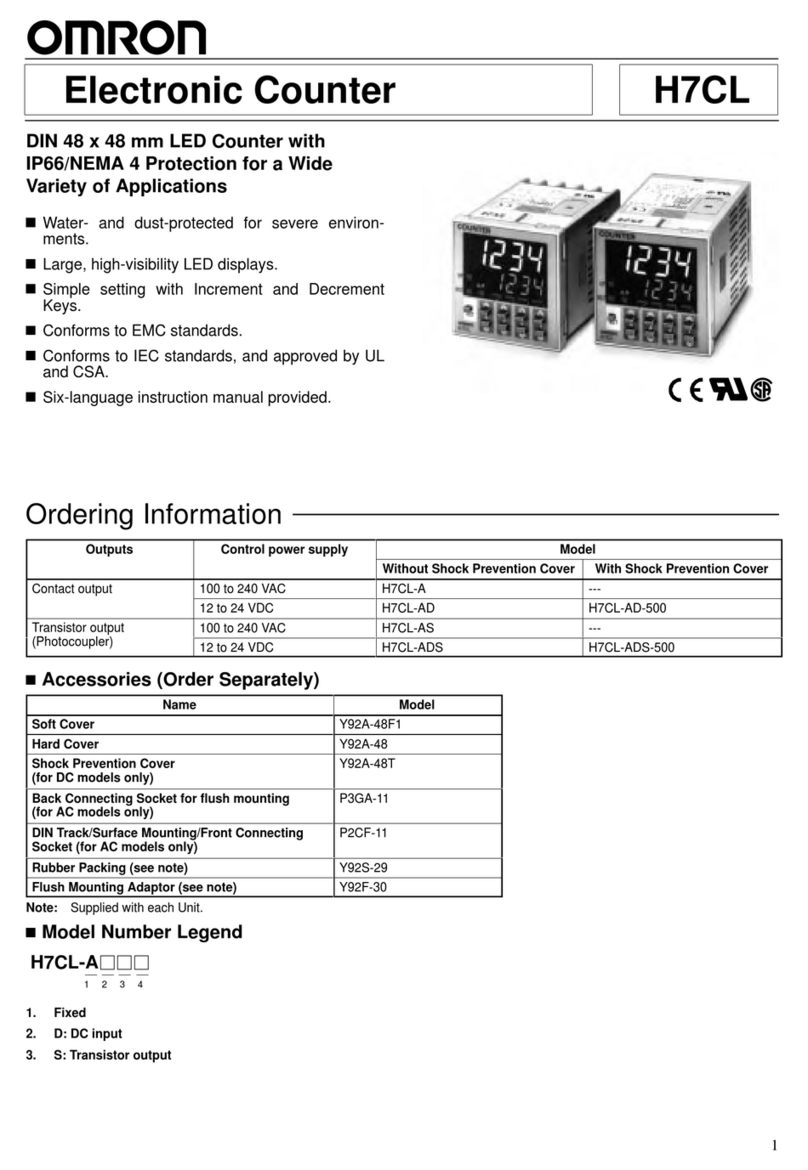
Omron H7CL Series manual

Omron

Omron H7CL Series manual

Olympia NC-350A Series user guide

Olympia

Olympia NC-350A Series user guide

XIA UltraLo-1800 user manual

XIA

XIA UltraLo-1800 user manual

Cashmaster Sigma 105 quick start guide

Cashmaster

Cashmaster Sigma 105 quick start guide

Agilent Technologies 53151A operating guide

Agilent Technologies

Agilent Technologies 53151A operating guide

Cashmaster Sigma 105 user manual

Cashmaster

Cashmaster Sigma 105 user manual

HYOSUNG MX-4000W Operator's manual

HYOSUNG

HYOSUNG MX-4000W Operator's manual

Cashmaster Sigma 105 user manual

Cashmaster

Cashmaster Sigma 105 user manual

HP 53150A Series Programming guide

HP

HP 53150A Series Programming guide

HYOSUNG 1800CE owner's manual

HYOSUNG

HYOSUNG 1800CE owner's manual

FAAC XTR B manual

FAAC

FAAC XTR B manual

MZ electronic EV-040 Instructions for use

MZ electronic

MZ electronic EV-040 Instructions for use

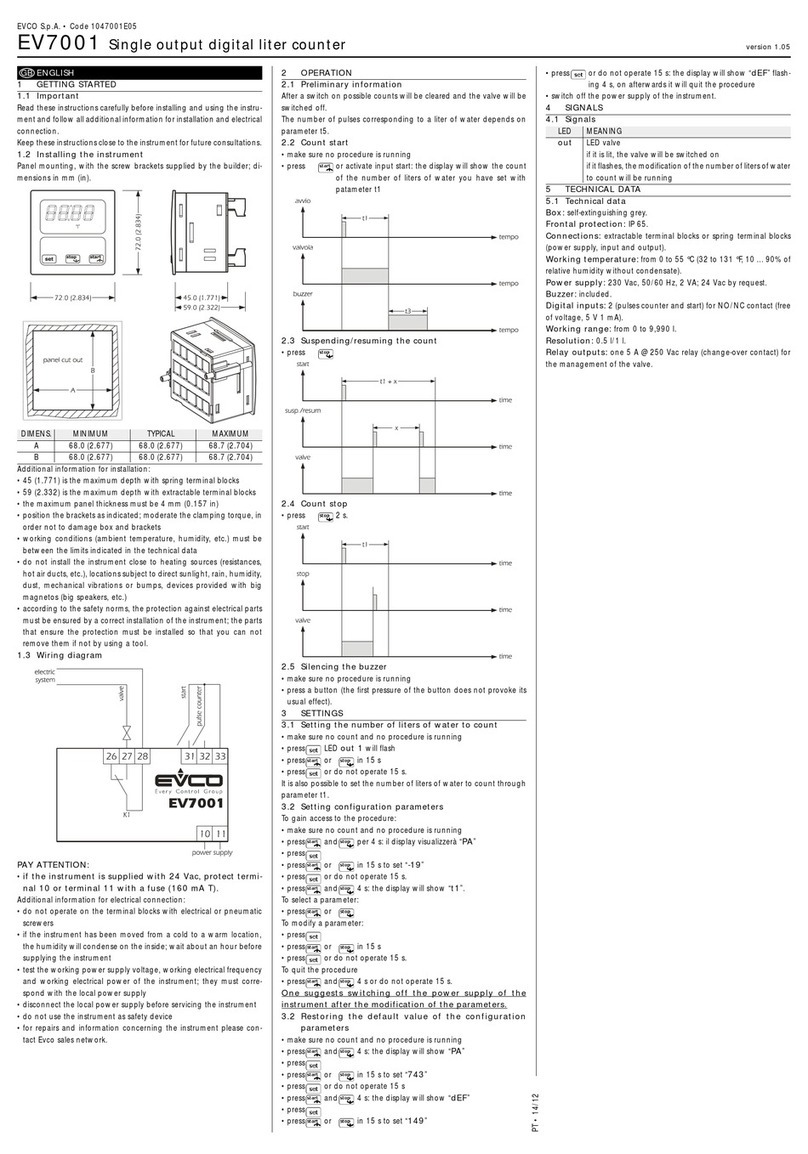
Evco EV7001 manual

Evco

Evco EV7001 manual

Delfield Shelleysteel SCFM-50 Specifications

Delfield

Delfield Shelleysteel SCFM-50 Specifications

Record FlowControl user manual

Record

Record FlowControl user manual

manuals.online logo
manuals.online logoBrands
  • About & Mission
  • Contact us
  • Privacy Policy
  • Terms and Conditions

Copyright 2025 Manuals.Online. All Rights Reserved.

CREATED ON: August 23, 2021
Instruction Manual
H3CT-5U V2.0
Preset Production Counter
EAPL
Introduction
H3CT- 5U V2.0 is an Up Counter with hold mode.
Apply rated voltage to source terminals and connect the sensor
input, display shows “00000” and starts counting the input pulses.
Once process value reaches set value 1C/O relay contacts
changes over to O and remain in this state till the power is
interrupted or reset signal is applied.
HOL MO E: Continues counting after resumption of interrupted
Power.
RESTART MO E: Counting starts from the beginning after the
Resumption of interrupted power.
Box Accessories
One (1) H3CT-5U V2.0
One (1) Instruction Manual
Function Up Counter with hold mode
Rated supply Voltage 85V to 270V AC/DC
Rated frequency 50/60Hz± 5% for AC only
Power consumption AC Approx. 8VA.
DC Approx. 5W.
Control Output
RLY 1 - 1 C/ O
Rated for 5A @ 250 VAC/ 30VDC( O)
3A @ 250VAC / 30VDC ( C)
Display 5 digit 7 segment LED,0.30”
Count speed 100Hz max.(min I/P pulse width 5msec)
Range 0 to 99,999 counts
Resetting time 250msec minimum
Recovery Time 2 Sec minimum
Ambient temperature
Operation : -10°C to +55°C
Storage : -25°C to +80°C
Humidity MAX 95% RH @ 40ºC
Service life (under no load) 10
6
operations minimum
Electrical life (under full load) 10
5
operations minimum
Insulation resistance >100M ohm @ 500V DC
Dielectric strength
a) 2.5KV AC, 50Hz for 1 minute.
(Between current carrying& non-
current carrying parts)
b) 1.5KV AC, 50Hz for 1 minute.
(Between contacts & control circuit)
c) 750V AC, 50Hz for 1 minute.
(Between non-continuous relay
contacts)
Electrical connection Screw type terminals with self lifting
clamps
Dimension 48 x 48 x 95.5mm (W x H x D)
Sensor type Proximity P / P P and Limit Switch.
Technical Specification:
Safety Precautions
Read and follow all the safety precautions and instructions
before installing and working with the equipment.
!
ANGER
HAZAR OF ELECTRIC SHOCK, EXPLOSION OR ARC
FLASH
• Apply appropriate personal protective equipment(PPE) and
follow safety work practices
• Only qualified electrical workers should install this equipment.
Such work should be performed only after reading this entire
set of instructions.
• If the equipment is not used in the manner specified by the
manufacturer, the protection provided by the equipment
may be impaired.
• EVER work alone.
• The successful operation of this equipment depends upon
proper handling, installation and operation. eglecting
fundamental installation requirements may lead to personal
injury as well as damage to electrical equipment or other
property.
• EVER bypass external fusing.
Failure to follow these instructions will result in death or serious
injury.
• EAPL is not responsible for any consequential damages arising
out of use of our products, though the technology is cautiously
chosen and implemented like any other well designed good
electric device.
Tools and Fasteners
Kindly use star – type screw driver for tightening the screws.
NOTE: Installation should include a disconnecting device, like
switch or circuit breaker, with clear O /OFF markings, to turn-
off the auxiliary supply (control power).The disconnecting
device should be within the reach of the equipment and the
operator.
OD RH Y 610002 REV 02/23-08-2021 Page 1 of 2

CREATED ON: August 23, 2021
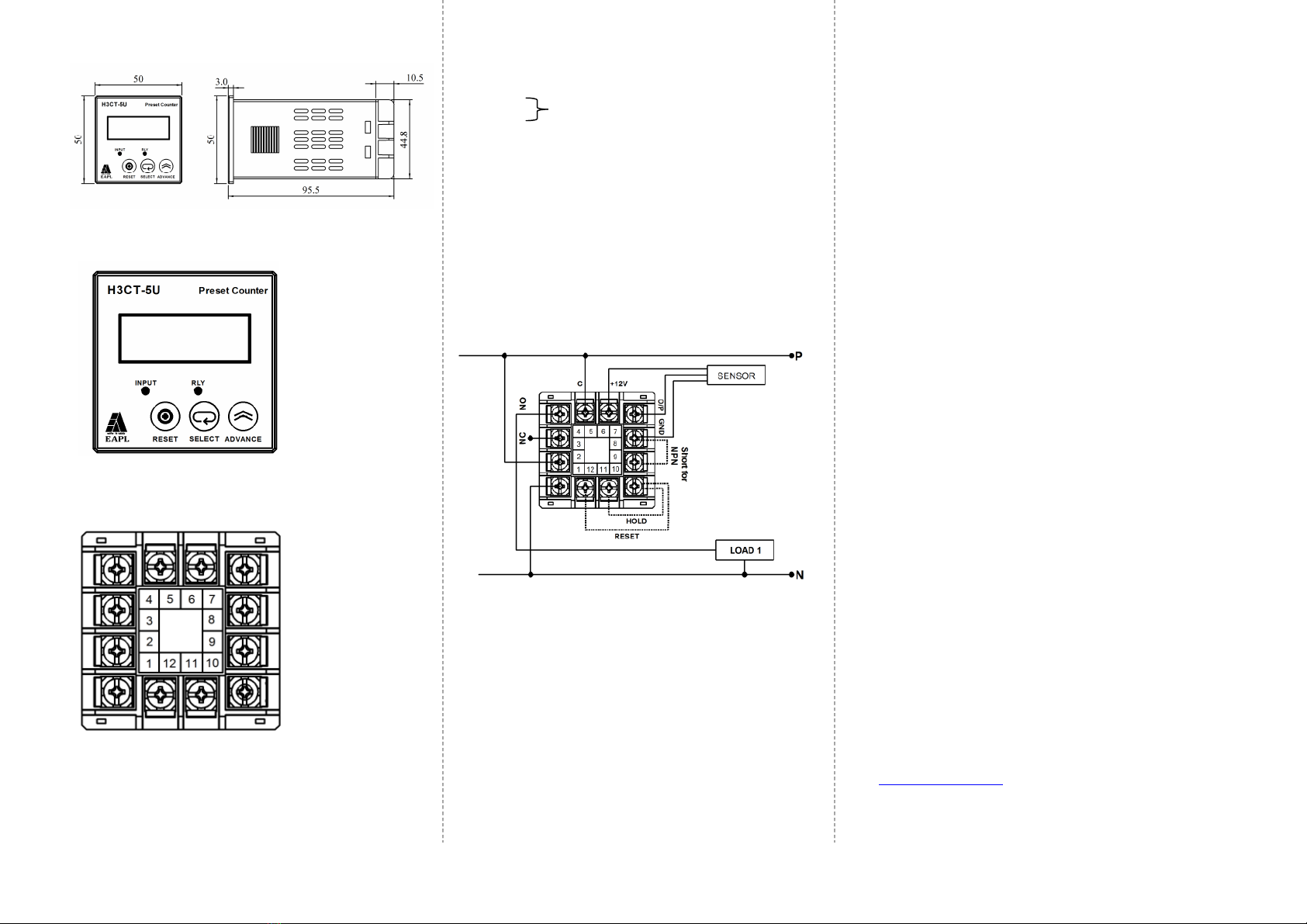
imension
ote: All Dimensions are in mm.
Front Panel
Rear View
Terminal Details
1, 2 : Source voltage
6 : +12V
7 : Output
8 : GND
8, 9 : Short for – NPN and LIMIT SWITCH
O en – PNP
12, 10 : RESET ( hort for atlea t 250mS)
11, 10 : Short – HOLD
Open – RESTART
3 : NC
4 : NO
5 : C
NOTE: Select PNP or NPN sensor/Limit switch before power ON.
Connect Limit switch between 7 & 8.
Wiring
* Though the standard relay output rating is 5A,
it is always necessary to use rated contactor to switch
O /OFF the load as shown above.
This ensures healthyness of equipment in case of fault
short created on the power output lines.
Programming Instruction :
Timing Exam le:-
Counts = 99999
SE S = 100
 Press “SELECT” once, display shows “SET” for 2 seconds and then
display shows previous set value with MSD flashing.
 Press “ADVA CE” till display shows 9.
 Press “SELECT” again; 2nd digit starts flashing.
 Press “ADVA CE” till display shows 9.
 Press “SELECT” again; 3rd digit starts flashing.
 Press “ADVA CE” till display shows 9.
 Press “SELECT” again; 4th digit starts flashing.
 Press “ADVA CE” till display shows 9.
 Press “SELECT” again; 5th digit starts flashing.
 Press “ADVA CE” till display shows 9.
 Press “SELECT” again; the set value is saved in memory and the
display shows “SEnS” for 2 seconds and then display shows
previous sensitivity value.
 Press “ADVA CE” till the display shows 100.
 Press “SELECT” display shows ‘00000’ to indicate counter is ready
for operation. Same procedure shall be followed for different
counts and sensitivity values.
Contact Rating
RLY 1C/O rated for 5Amps@250VAC/30V C (NO) and
3Amps@250VAC/30V C (NC)
isposition
Once the product life is over, you may send back the
unit to EAPL for disposition.
Contact
Electronic Automation Private Limited
#20, KHB Industrial area
Yelahanka
Bangalore -64
Ph:+91-80-28567561/2,/42802345
Customer support :Ph:+91-80-42802323
Email : info@eaplindiamail.com
www.eaplindia.com
OD RH Y 610002 REV 02/23-08-2021
Page 2 of 2
Sensor